Understanding Automatic Payments From Your Bank Account
Learn how automatic bank payments work, their pros and cons, and how to use them safely for your recurring bills.
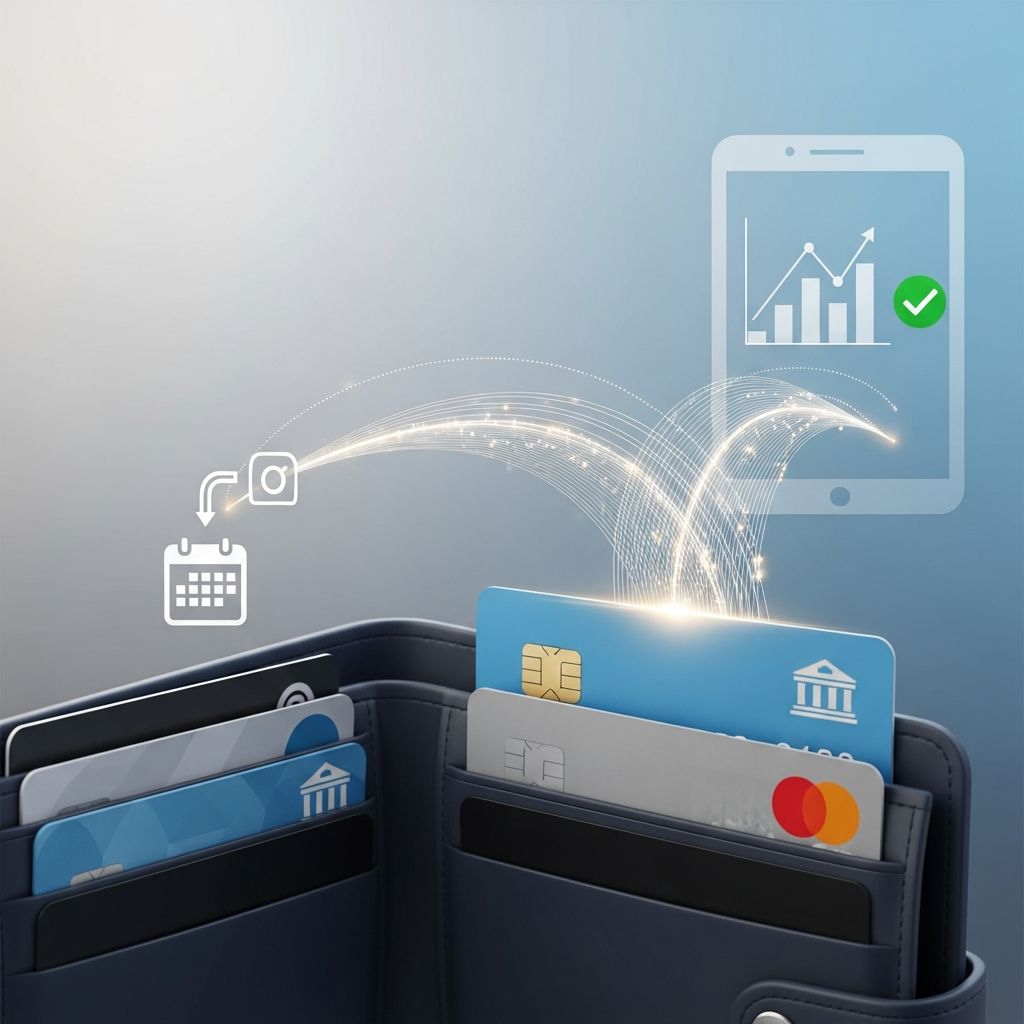
Automatic payments can make managing recurring bills easier, but they also give companies direct access to your bank account. Understanding how these withdrawals work, what your rights are, and how to monitor them is essential for staying in control of your money.
What Are Automatic Payments?
Automatic payments (sometimes called automatic debits or autopay) are recurring transfers where you authorize a company to pull money directly from your bank account or debit card to pay a bill on a regular schedule.
Once you agree, the company initiates electronic withdrawals, typically using the Automated Clearing House (ACH) network, which is the U.S. system for bank-to-bank electronic transfers.
- You usually provide your checking account and routing number or debit card number.
- You authorize the company to withdraw funds on specific dates, like your due date each month.
- Payments can be for a fixed amount (such as a loan payment) or vary from month to month (such as utilities).
Automatic payments are commonly used for:
- Credit card bills
- Mortgage or rent
- Car loans and student loans
- Utility bills (electricity, gas, water)
- Phone and internet service
- Insurance premiums and memberships
Automatic Payments vs. Bank Bill Pay
People often confuse automatic payments with their bank’s online bill-pay, but they work differently and affect your control over payments.
| Feature | Automatic Payments (Merchant-Initiated) | Bank Bill Pay (Bank-Initiated) |
|---|---|---|
| Who starts the payment? | The company you owe, using your authorization. | Your bank sends funds to the company on your instructions. |
| What information you share | Your bank account or debit card details with the company. | Account info stored with your bank; you may not need to share it with every biller. |
| Variable vs. fixed amounts | Often used for both fixed loans and variable bills like utilities. | Commonly used for fixed amounts you choose to send; you control changes. |
| How to stop or change | Must revoke authorization with the company; you can also instruct your bank to stop a specific payment. | Update or cancel the schedule directly through your bank’s bill-pay system. |
| Risk if funds are low | May trigger overdraft or nonsufficient funds (NSF) fees by both bank and company. | Similar overdraft risk, but you often control the amount and date more directly. |
How Automatic Payments Work Step by Step
Though details vary by bank and company, most automatic payment arrangements follow a similar pattern.
1. You Authorize the Company
To begin, you must give the company permission to take money from your account. This authorization can be written (paper form), electronic (online checkbox or digital signature), or recorded over the phone, depending on the agreement and applicable rules.
- You provide your bank routing number and account number or your debit card number.
- You agree on a schedule (for example, the 5th of every month or your due date).
- You agree on an amount or an allowed range for varying payments.
The company is required under federal law to clearly explain the terms of your authorization, including how often and how much they will debit.
2. The Company Initiates ACH Transfers
Most automatic payments are processed through the ACH system, which batches electronic transfers between banks in the United States.
- On the scheduled date, the company submits a request to its bank.
- The request is sent through the ACH network to your bank.
- Your bank reviews the request and, if your account has enough funds and the transaction meets requirements, the money is withdrawn.
Processing typically happens on business days, and many recurring debits clear on or just after the date you authorized.
3. Funds Are Withdrawn and Applied to Your Account
Once processed, the amount is deducted from your checking account and sent to the company. Your bank statement should show:
- The date of the withdrawal
- The name of the company paid
- The amount of the payment
Monitoring your statements and online transaction history helps you confirm that withdrawals match what you agreed to.
Fixed vs. Variable Automatic Payments
Automatic payments can be structured in different ways depending on the bill.
Fixed-Amount Payments
These work well for bills that are the same each cycle, such as:
- Installment loans (car loans, many student loans)
- Some rent or mortgage payments
- Set subscription fees
You authorize the company to withdraw a set amount each month. This makes budgeting simpler because you can plan for the same figure every time.
Variable-Amount Payments
Some bills change from month to month, such as utilities or mobile phone bills. In this case, you may authorize:
- Withdrawals that match each new statement balance, or
- Withdrawals up to a maximum amount or within a defined range.
Federal rules require that if an automatic payment will differ from the last payment or fall outside a range you previously authorized, the company must give you advance notice—commonly at least 10 days before the debit date. This advance notice gives you time to review the new amount and adjust your budget if needed.
Benefits of Using Automatic Payments
Used carefully, automatic payments can be a powerful tool for managing your finances.
- Reduced risk of late fees: When payments are automatically drafted on the due date, you are less likely to miss deadlines, which can help you avoid late fees and protect your credit.
- Time savings: You do not need to log in or write checks for every bill each month.
- Improved credit health: Consistently on-time payments are a major factor in credit scores, so automation can help maintain a positive payment history.
- Potential discounts: Some lenders or service providers offer a small rate reduction or fee discount if you enroll in automatic debit for loan repayments.
- Simplified budgeting: Fixed automatic payments make it easier to predict core monthly expenses.
Risks and Drawbacks to Watch For
Despite the benefits, automatic payments also carry risks, especially if you are not actively monitoring your account.
Overdrafts and Nonsufficient Funds Fees
If a scheduled automatic payment hits when there is not enough money in your account, your bank may:
- Cover the payment but charge an overdraft fee, or
- Decline the payment and charge a nonsufficient funds (NSF) fee.
The company expecting payment might then also charge a returned-payment or late fee. Multiple overlapping automatic debits can magnify this problem, especially around paydays.
Less Day-to-Day Control
Automatic debits continue until you cancel or change them. If your income changes, a bill increases, or you forget that a subscription renews automatically, a payment may come out of your account before you are ready.
Errors and Unauthorized Debits
Mistakes can happen, such as:
- Debiting the wrong amount
- Charging your account after you thought you canceled a service
- Withdrawing funds on the wrong date
Federal law (the Electronic Fund Transfer Act and Regulation E) gives you the right to dispute unauthorized or incorrect electronic debits from your bank account if you report them promptly. Your bank generally must investigate and may be required to correct the error and reimburse improperly taken funds.
How to Set Up Automatic Payments Safely
If you decide to use automatic payments, taking a few careful steps during setup can reduce problems later.
Choose Which Bills to Automate
Automatic debits often work best for:
- Essential, predictable bills (mortgage, car loan, insurance)
- Bills where missing a payment would have serious consequences (like debt in collections or secured loans)
You may prefer to avoid automatic debits for irregular or optional expenses, such as discretionary subscriptions, so you consciously review those each month before paying.
Align Payment Dates With Your Income
Whenever possible, schedule withdrawals shortly after your paydays so the funds are available. Many companies allow you to select your draft date within a window each month.
Read and Keep a Copy of Your Authorization
The company must provide the terms of your payment authorization in a clear, understandable format. Before you agree:
- Confirm the amount or how the amount will be calculated.
- Check the frequency (monthly, biweekly, or another schedule).
- Look for how to cancel or change the authorization.
Save a copy (paper or digital) of the agreement so you can refer back to it if there is a dispute.
Track Your Account Balance and Upcoming Debits
To avoid overdrafts:
- Use mobile or online banking to check your balance and recent transactions frequently.
- Keep a list or calendar of automatic payment dates and approximate amounts.
- Consider enabling alerts for low balances and upcoming payments.
Managing and Changing Existing Automatic Payments
Once automatic debits are in place, you should periodically review and adjust them.
Review Your Statements Regularly
Look through your monthly bank statements to confirm:
- Each automatic debit is authorized and expected.
- Amounts match your bills or agreed ranges.
- No new automatic payments have appeared without your consent.
Spotting errors early makes it easier to fix them and limits potential losses.
When and How to Cancel an Automatic Payment
You have the right to stop automatic withdrawals you previously authorized. To do this effectively:
- Contact the company directly and tell them (in writing if possible) that you revoke permission for automatic debits.
- Ask for written confirmation and note when the last payment will be drafted.
- If you need to prevent a specific upcoming debit, you can also instruct your bank to stop that payment. Banks may require written notice and may charge a fee for a stop payment order.
Stopping an automatic payment does not cancel what you owe—it only changes how you pay. Make other arrangements to avoid going delinquent on the account.
Consumer Protections and Your Rights
Several federal rules help protect you when you use automatic payments.
- Clear authorization: The company must obtain your permission and provide the terms in a form you can keep.
- Right to revoke: You can withdraw your authorization at any time; companies cannot require automatic debits as a condition for getting a loan in many situations.
- Error resolution: If you see an unauthorized or incorrect debit, you can notify your bank. In most cases, if you report the issue within 60 days of the statement showing the error, your bank must investigate and correct any verified mistake.
If a company continues to take payments after you revoke authorization, or if your bank does not follow error-resolution rules, you can file a complaint with a federal consumer protection agency such as the Consumer Financial Protection Bureau (CFPB).
Best Practices for Using Automatic Payments
To make automatic payments work for you rather than against you, consider these habits:
- Limit autopay to essential, predictable bills.
- Keep a separate cushion in your checking account for scheduled debits.
- Set reminders a few days before large automatic payments are due.
- Review all subscription and membership charges at least once or twice a year.
- Update payment details promptly if you change banks to avoid failed debits and fees.
Frequently Asked Questions (FAQs)
Q: Can a company change the amount of an automatic payment without telling me?
If you authorized variable payments, the amount can change, but companies are generally required to notify you in advance when the amount will be different from the last payment or outside any range you agreed to, typically at least 10 days before the debit.
Q: Is it safer to use my bank’s bill pay instead of giving a company access to my account?
Using bank bill pay means your bank sends payments out, so you do not have to share your account number with every company. With merchant-initiated automatic debits, the company has your bank or card details and can pull funds within the terms you agreed. Both methods are protected by federal law, but many people prefer bill pay for tighter control.
Q: What should I do if an automatic payment is wrong or unauthorized?
Contact your bank as soon as you notice the error and explain that the debit was unauthorized or incorrect. Under federal law, banks usually must investigate and may have to refund the money if they find an error. Also contact the company that took the payment to dispute the charge and prevent future debits.
Q: Does stopping an automatic payment mean I no longer owe the bill?
No. Canceling an automatic debit only changes how you pay; it does not erase the underlying obligation. You should arrange another payment method to avoid late fees, negative credit reporting, or collection activity.
Q: Can automatic payments help my credit score?
Automatic payments do not directly appear on your credit report, but by helping you pay recurring debts like credit cards and loans on time, they can support a positive payment history—which is a major factor in your credit score.
References
- How do automatic payments from a bank account work? — Consumer Financial Protection Bureau (CFPB). 2021-08-05. https://www.consumerfinance.gov/ask-cfpb/how-do-automatic-payments-from-a-bank-account-work-en-2021/
- How To Use Autopay To Manage Your Finances — Bankrate. 2023-05-15. https://www.bankrate.com/personal-finance/how-to-use-autopay/
- Automatic Bill Payment – How It Works and Advantages — Corporate Finance Institute. 2022-03-10. https://corporatefinanceinstitute.com/resources/wealth-management/automatic-bill-payment/
- Automatic Payments: Pros, Cons & Other Considerations — PNC Bank. 2023-04-06. https://www.pnc.com/insights/personal-finance/spend/automatic-payments-what-to-know.html
- Understanding Automatic Payments — Bank of America. 2023-02-20. https://www.bankofamerica.com/onlinebanking/education/save-with-automatic-payments.go
- Automatic Bank Payments: Watch Out for Errors — Nolo. 2021-11-01. https://www.nolo.com/legal-encyclopedia/automatic-deduction-errors-bank-accounts-29823.html
Similar Articles








Read full bio of medha deb