How to Stop Automatic Payments from Your Bank Account
Learn clear, practical steps to cancel unwanted automatic withdrawals and protect your bank balance.
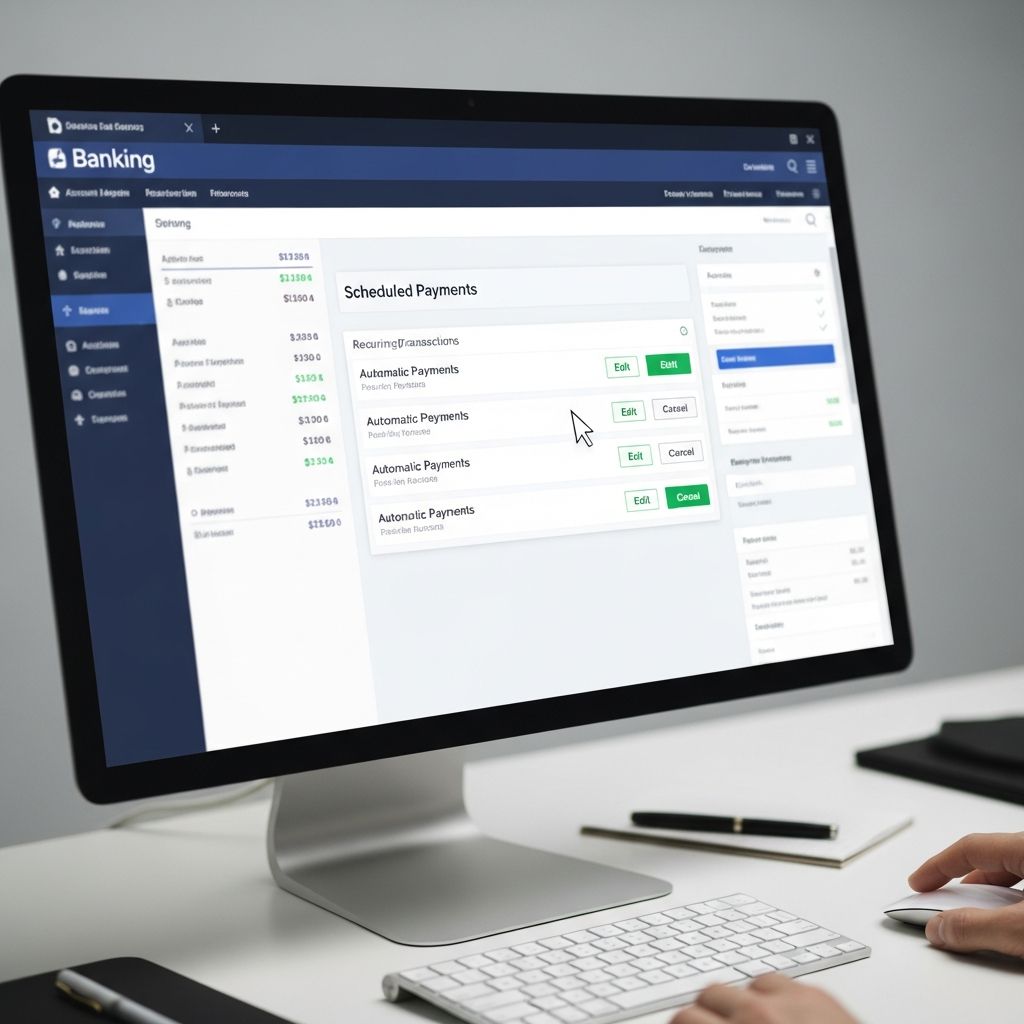
Automatic payments can be convenient for paying subscriptions, loans, and utility bills, but they can also make it harder to control your cash flow or cancel services you no longer want. U.S. law gives you the right to stop most recurring withdrawals from your bank account, and your bank and the company getting paid both have responsibilities when you revoke permission.
This guide explains, in plain language, how to cancel automatic payments safely, how to work with both the company and your bank, and what to do if money keeps coming out after you told them to stop.
Understanding Automatic Payments and Your Rights
Before you cancel anything, it helps to understand what automatic payments are and how the rules work.
- Automatic (preauthorized) payments are transfers you agreed to in advance, allowing a company to pull money from your checking or savings account on a regular schedule.
- They are usually authorized through a form, online agreement, or recorded phone consent when you signed up for a service, loan, membership, or subscription.
- In the U.S., these transfers are covered by the Electronic Fund Transfer Act (EFTA) and its Regulation E rules, which set out your rights and your bank’s duties.
Under these rules, you generally have the right to:
- Revoke authorization for a company to take money from your account in the future.
- Tell your bank to issue a stop-payment order on upcoming withdrawals.
- Dispute errors, such as payments that go through after you revoked permission, or withdrawals you never authorized.
Step 1: Decide What You Want to Change
Before contacting anyone, be clear on your goal. This will shape what you say and which deadlines you face.
- Cancel the service entirely (for example, ending a gym membership or streaming subscription).
- Keep the service but stop auto-debit (for example, you will log in and pay manually every month).
- Switch how you pay (for example, move from bank-account withdrawal to paying by card or check).
In all of these cases, you will usually need to contact both:
- The company or service provider that is pulling the funds; and
- Your bank or credit union to protect your account and stop future transfers.
Step 2: Contact the Company and Revoke Permission
Your first move should normally be to tell the company that you no longer allow them to take money from your account.
How to communicate with the company
Use at least two methods if possible, such as a phone call plus written confirmation. Check your account statement, contract, or the company’s website for the correct billing or customer service contact.
- Call customer service and state clearly that you are revoking authorization for automatic withdrawals from your bank account.
- Follow up in writing—by email, secure message, or letter—so that you have proof of what you requested and when.
- Ask for a cancellation or confirmation number, or a written acknowledgment, and save it with your records.
What to say when you revoke authorization
Be specific enough that the company and your bank can understand which payments you are canceling.
- Identify yourself (name, address, phone number).
- List the account number, customer number, or subscription ID used by the company.
- State that you are revoking authorization for the company to take electronic debits from your bank account.
- Specify whether you are also canceling the underlying contract (for example, ending the membership) or only changing how you pay.
- Give the effective date: either immediately or after a certain final payment.
Some companies provide an online cancellation form or an account-settings option that lets you switch off auto-pay directly. If you use such a tool, take screenshots or save confirmation emails for your records.
Step 3: Notify Your Bank or Credit Union
After you tell the company to stop, contact your bank or credit union so they can block further withdrawals.
Tell your bank you revoked authorization
Explain that you previously allowed a specific company to pull funds, but you have now revoked that permission.
- Call customer service or visit a branch and state that you revoked authorization for that company to debit your account.
- Ask if the bank has an online form or secure message you should complete to put this in writing.
- Provide any documents you have—such as a copy of your written notice to the company or a cancellation number.
Under federal rules, banks must generally honor a valid revocation of authorization for future preauthorized electronic fund transfers, once you give them timely notice.
Step 4: Use a Stop-Payment Order if Needed
If a scheduled withdrawal is coming up soon—or if you are unsure whether the company will honor your cancellation—ask your bank about a stop-payment order.
| Feature | What It Means |
|---|---|
| Purpose | Instructs your bank not to pay a specific preauthorized debit (or series of debits) to a particular company. |
| Timing | Must usually be given at least three business days before the transfer is scheduled. |
| How to request | Often allowed by phone or online; the bank may require written confirmation within a set period (for example, 14 days). |
| Duration | Written stop-payment orders often expire after six months but can typically be renewed. |
| Fees | Many banks charge a fee for each stop-payment order; ask for the amount before proceeding. |
A stop-payment order can be especially helpful if:
- You are in a dispute with the company about a bill or cancellation date.
- You are worried an upcoming debit will overdraw your account.
- You notified the company to stop, but their system may not update in time.
Step 5: Watch Your Account and Document Everything
After you revoke authorization and contact your bank, you still need to stay alert.
- Check your account regularly—through mobile banking, online statements, or alerts—to confirm that the automatic payments have stopped.
- Save copies of letters, emails, forms, and chat transcripts related to your revocation and any stop-payment orders.
- Write down the date, time, and name of every representative you speak with, along with what they said.
Detailed records make it much easier to dispute any withdrawals that occur after you told the company and your bank to stop.
What If Money Still Comes Out After You Cancel?
Sometimes a company may continue to attempt debits after you revoke authorization, or your bank may accidentally process a payment that should have been stopped. When this happens, you may be entitled to a refund.
When the company initiates more payments
Once you have clearly revoked authorization, any additional debits initiated by that company should be treated as errors under federal electronic fund transfer rules.
- Contact your bank as soon as you see the unauthorized withdrawal.
- Explain that you revoked authorization and provide copies of your notices and any stop-payment order.
- Your bank generally has to investigate and may have to recredit your account if it determines the transfer was unauthorized or made in error.
Deadlines for reporting errors
Regulation E sets specific timeframes for reporting unauthorized electronic fund transfers or errors. While the exact limits depend on when you receive your statement and when you notify your bank, reporting problems as quickly as possible increases your chances of recovering the money and reduces potential loss.
Special Situations and Practical Tips
If you are still under contract
Stopping automatic payments does not erase any legal obligation you may still have under a contract.
- Read your agreement or terms and conditions before canceling.
- You might owe an early termination fee or be required to give advance notice to end the contract itself.
- Even if the contract continues, you can usually change how you pay, as long as you still pay what you owe on time.
When your bank is also the lender
If your automatic payment is tied to a loan with the same bank (for example, a car loan or personal loan), ask clearly about:
- Whether canceling auto-pay affects any interest-rate discounts or special terms.
- Alternative ways to pay (online portal, check, branch payments) to avoid late fees.
If you are worried about overdrafts
Automatic debits can sometimes trigger overdraft fees if they hit when your balance is low.
- Consider setting up low-balance alerts through online or mobile banking.
- Ask your bank if you can opt out of overdraft coverage for certain types of transactions or link a backup account.
- Stopping unneeded or forgotten auto-pays can free up cash for essentials and help you avoid fees.
Simple Checklist: Stopping an Automatic Payment
- Review your statements to identify the company name, amount, and payment schedule.
- Decide whether you are canceling the service or only turning off automatic withdrawals.
- Contact the company by phone and in writing to revoke authorization.
- Ask for written confirmation or a cancellation number and save it.
- Contact your bank or credit union and state that you revoked authorization.
- If a payment is coming soon, request a stop-payment order and ask about any fee.
- Monitor your account and report any further withdrawals immediately.
Frequently Asked Questions (FAQs)
Q: Can I stop automatic payments even if I signed an agreement?
Yes. In most cases, you have the right to revoke authorization for a company to take preauthorized electronic transfers from your bank account, even if you signed up earlier. However, you may still owe money under the contract, so read your agreement and keep paying any valid debt through another method.
Q: Do I have to contact both the company and my bank?
It is strongly recommended that you contact both. Telling the company helps stop them from initiating new debits, while notifying your bank allows it to block transfers and treat later debits as errors if they occur.
Q: How far in advance do I need to request a stop-payment order?
You generally must notify your bank at least three business days before the automatic payment is scheduled to leave your account. Many banks let you do this by phone or online but may require written confirmation within a limited time.
Q: Will stopping automatic payments hurt my credit?
Stopping auto-pay by itself does not hurt your credit, but missing payments can. If you still owe on a loan or account, make sure you continue paying on time using another method to avoid late fees and potential negative credit reporting.
Q: What if my bank refuses to refund an unauthorized withdrawal?
If you believe your bank did not follow the rules for handling errors or unauthorized transfers, you can escalate the issue through the bank’s complaint process and, if needed, file a complaint with a federal regulator such as the Consumer Financial Protection Bureau.
References
- How do I stop automatic payments from my bank account? — Consumer Financial Protection Bureau. 2023-08-02. https://www.consumerfinance.gov/ask-cfpb/how-do-i-stop-automatic-payments-from-my-bank-account-en-2023/
- How can I stop a preauthorized debit? — HelpWithMyBank.gov (Office of the Comptroller of the Currency). 2022-03-18. https://www.helpwithmybank.gov/help-topics/bank-accounts/electronic-transactions/automatic-withdrawal-preauthorized-payments/automatic-withdrawal-stop-debit.html
- Automatic Payments from Your Bank Account: Know Your Rights — Iowa Legal Aid. 2021-09-01. https://iowalegalaid.org/resource/automatic-payments-from-your-bank-account-know-your-rights/
- How To Stop Automatic Payments from Checking Account — Credit Karma. 2022-10-21. https://www.creditkarma.com/money/i/stop-automatic-payments
- How to Cancel Automatic Payments — Experian. 2024-04-13. https://www.experian.com/blogs/ask-experian/how-to-cancel-automatic-payments/
Similar Articles








Read full bio of Sneha Tete