Protect Yourself From Fake Amazon Refund Text Messages
Learn how fake Amazon refund texts work, how to spot them fast, and what to do if you already clicked or shared information.
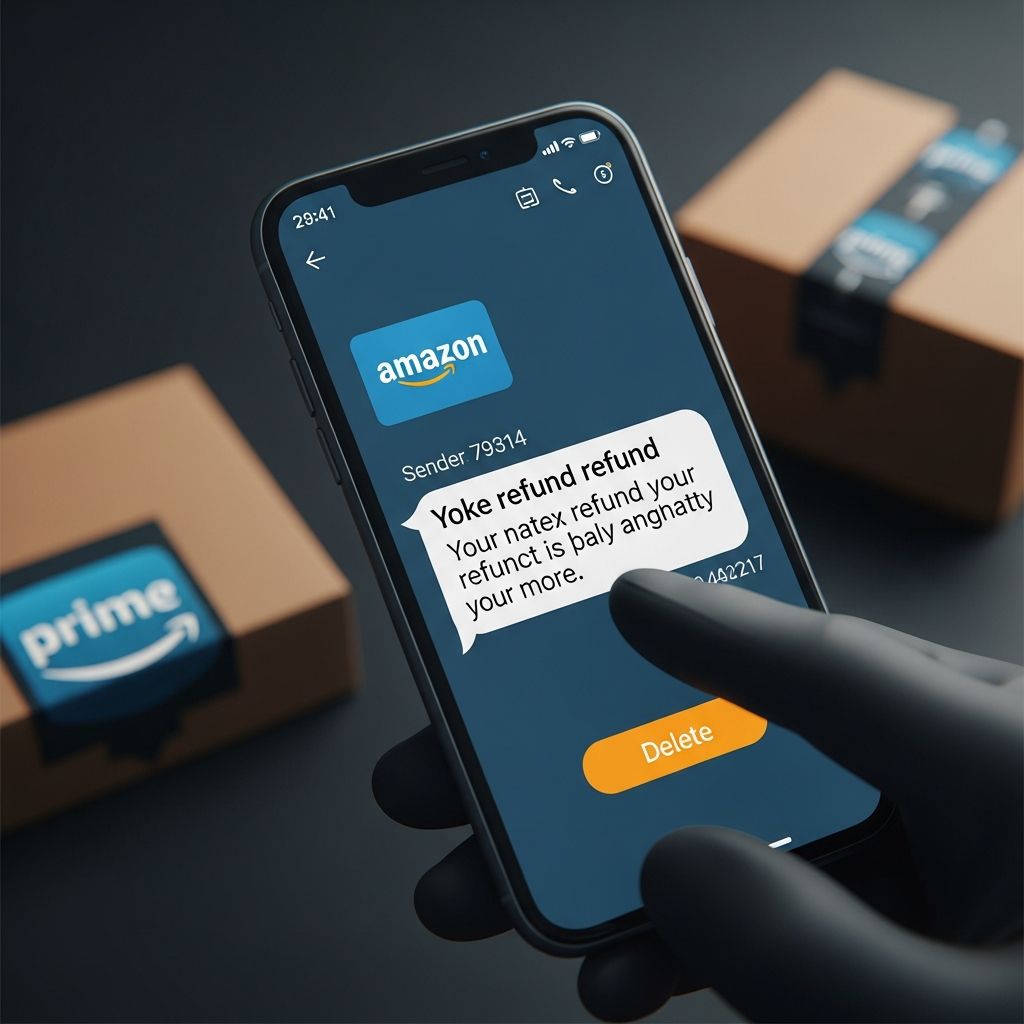
Fraudsters are increasingly sending text messages that pretend to be from Amazon, claiming there is a problem with a recent purchase and offering you a quick refund if you tap a link. In reality, these messages are designed to steal your login credentials, personal data, or money. This guide explains how these scams operate, how to recognize them, and what to do if one lands on your phone.
Why Scammers Pretend to Be Amazon
Amazon is one of the most widely used online marketplaces in the world, which makes it an attractive target for scammers. Many people have legitimate Amazon orders at any given time, so a message claiming to be about an order, refund, or product issue feels believable. Because these scams exploit trust and familiarity, even careful people can be tricked.
- Billions of orders each year mean a high chance you recently bought something.
- People are used to getting shipping notifications and account alerts.
- Refund offers and safety warnings trigger urgency and emotion.
Scammers count on that mix of convenience, speed, and urgency to get you to click first and think later.
How Fake Amazon Refund Text Scams Typically Work
While individual messages may look different, the basic pattern is usually similar. Understanding the steps helps you spot the danger early and respond safely.
1. The Unsolicited Text Arrives
You receive a text that appears to come from Amazon or includes the word “Amazon” in the message. It may reference:
- a routine quality check or safety inspection on something you bought
- a supposed recall of a recent purchase
- a refund for an order that “failed” or “didn’t meet standards”
The text often includes an order number, partial product description, or generic language like “your recent order” to sound legitimate.
2. An Attractive Refund Offer
The message usually claims you are entitled to a full refund and sometimes says you can keep the item. It might assert that:
- “You do not need to return the product; just tap the link for your refund.”
- “Your safety is our top priority, stop using the item immediately and request your refund.”
This offer is meant to override your caution with the promise of easy money or safety.
3. A Link to a Fake Website
The text then instructs you to click a link to claim your refund. Common warning signs include:
- Shortened URLs (for example, bit.ly or other URL shorteners).
- Domain names that are not Amazon’s official domain.
- Links that include random letters and numbers.
Following the link may take you to a fake login page, a site that tries to install malware, or a form asking for payment information.
4. Theft of Data or Money
Once you interact with the fake site, scammers may try to:
- Capture your Amazon username and password through a forged sign-in page.
- Harvest your credit card or bank data under the guise of “verifying” the refund.
- Install malicious software that can steal additional information from your device.
With your login details, scammers can attempt purchases, change your account settings, or try the same password on your other accounts.
Red Flags That an Amazon Refund Text Is Fake
Not every message mentioning Amazon is fraudulent, but scam texts share recognizable traits. Comparing a suspicious message to these signs can help you evaluate the risk quickly.
| Warning Sign | What It Looks Like | Why It’s Risky |
|---|---|---|
| Unexpected refund or recall | Claims an issue with a recent purchase you don’t remember | Scammers rely on vague details so you fill in the gaps and assume it’s real. |
| Suspicious link | Shortened URL or domain that is not Amazon’s official site | Clicking may lead to phishing pages or malware downloads. |
| Pressure and urgency | Language like “immediately,” “last chance,” or “account at risk” | Scammers push you to act before you verify anything. |
| Requests for sensitive data | Text asks you to enter passwords, Social Security number, or full card number | Legitimate companies do not request this kind of data via text for a simple refund. |
| Grammar and spelling errors | Odd phrasing, typos, or inconsistent capitalization | Poor language often signals a mass-produced scam rather than a professional message. |
| Unknown sender | Message comes from a random mobile number, not a recognizable short code | Official alerts from major companies usually come from consistent channels. |
What Amazon and Regulators Say About These Texts
Understanding how legitimate organizations communicate helps you distinguish real messages from scams.
- According to the U.S. Federal Trade Commission (FTC), scammers are sending texts that falsely claim Amazon performed a “routine quality inspection” and wants to issue a refund, but the goal is to steal your information.
- Local authorities have warned that Amazon does not send recall notices from random personal phone numbers or through URL shortener links.
- Security experts note that scam refund texts often lead to spoofed websites that impersonate Amazon to capture login credentials.
Legitimate updates about your orders or recalls should be visible when you sign in directly to your Amazon account or in official emails, not solely through a surprise text with a generic link.
Safe Steps to Take When You Get a Suspicious Text
If a text about an Amazon refund appears on your phone, staying safe usually comes down to a few key decisions. Use this checklist any time you’re unsure.
1. Do Not Click Any Links
Stop and evaluate before tapping. Interacting with a malicious link is often what enables scammers to steal data or install harmful software.
- Avoid clicking, copying, or previewing the URL.
- Do not reply to the message, even with “STOP” or questions.
2. Check Your Amazon Account Directly
Instead of using any link in the text, open your browser or Amazon app yourself:
- Type the official Amazon web address manually or use the official app.
- Sign in and review your Orders, Messages, and Returns & Refunds.
- Look for any notices about recalls, product problems, or refunds.
If there is no message or alert in your account, the text is very likely a scam.
3. Delete and Report the Text
In the United States, major mobile carriers participate in a program that lets you report spam texts by forwarding them to a dedicated short code.
- Forward the message to 7726 (which spells “SPAM” on most keypads).
- After reporting, delete the original text from your phone.
- You can also use your phone’s built-in option to mark the message as junk or spam.
4. Consider Blocking the Sender
Most smartphones allow you to block a number so it cannot send you additional texts or call you. While scammers may rotate numbers, blocking still helps reduce repeat contact from the same source.
What to Do If You Clicked the Link or Shared Information
If you already followed a link or entered personal or financial information, act quickly. Speed can limit potential damage and help you regain control.
1. Change Your Amazon Password
Assume that any credentials you entered on a suspicious website are compromised.
- Sign in to your Amazon account from a known-safe device.
- Change your password to a strong, unique one you have not used on other accounts.
- If you reused that password elsewhere, change it on those sites as well.
2. Turn On Multi-Factor Authentication (MFA)
Multi-factor authentication, sometimes called two-step verification, adds a second layer of security by requiring a code (often sent by text or generated by an app) in addition to your password.
- Enable two-step verification in your Amazon security settings.
- Consider using an authenticator app rather than SMS for added security.
With MFA enabled, stolen passwords alone are less useful to attackers.
3. Contact Your Bank or Card Issuer
If you entered debit or credit card data into a suspicious form, notify your financial institution immediately.
- Ask if your card should be canceled and replaced.
- Review recent transactions for unfamiliar charges.
- Turn on alerts for purchases, if available, to detect unauthorized activity quickly.
4. Run a Security Scan on Your Device
If the link led to a file download or prompted you to install an app, your device might be infected with malware.
- Use reputable, up-to-date security software to scan your device for threats.
- Delete any unrecognized apps you recently installed after clicking the link.
5. Report the Scam
Reporting helps authorities track patterns and warn others. In the U.S., you can submit details of suspicious messages to the Federal Trade Commission.
- Visit the FTC’s fraud reporting portal to share information about the scam.
- Include screenshots, the sender’s number, and any links if you still have them.
Practical Habits to Reduce Your Risk
No tool or setting can block every scam, but building consistent habits makes you a much harder target. Here are simple practices that improve your safety over time.
- Be skeptical of unsolicited messages that ask you to click, sign in, or share information.
- Use unique passwords for important accounts like email, shopping, and banking.
- Update your devices so that security patches are installed promptly.
- Back up essential data in case malware or account compromise leads to loss of access.
- Teach family members, especially teens and older adults, about the signs of scam texts.
Frequently Asked Questions (FAQs)
Q: Does Amazon ever send real texts about orders or refunds?
A: Amazon may sometimes send legitimate texts, such as delivery updates or verification codes, depending on your account settings. However, genuine messages will not ask you to share passwords, Social Security numbers, or full payment card details through a link in a text. When in doubt, go directly to your account without using any embedded link.
Q: How can I confirm whether a recall or refund is real?
A: Sign in to your Amazon account via the official website or app and check your order history and messages. Authentic recalls or refund offers related to your purchases should appear there. If you do not see any notice in your account, treat the unexpected text with suspicion.
Q: What happens if I clicked the link but did not type anything?
A: If you only opened the page and did not enter data or install apps, the risk is usually lower, but it is still wise to close the page, clear your browser history, and consider running a security scan. If the page tried to download a file or app, delete it and perform a full device check.
Q: Is forwarding the text to 7726 (SPAM) safe?
A: Yes. Forwarding spam texts to 7726 is a program supported by many U.S. mobile carriers to help them identify and block unwanted messaging. After forwarding, you can delete the original message from your phone.
Q: Who should I notify if I think I was scammed?
A: Take three steps: contact your bank or card issuer if you shared financial information, secure your Amazon account by changing your password and enabling multi-factor authentication, and file a report with the Federal Trade Commission through its official fraud-reporting website.
References
- Scammy texts offering “refunds” for Amazon purchases — Federal Trade Commission. 2025-07-xx. https://consumer.ftc.gov/consumer-alerts/2025/07/scammy-texts-offering-refunds-amazon-purchases
- Scam Alert: Fake “Amazon Safety Recall” Texts Circulating Locally — The MoCo Show. 2025-12-07. https://mocoshow.com/2025/12/07/scam-alert-fake-amazon-safety-recall-texts-circulating-locally/
- Got a text about an Amazon refund? It might be a scam — Avast. 2023-10-18. https://blog.avast.com/got-a-text-about-an-amazon-refund-it-might-be-a-scam
- Amazon Refund Scams on the Rise — State Department Federal Credit Union (SDFCU). 2023-09-27. https://sdfcu.org/articles-security-protect-yourself-amazon-refund-scam
Similar Articles








Read full bio of Sneha Tete