
Spotting Fake Crypto & Payment Emails Before You Click
Learn how to recognize and avoid urgent-looking phishing emails that pretend to be from wallets, payment apps, and other financial services.
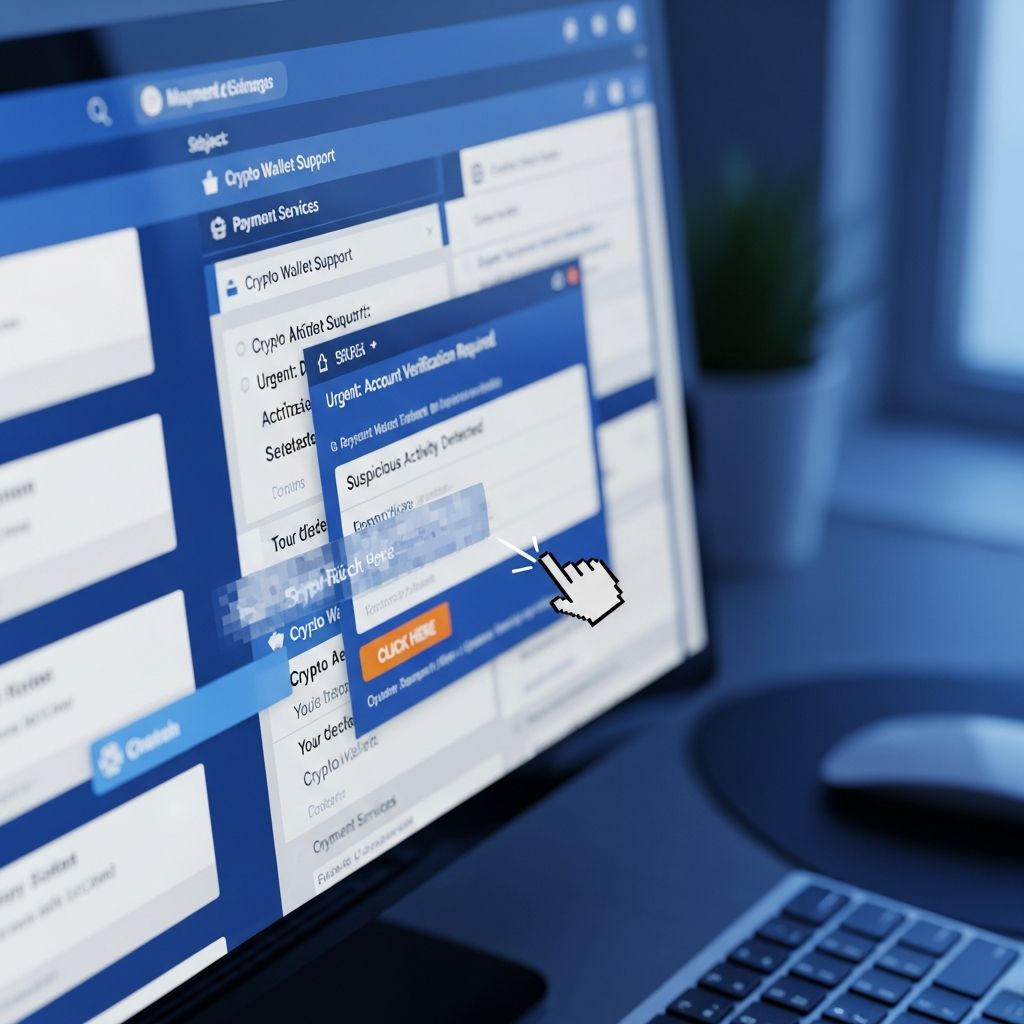
Cybercriminals are sending waves of emails that pretend to be from familiar brands like cryptocurrency wallets, payment platforms, and online marketplaces. These messages often claim that your account is frozen, your funds are at risk, or you must act immediately to avoid losing money. Their real goal is to trick you into handing over passwords, recovery phrases, or other sensitive details that give them direct access to your accounts and assets.
This guide explains how these phishing scams work, the red flags to look for, and practical steps to protect yourself if you use services like crypto wallets, PayPal-style payment systems, or online financial apps. It is inspired by regulatory warnings and law enforcement reports about the sharp rise in crypto and payment-related fraud.
Why Criminals Target Crypto Wallets and Payment Platforms
Digital wallets and payment platforms are attractive to scammers because they give quick access to money and are often difficult to trace once stolen. According to the FBI’s Internet Crime Complaint Center (IC3), losses from cryptocurrency-related fraud alone reached billions of dollars in recent years, with most of the losses tied to investment scams and related schemes.
Phishing is one of the simplest ways for criminals to break in. Instead of hacking the service itself, they try to trick you into unlocking the door for them.
What Phishing Tries to Steal
- Login credentials – email addresses, usernames, and passwords used to access your accounts.
- Two-factor authentication (2FA) codes – one-time codes sent by SMS, authenticator apps, or email.
- Seed phrases or private keys – for crypto wallets, these give full, irreversible control of your funds.
- Personal details – such as your address, date of birth, or ID numbers that can be reused for identity theft.
- Payment details – card numbers, bank information, or in-app payment authorizations.
How Fake “Urgent” Emails Are Crafted
Phishing emails that reference crypto wallets, payment apps, or online accounts are designed to look like legitimate security alerts. Criminals copy logos, brand colors, and even the style of real notification emails. However, the content and links point back to attacker-controlled infrastructure rather than the real service.
Common Themes in Phishing Messages
- Account suspension alerts – claims that your account will be locked unless you confirm your details.
- Unusual login or transaction notices – warnings about logins from a new device or region that ask you to “verify now.”
- Verification or KYC requests – emails asking you to update identity documents or security information using a linked form.
- Reward or refund offers – promises of bonuses, airdrops, or refunds that require logging in via the email link to claim.
- Security upgrade prompts – narratives about new security features that require re-entering your seed phrase or password.
Key Red Flags: How to Tell a Phishing Email from the Real Thing
Legitimate financial services use strict security practices and will not ask for certain information over email. Recognizing a few core warning signs will help you stop most scams before you click.
1. Pressure and Panic
Many scam emails attempt to force quick decisions by combining threats and deadlines:
- “Your account will be permanently closed in 24 hours unless you verify your details.”
- “Unusual activity detected – log in immediately to avoid loss of funds.”
- “Final warning: your wallet will be blacklisted if you do not respond.”
Legitimate companies may inform you of issues, but they rarely frame them as an overnight crisis and they consistently encourage you to log in through their official app or website, not through a random email link.
2. Requests for Sensitive Wallet or Account Data
Reputable crypto wallets and payment providers will never ask for items such as:
- Your full wallet seed phrase or recovery phrase.
- Your private keys.
- One-time 2FA codes in response to an unsolicited email or message.
- Card PINs or full card verification codes.
If any message claims it needs your seed phrase or private key to “restore,” “upgrade,” or “verify” your wallet, you are dealing with a scam. Seed phrases are for your personal backup only; sharing them with anyone else hands over control of your funds permanently.
3. Suspicious Links and Sender Addresses
Cybercriminals rely on lookalike email addresses and domains that are just slightly different from the real company’s name:
- Replaced letters – such as using “rn” instead of “m,” or numbers instead of letters.
- Extra words – like support-verify-brandname.com or brandname-security-alert.net.
- Unrelated domains – free email accounts or obscure domains that would never host a major brand.
You can often spot these by hovering over links (without clicking) and checking whether the domain matches exactly what you would normally type in your browser for the service.
4. Low-Quality Language or Formatting
Some phishing attempts are sophisticated and written in polished language, but many still include clues such as:
- Unusual greetings, like “Dear User” instead of your real name.
- Grammatical errors, awkward phrases, or inconsistent capitalization.
- Brand logos that are stretched, blurry, or not aligned with the rest of the message.
Phishing vs. Legitimate Security Emails: A Quick Comparison
| Feature | Typical Phishing Email | Legitimate Security Email |
|---|---|---|
| Tone | Highly urgent, threatening, or emotional | Calm, factual, with clear next steps |
| Links | Directs to unfamiliar or misspelled domains | Links to the official website or app domain |
| Requested Information | Passwords, seed phrases, 2FA codes | Usually asks you to log in via the official site, not to send data by email |
| Sender Address | Free accounts or domains that imitate the brand | Corporate email addresses on verified domains |
| Customization | Generic greetings like “Dear Customer” | Often includes your name or partial account details |
Best Practices to Stay Safe from Wallet and Payment Phishing
Proactive habits and a few simple tools can dramatically reduce your risk.
Use Strong, Unique Credentials
- Create a unique password for every financial or crypto-related account.
- Store passwords in a reputable password manager rather than in notes or emails.
- Enable multi-factor authentication (MFA) wherever possible, preferably using an authenticator app rather than SMS.
Access Services Through Trusted Paths Only
- Type the official site address directly into your browser or use a saved bookmark.
- Use official mobile apps downloaded from genuine app stores, not from links in emails or messages.
- Avoid logging in through links received by email, text, or social media, especially if the message claims urgency.
Secure Your Email, Since It Unlocks Everything Else
Many phishing campaigns target your email account first because it is used to reset passwords on other services.
- Enable MFA for your primary email account.
- Review recovery methods (backup email, phone number, security questions) and keep them updated.
- Regularly check recent login activity or security logs, if available.
Keep Devices and Apps Up to Date
- Install operating system and browser updates promptly.
- Use reputable security software and keep it updated.
- Remove unused extensions or apps that request broad permissions.
What to Do If You Receive a Suspicious Email
If an email mentions your wallet, payment account, or recent transaction and you are unsure whether it is genuine, treat it as suspicious until you can verify it safely.
Step-by-Step Response
- Do not click any links or download attachments from the message.
- Check your account separately by going directly to the service’s official app or website.
- Compare the message with previous legitimate emails from the same service (design, sender address, wording).
- Contact customer support through the official website or app if you are unsure.
- Report the message as phishing to your email provider and, where available, through in-app report features.
What to Do If You Already Clicked or Entered Information
Quick action can sometimes limit the damage, especially if you respond within minutes or hours.
If You Entered Your Password
- Change your password immediately on the affected account through the official site or app.
- If you reused the password on other services, change it there as well.
- Enable or update MFA if you have not already.
If You Revealed Your Seed Phrase or Private Key
For cryptocurrency wallets, exposing your seed phrase essentially gives full control of your funds to whoever has it. In most cases, you cannot safely keep using the same wallet.
- Immediately move remaining funds to a brand-new wallet created with a fresh seed phrase on a trusted device.
- Stop using the compromised wallet address for future deposits.
- Review transaction history for unauthorized transfers.
If Money Was Already Sent or Stolen
- Contact your bank, card issuer, or payment provider at once to see whether a chargeback or hold is possible.
- File a complaint with law enforcement or regulatory bodies that track internet and crypto fraud.
- Document all relevant information: screenshots, transaction IDs, wallet addresses, message content, and dates.
How Organizations Fight Phishing in the Background
Financial institutions, crypto firms, and regulators are actively building defenses against phishing and related scams.
- Detection technology – email providers and security companies use machine learning to flag phishing attempts based on language, structure, and sending patterns.
- Takedown of malicious sites – regulators and law enforcement increasingly work with domain registrars and hosting providers to shut down scam websites and wallets involved in fraud.
- Public alerts and scam trackers – official agencies publish warnings, maintain searchable scam databases, and share real-world examples to educate consumers.
Simple Daily Habits That Reduce Your Risk
You do not need to be a security expert to defend yourself from most phishing attempts. A few consistent behaviors make a significant difference.
- Pause before you click – scan the message for urgency and requests for sensitive data.
- Verify independently – trust what you see in the official app or site over what any email claims.
- Protect your recovery tools – store seed phrases and backup codes offline and never retype them into random websites or forms.
- Educate people around you – family, friends, and coworkers are often targeted too. Share what you have learned.
Frequently Asked Questions (FAQs)
Q1: An email says my crypto wallet is blocked unless I verify my seed phrase. Is that ever legitimate?
No. Wallet providers and legitimate platforms do not need your seed phrase or private keys to unblock or verify an account. Any message requesting those details is a phishing attempt, and using the provided link or form can lead directly to loss of your funds.
Q2: How can I safely check if an urgent email about a transaction is real?
Open your wallet or payment app directly, or type the official website address into your browser. Check recent activity there. If the alert is genuine, you will normally see the same warning or message inside your account dashboard. Never use links from the suspicious email to sign in.
Q3: I clicked a link, but I did not enter any details. Am I still at risk?
Risk is lower if you did not enter any credentials or download files, but it is still wise to run a security scan on your device, clear your browser cache, and monitor accounts for unusual activity. If the site tried to install anything, treat the device as potentially compromised and seek professional help.
Q4: Who should I report phishing emails to?
Use your email provider’s “Report phishing” function, and notify the company that was impersonated using contact details from its official site. You can also report online fraud and crypto-related scams to national or regional consumer protection and cybercrime reporting centers, which use complaints to identify patterns and pursue criminal networks.
Q5: Are phishing scams only about crypto, or do they target other payments too?
Phishing targets any system that moves money or stores sensitive data, including bank accounts, credit cards, online marketplaces, and digital wallets. Cryptocurrency accounts are especially attractive because transactions are hard to reverse, but the techniques are similar across all financial platforms.
References
- FinCEN Alert: Rising Cryptocurrency Investment Scams — Financial Crimes Enforcement Network (FinCEN). 2023-09-08. https://www.fincen.gov/news/news-releases/fincen-issues-alert-rising-virtual-currency-investment-scams
- Crypto Scams: How Cybercriminals Lure Victims to Steal Credentials and Funds — Proofpoint Threat Research. 2025-01-30. https://www.proofpoint.com/us/blog/email-and-cloud-threats/crypto-scams-cybercriminals-lure-victims
- Crypto Scam Tracker — California Department of Financial Protection and Innovation (DFPI). 2024-06-03 (accessed 2025). https://dfpi.ca.gov/consumers/crypto/crypto-scam-tracker/
- 2023 Internet Crime Report: Cryptocurrency Fraud — Federal Bureau of Investigation, Internet Crime Complaint Center (IC3). 2024-04-18. https://www.ic3.gov/Media/PDF/AnnualReport/2023_IC3CryptocurrencyReport.pdf
- Ten Signs of a Scam Crypto or Forex Trading Website — U.S. Commodity Futures Trading Commission (CFTC). 2023-04-01. https://www.cftc.gov/sites/default/files/2023-04/SpotFraudSites.pdf
- Eight Common Crypto Scams and How to Spot Them — RBC Wealth Management. 2024-05-15. https://www.rbcwealthmanagement.com/en-us/insights/eight-common-crypto-scams-and-how-to-spot-them
- Cryptocurrency Investment Scams — Congressional Research Service (CRS) In Focus IF13008. 2024-10-03. https://crsreports.congress.gov/product/pdf/IF/IF13008
Similar Articles








Read full bio of medha deb


