Online shopping makes it easy to compare prices, read reviews, and order almost anything from your couch. But the same tools that make buying convenient also create new ways for scammers to trick you or for businesses to misuse your data. This guide walks you through how to shop more safely, save money, and know what to do if something goes wrong.
1. Before You Buy: Quick Safety Checklist
Use this short checklist every time you shop online:
- Confirm the seller: Search the business name plus words like “review” or “scam.”
- Review product information: Look at descriptions, photos, specs, and limitations, not just the price.
- Scan delivery and return rules: Make sure you understand shipping times, costs, and how refunds work.
- Favor credit cards: They often provide stronger fraud and dispute protections than debit cards.
- Limit personal data: Share only what is necessary to complete your order.
- Keep proof: Save receipts, emails, and screenshots of offers or terms in case you need them later.
2. Understanding Who You’re Buying From
The most important decision you make online is often who you buy from, not what you buy. Anyone can set up a slick-looking site or sell through a popular marketplace, so do a little homework first.
2.1 Spotting Legitimate Sellers
- Search independently for the company’s name along with “complaints,” “reviews,” or “fraud.” Look for consistent patterns in feedback rather than a single bad review.
- Check contact details: A reputable business typically lists a physical address, phone number, and working customer support channels.
- Compare across sites: If one seller has a price far below everyone else, consider why. It might signal counterfeit or low-quality goods.
- Be extra cautious with third-party marketplace sellers: Read their individual ratings, policies, and buyer comments, not just the marketplace brand name.
2.2 Red Flags That Suggest You Should Walk Away
- Only a web form for contact, no other details.
- Pressure tactics like countdown timers or “only 1 left” claims on every item.
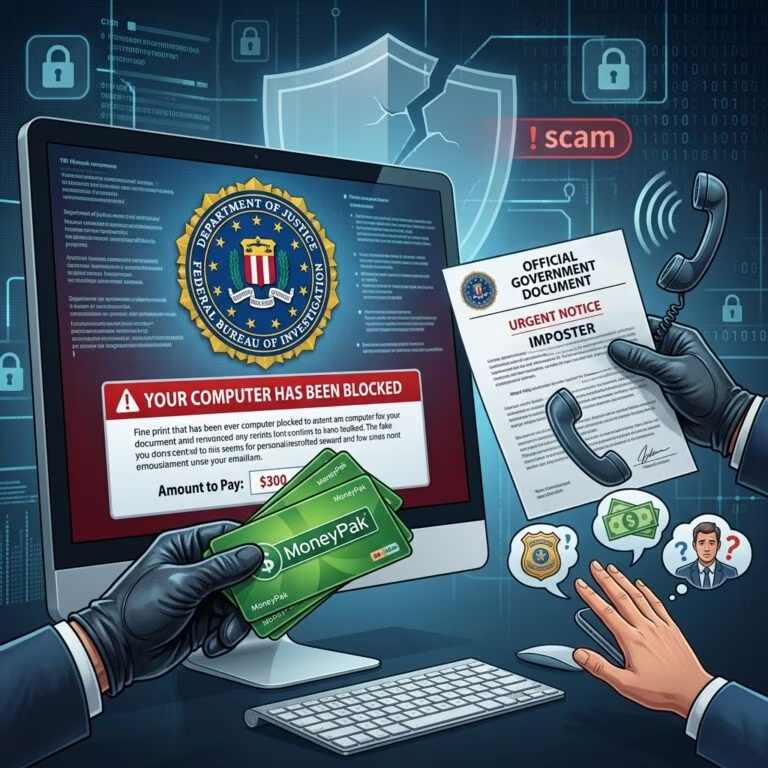
- Requests for unusual payments (wire transfers, cryptocurrency, gift cards).
- Vague or missing return and refund policies.
3. Comparing Offers: More Than Just Price
Two offers that look similar at first can cost you very different amounts in the end. Comparing carefully can avoid surprises and help you spot unrealistic deals.
| Factor | Why It Matters | What to Check |
|---|---|---|
| Item details | Small differences (model, size, condition) change value and usability. | Look for model numbers, dimensions, materials, and whether it’s new, used, or refurbished. |
| Final price | Fees and shipping can erase a discount. | Check taxes, handling charges, and shipping options before you pay. |
| Delivery timeframe | Late deliveries can make a bargain useless, especially for gifts. | Estimated ship and arrival dates, expedited shipping options, and any guarantees. |
| Return / refund policies | Restrictive policies increase your risk if the product is wrong or defective. | Deadlines, restocking fees, who pays return shipping, and how refunds are issued. |
3.1 Reading Product Information Critically
Marketing language can hide important limitations. Scan carefully for:
- Words like “for parts,” “as-is,” “no returns,” “final sale,” or “open box.”
- Conditions such as “works only with certain software,” “limited compatibility,” or “international version.”
- Missing information about warranties, accessories, or included components.
4. Delivery, Returns, and Refunds: Protecting Yourself on the Back End
Problems often arise after you click “place order.” A quick review of key policies before you buy can save time, money, and frustration.
4.1 Delivery and Shipping Expectations
- Promised dates: U.S. law generally requires that sellers ship by the time they state in the ad or during checkout, or within 30 days if no date is given.
- Tracking: Choose options that provide tracking numbers so you can confirm delivery or show non-delivery.
- Shipping costs: Watch for low product prices paired with inflated shipping charges.
4.2 Return and Refund Rules
Before you purchase, find and read the seller’s policy page.
- Deadlines: How many days do you have to start a return?
- Condition requirements: Must items be unused, unopened, or in original packaging?
- Fees: Are there restocking or processing fees? Who pays return shipping?
- Refund method: Will you receive a credit back to your card, store credit, or an exchange only?
5. Paying Safely: Why Your Method Matters
How you pay can affect how easy it is to get your money back if something goes wrong. Some methods leave you more protected than others.
5.1 Benefits of Paying by Credit Card
- Dispute rights: Major credit card issuers often let you dispute charges for goods that were not delivered or were not as described, which can lead to chargebacks.
- Fraud liability limits: Many cards cap what you must pay if someone uses your account without permission, especially if you report it quickly.
- Transaction records: Statements and alerts make it easier to spot unauthorized or duplicate charges.
5.2 Payment Methods to Avoid or Use with Caution
- Wire transfers and person-to-person payment apps: These often work like handing over cash; they can be hard or impossible to reverse once sent.
- Gift cards or prepaid cards as payment: Requests for payment in gift cards are a common hallmark of scams.
- Debit cards: While protections exist, money comes directly from your bank account, which can complicate recovery if fraud occurs.
5.3 Extra Security Practices at Checkout
- Only enter card details on pages that show https:// and a lock icon in the address bar, indicating encryption.
- Enable two-factor authentication for your bank and card accounts where available.
- Use strong, unique passwords for shopping accounts, and consider a password manager.
6. Guarding Your Personal and Financial Information
Every online purchase involves sharing some personal information. The key is to share as little as necessary and understand how it will be used.
6.1 Limiting What You Share
- Expect to provide: name, shipping address, billing details, email, and sometimes a phone number for delivery.
- Be skeptical if asked for: Social Security number, full date of birth (unless legally required for age-restricted items), driver’s license number, or unrelated documents.
- Skip optional profile fields not needed for the transaction.
6.2 Reading Privacy Policies with a Purpose
Privacy policies explain how a site collects, uses, and shares your information, though they can be hard to read.
- Look for whether your data is sold or shared with marketers or partners.
- Search within the page for “opt out,” “third parties,” or “marketing” to jump to key sections.
- Consider choosing stores that allow you to opt out of marketing or data sharing.
6.3 Securing Your Device and Connection
- Update software: Keep your operating system, browser, and security software up to date to patch known vulnerabilities.
- Avoid public Wi-Fi for purchases: Attackers can intercept data on public networks; if you must use one, use a virtual private network (VPN) first.
- Use trusted apps: Download retailer apps only from official app stores, and check the developer name and reviews.
7. Keeping Records and Monitoring Your Accounts
Good record-keeping makes it much easier to resolve disputes and prove what you ordered, when, and on what terms.
7.1 What to Save
- Order confirmations, receipts, and invoices.
- Product pages or screenshots showing price, description, and any special guarantees.
- Emails or messages with the seller, especially about changes, delays, or problems.
7.2 Watching for Problems Early
- Review card and bank statements regularly for charges you do not recognize.
- Turn on transaction alerts where available.
- Follow up promptly if delivery is late or if tracking suggests an issue.
8. When Things Go Wrong: Steps to Resolve Problems
Even careful shoppers can encounter delayed shipments, broken items, unauthorized charges, or sellers who stop responding. Acting quickly improves your chances of a good outcome.
8.1 Contacting the Seller First
- Explain the problem clearly and refer to order numbers and dates.
- State what you want: a refund, replacement, repair, or store credit.
- Keep records of messages, phone calls, and promises made.
8.2 Using Your Payment Protections
- If the seller will not resolve the issue, contact your credit card issuer or bank about disputing the charge, especially for goods not delivered or misrepresented.
- Report any unauthorized transactions immediately to limit your liability and help your bank investigate.
8.3 Reporting to Consumer Protection Agencies
Sharing your experience helps enforcement agencies spot patterns and can aid investigations.
- File a complaint with national or state consumer protection agencies if you suspect unfair or deceptive practices.
- Consider leaving factual, detailed reviews to warn other shoppers.
Frequently Asked Questions (FAQs)
Q1: How can I tell if an online store is secure?
Look for a web address that starts with https:// and a lock icon in the browser’s address bar, which signal that the connection is encrypted. Also confirm that the site has clear contact information and privacy and return policies.
Q2: Is it safe to shop on public Wi-Fi?
It is safer to avoid entering passwords or payment details on public Wi-Fi because attackers can intercept data on unsecured networks. If you must shop, use a VPN or your mobile data connection instead.
Q3: What should I do if I think I bought from a fake seller?
Contact the marketplace or seller immediately, then notify your card issuer or bank to dispute the charge if you do not receive what you ordered. Save all receipts, messages, and screenshots, and consider filing a complaint with a consumer protection agency.
Q4: Is it okay if a store asks for my Social Security number?
For ordinary purchases, stores generally do not need your Social Security number, and you should avoid providing it. Exceptions may exist for specific credit checks or regulated services, but they should be clearly explained.
Q5: How long should I keep my online shopping records?
Keep records at least until the return period and warranty period end, and longer if the item is expensive or covered by extended protection. This helps if defects appear later or you need to show proof of purchase.
References
- Online Shopping — Federal Trade Commission. 2023-11-28. https://consumer.ftc.gov/articles/online-shopping
- Online Shopping – Be Smart, Stay Safe — Michigan Department of Attorney General. 2022-10-05. https://www.michigan.gov/consumerprotection/protect-yourself/consumer-alerts/shopping/online-shopping-be-smart-stay-safe
- Online Shopping – Security Tips — Federal Trade Commission (consumer media). 2016-12-01. https://consumer.ftc.gov/media/79929
- 10 Essential Tips for Safe Online Shopping — Zurich Insurance Group. 2023-11-17. https://www.zurich.com/media/magazine/2023/7-essential-tips-for-safe-online-shopping
- Tips to Safe Online Shopping — Kaspersky. 2023-03-10. https://usa.kaspersky.com/resource-center/preemptive-safety/online-shopping
- 11 Online Safety Tips for Making Purchases on the Internet — Providence Federal Credit Union. 2022-11-18. https://www.providencecu.org/blog/11-online-safety-tips-for-making-purchases-on-the-internet
- Division of Consumer Protection Cautions Against AI Scams Ahead of Cyber Monday — New York State Division of Consumer Protection / NewsChannel 9. 2023-11-21. https://newschannel9.com/news/nation-world/division-of-consumer-protection-cautions-against-ai-scams-ahead-of-cyber-monday