
Scam Emails Posing as Government Officials
Learn how to recognize, avoid, and report phishing emails that pretend to come from high-level government offices and officials.
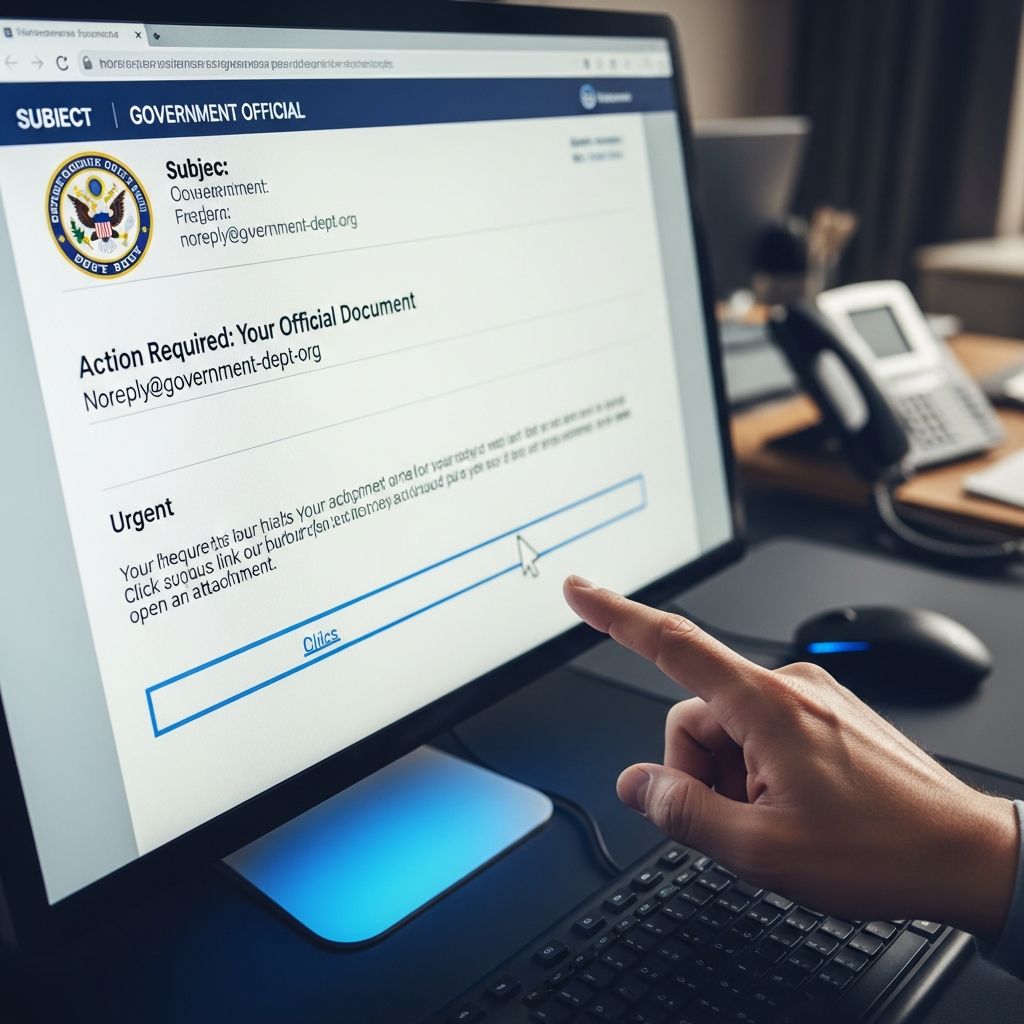
Scammers routinely send emails that pretend to come from top government leaders, including national cabinet members, agency heads, or even local officials. These messages are designed to pressure you into sending money, sharing sensitive information, or clicking dangerous links that steal your data.
This guide explains how these impersonation scams work, the red flags you should watch for, and the practical steps you can take to protect yourself and your community.
Why Scammers Pretend to Be Government Officials
Scammers use the names and titles of well-known public officials because they know many people instinctively trust communications that appear to come from the government. According to the Federal Trade Commission (FTC), government impersonation is a recurring tactic in phishing scams, including via email, texts, and calls.
The goal is simple: create a sense of authority and urgency so you act before you think.
Common Objectives Behind These Emails
- Steal personal data such as Social Security numbers, bank account details, or login credentials.
- Collect immediate payments for fake fees, penalties, taxes, or processing charges.
- Install malware on your device through infected attachments or links.
- Take control of accounts (email, banking, or social media) by tricking you into entering passwords on fake websites.
Typical Features of Fake “Official” Emails
Although scammers adjust their messages over time, many impersonation emails share similar warning signs. Learning these patterns will help you evaluate any unexpected message that claims to be from a government office.
1. Suspicious Sender Information
- Display name uses a real official’s name, but the email address is incorrect or slightly altered, such as using free webmail services or misspelled domains.
- Address does not end with a genuine government domain (for U.S. federal agencies, that typically means
.govor.mil). - Reply-to address is different from the one shown in the “From” field.
2. Unusual or Threatening Language
- Claims that there is an urgent legal problem or investigation that requires immediate action.
- Threats of arrest, deportation, asset seizure, or license revocation if you do not respond quickly.
- Promises of large sums of money, grants, or refunds if you pay a small “release” or “processing” fee.
3. Demands for Payment or Sensitive Information
- Requests for your Social Security number, full date of birth, bank or credit card numbers, or login details.
- Instructions to pay with gift cards, wire transfers, cryptocurrency, or payment apps—methods scammers favor because they are hard to reverse.
- Directions to send money to individuals rather than to clearly identified government entities.
4. Suspicious Links and Attachments
- Hyperlinks that look official but, when hovered over, lead to unrelated or misspelled websites.
- Attachments described as invoices, legal documents, or instructions that you must open immediately.
- Pop-up windows or forms inside emails that ask you to “verify” account details.
Legitimate Government Communication vs. Scams
Government agencies do contact people, but they follow established procedures. When you know what real communication looks like, it becomes easier to reject fakes.
| Legitimate Government Contact | Scam Email Impersonating Officials |
|---|---|
Uses official domains (for example, agency.gov) and clearly identifies the agency. | Often uses free webmail or imitation domains that look similar but are not exact matches. |
| Typically sends letters or notices by mail for legal or tax matters; email may direct you to log into an existing secure account. | Demands immediate action by email alone, sometimes saying email is the only way to resolve the issue. |
| Does not ask for full Social Security number or banking details by email or text. | Insists you reply with account numbers, passwords, or full identity information. |
| Does not demand payment via gift card, cryptocurrency, or person-to-person transfers. | Pressures you to pay with untraceable methods and refuses more secure options. |
| Provides verifiable contact details you can find on the agency’s official website. | Gives phone numbers or links that do not appear on official government pages. |
How to Verify a Questionable Email
If you receive an unexpected message claiming to be from a high-ranking official or agency, assume it could be a scam until you confirm otherwise.
Step-by-Step Verification
- Do not click links or open attachments in the suspicious email.
- Independently look up the agency’s contact information on a trusted source (such as a government website directory) instead of using details in the email.
- Call or email the agency using the verified contact details to confirm whether the message is genuine.
- Check your existing online accounts directly (for example, by typing the known URL into your browser) rather than following embedded links.
- If the message mentions a specific case, grant, or refund, ask the agency to locate it in their system using information you provide by phone—not via the suspicious email.
Protecting Yourself From Government-Impersonation Phishing
You can reduce your risk of falling for these scams by combining technical safeguards with careful habits.
Technical Protections
- Use strong spam and phishing filters in your email account; most major providers include filters that identify common scam patterns.
- Turn on two-factor authentication (2FA) on important accounts so scammers cannot easily break in, even if they capture your password.
- Keep software and security tools updated (operating system, browser, antivirus) to block known malicious sites and attachments.
- Enable automatic updates where possible to ensure security patches are applied quickly.
Smart Everyday Habits
- Be skeptical of unsolicited emails about legal threats, fines, or surprise money, especially when they claim to be from top officials.
- Read messages slowly and carefully; errors in grammar, spelling, or formatting can point to a scam.
- Never send sensitive information—like full Social Security numbers or complete bank details—by email unless you have fully verified the request.
- Talk to a trusted friend, family member, or advisor before sending money or personal information in response to an unexpected message.
What to Do If You Clicked a Link or Shared Information
Act quickly if you realize you responded to a scam email. Early steps can reduce damage and help you recover.
If You Clicked a Link or Opened an Attachment
- Disconnect from the internet if you suspect malware was installed.
- Run a full system scan using reputable security software.
- Change passwords for important accounts, starting with email and financial services, and turn on 2FA where available.
If You Shared Financial Information
- Contact your bank or credit card company immediately and explain that your information may have been compromised.
- Ask whether they recommend placing alerts, blocking the card, or closing the account.
- Monitor statements for unauthorized charges and report any suspicious activity right away.
If You Shared Personal Identifiers
- If your Social Security number or other key identifiers were exposed, follow guidance on identity theft recovery at the U.S. government’s identity theft resource site.
- Consider placing a fraud alert or credit freeze with major credit bureaus to make it harder for scammers to open new accounts in your name.
- Review your credit reports periodically to check for unfamiliar accounts or inquiries.
How to Report Government-Impersonation Emails
Reporting scam emails helps enforcement agencies track patterns, warn the public, and sometimes shut down malicious operations.
Key Reporting Channels
- Forward phishing emails to anti-phishing reporting addresses used by industry groups and investigators.
- Report scams to the Federal Trade Commission using its official online reporting portal for fraud.
- If the email specifically mentions a particular government agency (for example, a tax authority or benefits agency), visit that agency’s official website to see if they have a dedicated fraud reporting page.
Why Reporting Matters
- Helps regulators see trends and new tactics across large volumes of complaints.
- Supports law enforcement investigations and potential actions against scammers.
- Enables agencies to publish timely alerts that warn others about the latest scams.
Educating Your Organization and Community
Government impersonation scams do not only target individuals; they also go after businesses, nonprofits, schools, and local governments. A single employee clicking a malicious link can expose an entire network.
For Workplaces and Organizations
- Provide regular training on phishing recognition, including examples of government impersonation emails.
- Encourage staff to verify unusual requests (such as urgent payment demands) through a second channel like a phone call.
- Set clear procedures for reporting suspicious messages to your IT or security team.
- Implement technical controls like email authentication checks and domain protection tools to reduce spoofed messages.
For Families and Communities
- Talk with older relatives, who are often targeted by sophisticated scams, about how these emails work and what they should do when they receive one.
- Share trustworthy resources from official consumer protection agencies that explain phishing scams in plain language.
- Encourage everyone to ask questions before acting on messages that involve money or personal data.
Quick Checklist: Is This “Official” Email a Scam?
Use this concise checklist whenever you receive an unexpected email that claims to be from a government official or agency:
- Does the email address come from a verified government domain?
- Are you being pressured to act immediately or face serious consequences?
- Are they asking for money, gift cards, or cryptocurrency to resolve the issue?
- Are they asking you to share full personal or financial details by email?
- Do the links lead to websites that are not clearly official?
- Can you independently confirm the message by contacting the agency using information from its official website?
If any of these questions raise doubts, do not respond or click. Verify directly instead.
Frequently Asked Questions (FAQs)
Q: Can a real government agency ask for payment by email?
A: Some agencies may send email reminders about amounts you owe, but they typically direct you to log into a secure account or pay through established channels. They do not insist on payment by gift cards, wire transfers, or cryptocurrency, which are hallmarks of scams.
Q: How can I be sure an email from a .gov address is legitimate?
A: A .gov address is a good sign, but it is still wise to be cautious. Confirm the email content by visiting the agency’s official website manually or calling a published phone number. Do not rely solely on links or phone numbers in the email itself.
Q: What if I already replied with some personal information?
A: Take immediate steps to protect yourself: change passwords, contact your financial institutions if banking details were shared, and consider placing fraud alerts or credit freezes if key identity information was exposed. Then file a fraud report with appropriate consumer protection authorities.
Q: Should I delete suspicious emails right away?
A: Do not interact with the email, but before deleting it, consider forwarding it to appropriate reporting channels. After reporting, delete the message so you or someone else does not accidentally click on it later.
Q: How can I stay informed about new scam tactics?
A: Many consumer protection agencies and regulators offer free email alerts and newsletters about emerging scams. Subscribing to these updates can help you recognize new tactics quickly and share warnings with others.
References
- Phishing Scams — Federal Trade Commission. 2024-04-10. https://consumer.ftc.gov/all-scams/phishing-scams
- Protect yourself from phishing scams — Federal Trade Commission. 2025-04-09. https://consumer.ftc.gov/consumer-alerts/2025/04/protect-yourself-phishing-scams
- Unwanted Emails, Texts, and Mail — Federal Trade Commission. 2023-09-29. https://consumer.ftc.gov/unwanted-calls-emails-and-texts/unwanted-emails-texts-and-mail
- Scams — Federal Trade Commission Consumer Advice. 2024-11-15. https://consumer.ftc.gov/scams
- Phishing Scams — Federal Trade Commission (Topic Overview). 2023-06-01. https://www.ftc.gov/news-events/topics/identity-theft/phishing-scams
- Get FTC Scam Alerts — Federal Trade Commission. 2022-05-12. https://www.ftc.gov/media/70958
- Stay Connected — Federal Trade Commission. 2023-03-02. https://www.ftc.gov/news-events/stay-connected
Similar Articles








Read full bio of medha deb


