
Watch Out for QR Codes on Surprise Packages
Learn how scammers use QR codes on unexpected packages to steal your personal and financial information.
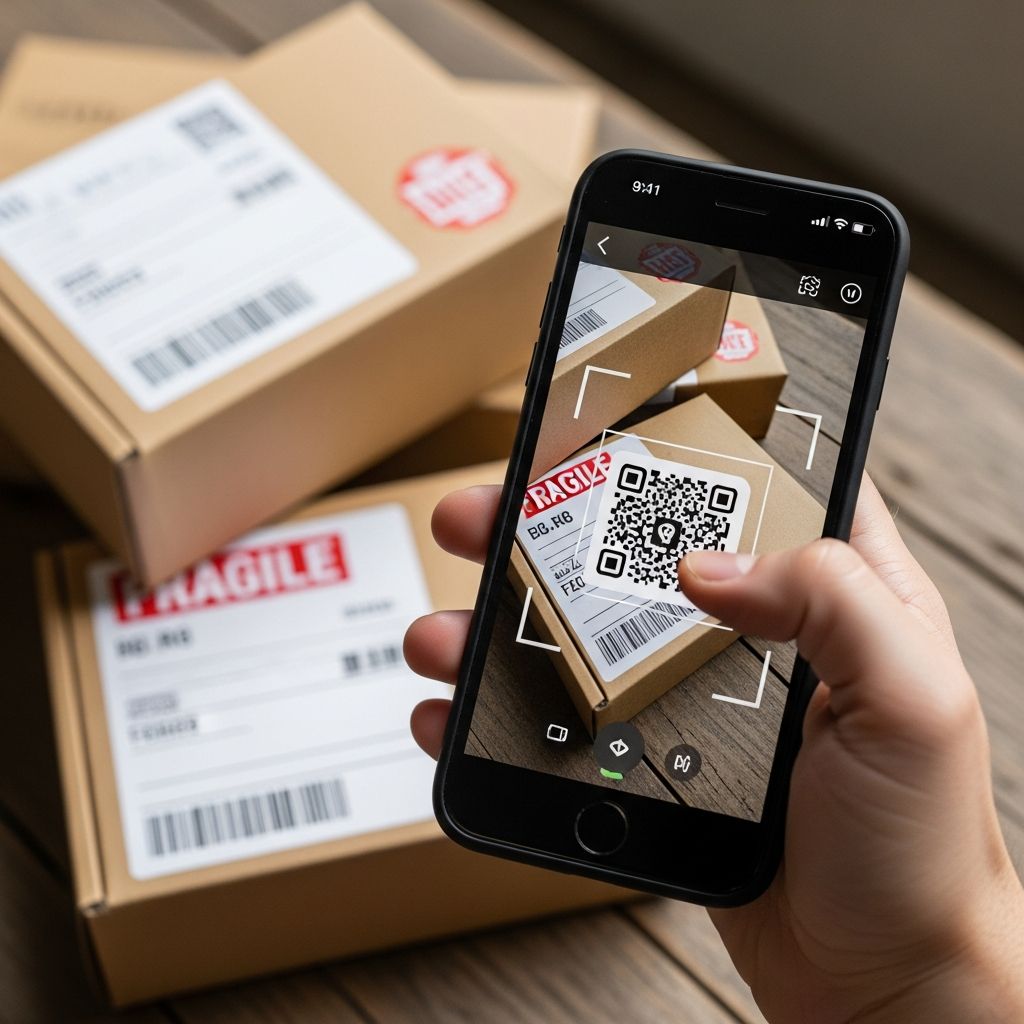
Getting an unexpected package might feel like a pleasant surprise or an anonymous gift, but it can also be the starting point of a sophisticated fraud. Criminals are now combining unsolicited deliveries with QR codes to steal personal data, access bank accounts, and install malware on your phone or tablet.
This guide explains how the scam works, why it is dangerous, and the concrete steps you can take if a mystery package with a QR code ends up at your door.
1. What Is the “QR Code on an Unexpected Package” Scam?
This scheme is a modern twist on a long-running tactic called a brushing scam, where sellers send items you did not order, then use your name and address to post fake positive reviews. In the updated version, scammers add a QR code to the package or enclosed materials to lure you into a deeper fraud.
Instead of merely boosting online ratings, criminals now try to get you to scan the QR code so they can:
- Harvest sensitive personal and financial information
- Trick you into entering passwords or card numbers on fake websites
- Install malicious software that silently steals data from your device
Typical scenario
While individual details vary, many cases follow a similar pattern described by law enforcement and security experts.
- You receive a package you never ordered, often containing a low-value or random item.
- The package may have no clear sender or return address, or the sender details appear suspicious or incomplete.
- Somewhere on the box or an insert, there is a QR code with a message such as:
- “Scan to see who sent this gift”
- “Scan to claim your reward”
- “Scan for shipping confirmation or to track your order”
- When scanned, the code directs you to a fraudulent website or triggers a malware download designed to steal your information.
2. Why Scammers Use QR Codes in These Schemes
QR codes are convenient: you scan, you’re taken straight to a website or app. But that convenience is exactly what scammers exploit.
| Advantage for Scammers | How It Hurts You |
|---|---|
| Victims are curious about who sent the surprise package. | You may scan the code quickly without thinking about safety or verifying the source. |
| QR codes hide the destination URL until after scanning. | It’s harder for you to spot a suspicious web address before you open it. |
| Codes are scanned with phones, which often have weaker security than computers. | Malware can infect your phone, accessing texts, emails, photos, and app data. |
| QR codes are now common in restaurants, tickets, and payments. | Because you’re used to scanning them, you may not pause to consider the risk. |
Connection to “quishing” and brushing scams
Postal and consumer protection authorities describe QR-based phishing as “quishing”—QR code phishing that leads you to a fake website when scanned. In this context, quishing is layered on top of a brushing-style delivery, making the scam both physical and digital.
3. Dangers of Scanning the QR Code
Scanning a QR code from an unknown package is as risky as clicking a link in a suspicious email or text. Official warnings highlight several serious threats.
- Phishing websites
The QR code can take you to a fake site that looks like a legitimate retailer, shipping company, or financial institution. The page may ask you to:
- “Verify” your login details
- Enter your credit card number to confirm delivery
- Provide your Social Security number or other identifiers
Any data you type in can be used to commit fraud or identity theft.
- Malware downloads
The destination page or app may silently install malicious software on your phone. This malware can:
- Capture passwords you type
- Monitor text messages and emails
- Access stored payment details
- Send data back to the attacker’s server
- Account takeover
If the scam site collects your usernames and passwords, criminals may log into:
- Online banking and payment apps
- Email and cloud storage accounts
- E-commerce and delivery platforms
With access to these accounts, they can move money, make purchases, or reset other passwords.
- Identity theft
Once scammers have enough personal details, they can attempt to open new credit lines or accounts in your name. U.S. consumers are advised to check their credit reports regularly for unfamiliar accounts or inquiries.
4. How to Spot a Risky Package with a QR Code
Most legitimate gifts and deliveries are harmless, but knowing the warning signs helps you separate safe packages from suspicious ones.
Red flags to watch for
- You did not order the item and no one told you to expect it.
- The package has no recognizable sender or return address, or the sender name looks random or incomplete.
- The contents are cheap, generic, or random (for example, a small gadget or accessory with no real value).
- There is a prominent QR code on the outside of the box or on an insert, especially if it urges immediate action.
- The accompanying text uses pressure or emotional hooks, such as:
- “Scan now to avoid return fees.”
- “Offer expires soon – scan today.”
- “Security verification required.”
- Scanning the code (if you have already done so) opens a site that instantly asks for sensitive information or prompts you to install an app that you do not recognize.
5. Safe Steps to Take When You Receive an Unexpected Package
When a surprise delivery appears, slow down and follow a cautious process before taking any action with a QR code.
Before you scan anything
- Pause and verify
Ask friends or family if they sent a gift or ordered something to your address. Sometimes a surprise really is a genuine present.
- Inspect the package
Check the label, return address, and any documentation inside. Legitimate businesses generally include clear sender information and contact details.
- Do not scan QR codes from unknown sources
Security agencies specifically advise against scanning QR codes that come from unsolicited or suspicious mail.
- Avoid calling numbers printed next to the QR code
If a phone number is provided, independently search for the company’s official contact information instead of using the one in the package.
If you are confident it is a real gift
If you can verify that a trusted person or business legitimately sent the package, you can keep and use the item. However, you still do not need to scan any QR code that came with it, especially if you can access the same information through an official website or app you navigate to yourself.
6. What To Do If You Already Scanned the QR Code
If you scanned a QR code from an unexpected package, you are not alone—and you still have options to reduce potential harm. Consumer protection authorities and law enforcement recommend these actions.
Step 1: Secure your accounts
- Change passwords immediately
If you entered login credentials on the site, update those passwords right away, starting with email, banking, and any account that reuses the same or similar password.
- Create stronger, unique passwords
Use long, complex passwords or passphrases, and avoid repeating them across multiple services. A password manager can help you generate and store them safely.
- Turn on multi-factor authentication (MFA)
Enable MFA or two-factor authentication wherever possible so that even if scammers know your password, they still need a second code or device to log in.
Step 2: Check for signs of identity theft
- Review your credit reports
In the United States, you can access free credit reports through the official AnnualCreditReport.com website to look for new accounts, unfamiliar loans, or inquiries in your name.
- Monitor bank and card statements
Look carefully at recent transactions on credit cards, bank accounts, and payment apps for charges you do not recognize.
- Consider a fraud alert or credit freeze
If you suspect your data has been compromised, a fraud alert or credit freeze can make it harder for someone to open new accounts in your name.
Step 3: Protect your device
- Update your operating system and apps
Install the latest security updates on your phone or tablet. Many attacks rely on outdated software.
- Run a reputable mobile security scan
Use trusted security software to scan for malware and remove any suspicious apps you do not recognize.
- Review app permissions
Check which apps have access to your location, contacts, camera, microphone, and storage. Revoke any permissions that seem excessive or unnecessary.
Step 4: Report the incident
- Report online fraud attempts
In the U.S., you can report fraud and cybercrime to the FBI’s Internet Crime Complaint Center (IC3). Include details such as the package label, the QR code, and any websites visited.
- Report identity theft
If you believe someone is using your information to open accounts or make purchases, the Federal Trade Commission offers personalized recovery plans and reporting tools for identity theft victims.
7. Long-Term Habits to Stay Safe from QR Code Scams
Because QR codes are widely used for legitimate purposes, the goal is not to avoid them completely. Instead, adopt safer habits whenever you encounter a code—whether on a package, in public, or online.
- Treat QR codes like links
Before you scan, ask yourself if you would click a similar link in an unsolicited email or text. If the answer is no, skip the scan.
- Use a QR reader that shows the URL first
Some apps can display the destination web address so you can judge whether it looks legitimate before opening it.
- Go directly to the source
If a QR code claims to link to your bank, a government service, or a known retailer, manually type in the official website address in your browser instead of scanning the code.
- Stay skeptical of surprise offers
High-value rewards, time-limited deals, and messages that demand immediate action are classic social engineering tricks used to bypass your judgment.
- Educate family members
Share this information with household members, especially people who frequently receive packages or who may be less familiar with digital scams.
Frequently Asked Questions (FAQs)
Q: I received a package I didn’t order, but it has a known retailer’s logo. Is it safe to scan the QR code?
Logos and branding can be faked. Instead of scanning, visit the retailer’s official website by typing the address into your browser or using their official app. From there, you can check your order history or contact customer service to verify the delivery.
Q: Can I just throw away a suspicious package with a QR code?
You can discard the package if you are certain it is not connected to any legitimate order. However, consider keeping photos of the label and contents if you plan to report the incident to consumer protection agencies or law enforcement.
Q: If I scanned the QR code but didn’t type in any information, am I still at risk?
Possibly. Some malicious sites can attempt to exploit browser or operating system vulnerabilities just by being visited, and they may prompt silent app downloads. Update your device, run a security scan, and monitor your accounts to be safe.
Q: How do I know whether my identity has been misused after such a scam?
Warning signs include unfamiliar accounts on your credit report, collection calls for debts you don’t recognize, or notifications about new credit applications. Regularly checking your credit reports and account statements is key to catching issues early.
Q: Are all QR codes dangerous?
No. QR codes are widely used for legitimate purposes, including tickets, menus, and check-ins. The main risk comes from codes in unexpected places—like unsolicited packages—or from sources you do not recognize or trust.
References
- Scam alert: QR code on an unexpected package — Federal Trade Commission. 2025-01-XX. https://consumer.ftc.gov/consumer-alerts/2025/01/scam-alert-qr-code-unexpected-package
- Unsolicited Packages Containing QR Codes Used to Initiate Fraud Schemes — Federal Bureau of Investigation, Internet Crime Complaint Center (IC3). 2025-07-31. https://www.ic3.gov/PSA/2025/PSA250731
- Unexpected snail mail packages are being sent with scammy QR codes, warns FBI — Malwarebytes Labs, Pieter Arntz. 2025-08-05. https://www.malwarebytes.com/blog/news/2025/08/unexpected-snail-mail-packages-are-being-sent-with-scammy-qr-codes-warns-fbi
- Scam of the Week: QR codes — University of Southern Indiana. 2025-08-19. https://www.usi.edu/usitoday/announcements/2025/08/scam-of-the-week-qr-codes
- Brushing Scam — United States Postal Inspection Service. 2023-XX-XX. https://www.uspis.gov/news/scam-article/brushing-scam
Similar Articles








Read full bio of medha deb


