
Outsmart Tech Support Scammers: A Practical Guide For 2025
Learn to recognize fake tech support, avoid costly scams, and take smart steps to recover if you’ve already been targeted.
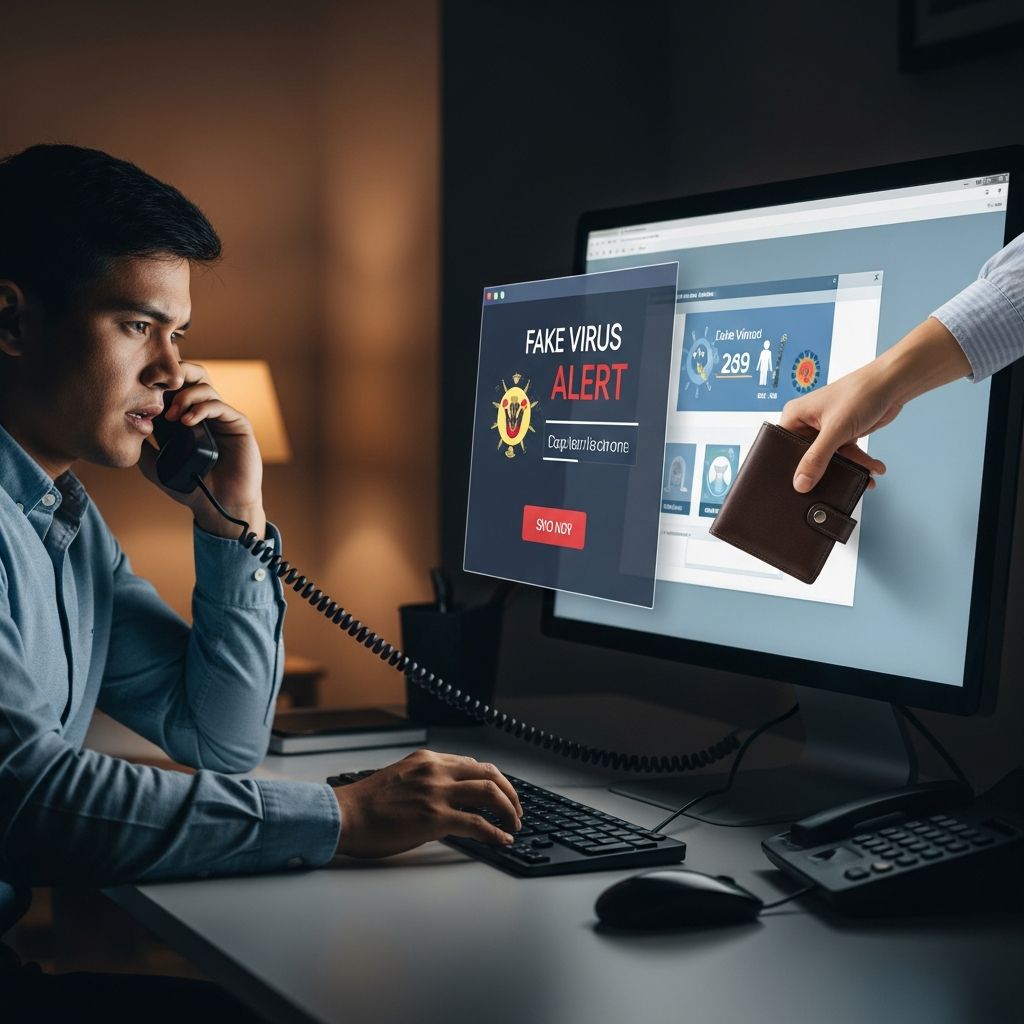
Tech support scams target your fear that something is wrong with your computer, phone, or online accounts. Scammers pretend to be trusted technology companies or security experts, then pressure you into paying for fake help or giving them access to your devices and financial information.
This guide explains how these schemes work, what warning signs to watch for, how to protect yourself, and what to do if you’ve already engaged with a fake tech support agent.
1. What Is a Tech Support Scam?
A tech support scam is a type of fraud where someone falsely claims your device or account has a serious problem, then asks you to:
- Pay for fake repairs or unnecessary services
- Allow remote access to your device
- Share sensitive information like passwords or bank details
These scams commonly imitate well-known brands, such as operating system vendors, antivirus companies, or internet providers, using stolen logos, spoofed phone numbers, or realistic-looking websites to appear legitimate.
2. How Tech Support Scammers Reach You
Scammers rely on surprise and urgency. They usually contact you in one of four ways:
2.1 Fake Pop-Up Warnings
You may see a full-screen alert claiming your device is infected or blocked. Common features include:
- Alarming language like “critical threat detected” or “your computer is locked”
- A phone number to call immediately
- Instructions not to shut down your device
These pop-ups may appear after clicking a malicious ad, visiting a compromised website, or encountering deceptive scripts. Authorities advise closing the browser or restarting the device rather than calling any number shown in such alerts.
2.2 Unsolicited Phone Calls
Scammers often call out of the blue, claiming to be from a large tech company, your internet provider, or a “security department.”
- They may use caller ID spoofing so it appears the call is from a known brand.
- They often claim to have detected viruses, hacking attempts, or illegal activity from your device.
- They quickly ask you to go to a website or install software to “fix” the issue.
Legitimate companies generally do not cold call customers to offer unsolicited tech support or request remote access.
2.3 Phishing Emails and Text Messages
Some scams start with messages that imitate billing notices, account alerts, or antivirus renewals.
- They may claim your subscription is expiring or your account is at risk.
- Links lead to fake support websites or download malicious software.
- Buttons might say things like “Renew Now,” “Verify Account,” or “Resolve Issue.”
These messages are designed to make you act quickly without verifying whether the sender is genuine.
2.4 Search Engine Ads and Fake Support Sites
Scammers also buy ads or create search results that look like official support numbers or help pages.
- They use brand names in the ad text or URL to appear authentic.
- Once you call or click, they guide you into the same playbook: fake diagnostics, remote access, and payment requests.
Always confirm that a website address matches the official domain of the company you want to contact, and look for secure “https” connections when entering sensitive data.
3. Typical Script: How the Scam Unfolds
While details vary, most tech support scams follow a similar pattern.
| Stage | What the Scammer Does | What They Want From You |
|---|---|---|
| Initial Contact | Uses a pop-up, call, email, or ad to claim a serious problem exists. | Your attention and fear, so you keep engaging. |
| Fake Diagnosis | Guides you to harmless system logs or fake websites that show “errors.” | Your belief that your device is in danger. |
| Remote Access | Asks you to install remote access software or visit a specific site. | Control of your device and data. |
| Payment Demand | Offers to “fix” the problem for a one-time fee or subscription, often via gift cards, wire transfers, or peer-to-peer payment apps. | Your money and possibly your financial credentials. |
| Aftermath | May install malware, steal stored passwords, or return later for more payments. | Ongoing access to your accounts and identity. |
4. Red Flags: How to Spot a Tech Support Scam
You do not need to be a technical expert to recognize warning signs. Look for these clear red flags:
- Unsolicited contact about a problem you didn’t report
- Pressure to act immediately or threats that your data will be lost or you’ll face legal trouble
- Requests for remote access from someone who contacted you first
- Demands for unusual payments like gift cards, cryptocurrency, or wire transfers
- Instructions not to disconnect, shut down, or talk to anyone else
- Emails or sites with spelling errors, mismatched web addresses, or suspicious links
Any single sign is cause for caution; several together almost always indicate a scam.
5. How to Protect Yourself Before a Scam Strikes
Good digital hygiene makes it harder for scammers to trick you and reduces damage if they succeed.
5.1 Treat Unsolicited Tech Help as Suspicious
- Ignore or close pop-ups claiming your device is infected; do not call numbers shown.
- Hang up on surprise calls that say they’re from “support” or “security.”
- If you think there might be a real issue, contact the company using a phone number or website you look up yourself.
5.2 Strengthen Your Devices and Accounts
- Keep your operating system, browser, and apps updated to patch known vulnerabilities.
- Install reputable antivirus or security software and let it update automatically.
- Use strong, unique passwords or a password manager for online accounts.
- Turn on multi-factor authentication (MFA) where available for email, banking, and key services.
5.3 Browse and Communicate Safely
- Avoid clicking on links in unexpected emails or text messages; go to the site by typing the address instead.
- Be cautious when downloading free software, plug-ins, or “cleaner” tools from unfamiliar sites.
- Check that sensitive pages (login, payment) start with
httpsand display a valid security padlock icon.
5.4 Educate Household Members
Scammers often target older adults or people who feel less confident with technology.
- Talk openly with family and friends about common tactics.
- Agree on a plan: if anyone gets a scary tech alert, they’ll call a trusted friend or relative before doing anything.
6. What to Do in the Moment: If You Suspect a Scam
If an interaction feels wrong, you have options to safely disengage.
- End the contact: Close the browser, hang up the phone, or delete the message.
- Do not give remote access or install any software based on unsolicited instructions.
- Do not provide payment information, gift card numbers, or bank details.
- Take a breath and verify: look up official support numbers or ask a trusted person before acting.
7. If You Already Gave Access or Paid
If you realize after the fact that you dealt with a fake tech support agent, act quickly. Early action can reduce financial loss and limit damage to your data.
7.1 Steps if You Gave Remote Access
- Disconnect from the internet immediately (unplug cable or turn off Wi-Fi).
- Uninstall any software the scammer asked you to install, especially remote desktop tools.
- Run a full security scan with trusted antivirus or anti-malware tools.
- Change passwords for email, banking, and any accounts accessed from that device.
- Consider resetting the device to factory settings if advised by a legitimate technician.
7.2 Steps if You Shared Financial Information or Paid
- Contact your bank or card issuer immediately to report fraudulent charges and ask about reversing payments or closing compromised accounts.
- If you paid with gift cards, contact the card issuer right away and explain that you were scammed; they may not always recover funds, but acting quickly gives you the best chance.
- If you paid by wire transfer or peer-to-peer app, report the transaction to your bank or service provider and ask whether it can be canceled or flagged.
- Monitor bank and credit card statements closely for unfamiliar transactions.
7.3 Steps if Personal Data May Be Exposed
- Watch for suspicious logins or password reset alerts on your email and key accounts.
- Consider placing fraud alerts or credit freezes with major credit reporting agencies if sensitive identity data (like Social Security numbers) may have been exposed.
8. Why Reporting Tech Support Scams Matters
Reporting helps law enforcement and consumer protection agencies identify patterns, warn the public, and in some cases shut down fraudulent operations.
Depending on your country, you can typically report:
- To national consumer protection or trade agencies that track and act on fraud complaints
- To local or regional law enforcement when there is financial loss
- To the real company that the scammers impersonated, so they can alert other customers
When reporting, include details such as phone numbers, email addresses, website URLs, payment methods used, and screenshots of pop-ups or messages whenever possible.
9. Quick Comparison: Real vs. Fake Tech Support
| Legitimate Tech Support | Tech Support Scammers |
|---|---|
| Responds when you contact them through official channels. | Contacts you unexpectedly by phone, pop-up, or message. |
| Uses corporate email addresses and verified websites. | Uses free or strange email domains and look-alike URLs. |
| Explains problems clearly and encourages you to verify. | Relies on fear, urgency, and confusion to push you to act. |
| Offers standard payment options and invoices. | Demands gift cards, wire transfers, or cryptocurrency. |
| Does not ask for passwords to your accounts. | Requests passwords or wants to control your device remotely. |
Frequently Asked Questions (FAQs)
Q1: A pop-up says my computer is infected and lists a phone number. What should I do?
Do not call the number. Close your browser or restart your device. Then run a scan with your own trusted security software. If you are still worried, contact your device maker or software provider using a number from their official website, not from the pop-up.
Q2: Can a real company ever call me about a security problem?
Major tech companies state that they do not make unsolicited calls or send unexpected emails to request financial or personal information or to offer technical support. If someone contacts you first claiming to be from a big brand, hang up and call the company back using contact information you find on your bill or their official site.
Q3: I already let someone remote into my computer. Is it too late?
It is not too late to reduce harm. Disconnect from the internet, uninstall any tools they had you install, run a full security scan, and change passwords for key accounts. Depending on what was accessed, you may also want to consult a trusted technician and alert your financial institutions.
Q4: How can I help older relatives avoid tech support scams?
Talk about common tactics in simple, non-technical language. Encourage them to be cautious of surprise calls, pop-ups, or messages about computer problems, and to hang up or close the window if something feels wrong. Agree that they will call you or another trusted person before paying or granting remote access to anyone.
Q5: Are free antivirus programs safe to use?
Some reputable security tools are available at no cost, but they should always be downloaded directly from the official website of the provider or from a trusted app store. Avoid security software offered through pop-ups or unsolicited messages, as scammers frequently use fake “protection” tools to install malware instead.
References
- Protect yourself from tech support scams — Microsoft Support. 2024-05-10. https://support.microsoft.com/en-us/windows/protect-yourself-from-tech-support-scams-2ebf91bd-f94c-2a8a-e541-f5c800d18435
- Avoiding Tech Support Scams: A Guide to Protecting Yourself — Utah Department of Commerce, Division of Consumer Protection. 2025-03-21. https://dcp.utah.gov/2025/03/21/avoiding-tech-support-scams-a-guide-to-protecting-yourself/
- Protecting Yourself Against Tech Support Scams — National Council on Aging (NCOA). 2023-06-15. https://www.ncoa.org/article/protecting-yourself-against-tech-support-scams/
- Turn it Off and On Again: Avoiding Fake Tech Support Cybercrime — New York State Office of Information Technology Services. 2023-10-18. https://its.ny.gov/news/avoiding-fake-tech-support-cybercrime
- Phishing Attack Prevention: How to Identify & Avoid Phishing Scams — Office of the Comptroller of the Currency (OCC). 2022-08-01. https://www.occ.gov/topics/consumers-and-communities/consumer-protection/fraud-resources/phishing-attack-prevention.html
Similar Articles








Read full bio of medha deb


