
Streamlining Law Firm Workflows with Clio and One Legal
Discover how combining Clio and One Legal transforms case management, eFiling, and collaboration into a single, efficient workflow.
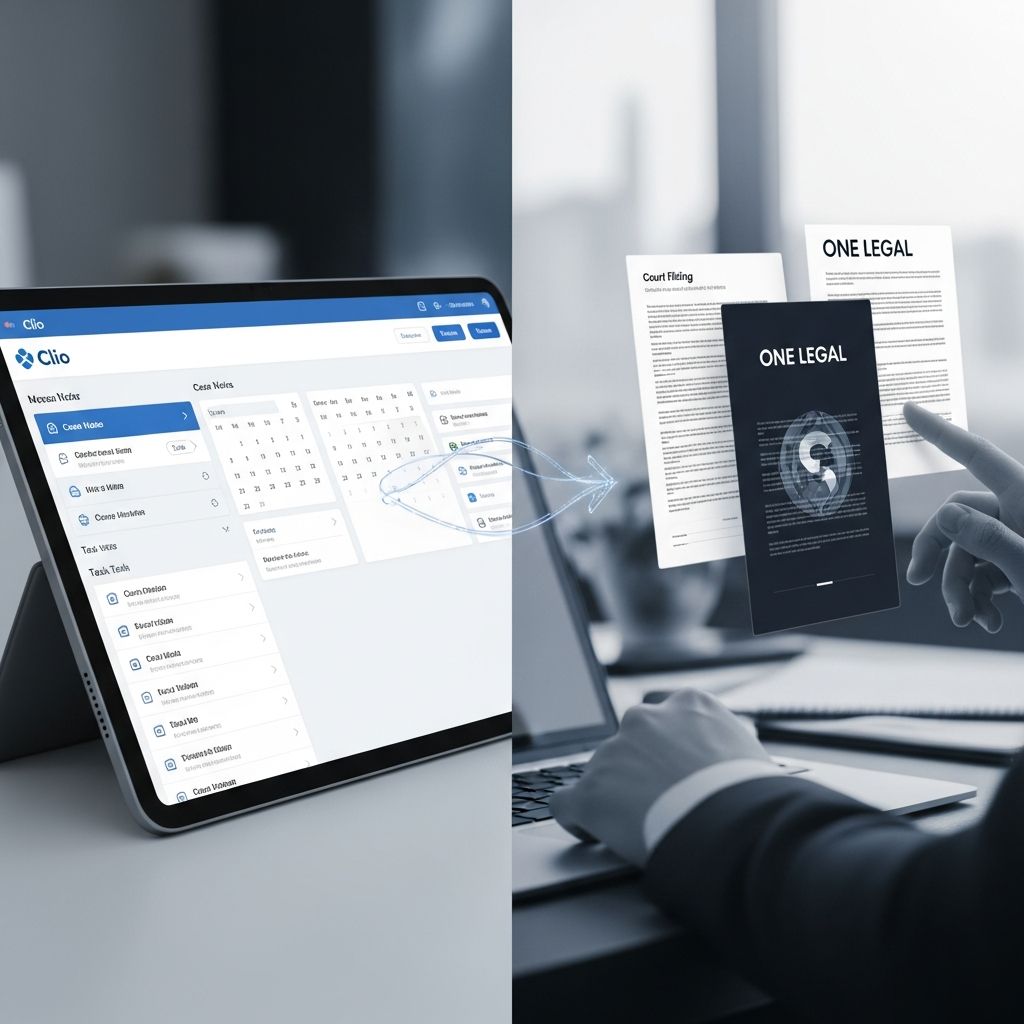
Modern law firms are under pressure to move faster, stay compliant with court rules, and deliver a better client experience—all while controlling costs and risk. Connecting a cloud-based practice management platform like Clio with a specialized court services provider such as One Legal offers a practical path to achieving those goals without overhauling the entire tech stack at once.
This article explains how a Clio–One Legal style integration can streamline daily legal operations, from intake to invoicing, and what to consider when evaluating or implementing similar tools in your firm.
Why Connected Legal Tools Matter Today
Legal technology has shifted from being a “nice to have” to a key competitive requirement. Studies of legal-tech adoption in 2025 show that firms leveraging AI-enabled and cloud-based tools grow revenue faster and operate more efficiently than their peers who rely on manual or fragmented systems.
- Client expectations are rising—clients want transparency into their matters, secure digital communications, and predictable billing, which require reliable systems behind the scenes.
- Remote and hybrid work is normal—staff, attorneys, and even courts expect documents, calendars, and case data to be available securely from anywhere via the cloud.
- Court rules and filing requirements keep changing—electronic filing (eFiling) and electronic service (eService) are now standard in many jurisdictions, and staying compliant without automation is difficult.
- Security and privacy regulations are tightening—firms must demonstrate they are using secure, compliant technology to protect client information.
Integrations that connect general practice management (like Clio) with court-focused solutions (like One Legal) are designed to address these challenges in a unified way.
The Core Value of a Clio–One Legal Integration
At a high level, linking Clio with One Legal aims to reduce double data entry, centralize information, and automate repetitive tasks involved in court filings and case management.
| Area of Work | Without Integration | With Integration |
|---|---|---|
| Matter Data | Matters manually recreated in each system | Shared matter details synchronized across tools |
| Document Handling | Local folders, email attachments, inconsistent versions | Documents linked to matters and available for eFiling |
| Filing & Service | Manual submission to multiple court portals | Centralized eFiling, eService, and physical service options |
| Billing & Costs | Disbursements tracked in spreadsheets or email | Court and service costs recorded back to the matter |
| Status Tracking | Staff check multiple systems and court sites | Filing status and key dates surfaced in one place |
How Clio Supports Everyday Law Practice
Clio is a cloud-based legal practice management platform widely used by solo and small to mid-sized firms to organize matters, contacts, time entries, and billing.
- Matter management for organizing parties, opposing counsel, and key facts.
- Document storage integrated with tools like Microsoft 365 and Google Drive.
- Timekeeping and billing to capture billable work and generate invoices.
- Calendaring and tasks that sync with common email and calendar tools.
- Client communications through secure messaging and portals, depending on the plan.
Clio’s API and integrations marketplace enable it to connect with specialized systems, such as court eFiling and service providers, to extend its core capabilities.
What One Legal Typically Brings to the Workflow
One Legal focuses on the logistics of getting documents to and from the court correctly and on time. While specific features vary by jurisdiction, they generally include:
- Electronic court filing (eFiling) in participating courts, following local rules.
- Electronic service (eService) on other parties in the case.
- Physical court filing or service of process where required.
- Court document retrieval and copies.
- Support and training on local filing procedures and requirements.
Combining this infrastructure with a practice management platform helps firms connect the back-office operations of case management with the front-line reality of court compliance.
Key Benefits of Integrating Clio with One Legal
1. Single Source of Truth for Matters and Contacts
Instead of maintaining separate lists of matters and contacts in both systems, integration can synchronize essential data. This reduces the risk of typos, outdated client information, and mismatched matter numbers.
- Matters created in Clio can be available for filing through One Legal.
- Client names, case numbers, and court details remain consistent across platforms.
- Staff spend less time reconciling spreadsheets or cross-checking portals.
2. Streamlined Path from Draft to Court-Filed Document
A typical workflow without integration might involve drafting in a word processor, saving to a shared drive, manually uploading to a court portal, and then separately logging costs and statuses in Clio. With an integrated approach:
- Documents start in your usual drafting tools but are associated with the Clio matter.
- The integration enables quick access to those documents when initiating a filing.
- Once filed, relevant information (like confirmation numbers or timestamps) can be linked back to the matter record.
This reduces repetitive tasks and creates a clearer audit trail of what was filed, when, and by whom.
3. Better Visibility into Filing Status and Deadlines
Missed deadlines are a significant risk area for law firms. Practice management tools already help track key dates, but court filings introduce another layer of complexity. When court activity is tied back to the matter record:
- Staff can view pending filings, accepted or rejected documents, and proof of service alongside other case notes.
- Calendars reflect critical events like hearing dates, response deadlines, or follow-up tasks.
- Attorneys and support staff share a consistent view of case progress.
4. More Accurate Billing and Cost Recovery
Disbursements such as filing fees, service fees, and copy charges are easy to lose if they are not captured promptly. When a filing is submitted through One Legal for a Clio matter:
- Associated court costs and service fees can be recorded as expenses tied to that matter.
- Invoices generated in Clio more accurately reflect all out-of-pocket costs.
- Partners gain clearer insight into matter profitability and client payment behavior.
Data from large practice-management datasets show that firms using integrated billing and cost tracking are more likely to bill consistently and collect more of what they bill, supporting long-term financial health.
5. Reduced Training and Change Management Burden
Staff are more likely to adopt new tools if they fit into systems they already know. Because attorneys and legal assistants often spend much of their day in practice management software, integrating court services into that environment can:
- Minimize the number of separate portals and logins they must learn.
- Shorten onboarding time for new hires.
- Decrease reliance on paper checklists and ad hoc workarounds.
Planning Your Integration Strategy
Before connecting any systems, firms should assess their current workflows and identify the most pressing pain points. Research on legal-tech implementations consistently shows that projects succeed when they are aligned with clear business objectives and change-management plans, not just tool availability.
Questions to Ask Before You Integrate
- Which practice areas will benefit most from court-focused automation (e.g., civil litigation, family law, probate)?
- Which jurisdictions and courts do you file in most frequently, and are they supported?
- What information must flow between systems (matters, contacts, documents, costs, status updates)?
- Who will own configuration, ongoing maintenance, and staff training?
- How will you measure success: time saved, fewer rejected filings, faster billing, or improved client satisfaction?
Data, Security, and Compliance Considerations
Because law firms handle highly sensitive data, due diligence on security and compliance is essential. Guidance from bar associations and regulators emphasizes that lawyers remain responsible for safeguarding client information when using cloud providers or third-party tools, including integrated systems.
- Review each vendor’s data encryption, access controls, and incident response policies.
- Confirm where data is stored and how long court documents are retained.
- Ensure that service agreements address confidentiality, privilege, and regulatory obligations.
- Update internal policies to reflect how staff should use integrated tools securely.
Practical Tips for Rolling Out a Clio–One Legal Workflow
Start with a Pilot Practice Group
Instead of rolling out to the entire firm at once, select a small group of cases or one practice area. This allows you to refine templates, naming conventions, and internal procedures before scaling up.
Standardize Your Matter and Document Naming
Consistency is critical when multiple systems share data. Define standards for:
- Matter naming patterns (e.g., Client – Opposing Party – Short Description).
- Use of court case numbers and internal file numbers.
- Document naming aligned with court requirements and internal searchability.
Train for Workflows, Not Just Features
Tool-focused training often overwhelms staff with menus and options. Instead, build training around real-life scenarios such as:
- Opening a new litigation matter and preparing the initial filing.
- Responding to a motion and scheduling a hearing.
- Recording filing and service costs for billing.
Walk through how Clio and One Legal interact at each step so users understand the benefit of staying within the integrated workflow.
Looking Ahead: Integrations in the Era of AI
As generative AI and advanced analytics become more embedded in legal tools, integrated platforms will be positioned to deliver even more value. Industry reports predict rapid growth in AI-enhanced legal workflows for document drafting, legal research, and decision support.
- Drafting and review assistance—AI tools integrated with practice management can help produce initial drafts of pleadings or summarize court orders, which can then be routed for eFiling through services like One Legal.
- Deadline and risk detection—as more data about filings, court responses, and outcomes flows through integrated systems, AI can help flag potential risks such as missed deadlines or incomplete filings.
- Smarter resource planning—aggregated data across matters allows firms to understand which courts, case types, or clients consume the most time and expenses, informing staffing and pricing decisions.
However, experts emphasize that successful AI adoption in law requires transparency, ethical oversight, and systems designed around human decision-making, not replacement of professional judgment.
Frequently Asked Questions (FAQs)
Q: Do I need Clio to use a service like One Legal?
No. Court services providers can often be used on a standalone basis through their own websites. Integrating with Clio or another practice management system adds efficiency by synchronizing matter data, documents, and costs, but it is not mandatory.
Q: Which types of firms benefit most from a Clio–One Legal integration?
Any firm that regularly files in courts supported by One Legal can benefit, but high-volume litigators—such as civil, family, or probate practitioners—often see the greatest time savings because they manage many deadlines and repeat filing tasks.
Q: Is a cloud-based integration secure enough for confidential matters?
Cloud-based legal platforms can meet or exceed the security of on-premises systems when they implement strong encryption, access controls, monitoring, and incident response programs. Law firms remain responsible for vendor due diligence and should review contracts and policies to ensure compliance with professional and regulatory obligations.
Q: How hard is it to implement an integration in an existing firm?
Implementation difficulty varies by firm size and complexity. Small firms may be able to set up basic connections and begin using them within days, while larger organizations may require more structured rollout plans, data cleanup, and training. Starting with a pilot group and clear workflows helps reduce disruption.
Q: Will integrated tools replace support staff?
Integrated tools are more likely to change the nature of staff work than to eliminate it. Automation can take over repetitive tasks like uploading documents or retyping matter details, enabling legal professionals and support staff to focus on higher-value activities such as client communication, strategy, and quality control.
References
- Legalweek 2025: The Trends Shaping the Future of Legal Technology — For The Record. 2025-02-03. https://fortherecord.com/legalweek-2025-trends/
- Top Legal Technology Trends: The Ultimate Guide (2025) — SpeakWrite. 2025-01-15. https://speakwrite.com/blog/legal-technology-trends/
- What’s in store for legal tech in 2025? — LexisNexis. 2025-01-08. https://www.lexisnexis.com/community/insights/legal/b/thought-leadership/posts/what-s-in-store-for-legal-tech-in-2025
- Legal Technology Trends to Watch in 2025 — Clio. 2025-01-10. https://www.clio.com/blog/legal-technology-trends/
- 2025 Clio Legal Trends Report Outlines Firms’ Tech and AI Use — Illinois Supreme Court Commission on Professionalism. 2025-10-01. https://www.2civility.org/2025-clio-legal-trends-report/
Similar Articles








Read full bio of medha deb


