
Mobile Device Selection Guide for Legal Professionals
Navigate modern smartphone choices designed for legal practice requirements and workflows.
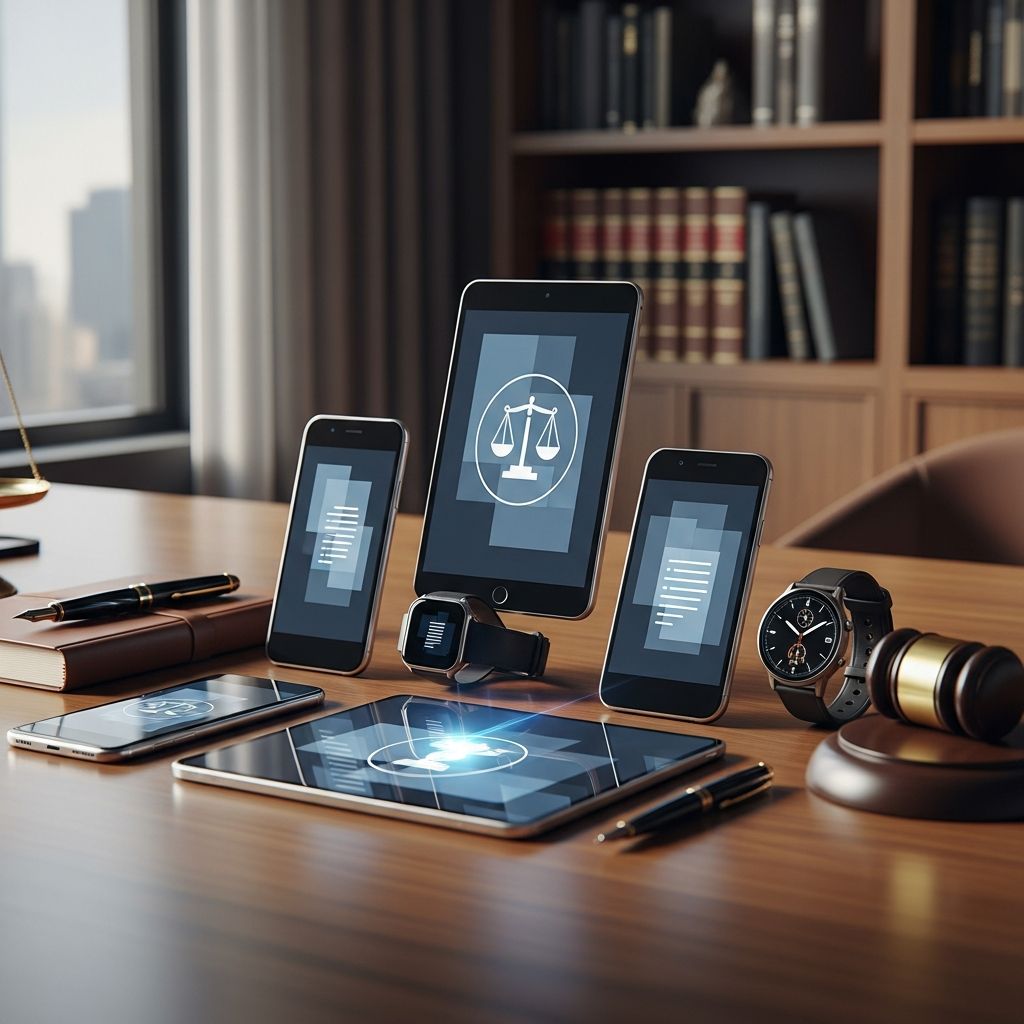
Evaluating Smartphones for Contemporary Legal Practice
The legal profession has experienced significant transformation in how attorneys manage their work through mobile devices. As traditional BlackBerry devices have become obsolete, legal practitioners must navigate an increasingly complex marketplace filled with diverse options from multiple manufacturers. Understanding the specific requirements for legal practice—including security protocols, document handling capabilities, communication features, and data protection standards—becomes essential when selecting a device that will serve as an extension of the law office.
Modern attorneys depend on smartphones not merely as communication tools but as comprehensive portable offices where they review contracts, manage client communications, access case management systems, and maintain sensitive information. The decision about which platform to adopt carries substantial implications for workflow efficiency, client service delivery, and risk management. This guide explores the landscape of contemporary smartphone options and identifies which devices best align with the unique demands of legal practice.
Understanding the Shift Away From Legacy Platforms
The legal industry’s historical reliance on BlackBerry devices stemmed from that platform’s reputation for security and encryption capabilities. These phones dominated law offices for years, providing attorneys with confidence in their ability to safeguard privileged communications and client information. However, as the broader technology ecosystem evolved, manufacturers redirected development resources away from BlackBerry, leaving the platform increasingly isolated and incompatible with modern applications and services.
This transition forced legal professionals to reconsider their technology strategies. Unlike the consumer market, where early adopters drove trends, law firms required careful deliberation about which replacement platforms could maintain equivalent security standards while offering enhanced functionality. The decision framework had to balance operational continuity with access to contemporary applications that modern legal practice demands. Attorneys needed devices capable of integrating with existing practice management software, email systems, and collaboration tools that their firms had already implemented.
The shift from BlackBerry created opportunities for both Apple and Android manufacturers to capture the legal market segment. Each platform offered distinct advantages and considerations, necessitating a detailed evaluation of how their respective ecosystems serve the particular needs of legal professionals.
iOS: The Apple Ecosystem for Legal Work
Apple’s iPhone platform has established itself as a primary choice for many law firms due to several interconnected factors. The iOS operating system’s closed architecture and controlled application marketplace create an environment where security oversight remains centralized under Apple’s management. This design philosophy resonates with legal departments that prioritize predictability and consistency in how devices handle sensitive information.
Legal professionals utilizing iPhones benefit from seamless integration across Apple’s hardware ecosystem, particularly when firms have also adopted iPad tablets and MacBook computers. This unified approach simplifies user experience and reduces the complexity of managing devices across different operating systems. An attorney who uses all Apple products experiences consistent interfaces, synchronized data through iCloud services, and compatible document handling across their entire technology suite.
Security Features on iOS
The iPhone incorporates several technical features that address legal industry security requirements. Face ID and Touch ID biometric authentication provide access control that prevents unauthorized device usage. File-level encryption ensures that even if a device is physically compromised, the data stored on it remains protected. The App Store’s curated selection process means that applications available to legal professionals have undergone Apple’s review process, reducing (though not eliminating) the risk of malicious software.
End-to-end encryption for iMessage communications ensures that messages between iPhone users cannot be intercepted. While this doesn’t address all legal communication needs—since many firms use dedicated secure email platforms—it provides an additional security layer for informal communications with clients and colleagues who also use Apple devices.
Integration with Legal Practice Tools
The maturity of the iOS app ecosystem means that most major legal technology providers offer comprehensive applications optimized for iPhones. Case management platforms, time tracking systems, document review applications, and client communication tools typically arrive first on iOS and receive the most extensive feature development. This creates a practical advantage where attorneys using iPhones access the full capabilities that their firms’ technology investments provide.
Android: Enterprise Solutions and Flexibility
The Android platform, developed by Google and implemented across numerous hardware manufacturers, presents a different value proposition for legal professionals. Rather than a single integrated ecosystem, Android offers flexibility through multiple device manufacturers creating phones optimized for different use cases and professional requirements.
Several manufacturers have recognized the enterprise market opportunity and developed devices specifically designed for business and professional use. These phones integrate enhanced security features, extended update commitments, and specialized management capabilities that address organizational requirements beyond what general-purpose consumer phones provide.
Samsung Galaxy Series for Professional Use
Samsung’s Galaxy S-series phones, particularly the Ultra models, represent flagship Android devices that compete directly with premium iPhones for professional adoption. These devices offer substantial screen real estate—larger than most iPhones—which provides practical advantages for reviewing documents, analyzing spreadsheets, and working with visual materials on a small screen. The expandable storage capability through microSD cards appeals to practitioners who manage large document libraries or work with multimedia evidence.
Samsung’s One UI interface layer on top of Android provides customization options and productivity features designed specifically for professional users. The S Pen stylus available on some models offers precision input for document annotation and review, creating capabilities that some attorneys find valuable for markup and revision work.
Motorola’s ThinkPhone Enterprise Platform
The Lenovo ThinkPhone by Motorola represents an intentional effort to create an Android device specifically for business users. Rather than attempting to compete on consumer features like camera quality or gaming performance, the ThinkPhone prioritizes security enhancements, simplified management for IT departments, and features that professional users request. Enhanced fingerprint authentication, secure boot processes, and work profile separation provide multiple layers of security isolation that firms with strict information governance policies require.
Update Policies and Long-Term Support
An important consideration when evaluating Android devices involves the manufacturer’s commitment to security updates. Google’s own Pixel phones guarantee several years of operating system updates and security patches, addressing one of Android’s historical vulnerabilities where some manufacturers provided limited update support. For legal professionals, the assurance of timely security updates matters substantially, as unpatched vulnerabilities could expose confidential client information.
Comparative Framework for Device Selection
When evaluating which smartphone best serves a legal practice’s needs, several key dimensions warrant assessment:
Security and Compliance
- Encryption capabilities for data at rest and in transit
- Biometric and password authentication mechanisms
- Manufacturer’s security update frequency and timeline
- Ability to implement mobile device management (MDM) solutions
- Compliance with firm’s information security policies
Compatibility and Integration
- Compatibility with existing practice management systems
- Support for required communication platforms (email, messaging, video conferencing)
- Availability of legal-specific applications from vendors the firm uses
- Integration with document management and file sharing services
- Synchronization with other devices the attorney uses
Practical Functionality
- Screen size and quality for document review and analysis
- Processing power for multitasking and running demanding applications
- Battery longevity sufficient for full business days
- Reliability and durability for professional environments
- Storage capacity for client files and work materials
Tablet Considerations for Legal Practice
Beyond smartphones, many law firms implement tablet devices as complementary tools for legal work. Tablets offer larger screens that facilitate document review and allow more comfortable reading of contracts and briefs compared to phones. The choice between iPad and Android tablets follows similar logic as smartphone selection, with iOS tablets providing ecosystem integration for firms committed to Apple products, while Android tablets offer flexibility and cost alternatives.
Several attorneys find that a combination of a smaller phone for communication and a tablet for document work creates optimal workflow efficiency. The tablet provides sufficient screen real estate for detailed work while the phone remains portable for communications throughout the day.
Implementation and Organizational Considerations
Device selection rarely occurs in isolation at modern law firms. Information technology departments and practice managers must consider how smartphone choices integrate with existing infrastructure, security policies, and support capabilities. A firm that has invested in iOS device management expertise may encounter efficiency challenges if transitioning to Android-based fleets. Conversely, organizations with established Android support infrastructure face different considerations when evaluating iPhone deployment.
Mobile device management solutions allow IT departments to configure devices, enforce security policies, and manage applications remotely. The maturity and sophistication of available MDM solutions differ somewhat between platforms, which can influence organizational preferences. Larger firms often implement MDM systems that work across multiple platforms to support diverse user preferences while maintaining consistent security baselines.
Cost Considerations and Total Cost of Ownership
While purchase price represents only one factor in device selection, it carries practical significance for firms managing multiple attorney devices. Premium flagship smartphones from Apple and Samsung command substantial prices, though they typically provide longer usable lifespans before becoming incompatible with contemporary applications. Mid-range devices from various manufacturers offer reduced initial costs but may require replacement sooner as application requirements evolve.
Maintenance costs, insurance, replacement programs, and upgrade cycles all contribute to total cost of ownership. Firms should evaluate not merely device price but the complete financial commitment over the period the devices will remain in use.
Current Smartphone Landscape and Legal Practice Suitability
| Platform/Device | Primary Strengths for Legal Use | Key Considerations |
|---|---|---|
| Apple iPhone 17 Pro Max | Robust security, extensive legal app ecosystem, long device lifespan, seamless iPad integration | Premium pricing, limited customization, iOS-specific features may not align with all firm systems |
| Samsung Galaxy S26 Ultra | Larger screen for document review, expandable storage, powerful processing, S Pen annotation capability | Manufacturer update timeline varies, fragmentation across Samsung models, more complex customization requires IT expertise |
| Google Pixel 8 Pro | Clean Android experience, guaranteed long-term updates, excellent integrated AI features, competitive pricing | Limited customization compared to Samsung, smaller screen than Ultra models, newer to enterprise market |
| Motorola ThinkPhone | Purpose-built for enterprise security, simplified IT management, business-focused design, reasonable pricing | Limited consumer-oriented features, smaller app ecosystem focus, less prominent in legal-specific discussions |
Emerging Trends in Professional Mobile Devices
Foldable devices represent an emerging category that some forward-thinking firms are exploring. Devices that combine phone and tablet functionality through folding displays could potentially offer advantages for attorneys who currently carry separate phones and tablets. However, the technology remains relatively new, with durability and long-term reliability questions that cautious organizations prefer to resolve before deployment.
Artificial intelligence integration into smartphones continues accelerating, with features like intelligent photo organization, enhanced voice recognition, and predictive text entering mainstream devices. Legal applications of these capabilities are still developing, though AI-powered document analysis and smart scheduling could eventually provide workflow advantages.
Recommendations for Systematic Device Evaluation
Organizations evaluating smartphone choices should establish a structured assessment process rather than making decisions based on individual preferences. Creating a requirements matrix that identifies security, compatibility, functionality, and cost criteria allows systematic comparison across available options. Pilot programs deploying devices to interested attorneys before firm-wide implementation provide real-world insights into how each platform integrates with existing workflows.
Consulting with IT departments, practice managers, and actual users ensures that device selection reflects organizational needs rather than theoretical preferences. Attorneys who daily interact with chosen devices provide invaluable feedback about practical usability that cannot be replicated through specification reviews or manufacturer marketing materials.
Frequently Asked Questions About Legal Smartphone Selection
Q: Is iOS or Android more secure for legal practice?
A: Both platforms provide robust security when properly configured and maintained. iOS offers a controlled ecosystem with centralized oversight, while Android’s security depends more on manufacturer commitment to updates and organizational implementation of mobile device management. For legal use, either platform meets security requirements when supported by current software updates and appropriate security policies.
Q: Can attorneys use consumer phones for practice, or are enterprise devices necessary?
A: Consumer flagship phones from Apple, Samsung, and Google provide sufficient security and functionality for legal practice. Enterprise-specific devices like the Motorola ThinkPhone add specialized security and management features, but are not absolutely necessary unless organizations have specific compliance requirements or IT management preferences that benefit from those specializations.
Q: How important is screen size for document review?
A: Larger screens facilitate comfortable document review and reduce eye strain during extended reading sessions. However, many attorneys supplement phones with tablets for substantial document work, making phone screen size less critical. Personal preference and typical work patterns should guide this decision—attorneys primarily using phones for communication and quick reference need less screen real estate than those conducting detailed document analysis on their devices.
Q: What’s the typical lifespan before a legal smartphone needs replacement?
A: Most quality smartphones remain functional for three to five years. Legal practice considerations suggest planning replacement when devices reach three to four years old, when security update support approaches conclusion and application requirements begin exceeding device capabilities.
Q: Should entire law firms standardize on a single platform?
A: Standardization simplifies IT management and support, but modern mobile device management solutions handle mixed fleets effectively. Many firms support both iOS and Android, allowing attorneys personal preference while maintaining consistent security policies across the organization.
References
- Best Smartphone for Lawyers: By the Numbers (Tablets, too) — MyCase. 2013. https://www.mycase.com/blog/general/lawyers-android-numbers-infographic/
- Best Business Smartphones 2026 | Secure Phones for Enterprise — Efani. 2026. https://www.efani.com/blog/best-business-smartphones
- Best Smartphones 2026 Comparison | iPhone vs Samsung vs Google — Misr Connect. January 8, 2026. https://misrconnect.com/en/news/smartphone-news/best-smartphones-2026-comparison-iphone-vs-samsung-vs-google
- 13 Best Smartphones of 2026, Lab-Tested and Reviewed — Consumer Reports. 2026. https://www.consumerreports.org/electronics-computers/cell-phones/best-smartphones-of-the-year-a7852223918/
Similar Articles








Read full bio of medha deb


