
Smart Scheduling Tools to Streamline Meetings
Discover how modern scheduling tools reduce back-and-forth emails, prevent double-booking, and keep your calendar in control.
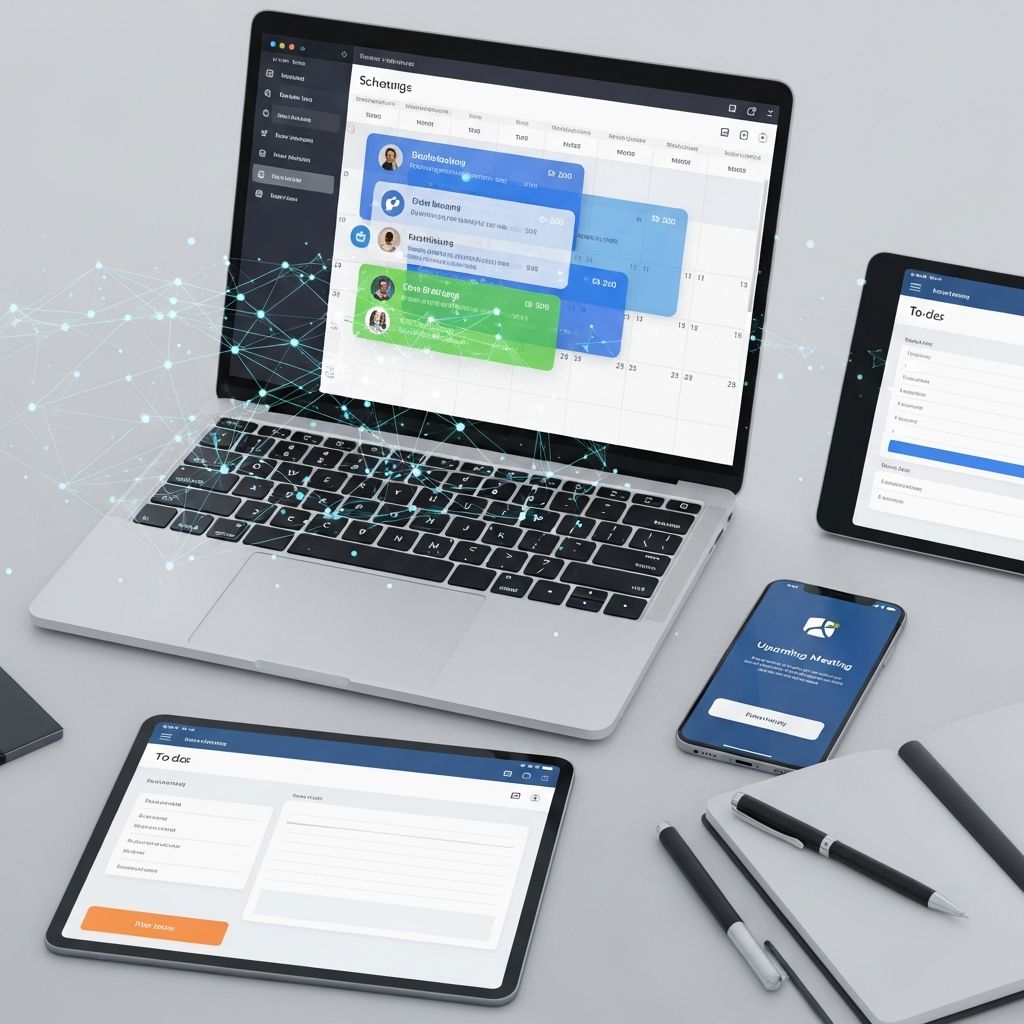
Coordinating meetings used to mean long email threads, accidental double-bookings, and confusion about time zones. Modern online scheduling tools replace that chaos with automated booking pages, smart reminders, and seamless calendar syncing, giving you more time to focus on actual work instead of logistics.
This guide explains how scheduling software works, what features matter most, and how different types of tools can simplify appointments for professionals, law firms, consultants, and small businesses.
Why Scheduling Tools Have Become Essential
Meeting coordination is more complex than ever. Teams are remote or hybrid, clients span time zones, and many professionals juggle multiple calendars. Without automation, it is easy to waste hours every week on email back-and-forth just to find a time that works.
Research on workplace communication shows that workers spend a significant portion of their day reading and responding to email, which contributes to lost productivity and cognitive overload. Scheduling tools reduce this overhead by letting invitees choose from pre-approved times, automatically applying your availability rules and syncing to your calendar.
- Less back-and-forth: Share one booking link instead of trading messages.
- Fewer mistakes: Automatically avoid double-booking and past-time conflicts.
- Better client experience: Let clients self-book at their convenience, even after hours.
- Consistent reminders: Use automated notifications to reduce no-shows.
Key Capabilities to Look for in Scheduling Software
Although scheduling tools vary widely, the most useful options share several core capabilities. Understanding these helps you choose the right fit for your practice or team.
1. Calendar Integration and Availability Rules
At the heart of any good scheduler is robust calendar integration. Most tools connect to popular platforms like Google Calendar, Microsoft Outlook, or Apple Calendar, so your booked meetings instantly appear in your primary schedule.
- Two-way sync between the scheduler and your existing calendars
- Configurable working hours and unavailable days
- Buffer time before or after meetings
- Limits on the number of bookings per day or per meeting type
2. Customizable Booking Pages
Most modern tools provide a branded booking page where invitees can choose a time. For client-facing work, this page becomes an extension of your professional image.
- Display your logo, colors, and a short description of the meeting type
- Offer multiple meeting types: consultation, check-in, training, or court prep
- Define different durations for each type of appointment
- Collect key information with a short intake form before the meeting
3. Time Zone Handling and International Scheduling
When dealing with remote clients or colleagues, manual time-zone conversion is both error-prone and slow. High-quality scheduling tools automatically detect or let invitees select their time zone, then display available slots accordingly.
- Automatic time-zone detection where possible
- Clear indication of the invitee’s local time on the booking page
- Calendar invites that include the correct time for every participant
4. Video Conferencing and Communication Integrations
Many meetings now happen online, so scheduling tools increasingly integrate with video platforms. Leading apps can automatically generate unique meeting links in Zoom, Microsoft Teams, or Google Meet whenever someone books a slot.
- Automatic creation of video meeting links
- Links and dial-in details included in calendar invites and reminders
- Integration with email tools for confirmations and updates
5. Automated Notifications and Reminders
No-shows are costly for service-based businesses. Automated confirmation emails, reminder messages, and optional SMS notifications can significantly reduce missed appointments.
- Immediate confirmation sent on booking
- Configurable reminder cadence (e.g., 24 hours and 1 hour before)
- Follow-up messages or feedback forms after the meeting
6. Group Scheduling and Polling
Coordinating a group meeting is harder than booking a one-on-one. Some tools solve this by allowing you to propose several options and let participants vote, then convert the winning time into a confirmed event.
- Poll-based scheduling for larger groups
- Round-robin bookings to evenly distribute meetings across a team
- Collective availability views when multiple team members must attend
Types of Scheduling Tools and What They Are Best For
Although many platforms overlap, they generally fall into several broad categories. The table below compares key use cases.
| Type of Tool | Best Use Case | Typical Users |
|---|---|---|
| Personal booking tools | One-on-one meetings, quick client calls | Solo professionals, freelancers, attorneys, consultants |
| Team and round-robin schedulers | Distributing leads and client calls across a group | Law firms, sales teams, customer success teams |
| Group polling apps | Finding one time that works for many participants | Project teams, committees, boards |
| Industry-specific booking systems | Structured appointment workflows (e.g., intake, payments) | Clinics, salons, coaching practices, legal practices |
| AI-based scheduling assistants | Hands-off delegation of coordination via email or chat | Executives, heavy calendar users, fast-moving teams |
Four Practical Scheduling Tool Approaches
Instead of focusing on specific brand names, it is often more useful to think in terms of approaches. Below are four common approaches to simplifying meetings, each represented by a typical tool category.
Approach 1: Simple Booking Links for Direct Access
Simple booking-link tools create a unique URL where anyone can view your available times and instantly reserve a slot. This is one of the fastest ways to reduce email back-and-forth for recurring meetings, short consultations, or quick check-ins.
Best for: solo professionals, independent attorneys, consultants, and small practices that primarily host one-on-one calls.
Advantages:
- Easy setup and quick learning curve
- Ideal for embedding in email signatures, newsletters, or websites
- Can support multiple meeting types with different lengths and locations
Considerations:
- May not handle complex team routing needs
- Free plans can be limited in branding or advanced features
Approach 2: Group Polling to Coordinate Many People
Group scheduling tools solve the classic problem of “What time works for everyone?” Instead of checking each calendar, you propose several options and invite participants to vote. After responses are collected, you confirm the winning slot.
Best for: committee meetings, project teams, cross-departmental coordination, or client calls where multiple participants must attend.
Advantages:
- Removes guesswork by surfacing time slots most attendees can make
- Particularly effective when you do not have access to others’ calendars
- Works across organizations without complex integrations
Considerations:
- Requires a short voting period before finalizing a time
- Less suitable for last-minute or high-urgency meetings
Approach 3: Team-Based and Round-Robin Scheduling
When meetings need to be shared across a group—such as a law firm’s intake team or a customer success department—team scheduling tools help route bookings intelligently. They can rotate new appointments among available team members (round-robin) or find times when multiple people from your organization can attend.
Best for: small to mid-sized firms, sales teams, support and onboarding teams, or any multi-person practice that wants to balance workload.
Advantages:
- Fair distribution of meetings across the team
- Shared, branded booking pages for departments or practice areas
- Advanced routing based on availability, expertise, or priority
Considerations:
- Setup is more complex than for single-user tools
- Often requires paid plans for full team features
Approach 4: AI-Powered Scheduling Assistants
AI scheduling assistants take automation further by reading your preferences and communicating directly with invitees, typically via email or messaging tools. Instead of manually offering times, you copy the assistant on a conversation and let it negotiate a time that fits everyone’s calendar.
Best for: high-volume schedulers like partners, executives, or practice leaders who regularly coordinate with many external parties.
Advantages:
- Removes most manual steps after initial setup
- Learns and applies your preferences (e.g., no late-Friday meetings)
- Can manage rescheduling and follow-ups without your direct involvement
Considerations:
- Some users may prefer predictable booking links over email negotiation
- May require careful configuration to respect privacy and data policies
Security, Privacy, and Compliance Considerations
Professionals handling sensitive information—such as legal, financial, or medical data—should pay close attention to a scheduling tool’s security posture. While many platforms employ industry-standard protections, the level of compliance varies.
- Data encryption: Look for encryption in transit (HTTPS/TLS) and, ideally, encryption at rest.
- Access controls: Ensure you can manage who on your team can view or edit bookings.
- Compliance frameworks: Depending on your industry and region, you may need tools that align with standards such as HIPAA (healthcare, in the U.S.) or GDPR (for EU resident data).
- Data residency: Some organizations require that data be stored in specific jurisdictions.
Consult your organization’s IT or compliance team before connecting new tools to client data, and review each provider’s privacy policy carefully.
Practical Steps to Implement a Scheduling Tool
Adopting scheduling software is not just a technical decision; it also affects client communication and internal workflow. The following steps can smooth the transition.
1. Map Your Typical Appointment Types
Before signing up for any service, list the types of meetings you hold most often. For example:
- Initial consultations or discovery calls
- Ongoing client updates
- Internal case reviews or project stand-ups
- Training sessions or webinars
For each, decide on typical duration, preferred days, and whether the meeting is virtual, in person, or flexible.
2. Choose a Tool That Matches Your Workflow
Match the categories above to a corresponding scheduling approach. Solo practitioners may prioritize a simple booking link, while larger teams may need round-robin routing or advanced integrations with customer management tools.
3. Configure Your Availability and Rules Carefully
Take time upfront to:
- Block focused work times where no bookings are allowed
- Add buffer time around more complex appointments
- Limit how far in advance people can book
- Specify cancellation and rescheduling windows
Thoughtful configuration prevents burnout and protects time for deep work.
4. Integrate With Your Existing Tools
Most scheduling systems connect to widely used productivity suites and video platforms.
- Connect to your primary and secondary calendars
- Link your preferred video conferencing tool for automatic meeting URLs
- Optionally connect CRM or contact management tools for better tracking
5. Communicate the Change to Clients and Colleagues
To encourage adoption, explain why you are using a scheduling link and how it helps everyone:
- Include a short note in your email signature describing the purpose of the link
- Update your website with a prominent “Book a Meeting” button
- Offer both traditional and self-service options at first for hesitant clients
Frequently Asked Questions (FAQs)
Do scheduling tools work if I use more than one calendar?
Many scheduling platforms can connect to multiple calendars and treat any event on any connected calendar as busy time. This prevents double-booking when you manage separate work and personal calendars, as long as both are integrated.
Are free scheduling tools enough for professional use?
Free plans are often sufficient for basic one-on-one booking with minimal branding. However, features like custom domains, advanced integrations, team routing, and compliance-related capabilities typically require a paid subscription.
Can I still approve meetings manually?
Yes. Some tools let invitees request a time rather than automatically confirm it. You receive a notification and can approve or decline the request, which is helpful for high-demand professionals who need tighter control over their schedule.
How do scheduling tools handle cancellations and rescheduling?
Most systems generate unique links that allow invitees to modify or cancel meetings within the parameters you set. You can specify how much notice is required to cancel or move an appointment, protecting you from last-minute changes.
What if my clients are uncomfortable with technology?
You can adopt a hybrid approach. Continue to schedule manually for clients who prefer phone or email while gradually introducing booking links in your communications. Over time, many users appreciate the convenience of self-service scheduling.
References
- The 10 Best Meeting Scheduler Apps in 2026 — Zapier. 2025-03-12. https://zapier.com/blog/best-meeting-scheduler-apps/
- 10 Best Scheduling Apps – Your Ultimate Buying Guide For 2025 — YouCanBook.me. 2024-11-05. https://youcanbook.me/blog/best-scheduling-apps
- 8 Best Meeting Scheduler Software in 2025 (All Tested) — Zencal Blog. 2025-02-20. https://www.zencal.io/blog-posts/meeting-scheduler-software
- 10 Best Group Scheduling Tools for Small Businesses 2025 — BIGContacts. 2025-01-15. https://www.bigcontacts.com/blog/best-group-scheduling-tools/
- The 10 Best Meeting Scheduling Software for 2025 — MeetGeek. 2025-04-08. https://meetgeek.ai/blog/best-meeting-scheduling-software
- The 8 Best Scheduling Tools for 2025 — Skej. 2025-05-10. https://www.skej.com/blog/the-8-best-scheduling-tools-for-2025
Similar Articles








Read full bio of Sneha Tete


