
Smart Bookmarking Habits for Modern Legal Professionals
Turn chaotic browser bookmarks into a focused, secure, and collaborative research system tailored to busy legal professionals.
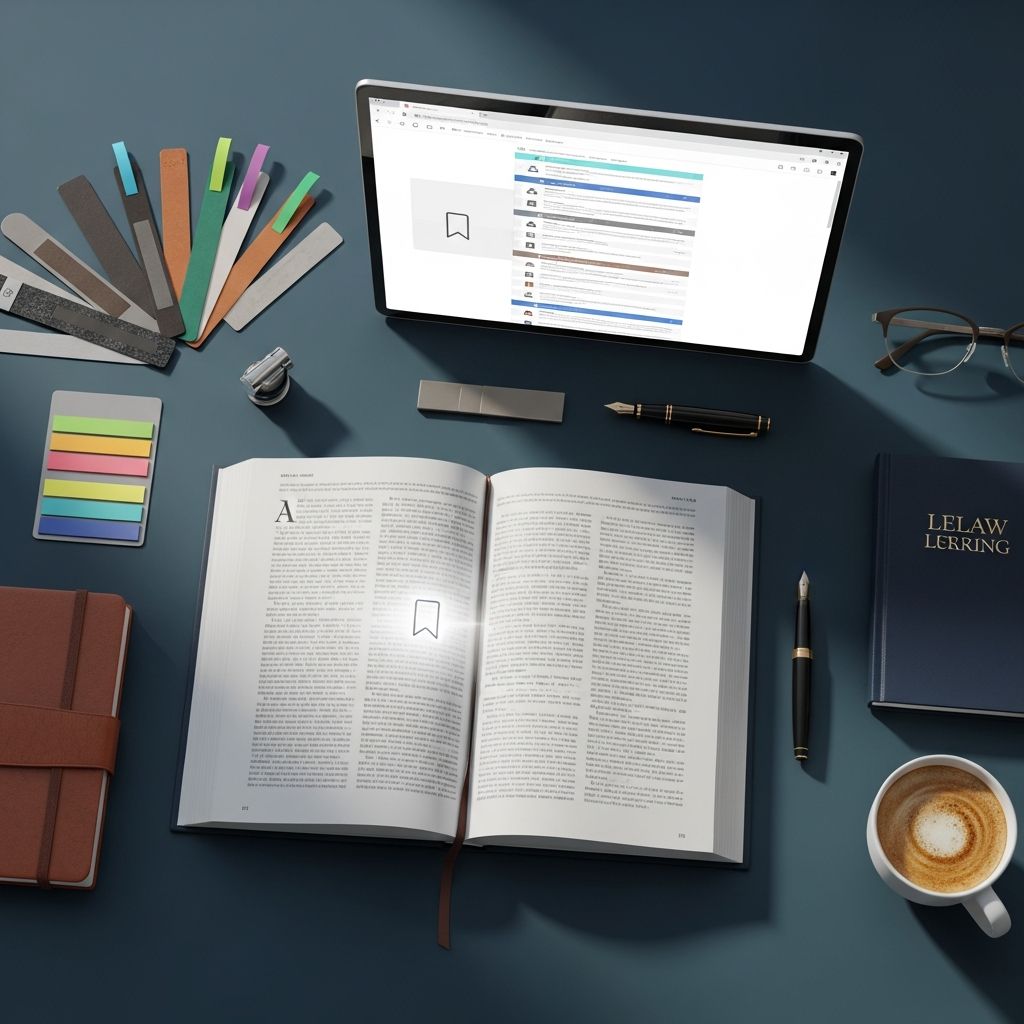
Legal work depends heavily on fast access to reliable information: statutes, rules, court websites, e-filing portals, and research materials. Poorly organized browser bookmarks waste time and increase the risk of errors. A thoughtful bookmarking system transforms scattered links into a dependable research and workflow hub.
This guide explains how legal professionals can design a bookmark strategy that supports case work, compliance obligations, and collaboration across teams, without copying the structure of any particular tool or article.
Why Bookmarks Still Matter in a Cloud-First Law Office
Even in an age of advanced search and AI research tools, bookmarks remain a powerful asset for law offices.
- Consistency: Bookmarks return you to the same official resource every time, reducing the risk of relying on outdated or unofficial copies.
- Speed: Direct access to frequently used portals and rules saves clicks and keystrokes on routine tasks.
- Documentation: A curated set of links functions as a lightweight knowledge base for your team.
- Risk reduction: Reliance on verified primary sources (such as court and agency sites) supports ethical duties to provide competent, accurate advice.
When bookmarks are structured deliberately, they complement research databases, case management systems, and firm intranets rather than competing with them.
Designing a Bookmark System Around Legal Workflows
Instead of copying generic folder trees, organize bookmarks around the way you actually practice law.
Core Categories That Help Most Legal Teams
Start with a concise set of top-level folders. Too many categories slows you down; too few makes everything feel cluttered.
- Court & Government Portals – e-filing systems, docket search, court homepages, local rules, bar association portals.
- Substantive Law – statutes, regulations, and official guidance for your main practice areas.
- Cases & Matters – temporary collections for active files (especially helpful for research-intensive matters).
- Firm Operations – timekeeping, billing, HR, IT, and internal policy pages.
- Professional Development – CLE providers, practice guides, trusted blogs, and ethics resources.
Limit the depth of nesting so you rarely need more than three clicks to reach a link. Deep hierarchies look precise but are hard to remember and maintain over time.
Practice-Area vs. Case-Based Organization
Legal research typically falls into two patterns: long-term reference and short-term case work. Use different approaches for each.
| Type of content | Best organization strategy | Example |
|---|---|---|
| Long-term reference | Practice-area folders with descriptive subfolders | “Employment Law > Wage & Hour > Federal” for Department of Labor guidance and regulations |
| Short-term research | Case-specific folder or tagged collection | “Smith v. Acme – Research” with articles, checklists, and local rule interpretations |
| Procedural tools | Workflow groupings | “Filing & Service” with links to e-filing portals, service vendors, and fee schedules |
This split helps avoid mixing evergreen resources with temporary materials that should eventually be archived.
Curating Official and Authoritative Sources
Legal advice should be grounded in primary and reliably maintained secondary sources. Your bookmark set should reflect that priority.
Prioritize Primary Law and Official Guidance
Whenever possible, bookmark sources directly from:
- Court websites for local rules, standing orders, and filing procedures.
- Government agencies for regulations, enforcement guidance, and FAQs (e.g., Department of Labor, IRS, OSHA).
- Official codes or authenticated online statutes hosted by legislatures or authorized publishers.
These sources are more likely to be updated promptly and to carry official status if questions about accuracy arise.
Use “Source Tiers” to Evaluate Links Before Saving
Develop a simple mental checklist before bookmarking a new page:
- Tier 1 – Primary law: constitutions, statutes, regulations, rules of procedure, and controlling case law.
- Tier 2 – Official commentary: government or court-issued guidance, advisory opinions, and agency FAQs.
- Tier 3 – Reputable secondary sources: materials from bar associations, law schools, and established legal publishers.
- Tier 4 – Informal commentary: blogs, news, and commentary useful for context but not as legal authority.
Label or group Tier 3–4 content as background or practice tips so it is not mistaken for binding authority in later research.
Making Bookmarks Easier to Find
Even a careful folder structure can become unwieldy as your collection grows. A few disciplined habits make retrieval much faster.
Descriptive Names That Survive Skimming
Rename bookmarks so the purpose of the link is obvious at a glance. Prefer short, specific names over the page’s default title.
- Use “State Court – Civil Local Rules (Current)” instead of a generic “Local Rules” title.
- Include jurisdiction and topic where relevant, such as “CA Evidence Code – Official” or “EEOC Retaliation Guidance (2024 Update)”.
- For portals, add the function: “County Court – E-Filing Login” or “Appellate Docket Search – 1st District”.
Consistent naming conventions reduce reliance on memory and make browser search more reliable.
Tags and Keywords for Cross-Cutting Topics
Some content applies to multiple areas—such as electronic discovery, ethics, or remote hearings. When your browser or bookmark tool supports tags, use them to connect related items across folders.
- By issue:
#discovery,#ethics,#arbitration. - By phase of matter:
#pleadings,#motion-practice,#trial,#appeal. - By urgency:
#read-today,#deep-dive,#background.
When combined with search, tagging lets you pull together, for example, all your #discovery resources across jurisdictions in seconds.
Time-Saving Bookmark Collections for Everyday Tasks
A few specialized bookmark groups can noticeably reduce friction during the workday.
“Start of Day” and “Filing Day” Sets
Create compact collections of pages you visit repeatedly during common workflows.
- Daily start: docket system, email, case management dashboard, timekeeping, and any key collaboration tools.
- Filing or deadline days: e-filing portal, applicable local rules, fee schedule, formatting guidelines, and service vendor links.
- Hearing days: virtual hearing instructions, courtroom directory, remote appearance policies, and live docket pages.
Keep these lists short; the goal is to avoid hunting for essential links when time pressure is high.
Read-Later and Learning Queues
Legal professionals are constantly encountering useful but non-urgent content. Instead of cluttering primary folders, create purpose-built queues:
- “Read This Week”: practice tips, case comments, and technology updates.
- “CLE & Training Ideas”: saved pages for future programs, on-demand courses, and self-study materials.
- “Technology Experiments”: links to new research tools, AI features, or productivity apps you intend to evaluate.
Set a recurring reminder to review these folders; delete what is no longer relevant and promote the best items to your long-term reference set.
Bookmark Hygiene: Keeping Your Collection Trustworthy
Over time, links break, rules change, and research priorities shift. Treat bookmark maintenance as part of basic professional hygiene.
Scheduled Reviews and Clean-Up
A simple maintenance schedule keeps things under control.
- Monthly: empty or merge obsolete case-specific folders and remove duplicates.
- Quarterly: spot-check high-value links to local rules, fee schedules, and agency guidance for updates.
- Annually: redesign top-level folders if your practice mix has changed; archive old “learning” or experimental content.
Document these intervals in a short internal note so the process can be shared and improved by your team.
Version Awareness for Changing Rules
Rules and regulations update at varying intervals, and some online sources clearly mark their revision dates. When you bookmark such pages, consider:
- Adding the year of last revision in the bookmark name (e.g., “Local Civil Rules – Updated 2024”).
- Including a link to the authority’s “What’s New” or “Recent Updates” page from the same site when available.
- Saving an internal note (in your DMS or notes app) recording when you last confirmed the rule’s currency.
These small steps help avoid citing or relying on outdated procedures.
Security and Confidentiality When Using Bookmarks
Because legal work involves confidential information, bookmark practices must respect security expectations and professional rules.
Avoid Sensitive Details in Bookmark Names
Bookmarks often sync across devices and may appear in screenshots or demonstrations. To reduce risk:
- Use matter numbers or initials rather than full party names where possible.
- Do not include client secrets, strategy descriptions, or settlement amounts in bookmark titles.
- When in doubt, treat bookmark names as potentially visible outside the firm.
Use Secure Authentication and Firm-Approved Tools
Some bookmark managers and cloud services may store your link collections (and sometimes page metadata) on third-party servers. Check:
- Whether the tool supports single sign-on or multifactor authentication consistent with your firm’s security practices.
- If there is a way to separate personal and professional accounts, especially on shared browsers or home devices.
- Your firm’s information security and confidentiality policies before syncing work-related bookmarks to new services.
Aligning bookmark tools with your organization’s policies supports your ethical obligation to safeguard client information.
Sharing Bookmarks Across Your Legal Team
Well-curated shared bookmark sets can significantly reduce onboarding time and promote consistency across a practice group.
Team Collections for Common Tasks
Collaborative bookmark sets are particularly effective for:
- Jurisdictional practice guides: links to key rules, standard forms, and filing tips for each court you use frequently.
- Template sources: model jury instructions, pattern forms, and official checklists.
- Knowledge management: firm-approved guides, internal wikis, and standard operating procedures.
Store links to shared collections in both your browser bookmarks and your matter management or intranet tools, so lawyers and staff find them wherever they start.
Onboarding Playlists for New Team Members
New hires often struggle to discover the “right” sources among countless options. A dedicated bookmark set can guide their early weeks.
- Compile links to must-know rules, frequently used portals, and internal policies.
- Group links by “First Week”, “First Month”, and “Advanced” to suggest a learning sequence.
- Assign a senior lawyer or knowledge manager to review and update these bookmarks periodically.
This reduces repeated informal explanations and supports a more consistent training experience.
Integrating Bookmarks With Research and Case Systems
Bookmarks are most powerful when connected with the tools you already use for research, document management, and matter tracking.
Linking to Your Legal Research Platforms
Most firms rely on one or more commercial research systems. Instead of bookmarking every case or article:
- Bookmark entry points such as search homepages, citator tools, and practice centers for your areas of law.
- Save links to custom search templates or filtered views you frequently reuse.
- Add bookmarks to training or help pages from the platform vendor so associates can self-educate.
This approach keeps your bookmark list stable even as specific cases and articles change.
Connecting Bookmarks to Matters and Checklists
Consider referencing key bookmarks inside your matter plans and checklists:
- Include URLs to governing rules or procedural guides in your litigation playbooks.
- Link directly to forms, filing portals, and agency FAQs within your transactional workflows.
- Add a short “Key Links” area to matter opening templates for jurisdictions or regulators you deal with repeatedly.
Embedding links into matter documentation reduces the gap between instructions and action.
Frequently Asked Questions (FAQs)
Q: How many folders should a solo or small-firm lawyer maintain?
Aim for a small set of high-level folders (often 5–8) that mirror your actual work: court portals, practice areas, cases, firm operations, and learning. You can add a few subfolders within each, but avoid deep or highly customized trees that only one person can navigate.
Q: Is it better to use browser bookmarks or a dedicated bookmark manager?
For simple needs, browser bookmarks are sufficient, especially with synchronization across devices. Dedicated bookmark managers can help when you need tagging, collaboration, or advanced search, but any tool you choose should comply with firm security and confidentiality policies.
Q: How often should I audit legal bookmarks for accuracy?
At a minimum, review key links—such as local rules, filing portals, and major agency guidance—every few months, and whenever you learn of a rule change in a jurisdiction where you practice. Treat these checks as part of your regular risk management and quality control.
Q: Can client-specific bookmarks create confidentiality risks?
They can, especially if bookmark names reveal sensitive details or if they sync to personal devices or third-party services. Use neutral labels, follow your firm’s security guidelines, and avoid including strategy or confidential facts in bookmark titles.
Q: What is the simplest improvement I can make today?
Start by reorganizing your most frequently used links into a single, clearly labeled folder such as “Daily Practice” or “Court Portals.” Rename each bookmark using concise, descriptive titles. This one step significantly reduces search time and sets the stage for more advanced structuring later.
References
- Proposed Amendments to the Federal Rules of Civil Procedure — Administrative Office of the U.S. Courts. 2024-04-11. https://www.uscourts.gov/rules-policies/proposed-amendments-published-public-comment
- Retaliation — U.S. Equal Employment Opportunity Commission. 2021-09-30. https://www.eeoc.gov/retaliation
- Wages and the Fair Labor Standards Act (FLSA) — U.S. Department of Labor. 2024-01-05. https://www.dol.gov/general/topic/wages
- Minimum Continuing Legal Education (MCLE) FAQs — State Bar of California. 2023-07-01. https://www.calbar.ca.gov/Attorneys/MCLE-CLE/Requirements/FAQ
- Cybersecurity Guidelines — American Bar Association (ABA) Cybersecurity Legal Task Force. 2022-03-15. https://www.americanbar.org/groups/cybersecurity/
Similar Articles








Read full bio of medha deb


