
Preparing Court Documents for E-Filing in Los Angeles County
A practical guide to formatting, organizing, and submitting legal documents for successful e-filing in Los Angeles County courts.
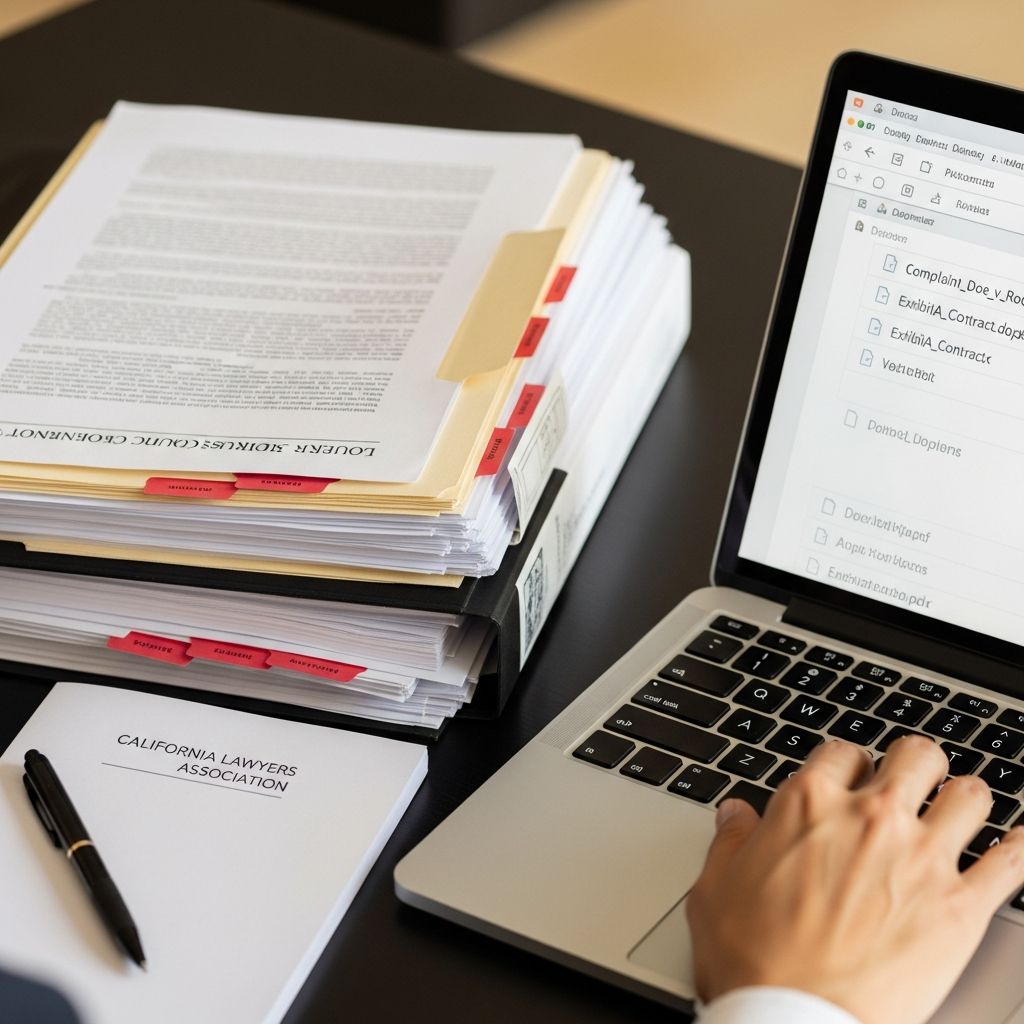
Electronic filing has become the standard way to submit many legal documents to the Superior Court of Los Angeles County. Proper preparation is essential: a single formatting or filing error can delay your case, cause your documents to be rejected, or lead to missed deadlines. This guide explains how to get your documents ready for e-filing in Los Angeles County, drawing on the current rules, technology, and best practices used by the court.
Why E-Filing Matters in Los Angeles County
The Los Angeles County Superior Court is one of the largest trial courts in the world, handling millions of filings every year. To manage this volume, the court has adopted e-filing (“eFiling”) and electronic service (“eService”) for most civil case types, and is rapidly expanding electronic processes to additional areas of law.
For attorneys in many civil matters, e-filing is mandatory; for self-represented litigants, it is often available and encouraged as a faster and more convenient alternative to paper filing. Understanding how to prepare compliant documents helps you:
- Reduce the risk of rejected filings and rework
- Meet court deadlines without last-minute technical issues
- Present clear, readable records for judges and court staff
- Use e-filing and eService efficiently across case types
Key Players and Systems in the E-Filing Process
To prepare documents effectively, it helps to understand who and what is involved in Los Angeles County e-filing.
| Component | Role in E-Filing |
|---|---|
| Court (LASC) | Publishes local rules, accepts or rejects filings, maintains the official case record, and manages e-service policies. |
| Electronic Filing Service Provider (EFSP) | Third-party vendor you log into to upload documents, pay fees, and transmit filings to the court. |
| Filers (attorneys and self-represented litigants) | Prepare documents, ensure compliance with rules, and select correct case types, document names, and fees. |
| Electronic Service (eService) | System for serving documents electronically on parties in eligible case types when required or permitted. |
Step 1: Confirm That E-Filing Applies to Your Case
Before preparing documents, confirm whether your case type and role require e-filing, allow it, or exclude it.
- Mandatory for attorneys in many civil cases: Los Angeles local rules require attorneys to e-file most civil documents, including limited and unlimited civil cases, subject to certain exceptions.
- Available for self-represented litigants: Self-represented parties are often allowed, but typically not required, to e-file and may also opt into receiving documents electronically via eService.
- Case-specific variations: Probate, family law, juvenile, criminal, and certain specialized proceedings may have different e-filing or paper-filing requirements, so you must review the applicable local rules and any general orders for your case type.
The Superior Court’s official eFiling page and its local rules provide the authoritative guidance on what must or may be e-filed.
Step 2: Choose and Configure an EFiling Service Provider
The court does not accept documents directly from the filer’s email or hard drive. Instead, you must submit through a certified Electronic Filing Service Provider (EFSP).
- Visit the court’s eFiling information pages to review the list of approved EFSPs.
- Create an account, including payment details for filing fees and service provider charges.
- Familiarize yourself with the EFSP’s interface, including where to:
- Start a new case or file into an existing one
- Select document names that match the court’s document list
- Upload multiple PDFs and set their filing order
- Designate parties for eService when required or available
Step 3: Format Documents for Court-Ready PDFs
Los Angeles County requires e-filed documents to meet certain technical and formatting standards so that they can be stored, indexed, and read in the court’s case management system.
3.1 Basic Word-Processing Standards
While specific formatting rules are set by statewide and local rules of court, the following practices support compliance and readability:
- Use standard fonts (such as Times New Roman or similar) at a legible size, commonly 12-point for body text.
- Maintain clear margins so headers, footers, and page numbers are not cut off when converted to PDF.
- Include proper captions with court name, case number (if assigned), party names, and document title.
- Paginate consecutively from the first page of the document through the last, including exhibits unless local rules specify otherwise.
3.2 Creating Searchable PDFs
The court’s systems and staff benefit from text-searchable PDFs rather than images. Many e-filing rules in California expect documents to be text-based when reasonably possible.
- Convert documents directly from word-processing format to PDF, rather than printing and scanning.
- Use optical character recognition (OCR) on scanned documents so text can be searched, copied, and indexed.
- Avoid low-resolution scans that make text blurry or unreadable, especially for exhibits and attachments.
3.3 File Size and Organization
Each EFSP and the court impose maximum size limits per PDF and per submission. Large filings—such as extensive exhibits or trial binders—may need to be broken into several appropriately labeled parts.
- Check EFSP guidance for maximum file and envelope sizes.
- Split oversized sets into multiple PDFs (for example, “Exhibits A–F” and “Exhibits G–M”), keeping the overall structure logical.
- Use bookmarks within lengthy PDFs when possible so that sections and exhibits are easy to locate.
Step 4: Handling Signatures, Scans, and Original Documents
Electronic filing raises questions about how to comply with signature requirements and when original paper documents are still necessary. California and local rules distinguish between electronic signatures, scanned signatures, and documents that must be preserved in their original form.
4.1 Electronic Signatures
In many circumstances, a document is considered signed when the filing attorney or party applies an electronic signature in the format /s/ Name or uses an approved digital signing method, and then e-files the document under that person’s login credentials. Statewide rules and local provisions give detailed requirements on when this is acceptable.
- Use consistent signature blocks (e.g., “/s/ Jane Doe”) as allowed by the California Rules of Court.
- Ensure that the person whose name appears in the signature block has authorized the filing.
- Retain any original signed verifications or declarations if required by rule or statute.
4.2 Wet Signatures and Physical Originals
Certain filings—such as original wills, specific bonds, or documents required by statute to be kept in original form—may still have to be physically lodged or filed, even when related pleadings are e-filed. These requirements vary significantly by case type and document.
- Review statutes and local rules for your case type to identify any documents that must be filed or lodged in original paper form.
- When both paper and electronic documents are required, coordinate timing so that the court receives each by the applicable deadline.
- Maintain secure storage of originals that are referenced in e-filed documents so you can produce them if ordered.
Step 5: Attachments, Exhibits, and Supporting Documents
Exhibits and attachments can make or break the clarity of your filing. Poorly labeled or disorganized exhibits increase the risk of confusion and can prompt questions from the court.
- Label every exhibit clearly on the first page with its exhibit letter or number.
- Include an exhibit list or index for lengthy submissions so the judge can quickly find key items.
- Use legible scans for photos, contracts, records, or other supporting materials, ensuring they are not cut off or rotated.
- Black out confidential information such as Social Security numbers, financial account numbers, or minors’ personal details as required by privacy rules.
Step 6: Selecting the Correct Document Type and Case Information
Within the EFSP portal, you must match each uploaded PDF to a document type from the court’s standardized list. The choice you make affects how the court indexes and routes your filing.
- Choose document types that most closely match your document’s title (for example, “Complaint”, “Answer”, “Motion for Summary Judgment”).
- Verify the case number, court location, and parties before finalizing your filing.
- Ensure that initiating documents are associated with the correct case category and case type (e.g., limited civil vs. unlimited civil).
A mismatch between the uploaded PDF and the selected document description is a common reason for review delays or rejection.
Step 7: Fees, Fee Waivers, and Payment Methods
File fees are processed electronically through your EFSP, which then transmits payment information to the court.
- Filing fees: Most complaints, petitions, responses, and certain motions require statutory fees.
- EFSP service fees: Providers may add transmission or convenience fees separate from court costs.
- Fee waivers: Litigants who qualify for waivers may submit the appropriate fee-waiver applications electronically where permitted; if granted, applicable court fees are waived in subsequent filings, subject to court orders.
Review the EFSP’s instructions on how to submit fee-waiver documents and how to identify that a case is fee-waived at the time of filing.
Step 8: Understanding eService in Los Angeles County
Electronic service (eService) allows the court to transmit orders and other documents electronically and may also support service of documents between parties in eligible case types. Los Angeles County is implementing eService in phases across civil, probate, mental health, and family law cases.
- As of 2025, eService for court-issued documents is being expanded to civil, family law, probate, and mental health case types, with full implementation across applicable types expected by mid-2025.
- Attorneys in covered cases are generally required to accept eService from the court, while self-represented litigants may opt in using the appropriate consent form (such as California form EFS-005-CV for civil cases).
- The court maintains an eService list for each case, which includes email addresses of parties and attorneys who have consented to electronic service.
- Recipients of court documents served electronically may receive additional time to respond under California Code of Civil Procedure section 1010.6.
Always check current court announcements and local rules, as eService requirements and options continue to evolve.
Step 9: Final Review Before You Click “Submit”
A systematic pre-submission check can prevent many avoidable rejections.
- Confirm that each document has a clear caption, case number (if assigned), and title.
- Verify all signatures, dates, and required attachments are present.
- Make sure PDFs open correctly, are not password-protected, and contain searchable text where feasible.
- Double-check document types and filing party designations in the EFSP screen.
- Review filing fees, EFSP charges, and any fee-waiver indicators.
Once filed, monitor EFSP notifications for confirmation of submission, court acceptance, or rejection. If a filing is rejected, act quickly to correct the issue and resubmit; the EFSP or court notice will usually explain the reason.
Best Practices to Avoid Common E-Filing Problems
Experienced filers develop habits that minimize errors. Consider adopting the following practices:
- Maintain standardized templates for captions, signature blocks, and proof-of-service sections across your office or practice.
- Train staff and co-counsel on both the legal rules and the technical steps of e-filing.
- Track filing deadlines with reminder systems and avoid last-minute uploads that risk technical outages or EFSP issues.
- Monitor court announcements for changes in e-filing or eService policies, such as expansions to new case types or adjustments in technical requirements.
- Keep a local archive of stamped-filed copies, receipts, and EFSP confirmations for reference and proof of timely filing.
Frequently Asked Questions (FAQs)
Q1: Do I have to e-file all documents in Los Angeles County?
For many civil cases, attorneys are required to e-file, while self-represented litigants are often allowed but not required to do so. Some case types and specific documents still require paper filing or lodging, so always consult the local rules and any applicable general orders for your particular case.
Q2: Can I still file by fax?
No. Los Angeles County has replaced fax filing with e-filing for many matters. The county’s own consumer and business guidance notes that e-filing is now the method for submitting documents electronically, and litigants must use a third-party electronic filing provider.
Q3: How do I start e-filing if I am self-represented?
Self-represented litigants can choose an approved Electronic Filing Service Provider from the list on the Superior Court’s eFiling information page, create an account, and follow the provider’s instructions to upload documents, select document types, and pay any required fees. They may also opt in to receive court documents electronically via eService in eligible cases by filing the appropriate consent form.
Q4: What happens if my e-filing is rejected?
If the court rejects an e-filing, the EFSP will send a notice explaining the reason. Common issues include incorrect document type selection, missing signatures, or technical problems with the PDF. Correct the error and resubmit promptly. For time-sensitive filings, consider how a rejection might affect deadlines and consult the applicable rules if you have concerns.
Q5: How does eService affect my response deadlines?
Under California Code of Civil Procedure section 1010.6, recipients of documents served electronically typically receive additional court days to respond compared with personal service, though exact time extensions depend on the type of document and relevant rule. Check the statute and any related rules for your specific situation.
References
- EFiling — Superior Court of Los Angeles County. 2025-05-01. https://www.lacourt.ca.gov/pages/lp/efiling
- Civil EFiling Information — Superior Court of Los Angeles County. 2025-05-01. https://www.lacourt.ca.gov/pages/lp/efiling/tp/civil-efiling-ef
- Filing Court Papers — Los Angeles County Department of Consumer and Business Affairs. 2022-11-15. https://dcba.lacounty.gov/portfolio/filing-court-papers-2/
- Superior Court of Los Angeles County to Expand Electronic Service for Civil Case Documents Starting June 2, 2025 — Superior Court of Los Angeles County. 2025-05-22. https://www.lacourt.org/newsmedia/uploads/14202552211474525PN-05-22-2025-eServiceExpansionCivilCases.pdf
- Superior Court of Los Angeles County to Expand Electronic Service for Family Law Case Documents Starting May 1, 2025 — California Association of Legal Support Professionals. 2025-04-01. https://calspro.org/2025/04/superior-court-of-los-angeles-county-to-expand-electronic-service-for-family-law-case-documents-starting-may-1-2025/
- Superior Court of Los Angeles County to Expand Electronic Service for Civil Case Documents Starting June 2, 2025 — California Association of Legal Support Professionals. 2025-05-23. https://calspro.org/2025/05/superior-court-of-los-angeles-county-to-expand-electronic-service-for-family-law-case-documents-starting-june-2-2025/
- Which California Courts Require E-Filing—And Which Don’t? — Bay Area File. 2024-08-10. https://bayareafile.com/e-filing-services/which-california-courts-require-efiling-and-which-dont/
Similar Articles








Read full bio of Sneha Tete


