
Integrating MyCase with One Legal: A Practical Guide for Law Firms
Learn how connecting MyCase practice management with One Legal’s filing and service tools streamlines law firm workflows and boosts productivity.
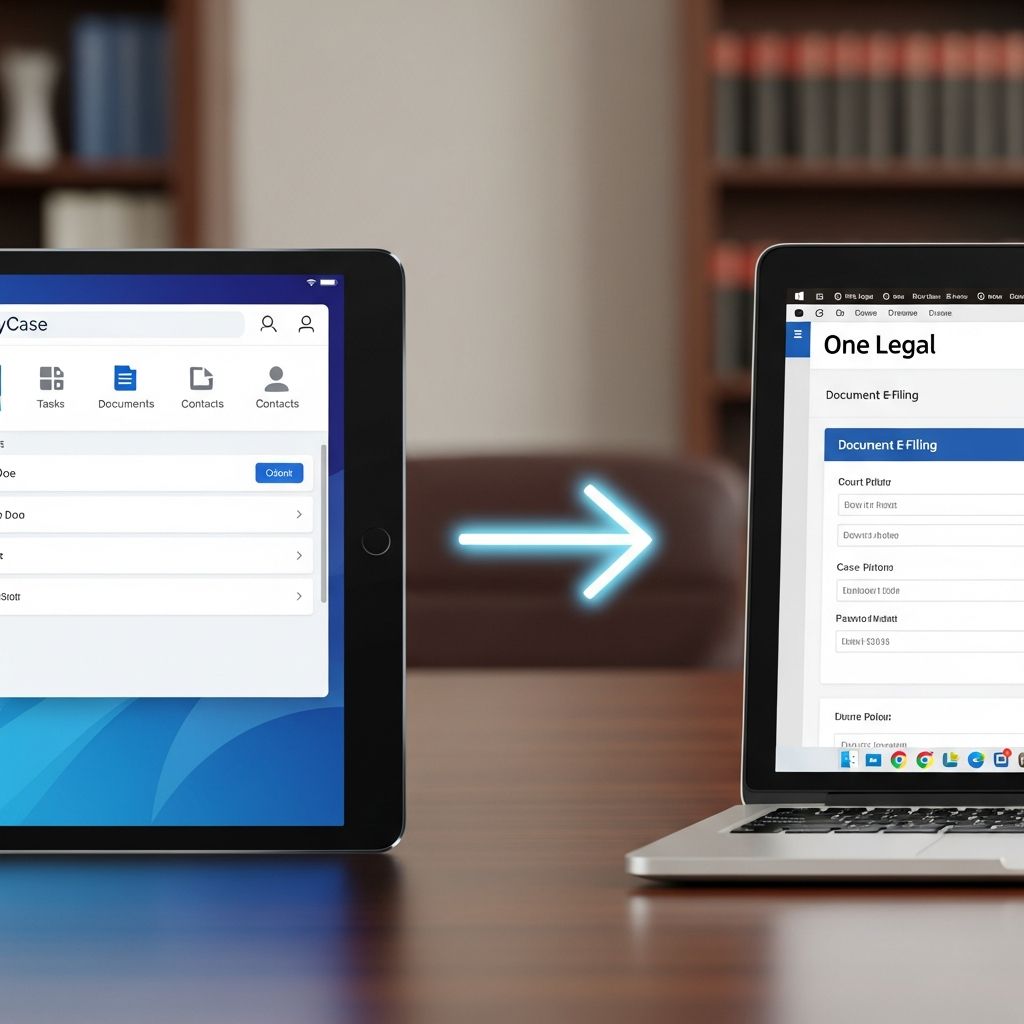
Many law firms have already adopted cloud-based practice management to handle calendars, documents, billing, and client communications. At the same time, courts increasingly require electronic filing (eFiling) and online service of process. Connecting these two worlds—your practice management system and your court filing provider—can dramatically reduce double data entry, cut down on errors, and speed up every case.
This guide explains how using MyCase alongside One Legal can create a more unified workflow for small and midsize firms. Drawing on best practices in legal technology adoption, it shows what this type of integration can do, when it is most valuable, and how to implement it successfully.
Understanding the Core Tools: MyCase and One Legal
Before looking at how the systems can work together, it helps to understand the primary role of each platform in a law firm’s technology stack.
What MyCase Brings to a Modern Law Office
MyCase is a cloud-based law practice management platform designed to centralize case information, automate routine work, and improve communication with clients and staff.
- Case and matter management: Organize contacts, case notes, tasks, deadlines, and documents in one place for each matter.
- Calendar and task workflows: Link tasks and events to matters, with reminders and standardized workflows for recurring case types.
- Document management and automation: Store files, apply templates, and generate drafts using case and client data.
- Client communication tools: Secure messaging, portals, and document sharing to keep clients informed while maintaining privacy.
- Billing, payments, and accounting: Track time, create invoices, accept online payments, and manage trust accounting from within the same system.
- Analytics and reporting: Monitor billable hours, collections, and case progress to support data-driven decisions.
Because MyCase is cloud-based, lawyers and staff can access their information from almost anywhere with an internet connection, which supports hybrid and remote working arrangements.
The Role of One Legal in Court-Facing Work
While MyCase manages the internal side of a law office, firms also need specialized tools to interact with courts and other parties. Platforms such as One Legal typically focus on:
- Electronic court filing (eFiling): Submitting pleadings, motions, and other documents to courts that require or accept electronic filings.
- Service of process and document delivery: Arranging physical or electronic service of legal documents on parties, witnesses, and agencies.
- Court document retrieval: Obtaining conformed copies, minute orders, and other records.
- Workflow for court rules: Helping users comply with specific local filing requirements, formats, and deadlines.
Because eFiling rules and technical requirements vary across jurisdictions, using a dedicated provider minimizes rejected filings and enhances compliance. Several U.S. states have adopted mandatory eFiling for at least some courts, and that trend continues to grow, making a reliable eFiling partner increasingly important.
Why Connect Practice Management with Court Filing?
Without integration, staff frequently retype the same information across multiple systems: matter names, case numbers, party lists, and contact details. Each repeated entry introduces the risk of typos, mismatches, or outdated lists.
Linking MyCase with a filing and service platform can deliver several concrete advantages:
- Single source of truth: Maintain contacts, case data, and documents in MyCase, then reuse that information when preparing filings.
- Reduced double entry: Minimize rekeying of party names, addresses, and matter details during the filing process.
- Faster processing: Move from draft document to filed and served materials more quickly.
- Improved accuracy: Decrease the likelihood of data entry mistakes that lead to filing rejection or service errors.
- Better visibility: Track filing status and returned documents alongside other case activities.
Firms that successfully integrate internal and court-facing systems often report better staff productivity and higher perceived responsiveness for clients, because critical documents move through the system more smoothly.
Key Workflow Scenarios Enhanced by Integration
Connecting MyCase with a filing and service platform has the greatest impact in a few recurring workflows. The following examples illustrate how information can move from case management to the court and back again.
1. New Case Intake to First Filing
Consider the process of opening a new matter and filing the initial complaint or petition:
- The firm collects client and opposing party information through an intake form captured in MyCase.
- Staff uses document automation within MyCase to generate the initial pleading from a template containing merge fields.
- Once the document is finalized, it is exported in the required format for eFiling (often PDF) and sent through the filing platform along with the necessary case data.
- When the court accepts the filing and returns a conformed copy, it is saved back into the corresponding MyCase matter so the team can access it later.
Having intake and drafting occur in MyCase while eFiling is handled by a specialized platform allows each system to focus on its strengths, without unnecessary overlap.
2. Routine Motions and Hearings
Most litigation matters involve a series of standard filings and hearings. In these situations, firms benefit from creating repeatable workflows:
- MyCase task lists can schedule deadline-driven events like motion filing dates, oppositions, and replies, with reminders ahead of each deadline.
- Documents are drafted using templates that pull case names, captions, and party lists directly from the matter record.
- When documents are ready, the filing and service platform uses the same case number and court information already associated with the matter, reducing data entry.
- Staff can record time spent on preparing, filing, and serving the motion in MyCase, enabling more accurate billing.
Standardization improves consistency and minimizes the risk of missing deadlines, which is critical given strict procedural rules in most courts.
3. Post-Judgment and Long-Tail Matters
Some cases extend into judgment enforcement or long-term compliance. In those contexts, having both systems aligned can simplify periodic filings or status reports:
- MyCase stores the complete case history, including orders and prior filings.
- The filing platform is used for periodic reports, renewals, or enforcement motions, drawing on the same core case data.
- All confirmations, notices, and updated orders are returned to the MyCase matter for a consolidated record.
Maintaining a unified record is particularly valuable later, when a client or court requests a comprehensive chronology of case activity.
Benefits for Different Roles Inside the Firm
Integration affects attorneys, paralegals, and administrators differently. Understanding role-specific benefits helps build support for implementation.
| Role | Main Challenges | How Integration Helps |
|---|---|---|
| Partners and firm owners | Profitability, risk management, client satisfaction | Better time capture and billing via MyCase; fewer rejected filings; clearer reporting on case progress. |
| Associates | Heavy workloads, drafting and filing demands | Less time spent re-entering data; streamlined document workflows; easier access to filed documents. |
| Paralegals and assistants | Data entry, tracking deadlines, managing filings | Single place to manage tasks and deadlines; fewer manual steps in the filing process; clearer status tracking. |
| Billing and accounting staff | Accurate time recording, collections, trust compliance | Integrated timekeeping and billing tools; better linkage between work performed and invoices. |
Best Practices for Implementing a MyCase–One Legal Workflow
Adopting a new, integrated workflow works best when firms plan carefully and involve key stakeholders. Research on legal technology adoption shows that structured change management significantly improves success rates.
Step 1: Map Your Current Processes
Before connecting systems, document how your firm currently handles core workflows such as:
- New client intake and conflict checks
- Case opening and initial filings
- Routine motions and discovery
- Trial preparation and post-judgment steps
For each workflow, note where information is stored, which tools are used, and where delays commonly occur. This mapping exercise helps identify the most valuable integration points and avoids simply recreating inefficient processes in digital form.
Step 2: Standardize Data in MyCase
MyCase is most powerful when matter data and contacts are entered consistently.
- Use standard naming conventions for matters (for example, Client v. Defendant – Case Type – Court).
- Define required fields for new matters, such as court, case type, and responsible attorney.
- Maintain up-to-date contact records for clients, opposing counsel, experts, and agencies.
Clean and consistent data in MyCase makes it easier to pass accurate information into your eFiling and service workflows.
Step 3: Create Template Libraries
Document automation saves time and supports consistent quality across filings.
- Identify common pleadings, letters, and forms for each major practice area.
- Convert them into MyCase templates that pull matter and contact information automatically.
- Establish a review process so senior attorneys periodically update templates for rule changes.
When combined with eFiling, this approach significantly shortens the drafting-to-filing cycle.
Step 4: Train Staff on the End-to-End Workflow
Even the best technical integration will not deliver results if staff continue using old habits. Effective training should:
- Explain the full lifecycle of a case—from intake in MyCase through filing and back to document storage.
- Clarify role-specific responsibilities, such as who is responsible for final document review before filing.
- Provide hands-on practice with sample matters to build confidence.
Allow time for questions and feedback; early adjustments often make the difference between partial and full adoption.
Step 5: Monitor Metrics and Adjust
Once your workflows are in place, use MyCase’s reporting tools to monitor the impact.
- Measure time saved on document creation and filing preparation.
- Track filing rejection rates before and after implementation.
- Review billing realization and collections to see if better time capture is improving revenue.
Data-driven evaluation helps refine processes and build a case for continued investment in technology.
Risk Management and Compliance Considerations
Whenever you connect systems or move data to the cloud, you must consider security and compliance obligations. The American Bar Association has issued guidance indicating that lawyers may use cloud services if they make reasonable efforts to ensure confidentiality and security, such as evaluating provider security practices and contractual terms.
- Confidentiality and privilege: Confirm that both systems employ encryption in transit and at rest, access controls, and logging.
- Data retention policies: Define how long filings, service records, and case data are retained and how they are archived when matters close.
- Access management: Ensure that departing staff lose access promptly in both MyCase and your filing platform.
- Jurisdiction-specific rules: Some courts or bar associations provide specific guidance on electronic filing and document management; review those requirements before implementation.
Firms should also maintain written policies covering how staff use cloud tools, including standards for password hygiene, multi-factor authentication, and working from remote locations.
When an Integrated Stack Makes the Most Sense
Not every firm has the same needs. However, several characteristics make integration particularly beneficial:
- Litigation-heavy practices: High filing volumes magnify the costs of manual processes and the savings from automation.
- Geographically dispersed teams: Cloud-based tools support collaboration across offices and remote workers.
- Growth-oriented firms: Practices looking to scale without proportional increases in staff benefit from standardized, repeatable workflows.
- Fixed-fee or alternative billing arrangements: Efficiency improvements directly increase margins when revenue is not hourly.
Transactional or advisory practices may still benefit from MyCase’s matter management and client communication tools, even if they use court filing platforms less frequently.
Frequently Asked Questions (FAQs)
Q: Do I still need separate systems if MyCase already handles documents and billing?
A: Yes, in most jurisdictions you still need a dedicated eFiling and service provider because courts impose technical and procedural requirements that general practice management tools are not designed to meet. MyCase is optimized for internal case management, while specialized providers focus on court-facing workflows.
Q: Will integrating tools increase my ethical or security risks?
A: Properly implemented integrations can maintain or even improve security by reducing ad hoc workarounds, but you must evaluate vendors’ security practices, use strong access controls, and follow bar guidance on cloud computing and confidentiality.
Q: How long does it take for a small firm to adopt an integrated workflow?
A: Timelines vary, but many small firms can standardize a few core workflows, set up templates, and train staff in a matter of weeks if they dedicate time for planning and testing. Starting with one practice area or case type often makes adoption smoother.
Q: Can I measure the financial impact of connecting MyCase with a filing platform?
A: Yes. Track metrics such as hours spent on document preparation and filing, rejection rates, turnaround times, and billed versus collected hours before and after implementation. MyCase’s reporting features help quantify these changes.
Q: What if some team members resist changing their existing habits?
A: Resistance is common with any technology project. Involve staff early, explain the reasons for change, provide hands-on training, and start with small, clearly beneficial improvements such as automating one high-volume document type. Demonstrable quick wins often build momentum.
References
- MyCase Features for Unparalleled Productivity — MyCase. 2024-05-01. https://www.mycase.com/features/
- MyCase Software Review: Enhancing Law Firm Operations — Vintti. 2024-02-14. https://www.vintti.com/blog/mycase-software-review-enhancing-law-firm-operations
- MyCase | The #1 Legal Practice & Case Management Software — MyCase. 2024-03-20. https://www.mycase.com/
- What is MyCase? How It Works, Features, Pros & Cons — Ahsuite. 2023-11-10. https://blog.ahsuite.com/what-is-mycase/
- MyCase 2025: Benefits, Features & Pricing — Software Advice. 2025-01-05. https://www.softwareadvice.com/legal/mycase-profile/
Similar Articles








Read full bio of Sneha Tete


