
Guidelines for Stamping and Highlighting Legal Documents Before E-Filing
Understanding the importance and protocols of stamping and highlighting legal documents prior to electronic filing.
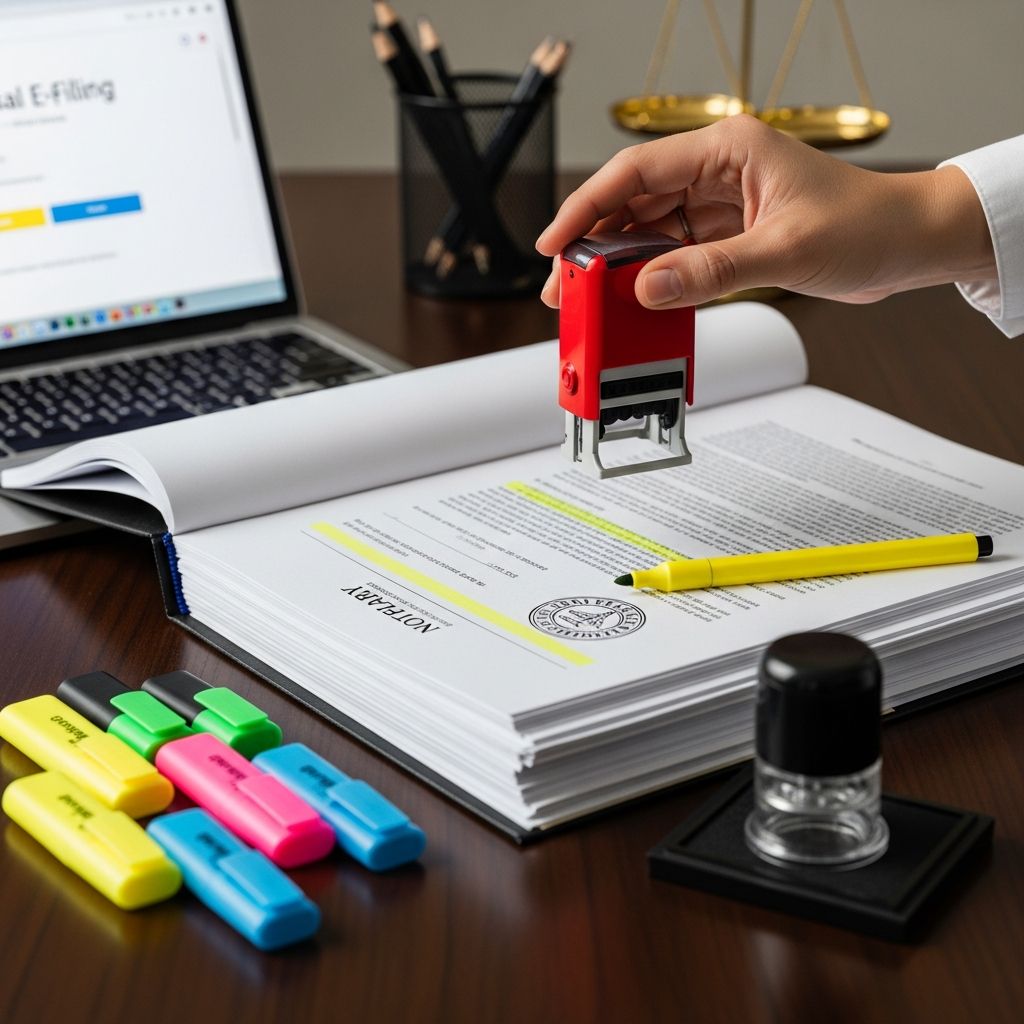
Introduction to Document Preparation for E-Filing in Legal Proceedings
Electronic filing (e-filing) has transformed legal document submission by replacing traditional paper filings with efficient electronic processes. However, to achieve successful acceptance by courts, legal professionals must prepare their documents with meticulous attention to detail. This includes knowing when to apply stamps or highlights on legal documents before submission.
Improper stamping or highlighting can result in rejected filings, delays, or non-compliance with court regulations. This article provides a comprehensive guide on best practices and required protocols for stamping and highlighting legal documents prior to e-filing, ensuring filings meet court standards and maintain case integrity.
Understanding Legal Document Stamping and Highlighting
Legal stamping refers to the application of official marks, seals, or stamps on documents that may indicate a filing fee payment, certification, or court endorsement. Highlighting involves marking specific text or sections to draw attention or clarify points for court officials.
Common Types of Stamps Utilized in Legal Filings
- Fee stamps: Indicate payment of filing fees or receipt by the court clerk.
- Certification stamps: Show verification of document authenticity or notarization.
- Court approval stamps: Demonstrate court clerk acceptance or judicial orders.
Purposes of Highlighting in Legal Filings
- Emphasizing relevant case numbers, dates, or section headers.
- Clarifying amendments or corrections made to prior submissions.
- Directing judge’s or clerk’s attention to urgent or disputed items.
When to Apply Stamps on Legal Documents Before E-Filing
The timing of stamp application is critical and varies based on court rules and the nature of the filing. Most courts require that official stamps indicating payment or certification are not applied by the filer prior to submission but are stamped electronically or by the court after filing.
Key Considerations
- Filing fees: Generally, payment is made electronically during e-filing; thus, physical fee stamps are unnecessary before submission.
- Court-specific mandates: Some jurisdictions require certain filings to carry a pre-applied stamp (such as a watermark or notice) before uploading.
- Notarized documents: If the document requires a notarized stamp, this must be present physically or as an electronic equivalent before e-filing.
- Restrictive or sealed documents: Documents classified as confidential or sealed must be handled according to special procedures, sometimes involving specific stamps applied by the clerk.
Always consult local rules and the court’s electronic filing system instructions to confirm whether stamps should be pre-applied or will be added by the court upon acceptance.
Highlighting Practices Prior to E-Filing
Highlighting can be a double-edged sword in electronic documents. While highlights can aid reviewers by marking important information, excessive or improper highlighting may disrupt the document’s readability and violate court rules.
Best Practices for Highlighting
- Use highlights sparingly and only to mark critical dates, names, or contract provisions.
- Ensure highlights are clear but do not obscure text or interfere with scanning/OCR readability.
- Verify if the court permits highlighting; some courts prefer clean, unmarked documents except for official stamps or seals.
- Digital highlighting should be done using PDF editing tools that maintain file integrity and readability.
Formatting and Technical Requirements Impacting Stamp and Highlight Application
Electronic filing systems generally enforce strict formatting rules, including document type, size, and appearance standards to facilitate processing and archival. Stamping and highlighting must conform to these technical mandates.
Common Formatting Guidelines
| Aspect | Requirement |
|---|---|
| File Format | Generally PDF. Must be searchable and compatible with PDF/A or Adobe Acrobat versions 10 or later. |
| File Size | Limited by court system, typically under 10-25 MB. Large documents may require splitting. |
| Visual Quality | Stamps and highlights must be legible without obscuring content. Low-contrast or faint marks are discouraged. |
| Confidentiality Markings | Documents designated confidential or sealed require proper labeling and may involve special stamps applied by the court electronically. |
Step-by-Step Guide to Preparing Legal Documents for E-Filing
- Review court-specific filing rules: Check the local jurisdiction’s guidelines for stamping, highlighting, and document formatting.
- Prepare the document: Draft your legal filing ensuring all content is final and in compliance with page length and format requirements.
- Apply notarization or certifications: If required, ensure physical or electronic notarization stamps are present.
- Use highlighting judiciously: Select relevant text and highlight using approved digital tools, avoiding excessive markings.
- Ensure file format compliance: Convert to compatible PDF and verify the document is fully searchable and readable.
- Upload and preview: Use the court’s e-filing portal to submit your filing, previewing to confirm visibility of stamps/highlights.
- Pay fees electronically: Complete payment as required; physical fee stamps will typically be unnecessary.
- Confirm acceptance: Receive electronic confirmation of filing, and retain copies of stamped or marked documents for records.
Common Pitfalls and How to Avoid Them
- Applying stamps prematurely: Do not add court fee or approval stamps yourself unless explicitly authorized.
- Over-highlighting: Excessive or irrelevant highlights may be considered unprofessional or may trigger document rejection.
- Ignoring format restrictions: Failing to conform to file size, font, or image quality specifications can delay or invalidate filing.
- Neglecting confidential designations: Documents meant to be sealed or restricted need proper marking within the e-filing platform, not just physical stamps.
Frequently Asked Questions (FAQs)
Q1: Can I add a physical stamp to my document before scanning and e-filing?
A: Typically, you should not apply physical stamps such as court fee stamps before e-filing unless your court expressly directs it. Most courts process these electronically after submission.
Q2: Is electronic notarization acceptable for e-filings?
A: Many jurisdictions accept electronic notarizations provided they meet legal standards for authentication. Confirm with local court rules to ensure compliance.
Q3: Will highlighting affect the document’s readability or acceptance?
A: When used appropriately, highlighting can assist clerks or judges but overuse or non-compliance with formatting rules may cause rejection. Use minimal and purposeful highlighting.
Q4: How do I submit confidential or sealed documents via e-filing?
A: These documents must be indicated as confidential or sealed in the e-filing system using specific codes or requests, rather than just physical markings. Verify exact instructions in your jurisdiction.
Q5: Are there exceptions to the e-filing requirement?
A: Yes, some filings such as voluminous documents or those requiring a physical original may be exempt from mandatory e-filing. Always confirm exceptions in court procedural rules.
Conclusion
Properly preparing legal documents for electronic filing requires understanding when and how to apply stamps and highlights in accordance with court rules and technical requirements. By following best practices and consulting local regulations, legal professionals can avoid common pitfalls that cause filing delays or rejections. Ensuring clear, compliant, and professional document presentation aids in smooth court processing, ultimately supporting effective legal practice in the digital age.
References
- Rules for Electronic Filing – Minnesota Judicial Branch — Minnesota Judicial Branch. Accessed 2025. https://www.mncourts.gov/file-a-case/file-in-a-district-trial-court
- Civil Electronic Case Filing Procedures Guide — U.S. District Court, District of Minnesota. 2024. https://www.mnd.uscourts.gov/sites/mnd/files/Civil-ECF-Procedures-Guide.pdf
- Handbook on Electronic Filing Procedures — U.S. Department of Commerce. 2023. https://access.trade.gov/help/Handbook_on_Electronic_Filing_Procedures.pdf
- Professional E-File Support Overview — BayAreaFile. 2025. https://bayareafile.com/professional-e-file-support/what-is-professional-efile-support-and-how-can-it-simplify-your-legal-filings/
Similar Articles








Read full bio of medha deb


