
Don’t Get Hooked by Fake Netflix Messages
Learn how to recognize, avoid, and report fake Netflix emails and texts designed to steal your money and personal information.
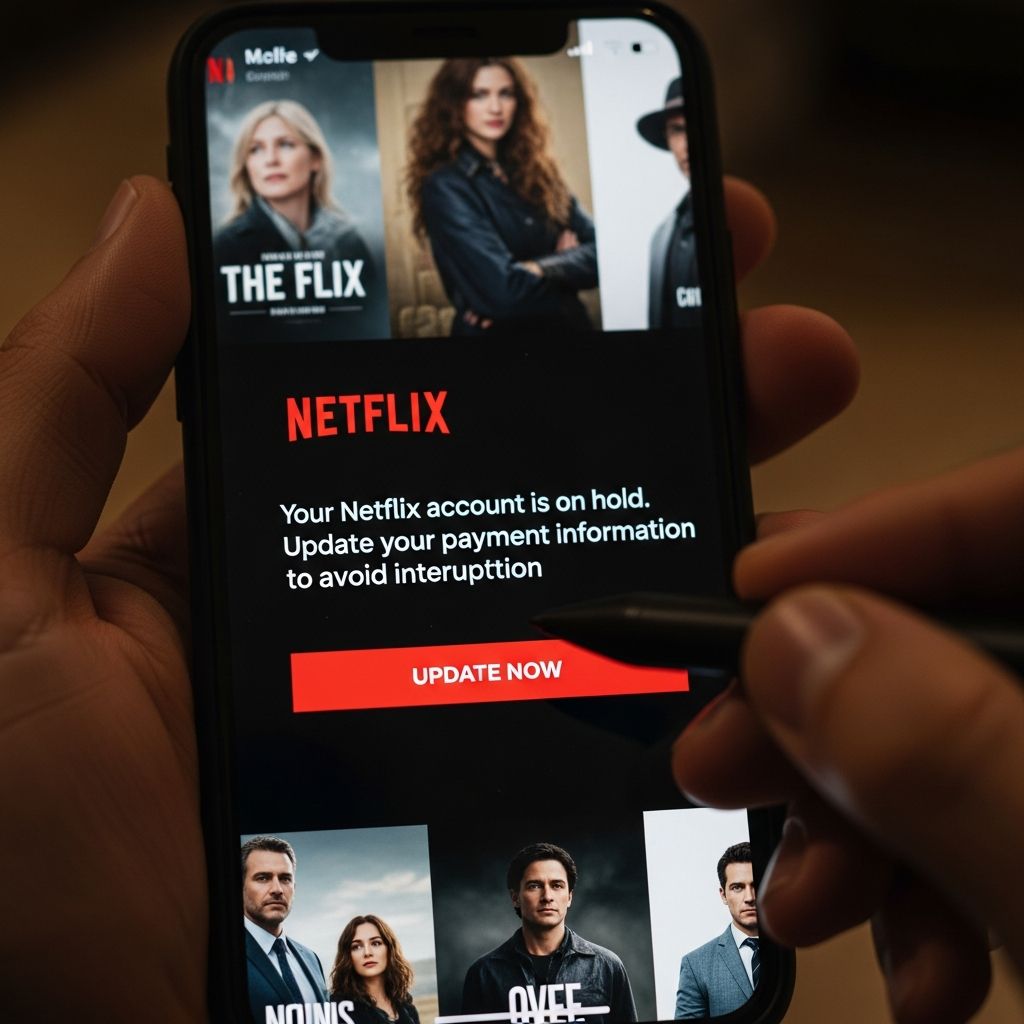
Scammers know that millions of people use Netflix, which makes the brand a powerful hook for phishing emails and texts that try to steal passwords, card numbers, and other personal data. These messages can look convincing, but there are reliable ways to tell a real Netflix notification from a fake one and practical steps to take if you slip up.
Why Scammers Love Pretending to Be Netflix
Phishing is a crime where someone pretends to be a trusted company or person to trick you into sharing sensitive information, usually through email, text message, or fake websites. Because Netflix has a huge global subscriber base, criminals know that many people will see a message with the Netflix name and assume it is real.
Common goals of Netflix-themed phishing scams include:
- Stealing account logins so criminals can take over your profile or try the same password on your email, bank, or social media accounts.
- Collecting payment information, such as credit card numbers and security codes, to make fraudulent purchases or commit identity theft.
- Installing malware on your device if you open a dangerous attachment or download a file linked in the message.
Typical Tactics Used in Fake Netflix Messages
Even though the wording changes over time, most Netflix phishing attempts rely on a few common pressure tactics. Knowing the patterns makes them easier to spot.
1. Fake Billing or Payment Problems
One of the most common scams claims that there is a problem with your payment and your account will be suspended unless you act immediately.
- Subject lines may say things like “Payment declined,” “Update your details,” or “Membership on hold.”
- The body of the message often warns that you will lose access unless you click a link and confirm your card or bank details.
- The link sends you to a fake sign-in page that copies Netflix branding but sends your information straight to the scammer.
2. Password or Account Security Alerts
Another common theme is a warning that your password is expiring or your account has suspicious activity.
- The email might claim you must “verify” your account or “reset your password now” to prevent unauthorized access.
- The scam site will often ask you to enter your email, password, and sometimes additional security details.
3. Tempting Offers or Refunds
Some phishing campaigns promise a reward or refund to lure you into clicking.
- Messages may offer a free month of service, a special discount, or a refund for an overcharge.
- To “claim” the benefit, you are asked to log in or enter card information.
4. Messages That Look Like Job Offers
More targeted scams may pretend to be Netflix recruiting for a job and ask you to schedule an interview through a fake site, sometimes to steal your social media logins.
- These emails can be well-researched and tailored to people in marketing or social media roles.
- The fake “career portal” may ask you to sign in with Facebook or another service, capturing your credentials in real time.
How to Tell If a Netflix Message Is Fake
Scammers rely on you reacting quickly instead of pausing to check the details. If you slow down and inspect a message, you can often see warning signs.
| Warning Sign | What It Looks Like | Why It’s Suspicious |
|---|---|---|
| Strange sender address | Comes from a public email service or a domain that is misspelled, not an official Netflix domain. | Legitimate companies use consistent, official domains for customer communication. |
| Urgent threats | “Your account will be closed in 24 hours” or “Immediate action required.” | Pressure is used to make you click before you think carefully. |
| Requests for sensitive data | Asks for full credit card number, bank account, Social Security number, or full password. | According to Netflix, it will never ask for this type of information by email or text. |
| Generic greeting | “Dear customer” instead of using your name or omitting personalized details. | Scam campaigns are sent in bulk and often lack specific account information. |
| Suspicious links | Link text says “netflix.com” but the actual URL (when hovered) is different or misspelled. | Misleading links are a core feature of phishing emails. |
| Poor writing or layout | Unusual grammar, spelling errors, or low-quality logos and formatting. | Many scam messages are quickly assembled and may not match official style. |
What Netflix Says It Will Never Ask You By Email or Text
Netflix offers specific guidance to help you judge whether a message is genuine.
You should treat a message as suspicious if it asks you to:
- Provide your full credit or debit card number, bank account, or other payment information directly in an email or text.
- Share your account password or full Social Security number.
- Download an attachment to fix a problem with your account.
Instead of using links in a message, Netflix recommends going directly to the official website or app and checking your account status there.
Safe Ways to Check Whether There Is Really a Problem
If a message makes you worry that your Netflix account might actually be in trouble, you can verify it safely without touching the links in the email or text.
- Open Netflix yourself by typing the official address into your browser or using the official app, not by clicking any message link.
- Sign in and check your billing details under your account settings. If your payment truly failed, you will see a notification there.
- Review recent viewing or sign-in activity for signs of unknown devices or locations.
- Look at your bank or card statement through your bank’s official site or app to check for unexpected charges.
What to Do If You Receive a Suspicious Netflix Email or Text
If something feels off or any of the warning signs appear, handle the message cautiously.
- Do not click links or open attachments. Opening them can send you to a scam site or install malware.
- Do not reply or provide any personal information.
- Take a screenshot if you want to remember what it looked like, but be sure not to interact with the content.
Netflix asks customers to help by forwarding suspicious emails to its security team.
- Forward suspicious emails unchanged to:
phishing@netflix.com. - Delete the original message from your inbox and trash folder after forwarding it.
- Report scam texts to your mobile provider, which in many regions can be done by forwarding them to a designated spam-reporting number.
Steps to Take If You Already Clicked or Shared Information
Even careful people occasionally get caught off guard by a convincing message. Quick action can limit the damage.
1. Secure Your Netflix Account
- Change your Netflix password immediately from the official website or app.
- Sign out of all devices in your account settings to force any intruder to log in again with the new password.
- Use a strong, unique password that you do not reuse on other sites. Security experts recommend long passphrases instead of short, complex strings.
2. Protect Your Other Accounts
If you used the same or a similar password on other services (like email, banking, or social networks), change those passwords as well. Criminals commonly test stolen credentials on multiple sites because many people reuse passwords.
- Start with your email account, because access to your inbox allows attackers to reset many other passwords.
- Turn on multi-factor authentication (MFA) wherever it is available, particularly for email, banking, and major social media accounts.
3. If You Shared Card or Bank Information
If you entered payment details on a fake site, you should assume that information is now in the hands of criminals.
- Contact your bank or card issuer immediately using the number on the back of your card and explain what happened.
- Ask about blocking the card and monitoring for fraudulent charges or issuing a new card number.
- Review your recent and upcoming statements for any charges you do not recognize and report them as soon as you see them.
4. Scan Your Devices
If you downloaded an attachment or installed something from a suspicious message, run a security scan.
- Use reputable antivirus or anti-malware software to scan your device for threats.
- Install updates for your operating system and apps, which often patch security vulnerabilities.
Simple Habits to Stay Safer From Netflix Phishing Scams
Many phishing attempts fail when people adopt a few steady habits instead of trying to remember dozens of one-time tips.
- Be skeptical of unexpected messages, even from brands you trust. Treat surprise warnings and offers as suspicious until you verify them.
- Check the sender carefully. Look for subtle misspellings or strange domains in the email address.
- Hover over links (on a computer) to see the real destination before you click. If it is not an official Netflix address, do not use it.
- Type the address yourself when visiting important sites like streaming services, banks, or email providers.
- Use a password manager to generate and store unique passwords; it will also refuse to autofill your Netflix password on fake lookalike sites.
- Keep security software up to date. Many security tools can block known phishing sites or warn you about dangerous pages.
Frequently Asked Questions About Netflix Phishing Scams
Q: How can I quickly tell if a Netflix email about billing is real?
A: Do not rely on the email alone. Ignore the links, open the official Netflix site or app yourself, and check your account and payment status there. If you see no warning after signing in, the email is almost certainly a scam.
Q: Is it safe to click “unsubscribe” in a suspicious Netflix email?
A: No. In phishing campaigns, fake unsubscribe buttons are often just another link to a scam site. If you suspect an email is fraudulent, delete it instead of interacting with any part of it.
Q: Can Netflix close my account by email if I ignore a suspicious message?
A: A fake message cannot close your account. If there is a real billing problem, you will see it when you sign in to Netflix directly. Changes to your membership are controlled through your account settings, not through third-party links in email or text.
Q: Should I report Netflix phishing attempts to anyone besides Netflix?
A: In addition to forwarding suspicious emails to phishing@netflix.com, many government consumer protection agencies encourage reporting online scams through their official complaint or reporting tools so they can track and address emerging threats.
Q: If my friend’s account was hacked through a Netflix phishing email, what should they do?
A: They should immediately reset their Netflix password from the official site, sign out of all devices, and change passwords on any other services where they used the same or a similar password. If payment information was exposed, they also need to contact their bank or card issuer and monitor for unauthorized charges.
References
- Phishing or suspicious emails or texts claiming to be from Netflix — Netflix Help Center. 2024-03-15. https://help.netflix.com/en/node/65674
- Scammers Target Netflix Users: Expert Issues Urgent Warning — eSecurity Planet. 2023-11-02. https://www.esecurityplanet.com/cybersecurity/scammers-target-netflix-users/
- Netflix Email Scam: What You Need to Know — Backstage Country. 2025-03-04. https://backstagecountry.com/2025/03/04/netflix-email-scam/
- Netflix Phishing Email Example — CanIPhish. 2025-01-10. https://caniphish.com/phishing-email-examples
- Netflix scammers target jobseekers to trick them into handing over their Facebook logins — Malwarebytes. 2025-08-08. https://www.malwarebytes.com/blog/news/2025/08/netflix-scammers-target-jobseekers-to-trick-them-into-handing-over-their-facebook-logins
Similar Articles








Read full bio of medha deb


