
California Court Filings: A Practical Formatting Guide
Learn how to format, prepare, and eFile California court documents correctly to avoid rejections and costly delays.
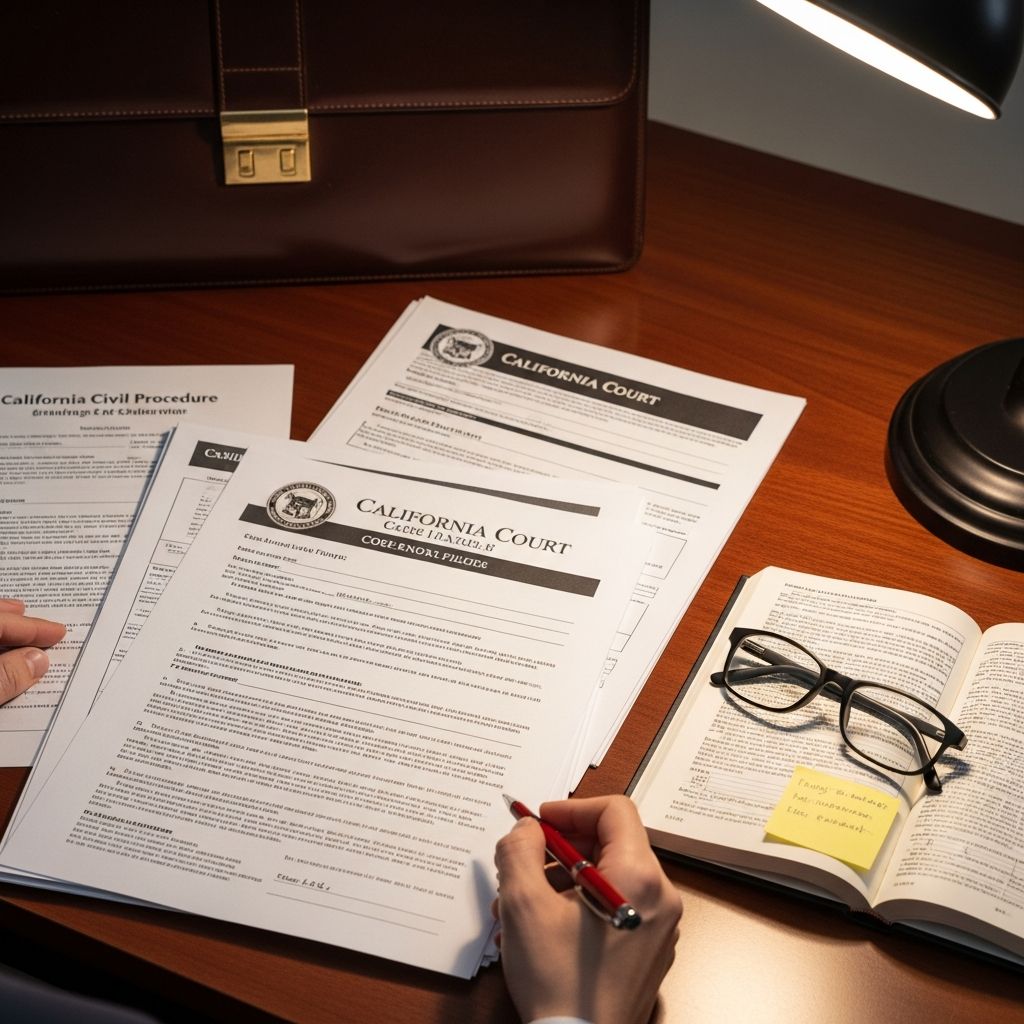
California courts expect every pleading and paper to follow strict technical formatting rules. When those rules are ignored, filings can be rejected, delayed, or even sanctioned. This guide walks through the core requirements and practical techniques you can use to submit clean, compliant documents in any California trial court.
1. Why Formatting Matters in California Courts
Formatting requirements in California are not mere style preferences; they are embedded in the California Rules of Court and, in some settings, parallel administrative regulations and local rules. Uniform formatting serves several purposes:
- Legibility: Judges, clerks, and opposing counsel can quickly read and annotate documents.
- Consistency: Case files remain standardized, even when multiple parties or self-represented litigants are involved.
- Scannability: Documents convert more reliably to digital images and searchable text in case management systems.
- Efficiency: Proper formatting minimizes staff time spent handling, renumbering, or rejecting non-compliant papers.
California’s statewide rules are supplemented by local court rules, so practitioners should treat this guide as a baseline and always confirm any county-specific variations.
2. Core Physical Requirements: Size, Paper, and Fonts
Even in an era of eFiling, California still defines basic standards as if you were filing in paper, and those rules carry over to your electronic PDFs.
2.1 Standard Page Size and Paper Quality
- Size: Pleadings and papers must use standard 8.5 x 11 inch pages. Oversized pages are permitted only for specific exhibits or when a rule explicitly allows them.
- Color: White paper is required. Colored paper or backgrounds interfere with scanning and reproduction.
- Opacity & weight: Opaque paper of at least typical copier weight is required so text is not visible through the sheet and so documents withstand handling.
When preparing electronic filings, you should configure your word processor page settings to 8.5 x 11 inches before converting to PDF so the digital pages mirror these requirements.
2.2 Font, Type Style, and Legibility
- Typewritten text: Rules require documents to be typewritten or produced by a word processor, not handwritten, except in limited circumstances (e.g., some self-represented inmate filings).
- Font size: Many California authorities call for a minimum 12-point font for body text.
- Font family: A standard, readable serif font (such as Times New Roman) is typically expected for pleadings.
- Emphasis: Use italics or underlining for case names and emphasis in accordance with the California Style Manual, particularly in appellate practice.
Keeping fonts consistent throughout your document, including footnotes and headings, improves readability and avoids complaints about cramped or dense pages.
3. Margins, Line Spacing, and Page Numbering
Margins and spacing affect how much text fits on a page and where line numbers fall. California’s rules set clear minimums to preserve space for annotations and binding.
3.1 Margins and Pleading Paper
- Top margin: Space must be reserved for the attorney or party information and the court caption as required by Rule 2.111.
- Side margins: Rules generally require at least 1 inch on the left margin and a smaller, but still adequate, right margin to allow for binding and line numbers.
- Pleading paper: Many courts expect documents to be formatted on pleading paper with numbered lines along the left margin, especially in civil trial courts — often aligned to 28 lines per page.
When using templates from a court or law library, avoid altering the margin settings; they are usually pre-configured to conform to applicable rules.
3.2 Line Spacing
- Standard spacing: In most California civil filings, the body of the text should be 1.5-spaced or double-spaced between lines.
- Exceptions: Identifying information at the top of the first page, block quotations, and footnotes may be single-spaced.
- Consistency: Do not switch spacing mid-paragraph or mid-section. Consistent spacing is easier to review and complies with line-number formatting.
3.3 Page Numbers and Pagination
- Sequential numbering: California rules require consecutive page numbering beginning with the first page and continuing through the last page of the document.
- Arabic numerals: Use standard Arabic numerals (1, 2, 3 …) rather than Roman numerals.
- Location: Page numbers often appear at the bottom center or bottom right, but local rules may specify a preferred location.
- Electronic alignment: Ensure that the page number in your PDF viewer matches the page number printed on the document so references and citations are accurate.
| Element | Typical California Requirement |
|---|---|
| Page size | 8.5 x 11 inches (letter size) |
| Font size | At least 12-point, readable serif font |
| Line spacing | 1.5 or double for main text, with limited exceptions |
| Margins | Left margin typically at least 1 inch; space for line numbers |
| Pagination | Consecutive, Arabic numerals from first page onward |
4. Constructing a Compliant First Page
The first page is the court’s initial snapshot of your filing. California Rule 2.111 prescribes how information must be arranged on that page, including attorney details, court name, case caption, and case number.
4.1 Required Information on the First Page
- Attorney or party block: Name, State Bar number (if applicable), office or mailing address, telephone number, and email address.
- Court information: The full name of the court, including county and branch or division if relevant, typically centered at a specific line.
- Case caption: Names of the parties (plaintiff/petitioner and defendant/respondent) in separate lines, aligned with the left margin.
- Case number: The assigned case number positioned to the right of the caption.
- Title of the document: A clear title, such as “Notice of Motion and Motion for Summary Judgment,” followed by any description required by local rules.
- Hearing information: In motion practice, include date, time, department, and judge if ascertainable.
Because the first page is so heavily regulated, it is best practice to start from a tested template and update only the variable information for each case.
5. Attaching Exhibits and Supporting Documents
Exhibits and appendices must be handled in a way that keeps the record orderly and navigable for the court.
5.1 Organizing Paper Exhibits
- Tabs: When filing in paper, each exhibit is separated by a tab with a clear label (e.g., “Exhibit A”).
- Size: Exhibits are usually reduced or printed on 8.5 x 11 inch pages; oversized items may require special handling.
- Numbering: Mark exhibits consistently throughout your case to avoid confusion when cross-referencing earlier filings.
5.2 Electronic Exhibits and Bookmarks
- PDF bookmarks: For many California courts, electronic exhibits must include bookmarks in the PDF, each linking to the first page of an exhibit and clearly identifying its letter or number.
- Separate files vs. combined PDFs: Some courts or eFiling service providers prefer a single combined PDF for the main document and a separate PDF for exhibits; others allow a single bundled file. Always verify the local preference.
- File size: Large PDF files can be rejected or fail to upload. Compress files and optimize images without sacrificing legibility.
6. Protecting Confidential Information: Redaction and Privacy
California courts require parties to protect sensitive personal data in public filings. Failure to redact may expose parties to privacy risks and can lead to orders to resubmit corrected documents.
6.1 Typical Categories Requiring Redaction
While specific rules vary, commonly redacted or truncated information includes:
- Social Security numbers
- Driver’s license and state identification numbers
- Bank account, credit card, and other financial account numbers
- Dates of birth (often reduced to year only)
- Home addresses and personal contact information in certain case types
- Names of minors, which may be replaced with initials or pseudonyms as permitted by rule
6.2 Effective Redaction Techniques
- Use true digital redaction: Employ PDF software that removes the underlying text data rather than merely placing a black box over it. Simple highlighting or drawing tools often leave the text searchable underneath.
- Double-check redactions: After redacting, search the PDF for the sensitive numbers or names to ensure they cannot be recovered.
- Maintain unredacted copies: Keep a secure, unredacted version of the document in case the court orders it to be filed under seal or for in camera review.
7. eFiling Best Practices in California
Most California superior courts now use electronic filing for at least some case types. While specific technical requirements may differ, several best practices are widely applicable.
7.1 Creating Court-Ready PDFs
- Start from word processing files: Create your documents in a word processor and export directly to PDF. Avoid scanning printed pages whenever possible; text-based PDFs are smaller, clearer, and easier for the court to search.
- Enable OCR: When you must scan, use optical character recognition (OCR) so the text is searchable and selectable. Many court systems and electronic evidence platforms rely on text-searchable files for internal processing.
- Check resolution: Scan at a resolution (commonly around 300 dpi) that preserves legibility while keeping file sizes manageable.
7.2 Electronic Signatures and Declarations
- Typed signatures: Many California courts accept a typed “/s/ Name” signature block or a scanned handwritten signature embedded in a PDF, so long as it complies with the rules of court and any eFiling provider requirements.
- Multiple signatories: For stipulations and joint filings, make sure each attorney’s signature is properly represented and that any required consent is documented.
- Certification: Retain original ink-signed versions where required by rule or statute, especially for verified pleadings or declarations under penalty of perjury.
7.3 Working With eFiling Portals
- Verify case and document types: Ensure you select the correct case category and document code when uploading, as mis-classification can delay processing.
- Review for completeness: Before submitting, open each file you plan to upload to confirm that all pages, exhibits, and bookmarks appear as expected.
- Monitor status: After uploading, watch for confirmation notices from the court or provider and save proof of electronic filing for your records.
8. Keeping Up With Rule Changes
California’s procedural rules are amended regularly. The Judicial Council usually implements statewide changes on January 1 and sometimes mid-year, while local courts may update their own rules on a different schedule.
8.1 Tracking Statewide and Local Updates
- Statewide rules: Periodically review the California Rules of Court through the Judicial Branch of California’s official website to identify amendments affecting formatting, filing deadlines, and electronic procedures.
- Local rules: Each superior court posts its local rules, which may address page limits, bookmarking, color exhibits, and mandatory eFiling topics.
- Practice guides: Reputable practice guides and bar publications can highlight key changes and provide context for how rules are applied in practice.
8.2 Checklist for Ongoing Compliance
Before each significant filing, use a short checklist:
- Confirm the correct edition of the California Rules of Court for your hearing date.
- Review the local rules of the specific county and division.
- Check any standing orders issued by the assigned department or judge.
- Ensure your templates (pleading paper, caption layout, signature blocks) reflect the most recent rule changes.
9. Common Mistakes and How to Avoid Them
Despite best efforts, certain mistakes recur in California filings. Awareness of these issues helps you prevent rejections and last-minute corrections.
- Incorrect page size: Submitting documents formatted for A4 or another non-standard size rather than 8.5 x 11 inches.
- Missing or inconsistent page numbers: Including multiple “page 1” labels or failing to number exhibits clearly.
- Improper redaction: Using visual black bars that do not remove underlying text from the PDF.
- Illegible scans: Uploading low-resolution, skewed, or incomplete scanned pages.
- Non-compliant first page: Omitting hearing details, case numbers, or using an incorrect caption format.
- Ignoring local rules: Missing limits on page counts, font size, or required bookmarks in particular courts.
Frequently Asked Questions (FAQs)
Q: Do California courts still require paper filings, or is everything electronic now?
A: Many California superior courts have adopted mandatory eFiling for certain case types, but exceptions remain, and some documents must still be filed in paper form. Always consult the specific court’s local rules and any eFiling standing orders to determine whether your case and document type must be filed electronically, in paper, or either.
Q: Can I use any font I like if it is readable?
A: No. While the rules allow some flexibility, they typically require a minimum 12-point size and expect a standard, easily readable font. Some regulations explicitly reference serif fonts. To avoid disputes, choose a widely accepted font such as Times New Roman or a similar serif font at 12-point or larger.
Q: How do I know if my redactions are secure?
A: After applying redactions with a dedicated PDF redaction tool, run a text search for the sensitive information (e.g., a Social Security number). If the search returns no results and the blacked-out text cannot be copied, your redaction likely removed the underlying data. Avoid simple drawing or highlight tools, which may leave the text intact.
Q: Are electronic signatures valid for California court filings?
A: In many circumstances, courts accept typed signatures (like “/s/ Jane Doe”) or scanned handwritten signatures in PDFs, provided they comply with the California Rules of Court and any local or statewide electronic filing provisions. However, you may still be required to retain original ink-signed versions for certain verified pleadings or declarations.
Q: What should I do if my filing is rejected due to formatting?
A: Review the rejection notice carefully to identify the specific rule violation, correct the document based on statewide and local rules, and refile promptly. If the rejection could affect statutory deadlines, consider documenting your original submission and, if necessary, seek relief from the court citing the circumstances and relevant rules.
References
- Cal. Code Regs. tit. 8, § 20150 — Format of Pleadings and Papers — California Office of Administrative Law. 2014-07-01. https://www.law.cornell.edu/regulations/california/8-CCR-20150
- Rule 2.111. Format of first page — Judicial Branch of California. 2017-01-01. https://courts.ca.gov/cms/rules/index/two/rule2_111
- Rule 3.1110. General format — Judicial Branch of California. 2007-01-01. https://courts.ca.gov/cms/rules/index/three/rule3_1110
- Word Format — Pleading Paper Instructions — U.S. District Court, Eastern District of California. 2013-10-01. https://www.caed.uscourts.gov/CAEDnew/index.cfm/attorney-info/word-format/
- California Style Manual, Fourth Edition — Supreme Court of California / Sixth District Appellate Program. 1999-12-21. https://www.sdap.org/wp-content/uploads/downloads/Style-Manual.pdf
- Pleading Paper Research Guide — Riverside County Law Library. 2020-01-01. https://rclawlibrary.org/pleading-paper
Similar Articles








Read full bio of medha deb


