Black Friday and Cyber Monday bring deep discounts, limited-time deals, and an annual rush of online shopping activity. They also attract scammers who take advantage of urgency, excitement, and confusion to steal money and personal information. Holiday shopping can be safe and convenient, but only if you understand the most common scam tactics and take deliberate steps to protect yourself.
This guide explains how fraudsters target shoppers during major sales events, what warning signs to look for, and which practical actions will help you secure your devices, accounts, and payments. You will also learn how to respond quickly if you suspect you have been targeted or have already fallen for a scam.
Why Holiday Sales Are a Prime Time for Scammers
Large shopping events concentrate huge volumes of online traffic and financial transactions into a short period. That environment gives scammers both opportunity and cover. According to major cybersecurity and financial institutions, phishing campaigns and fake retail sites frequently spike around the holiday shopping season.
Several factors make Black Friday and Cyber Monday especially attractive for fraud:
- Urgent, limited-time offers push shoppers to act quickly without careful verification.
- High volume of promotional emails and texts makes it harder to distinguish genuine messages from scams.
- Increased use of unfamiliar sites as consumers hunt for low prices and rare products.
- Frequent account logins across banking, email, and shopping platforms create more opportunities for credential theft.
Understanding these underlying dynamics helps you stay intentional rather than reactive when deals start appearing everywhere.
Common Black Friday and Cyber Monday Scam Types
Scammers constantly adjust their tactics, but several broad patterns appear year after year. Recognizing these patterns is your first line of defense.
1. Fake or Imitation Shopping Websites
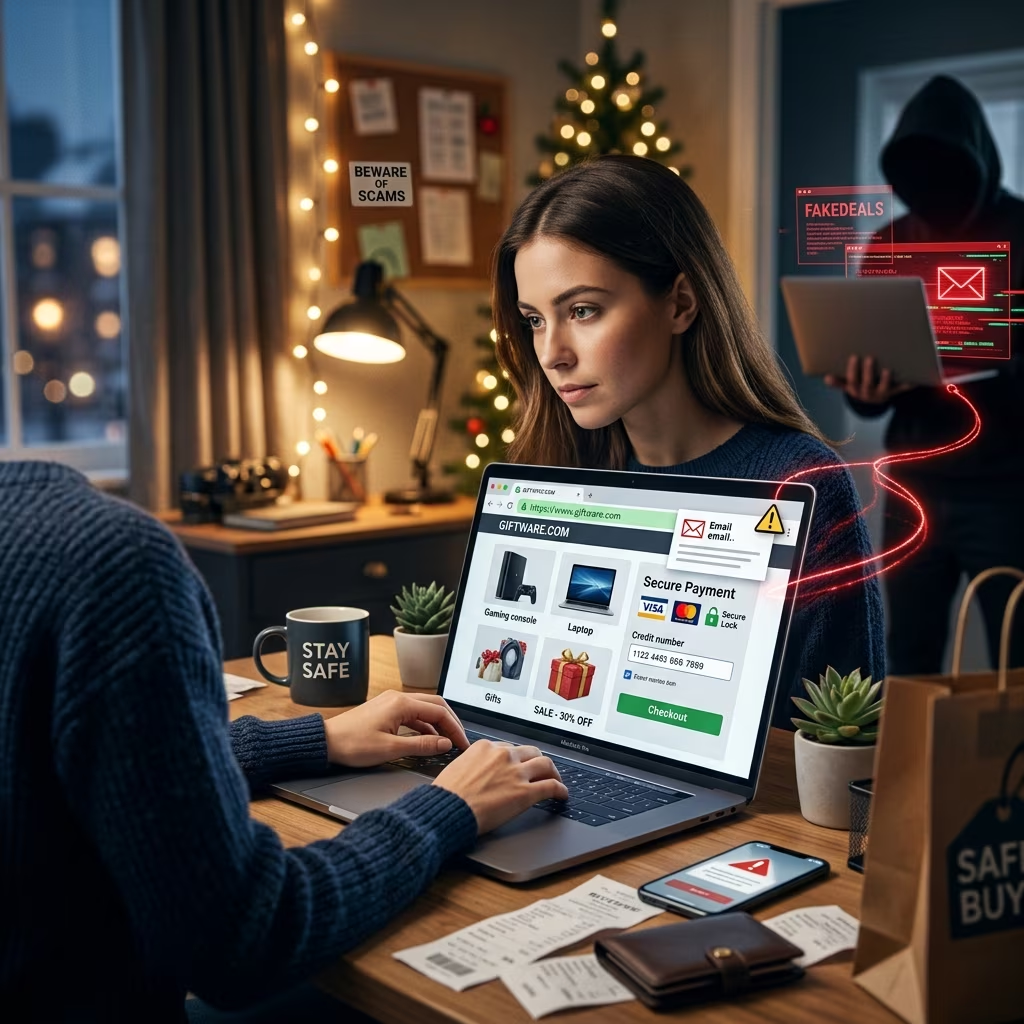
Fraudsters routinely set up convincing copies of popular retailers or completely fictitious stores offering unusually steep discounts. Their goal is to capture payment card details, login credentials, or direct payments without delivering any products.
Typical warning signs include:
- Website address that is similar but not identical to the legitimate retailer (extra letters, unusual domains).
- Missing HTTPS and lock icon in the browser address bar.
- Poor grammar, strange design, or inconsistent branding compared to the official site.
- Unusual payment options, such as only accepting wire transfers, cryptocurrency, or gift cards.
2. Phishing Emails, Texts, and Social Messages
Phishing messages often claim that there is a limited-time discount, a problem with your order, or a delivery issue. They are designed to trick you into clicking a malicious link or providing personal details.
Holiday-themed phishing may mention:
- Order confirmations you do not recognize
- Delivery failures or customs issues requiring extra payment
- Exclusive, time-limited deals that require clicking a link immediately
- Account verification requests for well-known retailers or payment providers
The safest approach is to avoid clicking links in unsolicited messages and instead sign into your account through a trusted app or manually typed website address.
3. Social Media and Marketplace Fraud
Social platforms and online marketplaces host countless genuine sellers, but they are also popular environments for fraudulent listings. Scammers may advertise high-demand electronics, gaming consoles, or luxury items at prices far below typical market value.
Signals that a listing may be fraudulent include:
- No meaningful reviews or a pattern of very generic reviews
- Seller requests payment outside the platform, such as direct bank transfer or gift cards
- Profile created recently with little activity history
- Refusal to provide additional information or proof of product
4. Delivery and Package Scams
As deliveries increase during holiday sales, fake messages pretending to be from courier companies become more common. These messages may claim that you must pay a fee or confirm personal information to release or reroute a package.
Legitimate delivery companies generally do not ask for payment or sensitive data through links in unsolicited texts or emails. You should always verify using the tracking number on the official website instead.
5. Identity Theft via Data Breaches and Credential Theft
In addition to immediate payment fraud, scammers seek to collect enough personal information to open new accounts or loans in your name. Compromised login credentials or card details may be used long after the holiday season ends.
Strong security practices across all your accounts are critical to minimizing this risk.
Core Principles for Safe Holiday Shopping
Regardless of the specific scam technique, several broad principles consistently reduce your exposure to risk. Major banks and cybersecurity organizations emphasize these foundational precautions for online shopping.
Check Website Security Before You Pay
Never enter payment information on a site that does not clearly show secure encryption. You should always:
- Look for HTTPS at the beginning of the URL; the “s” indicates an encrypted connection.
- Confirm that a lock icon appears next to the address bar.
- Verify the spelling of the domain name and watch for unusual suffixes or extra characters.
Lack of HTTPS does not guarantee a site is malicious, but it means information you send could be intercepted. For financial data, that risk is unacceptable.
Go Directly to the Source Instead of Clicking Links
Offers delivered in emails, texts, or social posts can be legitimate, but malicious links can look nearly identical. To reduce your exposure to fake sites and malware, adopt the habit of:
- Typing the retailer’s official address into your browser or using their app rather than clicking promotional links.
- Accessing your bank or card provider only through known bookmarks or official apps.
- Ignoring unexpected messages that pressure you to act immediately.
Use Secure Payment Methods
How you pay matters for both security and your ability to recover funds if something goes wrong. Consumer protection agencies and banks often recommend:
- Credit cards rather than debit cards for online purchases, because credit cards typically offer stronger dispute and fraud protections.
- Avoiding direct bank transfers, wire payments, or gift cards for unfamiliar sellers, as these are harder to reverse.
- Using reputable third-party payment services that offer buyer protection and do not expose your full card details to every merchant.
Shop on Private, Secure Networks
Public Wi-Fi networks, such as those found in cafes, airports, and shopping centers, can be monitored by malicious actors on the same network. Cybersecurity guidance consistently urges avoiding sensitive transactions on unsecured networks.
Safer approaches include:
- Using your home Wi-Fi with strong encryption and a unique password.
- Switching to mobile data when making payments on the go.
- Considering a reputable virtual private network (VPN) if you must use public Wi-Fi.
Strengthening Your Accounts and Devices
Even careful shoppers can encounter compromised websites or clever phishing messages. Robust account and device security helps limit the damage if a single click or login falls into the wrong hands.
Use Strong, Unique Passwords and Multi-Factor Authentication
One of the most effective defenses against account takeover is a combination of strong passwords and multi-factor authentication (MFA). Cybersecurity experts and major technology providers stress these measures as essential.
Best practices include:
- Creating unique passwords or passphrases for every important account, especially email, banking, and shopping profiles.
- Using a reputable password manager to store and generate complex passwords.
- Enabling multi-factor authentication wherever offered, so a stolen password alone is not enough to access your account.
Keep Software, Browsers, and Apps Updated
Updates frequently include security patches that address newly discovered vulnerabilities. Running outdated software can leave you exposed to known exploits.
During busy shopping periods, take a few minutes to:
- Update your operating system on computers, tablets, and phones.
- Install updates for web browsers and shopping or banking apps.
- Remove apps you no longer use that still have sensitive permissions.
Limit the Data You Share and Store
The less information you leave scattered across accounts, the less there is for scammers to steal. Many banks and security organizations recommend minimizing storage of payment details and personal data.
Practical steps include:
- Avoid saving card details automatically in browsers or shopping sites when possible.
- Decline optional requests for information that is not required for the transaction.
- Review account settings and remove old addresses, stored cards, or linked profiles you no longer need.
Monitoring and Responding to Suspicious Activity
Even with strong precautions, you might still encounter fraudulent charges, unfamiliar account activity, or suspicious messages. Early detection greatly improves the chances of limiting financial loss and preventing identity theft.
Regularly Check Your Financial and Shopping Accounts
Monitoring is not just a year-end exercise. During heavy shopping periods, banks and security experts recommend reviewing activity more frequently.
Helpful habits include:
- Checking recent transactions on your bank and card accounts at least once or twice a week.
- Reviewing order histories on major retail accounts to confirm that all purchases are yours.
- Setting up alerts for transactions over a certain amount or for online purchases.
What to Do If You Suspect a Scam
If you realize that you may have clicked a malicious link, entered details into a suspicious site, or paid a fraudulent seller, act quickly. Guidance from financial institutions and identity protection services emphasizes immediate steps.
| Action | Purpose |
|---|---|
| Stop communication with the suspected scammer | Prevents further manipulation or attempts to gather more data. |
| Contact your bank or card provider immediately | Allows you to dispute charges, block cards, and attempt to reverse payments. |
| Change passwords for affected accounts | Reduces the risk of account takeover, especially if you reused credentials. |
| Enable or review multi-factor authentication settings | Adds another barrier to unauthorized logins. |
| Consider a credit freeze with major bureaus | Prevents new credit accounts being opened in your name. |
| Report the incident to relevant authorities or consumer protection bodies | Helps law enforcement track patterns and may assist others. |
Smart Shopping Strategies to Reduce Risk
In addition to technical security steps, some practical shopping strategies can significantly lower your exposure to scams.
- Stick to reputable retailers and familiar brands whenever possible, especially for high-value items.
- Compare prices across several legitimate sources; extreme discounts should prompt extra caution.
- Read reviews carefully, looking for detailed, specific experiences rather than generic, repetitive phrases.
- Check return and refund policies before buying, and be wary of sites that offer no clear policy or contact information.
- Keep records of orders and receipts so you can quickly verify legitimate charges and dispute suspicious ones.
Holiday Shopping Security FAQs
Is it safe to shop online on Black Friday and Cyber Monday?
Yes, it can be safe to shop online during major sales events if you use secure websites, trusted retailers, and strong account protections. The risk increases mostly when shoppers follow unknown links, rely on unfamiliar sellers, or ignore basic security practices.
How can I tell if a deal is too good to be true?
Compare the advertised price with several known retailers. If the discount is dramatically lower than typical market prices, especially for popular electronics or brand-name products, treat it as a potential red flag. Steep discounts combined with pressure to act quickly are often used to lure victims.
Should I use public Wi-Fi to complete holiday purchases?
It is safer to avoid entering payment details or logging into banking accounts over public, unsecured Wi-Fi. Use private home networks or mobile data instead, and consider a trusted VPN if secure alternatives are not available.
Is saving my card details with retailers a bad idea?
Saving card details can be convenient, but it increases your exposure if the retailer suffers a data breach. Many security and banking resources recommend entering card information manually or limiting saved payment methods to a small number of highly trusted companies.
What should I do if I clicked a suspicious link but did not enter any information?
If you clicked a link, close the page, run a security scan on your device, and monitor your accounts for unusual activity. If the link prompted a download or installation, remove any unknown software and consider seeking professional technical support. Changing important passwords and enabling MFA adds extra protection even if no obvious damage has occurred.
Creating a Personal Holiday Security Checklist
To make these recommendations easier to follow, create a simple checklist you can review before and during major sales events:
- Update devices, browsers, and shopping apps.
- Confirm that multi-factor authentication is enabled on key accounts.
- Verify that your home Wi-Fi uses strong encryption and a unique password.
- Prepare to shop through official apps or manually typed URLs instead of links.
- Set transaction alerts with your bank or card provider.
- Decide which retailers you trust for saving card details, and disable auto-saving elsewhere.
By approaching Black Friday and Cyber Monday with a structured plan rather than reacting to individual offers, you can enjoy genuine discounts while minimizing the chance of fraud or identity theft.
References
- Essential Cyber Security Tips for Black Friday & Cyber Monday — PC Matic. 2023-11-15. https://www.pcmatic.com/blog/lock-down-your-deals-essential-cyber-security-tips-for-black-friday-cyber-monday/
- How To Avoid Black Friday and Cyber Monday Scams This Year — Aura. 2023-11-10. https://www.aura.com/learn/black-friday-cyber-monday-scams
- Deal or Dealbreaker? How to Spot and Protect Yourself Against Black Friday Scams — RBC Royal Bank. 2023-11-01. https://www.rbcroyalbank.com/en-ca/my-money-matters/money-academy/cyber-security/understanding-cyber-security/deal-or-dealbreaker-how-to-spot-and-protect-yourself-against-black-friday-scams/
- Big sales, small tells: Staying safe from online scams this Black Friday and Cyber Monday — Microsoft News Centre Asia. 2025-11-24. https://news.microsoft.com/source/asia/2025/11/24/big-sales-small-tells-staying-safe-from-online-scams-this-black-friday-and-cyber-monday/
- 5 Common Black Friday Scams & How to Avoid Them — VeraBank. 2023-11-07. https://www.verabank.com/5-common-black-friday-scams-how-to-avoid-them
- Protect Yourself From Black Friday and Cyber Monday Scams: Spot the Signs Before You Click — SureBright. 2023-11-20. https://www.surebright.com/blog/protect-yourself-from-black-friday-and-cyber-monday-scams-spot-the-signs-before-you-click