
Understanding Spear Phishing and Your Legal Options
Learn how targeted spear phishing attacks work, how to spot them, and what legal steps you may take if you become a victim.
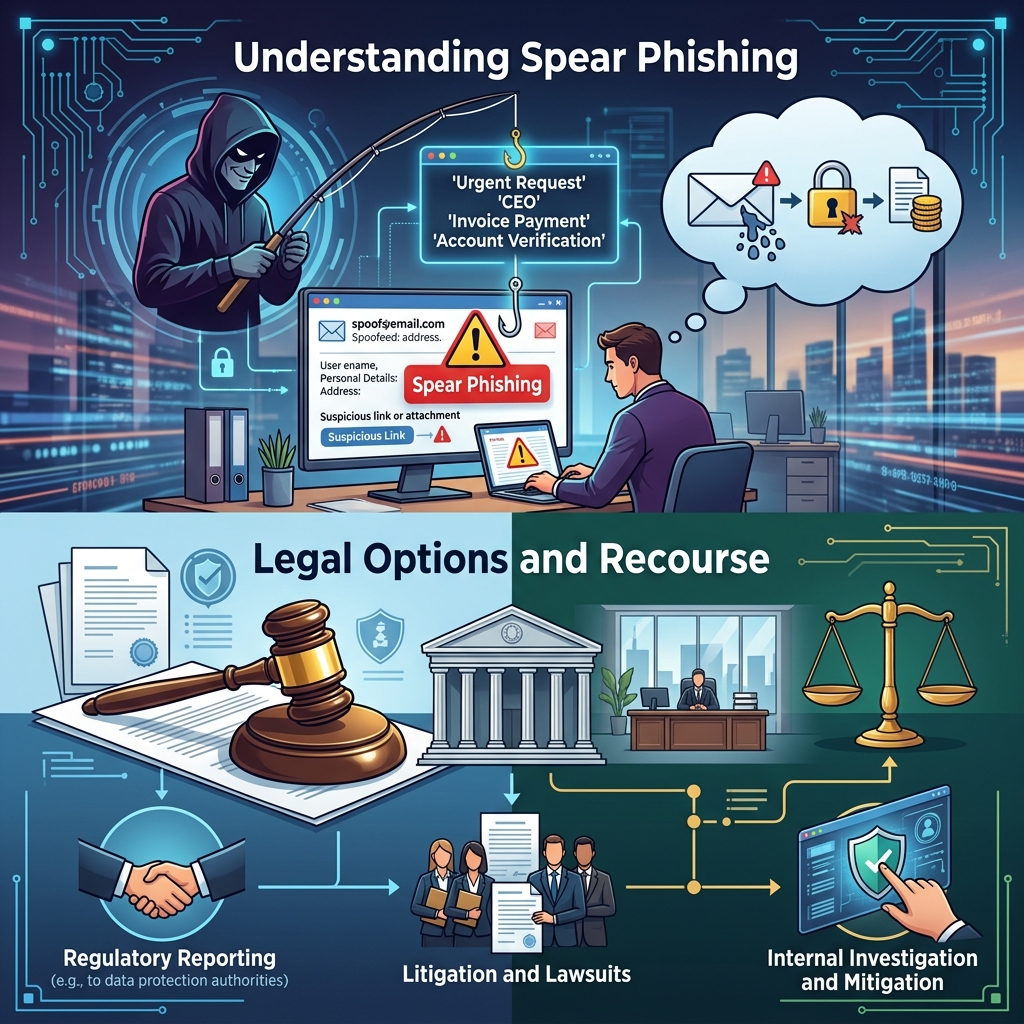
Spear phishing has become one of the most effective tools used by cybercriminals to break into organizations, steal money, and compromise confidential information. Unlike generic phishing emails that go out to thousands of random recipients, spear phishing messages are carefully tailored to specific individuals, departments, or organizations, making them harder to spot and more likely to succeed.
This guide explains what spear phishing is, how it differs from ordinary phishing, common warning signs, steps you can take to prevent attacks, what to do if you have already responded to a suspicious message, and how the law may protect you if you suffer losses.
1. What Is Spear Phishing?
Spear phishing is a targeted form of phishing in which attackers send highly customized messages to a specific person, group, or organization with the goal of tricking them into revealing sensitive data, transferring money, or installing malware. These messages often appear to come from someone the recipient knows or trusts, such as a manager, colleague, vendor, or government agency.
While a typical phishing message relies on volume and generic content (such as mass emails pretending to be from a major bank), spear phishing relies on research and personalization. Attackers may gather details about the victim from:
- Public social media profiles and professional networking sites
- Company websites, news releases, or staff directories
- Data from previous breaches or leaked credential lists
- Online resumes, conference bios, or published articles
Using this information, the attacker crafts a message that looks legitimate and relevant, increasing the odds that the target will follow instructions, click a link, or open an attachment.
2. Spear Phishing vs. Regular Phishing
Both spear phishing and ordinary phishing aim to deceive people into doing something harmful, but they differ in scope, effort, and sophistication.
| Feature | Phishing | Spear Phishing |
|---|---|---|
| Targeting | Mass emails to large, non-specific audiences | Specific individuals, roles, or organizations |
| Personalization | Generic messages with minimal or no personalization | Highly personalized with names, roles, projects, or internal details |
| Attacker preparation | Little research; focus on volume | Substantial research on victim’s background and environment |
| Common channels | Mainly email, sometimes SMS or phone | Email, SMS, messaging apps, and voice calls (vishing) |
| Goals | Harvest as many credentials or card numbers as possible | Compromise specific accounts, systems, or high-value data |
| Success rate | Lower per email, relies on volume | Higher per message due to convincing details |
Because spear phishing focuses on high-value individuals (such as executives, finance staff, IT administrators, or government officials), even a single successful attack can have serious consequences for a business or agency.
3. How a Typical Spear Phishing Attack Unfolds
Although attackers vary in sophistication, many spear phishing campaigns follow a recognizable pattern.
3.1 Preparation and Target Selection
The attacker first decides what they want to achieve, such as stealing payroll funds, obtaining proprietary data, or gaining a foothold in a network. They then identify individuals who are likely to have the access or authority needed to accomplish that goal.
Targets often include:
- Executives and senior managers with broad decision-making power
- Human resources staff who manage personnel files and tax forms
- Finance and accounting employees who process payments or wire transfers
- IT staff with administrator credentials and system access
- Government personnel handling sensitive or classified information
3.2 Research and Reconnaissance
Next, the attacker collects publicly available information and any data obtained from prior breaches. They may learn how the organization structures email addresses, who reports to whom, current projects, or recent events that can be referenced in the message.
3.3 Crafting a Convincing Message
Using the gathered details, the attacker drafts a message that appears to come from a trusted sender and addresses a realistic task. The email may:
- Use the correct name, job title, or department of the recipient
- Impersonate a supervisor, vendor, or internal support team
- Reference a current project, invoice, or policy update
- Include logos, signatures, and formatting similar to legitimate communications
The message typically urges the recipient to:
- Click a link and log into a fake but realistic website
- Open an attachment that contains malicious code
- Send sensitive data such as tax forms, payroll records, or credentials
- Approve or initiate an urgent payment or wire transfer
3.4 Exploitation and Follow-Up
Once the victim complies, attackers can use stolen credentials to move deeper into systems, exfiltrate data, or launch additional attacks within the same organization. In government or defense contexts, successful spear phishing can compromise classified or critical infrastructure information, which is why national security agencies issue specific warnings about such attacks.
4. Common Warning Signs of Spear Phishing
Spear phishing emails are designed to look legitimate, but subtle clues can expose them. Security agencies and major cybersecurity vendors highlight several recurring red flags.
4.1 Suspicious Sender Details
- Email address that is similar but not identical to the real domain (for example, a missing letter or swapped characters)
- Sender display name matches a real colleague, but the underlying email address is unrelated
- Messages sent from personal webmail accounts for business matters that normally use corporate addresses
4.2 Unusual or Urgent Requests
- Demands for immediate action, such as “respond within 10 minutes” or “payment must be sent today”
- Requests that bypass standard procedures, such as skipping approvals or ignoring normal verification steps
- Instructions that conflict with known policies (for example, being asked to share passwords by email)
4.3 Links and Attachments That Do Not Look Right
- Links where the visible text does not match the actual URL when you hover over it
- Files with unexpected or unusual formats (such as executable files or macro-enabled documents)
- Unsolicited attachments from senders you do not recognize, or attachments that were not mentioned in prior communications
4.4 Odd Tone, Grammar, or Context
- Language that feels out of character for the supposed sender (too formal, too casual, or inconsistent)
- Spelling and grammar mistakes in messages that claim to come from professional organizations
- Mentions of events or policies that do not match what is happening in your workplace
If something in a message feels off, even if you cannot immediately identify why, treat it with caution and verify it through a separate, trusted channel before taking any action.
5. How to Protect Yourself and Your Organization
Because spear phishing targets people rather than technical weaknesses, prevention relies heavily on training, procedures, and layered security controls.
5.1 Practical Steps for Individuals
- Verify unexpected requests. If an email asks you to transfer funds, share sensitive information, or open an unusual attachment, call the sender or speak to them in person using a known phone number rather than replying to the message.
- Hover over links before clicking. Check the destination domain and make sure it matches the organization’s legitimate web address.
- Use strong, unique passwords and multi-factor authentication (MFA). Even if one account is compromised, MFA can make it harder for attackers to reuse credentials.
- Limit the amount of personal and professional information you post publicly. Attackers use these details to craft convincing lures.
- Keep devices and software updated. Security patches help close vulnerabilities that malware may try to exploit after a successful phishing click.
5.2 Organizational Safeguards
- Regular security awareness training. Simulated phishing campaigns and ongoing training help staff understand real-world tactics and practice safe responses.
- Clear policies and procedures. Document how payments are approved, how credentials are reset, and how sensitive data may be shared, so staff recognize requests that fall outside normal channels.
- Email and endpoint security tools. Use technical controls that scan for malicious attachments, block known phishing domains, and flag anomalies.
- Role-based access control. Limit access to sensitive information to those who truly need it, reducing the damage that can occur if one person’s account is compromised.
- Incident reporting mechanisms. Provide easy ways for employees to report suspicious messages and ensure that IT or security teams respond promptly.
6. What to Do If You Suspect You Have Been Spear Phished
Quick action can significantly reduce harm after a suspected spear phishing incident.
- Disconnect and preserve evidence. If you clicked a suspicious link or opened an attachment, disconnect the device from the network and avoid deleting emails or logs that might be needed for investigation.
- Change passwords immediately. Update credentials for any accounts that might be affected and enable MFA wherever possible.
- Notify your organization. Report the incident to your IT, security, or compliance teams according to your internal procedures so they can investigate and contain any spread.
- Contact relevant financial institutions. If payments or banking information may be involved, alert your bank or credit card provider quickly to attempt to stop or reverse transactions.
- Monitor for identity theft. If personal data was exposed, consider fraud alerts or credit monitoring and watch for unauthorized activity on your accounts.
For organizations, coordinated incident response may include isolating affected systems, blocking malicious IP addresses or domains, scanning for malware, and notifying potentially impacted customers or partners if required by law.
7. Legal Considerations and Possible Remedies
Spear phishing often overlaps with several areas of law, including computer crime, fraud, privacy, and data protection. The specific legal options depend on where you are located, the type of information involved, and whether you are an individual or an organization.
7.1 Criminal Laws Against Cybercrime and Fraud
Most jurisdictions treat unauthorized access to computer systems, theft of data, and fraudulent schemes as criminal offenses. Law enforcement agencies may investigate spear phishing incidents, especially when:
- Large sums of money are stolen or attempted to be stolen
- Sensitive government or critical infrastructure systems are targeted
- Personal data for many individuals is compromised
Victims typically report such crimes to appropriate authorities (for example, national or regional cybercrime units or consumer protection agencies) in addition to working with their own IT and legal teams.
7.2 Civil Liability and Data Breach Consequences
When spear phishing leads to a data breach, organizations may face legal obligations to notify affected individuals and regulators, implement corrective security measures, and potentially compensate victims of identity theft or financial loss under applicable privacy or data protection laws.
Potential issues that may arise include:
- Contractual disputes with customers or vendors over failed security obligations
- Regulatory investigations for inadequate cybersecurity or delayed breach notification
- Class actions or individual lawsuits alleging negligence in protecting personal information
On the other hand, businesses that suffer losses due to spear phishing may have claims against third parties, such as banks, insurers, or vendors, depending on the circumstances and the terms of their contracts or policies.
7.3 When to Consult a Lawyer
Because the legal consequences of a spear phishing incident can be complex, many victims choose to speak with a lawyer experienced in cybersecurity or technology law. An attorney can help you:
- Evaluate potential claims or defenses related to financial losses or data exposure
- Understand regulatory reporting and notification obligations after a breach
- Communicate with insurers, financial institutions, or service providers
- Coordinate with law enforcement while protecting your legal interests
Legal advice is particularly valuable for organizations that handle sensitive customer data, work with government agencies, or operate in highly regulated industries, where a spear phishing incident may trigger multiple overlapping legal requirements.
8. Frequently Asked Questions About Spear Phishing
Is spear phishing only done by email?
No. Although email is the most common channel, spear phishing can also occur through text messages, social media, workplace chat applications, or even phone calls where attackers pose as trusted contacts.
Why are executives and high-ranking employees targeted so often?
Higher-level employees typically have broader access to sensitive information and authority to approve major payments, making them attractive targets. If an attacker compromises an executive’s account, they can send highly convincing messages to others in the organization.
Can technical tools alone prevent spear phishing?
No single tool can block all spear phishing attempts. Technical controls such as email filters, antivirus software, and web protection are important, but attackers continually adapt. Effective defense requires a combination of technology, employee training, strong policies, and prompt incident response.
What should I do if I am unsure whether an email is real?
Pause and verify. Do not click links, open attachments, or reply directly to the message. Instead, use a phone number, website, or contact method you already trust to confirm whether the request is genuine.
Can I be held responsible if I fall for a spear phishing email at work?
Responsibility depends on your employer’s policies, your role, and the circumstances. Many organizations treat victims as part of the incident response process rather than as wrongdoers, especially if you report the incident quickly. However, repeated disregard of training or policies could have employment consequences in some situations. A lawyer can advise you if you are concerned about personal liability.
References
- What is Spear Phishing? Definition & Examples — Barracuda Networks. 2024-01-10. https://www.barracuda.com/support/glossary/spear-phishing
- What is spear phishing? — Cisco Systems. 2023-09-15. https://www.cisco.com/site/us/en/learn/topics/security/what-is-spear-phishing.html
- What Is Spear Phishing? — Microsoft Security. 2023-06-20. https://www.microsoft.com/en-us/security/business/security-101/what-is-spear-phishing
- What Is Spear Phishing? — Trend Micro. 2023-04-05. https://www.trendmicro.com/en_us/what-is/phishing/spear-phishing.html
- What is Spear Phishing? — IBM. 2022-11-30. https://www.ibm.com/think/topics/spear-phishing
- What is spear phishing? Definition and risks — Kaspersky. 2023-03-02. https://www.kaspersky.com/resource-center/definitions/spear-phishing
- Spear Phishing and Common Cyber Attacks — National Counterintelligence and Security Center (NCSC), U.S. Office of the Director of National Intelligence. 2019-08-01. https://www.dni.gov/files/NCSC/documents/campaign/Counterintelligence_Tips_Spearphishing.pdf
- Phishing and Spearphishing — U.S. Army Cyber Command. 2020-01-24. https://www.arcyber.army.mil/Resources/Fact-Sheets/Article/2058996/phishing-and-spearphishing/
Similar Articles








Read full bio of medha deb


