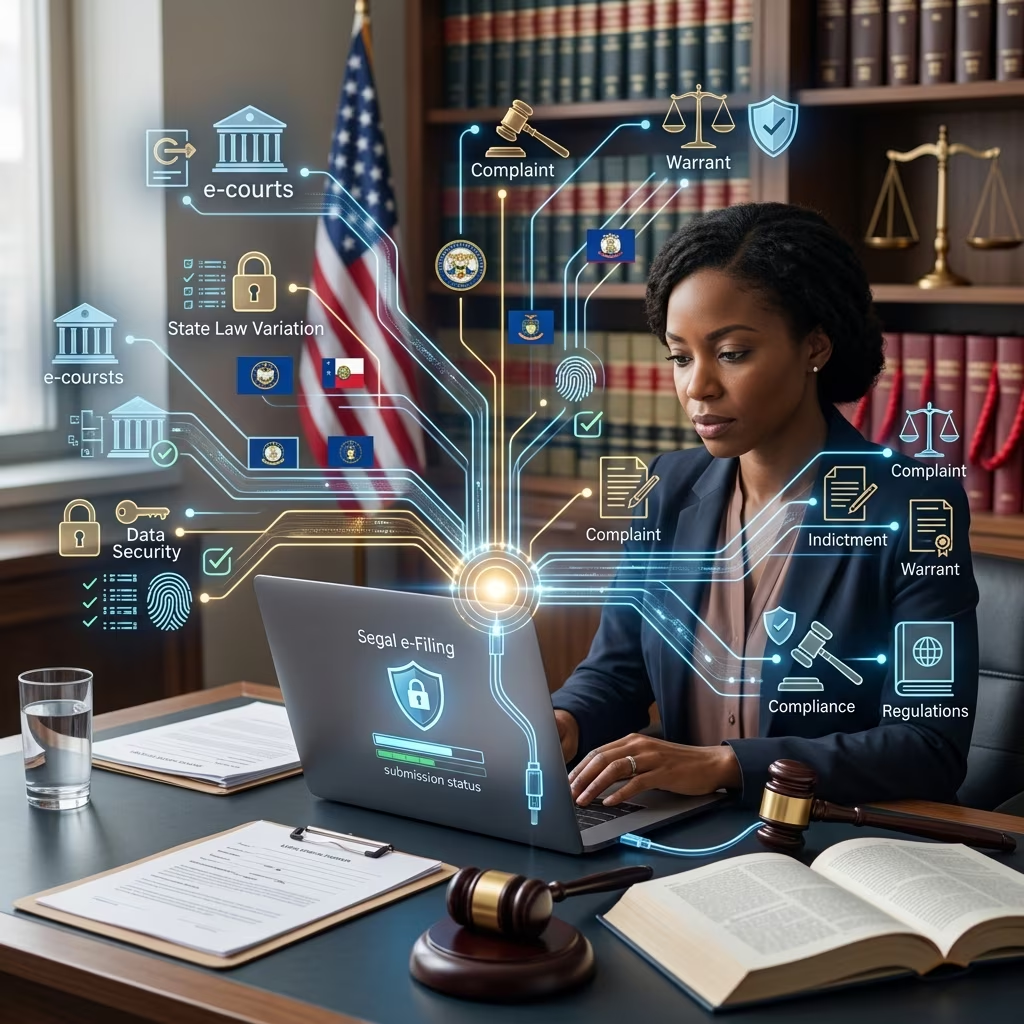
Electronic filing, commonly called e‑filing, has transformed how documents are submitted and stored in criminal courts across the United States. Instead of walking paper pleadings to the clerk’s window, many attorneys now upload documents through secure online systems, where they immediately become part of the official court record.
This article explains how criminal e‑filing works, what the law requires, who can and must use e‑filing, and the practical issues you should understand if you are involved in a criminal case.
What Is Criminal E‑Filing?
At its core, criminal e‑filing is the electronic submission of court documents in a criminal case through an approved online platform operated or authorized by a court. It replaces or supplements traditional paper filing.
In criminal matters, e‑filing typically covers documents such as:
- Charging instruments (in some jurisdictions)
- Motions, memoranda, and briefs
- Notices and responses
- Orders and judgments issued by the court
- Discovery-related filings and supporting exhibits (subject to local rules)
Federal courts use a unified platform called CM/ECF (Case Management/Electronic Case Files), while each state court system decides whether, how, and when to adopt e‑filing for criminal cases.
How Criminal E‑Filing Systems Work
Although the specific software and procedures vary, most systems follow a similar pattern.
Core Features of Court E‑Filing Systems
- Online access: Users log in through a secure web portal and upload PDF documents.
- Case association: Filers select the case by number or parties’ names so the document is attached to the correct file.
- Automatic docketing: After acceptance by the clerk, the filing appears on the electronic docket as part of the official record.
- Service on other parties: In many courts, filing electronically also counts as serving other registered users in the case.
- Electronic notice: Attorneys and other registered users receive email notifications of new filings and orders.
Example: Federal CM/ECF and PACER
In the federal criminal system, filings are handled through CM/ECF and accessed through PACER (Public Access to Court Electronic Records).
- To file electronically, an attorney must have a PACER account and obtain filing credentials from the court.
- The same login provides access to both public records (PACER) and the e‑filing system (CM/ECF).
- Once a document is filed and accepted, it becomes part of the permanent electronic case file.
Who Must File Electronically in Criminal Cases?
Laws and rules differ between federal and state courts, but several common patterns appear.
Federal Rules on Serving and Filing Papers
Federal Criminal Rule 49 and its commentary explain how filing and service work in criminal cases.
- Represented parties: Lawyers representing defendants or the government generally must use the court’s electronic filing system, unless the court allows paper filing for good cause.
- Self‑represented (pro se) defendants: They typically must file on paper but may be allowed to e‑file by court order or local rule.
- Nonparties: Nonparties, such as witnesses or media organizations filing motions, may use e‑filing only if permitted by the court or local rules.
Federal rules also state that when service is made by filing a document in the court’s electronic system, no separate certificate of service is required for parties who are registered users.
State Approaches to Criminal E‑Filing
States have adopted e‑filing at different speeds. A 2019 fifty‑state survey found that only a minority of states had statewide e‑filing in all trial and appellate courts for both civil and criminal cases. Many others offered e‑filing only in certain counties, case types, or levels of court.
Common state patterns include:
- Mandatory e‑filing for attorneys: Lawyers must file electronically where the system is available, often including criminal cases.
- Optional e‑filing for self‑represented parties: Individuals without lawyers may choose to e‑file or continue using paper, depending on local rules.
- Phased rollout: E‑filing may start in civil cases, then expand gradually to criminal and traffic matters.
| Role | Federal Courts | Typical State Trend |
|---|---|---|
| Prosecutors | Must e‑file via CM/ECF, absent good cause. | Often required to e‑file in jurisdictions with criminal e‑filing. |
| Defense attorneys | Generally must e‑file. | Frequently required to use e‑filing where available. |
| Self‑represented defendants | Paper filing by default; e‑filing only if authorized. | Often allowed but not required; rules vary by state and court. |
| Nonparty filers | May e‑file only with permission. | Usually limited or controlled by local rules. |
Official Electronic Records and Legal Validity
As courts have moved online, they have had to decide whether the electronic file or the paper file is the official record. National court technology guidelines recommend that state and local courts treat the electronic record as the official record and permit e‑filing accordingly.
Today, in many systems:
- The electronic docket is the authoritative record of filings and orders.
- Paper copies are used only when required by rule or needed in the courtroom.
- Scanned versions of paper‑filed documents are integrated into the same electronic case file.
For litigants, this means that a document filed electronically—if timely and compliant with the rules—is treated as if it had been physically delivered to the clerk.
Practical Requirements for E‑Filing in Criminal Cases
Despite differences between systems, filers usually must meet a set of technical and procedural requirements.
Technical Prerequisites
- A reliable internet connection
- A court‑approved e‑filing account (for example, a CM/ECF account in federal court)
- Ability to create PDFs that meet size and formatting limits
- Payment method for any filing or service fees, where applicable
Third‑party electronic filing service providers may act as intermediaries between filers and court systems, especially in state courts. These platforms usually provide:
- Guided filing workflows (choosing the correct court, case type, and document category)
- Automated calculation of fees
- Confirmation of receipt and status updates (submitted, accepted, or rejected)
Procedural Rules to Watch
Courts often issue detailed local rules and administrative orders setting out how e‑filing must be used in criminal cases. These may address:
- Formatting standards (font size, margins, bookmarks, and hyperlinks)
- Document naming conventions and required cover pages
- Deadlines and how filing time is calculated (often by the local time of the court’s location)
- Limitations on filing after hours, on weekends, or during system outages
- Procedures for emergency filings when the e‑filing system is unavailable
Limits, Exceptions, and Sensitive Filings
Not all criminal filings are treated the same in e‑filing systems. Courts may restrict or prohibit electronic submission of certain categories of documents, especially when privacy, safety, or secrecy is at stake.
Confidential and Sealed Materials
Criminal cases often involve information that must be restricted from public view, such as:
- Grand jury materials
- Pre‑indictment investigative filings
- Victim identifying information, particularly in cases involving minors or sexual offenses
- Presentence investigation reports and related documents
Courts usually deal with these documents by either:
- Requiring a motion to file under seal, which may be e‑filed but is not publicly accessible; or
- Prohibiting certain documents from being filed or stored electronically at all, depending on local policies.
Redaction and Privacy Rules
Because e‑filed documents are usually easier for the public to access, courts have adopted strict rules about redacting sensitive information, such as Social Security numbers, full dates of birth, and financial account numbers.
- Attorneys and parties are often required to remove or partially mask such information before filing.
- Failure to redact can lead to court orders to correct the filings and, in extreme cases, sanctions.
System Outages and Good‑Cause Exceptions
Even the best e‑filing systems experience downtime. To prevent injustice, most courts provide exceptions when technical problems prevent timely e‑filing.
- Courts may extend deadlines or accept paper filings when the system is unavailable.
- Under federal rules, nonelectronic filing may be allowed for good cause, even for represented parties who normally must e‑file.
Benefits and Challenges of Criminal E‑Filing
E‑filing in criminal cases offers clear advantages, but it also raises concerns that courts continue to address.
Key Benefits
- Speed: Filings and court orders are transmitted and recorded almost immediately, which can be critical for time‑sensitive matters like bail or emergency motions.
- Access to records: Attorneys and, in many cases, the public can review case dockets and documents remotely.
- Cost and efficiency: Reducing reliance on paper lowers storage and mailing costs and helps court staff process cases more quickly.
- Consistency: A single electronic record reduces the risk of misplaced files or inconsistent paper copies.
Major Challenges
- Digital divide: Self‑represented defendants or small law offices may lack reliable internet access or technical skills to navigate e‑filing systems.
- Privacy and cybersecurity: Courts must balance transparency with protection of sensitive criminal information, and secure systems against hacking or unauthorized access.
- Transition costs: Training, software development, and support services require significant investment, particularly for smaller jurisdictions.
- Uneven implementation: Because states and local courts roll out e‑filing at different speeds, rules can be inconsistent even within a single state.
Rights and Responsibilities of Defendants
Criminal e‑filing primarily affects how lawyers and courts manage paperwork, but it also has practical consequences for defendants, especially those without legal representation.
What Defendants Should Know
- How notice is given: In many courts, when documents are e‑filed and served electronically on counsel, that counts as legal notice. Defendants represented by attorneys must rely on their lawyers to promptly inform them of new filings and orders.
- Access to documents: Police reports, motions, and orders may be stored electronically, but access rights are determined by discovery rules and confidentiality laws, not just by the technology used.
- Deadlines: E‑filing does not extend deadlines. Missing a filing deadline can still harm a defendant’s rights, regardless of whether the filing is electronic or on paper.
Self‑Represented Defendants and E‑Filing
Self‑represented defendants (those without lawyers) often face unique hurdles in e‑filing.
- In federal court, they must normally file in paper form, but a judge may allow electronic filing by order or local rule.
- Some state courts offer optional e‑filing portals for self‑represented parties, often with help desks or training materials.
- Courts may still require paper copies for certain critical documents, even if e‑filing is allowed.
Self‑represented individuals should carefully review local rules and consider seeking at least limited legal advice to avoid technical missteps that could have serious legal consequences.
Common Questions About Criminal E‑Filing
Is e‑filing mandatory in all criminal courts?
No. Federal criminal courts and many state systems require attorneys to e‑file, but coverage is not universal. Some states have not fully implemented e‑filing statewide, and even in states that have, specific courts or case types may still rely on paper.
Does e‑filing change a defendant’s substantive rights?
Generally, no. E‑filing changes the method of submitting documents, not the fundamental rights or obligations in criminal procedure. However, failing to comply with e‑filing rules—such as missing a deadline due to technical issues—can indirectly affect those rights if not addressed promptly through motions or court orders.
Can the public see e‑filed criminal records online?
Public access depends on the court system and the nature of the case. Federal PACER provides online access to many filings, but sealed or restricted documents remain unavailable. State courts vary widely: some provide robust online portals; others limit remote access to protect privacy.
What happens if the e‑filing system goes down near a deadline?
Most courts have contingency rules that permit late filings or alternative submission methods when a system outage prevents timely electronic filing. Filers usually must document the problem and act promptly once service is restored. Courts can also allow nonelectronic filing for good cause.
Should someone facing criminal charges handle e‑filing alone?
Because criminal charges can result in jail time, fines, and a permanent record, individuals are strongly encouraged to seek legal counsel. A lawyer not only understands the substantive law and procedure but is also equipped to navigate complex e‑filing systems, meet deadlines, and protect sensitive information effectively.
When to Seek Legal Help
Criminal e‑filing laws sit at the intersection of technology and criminal procedure. If you are a defendant, a victim, or a nonparty with interests in a criminal case, you should consider speaking with a qualified criminal defense attorney or appellate lawyer if:
- You are unsure whether a document was properly filed or served through an e‑filing system.
- You missed a deadline because of technical difficulties and need to ask the court for relief.
- You are self‑represented and want to know whether you may or should use e‑filing in your case.
- Your case involves sensitive information that may require redaction or sealing in an electronic system.
Because rules differ between federal and state courts and from one locality to another, tailored legal advice is often essential to protect your rights.
References
- Electronic Filing (CM/ECF) — Administrative Office of the U.S. Courts. 2023-03-01. https://www.uscourts.gov/court-records/electronic-filing-cm-ecf
- Court Rule 49 – Serving and Filing Papers (Federal Rules of Criminal Procedure) — Legal Information Institute, Cornell Law School. 2020-12-01. https://www.law.cornell.edu/uscode/text/18a/courtrules-Crim/title-IX/courtrule-49
- State Court Electronic Filing: 50-State Survey — Wyoming Legislative Service Office. 2019-01-01. https://wyoleg.gov/LSOResearch/2019/19FS028%20E-Filing%2050%20state%20survey.pdf
- E-filing is on the rise in state, local, and federal courts — National Center for State Courts. 2013-06-01. https://ncsc.contentdm.oclc.org/digital/api/collection/tech/id/570/download
- E-Filing Basics — CourtFiling.net. 2022-08-15. https://www.courtfiling.net/efile/
- E-filing comes to criminal court — Illinois State Bar Association. 2014-12-01. https://www.isba.org/ibj/2014/12/lawpulse/e-filingcomescriminalcourt
- Between the Lines: An Introduction to E-filing — ABC Legal. 2021-05-10. https://www.abclegal.com/blog/between-the-lines-an-introduction-to-e-filing