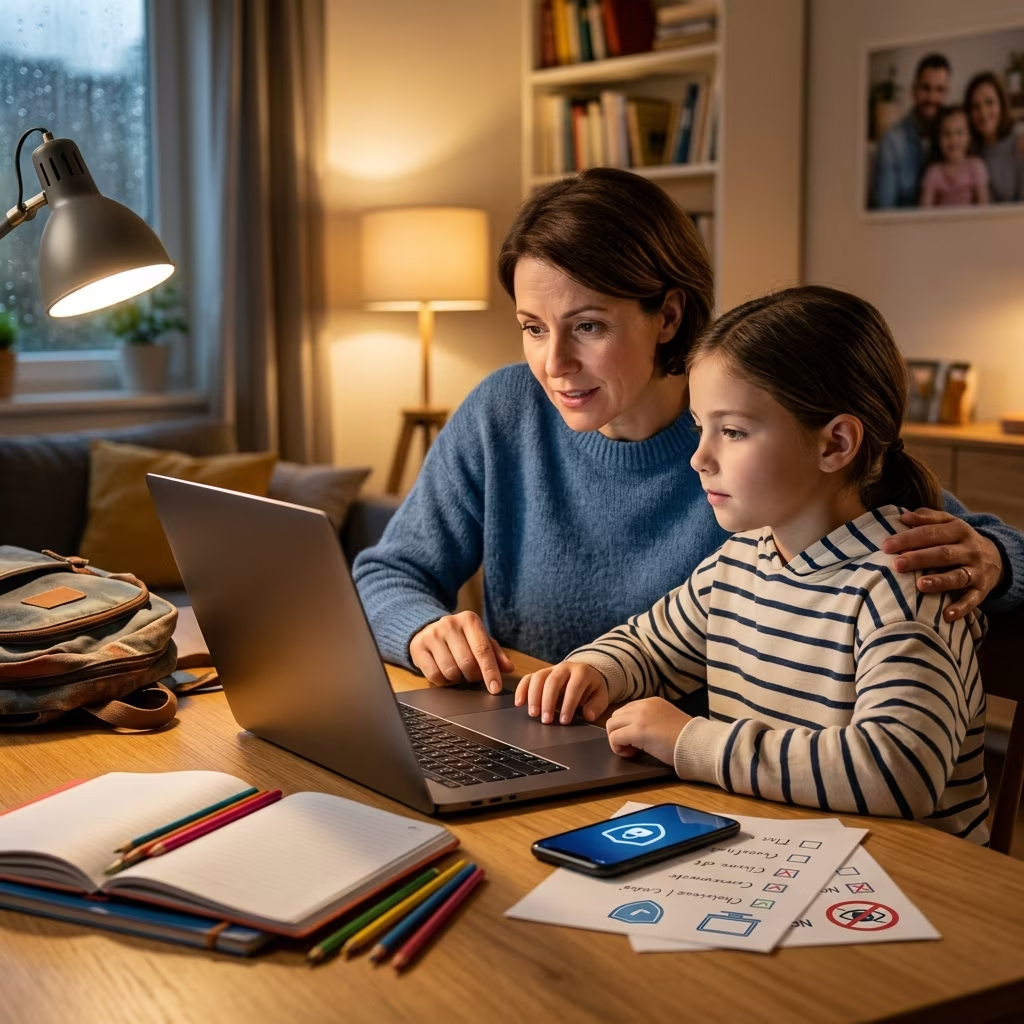
Digital tools are now woven into nearly every part of the school day. Laptops, tablets, learning apps, and classroom platforms can enrich education, but they also create new risks for children’s privacy, safety, and emotional wellbeing. As a parent or caregiver, you do not need to be a cybersecurity expert to protect your child online—you need clear, practical steps and ongoing communication.
This guide offers an original, comprehensive look at how families can prepare for a safe school year in a connected world. It focuses on protecting kids from online predators, oversharing, identity theft, cyberbullying, and harmful content, while supporting healthy, responsible use of technology.
Why Back-to-School Is a Critical Moment for Online Safety
The start of a school year often brings new devices, accounts, and apps. That means fresh data collection, new passwords, and unfamiliar platforms your child may access from home and school. Taking time now to set expectations and protections can prevent problems later.
- More screen time: Homework, research, and communication with teachers increasingly happen online.
- New logins and profiles: Schools and apps may require student accounts, sometimes with personal details attached.
- Expanded social circles: Children connect with classmates, clubs, and games, increasing exposure to strangers and peer pressure online.
- Higher privacy stakes: Educational technology and websites collect data covered by children’s privacy laws such as the Children’s Online Privacy Protection Act (COPPA).
Addressing these changes early helps you set clear boundaries and gives children a sense of security and guidance before issues arise.
Core Principles for Protecting Kids Online
Before diving into specific tactics, it helps to anchor your approach in a few core principles that apply across devices, apps, and ages.
- Visibility over surveillance: Aim to stay appropriately involved and visible in your child’s digital life without spying, which can erode trust.
- Education over fear: Explain risks calmly and factually so kids understand why rules exist and how to protect themselves.
- Privacy by default: Treat personal information as valuable and limit what is collected, stored, or shared online.
- Shared responsibility: Emphasize that staying safe online is a team effort among families, schools, and children themselves.
Setting Up Safe Devices and Accounts at Home
Technical safeguards will not replace supervision and conversation, but they significantly reduce common risks. Use the start of the school year to review all devices and accounts your child will use.
Use Non-Admin Accounts for Children
Give children a limited privilege account on computers and tablets instead of full administrator rights. This reduces the chance they will accidentally install malware, change critical settings, or bypass filters.
- Create a standard user profile for each child.
- Restrict installation of new software and browser extensions.
- Disable access to system-level settings they do not need for schoolwork.
Configure Parental Controls and Filters
Most operating systems, routers, and many school platforms include options to limit access to inappropriate sites and apps. For younger children especially, filtering can prevent exposure to violent or sexual content.
- Enable built-in parental controls on devices and browsers.
- Use your router or a reputable filtering service to block adult content and known malicious sites.
- Consider child-focused browsers or search tools that pre-filter results for age-appropriateness.
- Regularly test controls with harmless searches to confirm filters are working.
Place Devices in Common Areas
Keeping internet-connected devices in shared family spaces makes it easier to notice problems early and helps kids self-regulate their behavior online.
- Encourage homework on laptops or tablets in the living room, kitchen, or study area rather than bedrooms.
- Establish tech-free zones, such as bedrooms for younger children or the dinner table.
- Use visible screens to prompt natural conversations about what your child is doing online.
Strengthening Passwords and Account Security
As children enroll in new services and learning apps, they often create multiple passwords. Weak credentials can expose them to account takeover and, in some cases, identity theft.\sup>
Teach Strong Password Habits
Explain that passwords protect accounts the way locks protect doors. Help your child create strong, unique passwords for every major account.
- Aim for at least 12–14 characters in each password.
- Include a mix of letters, numbers, and symbols.
- Avoid using names, birthdates, school names, or other personal details.
- Discourage sharing passwords with friends; only parents or primary caregivers should know them.
Use a Family Password Manager
Remembering many complex passwords is challenging, especially for children. A reputable password manager can securely store and autofill passwords, reducing the temptation to reuse simple ones.
- Store school-related logins in a shared family vault.
- Teach older kids how to use the manager and why it is safer than writing passwords on paper.
- Enable multi-factor authentication (MFA) for email and other sensitive accounts when available.
Protect Sensitive Information Like Social Security Numbers
Some schools or extracurricular programs ask for children’s Social Security numbers (SSNs) during enrollment, but often this is not strictly necessary. Minimizing where SSNs are stored reduces the risk of child identity theft.
- Ask organizations why they need your child’s SSN and how it will be used and stored.
- Decline to provide SSNs when they are not mandatory.
- Monitor your child’s information carefully if their SSN has been widely shared.
Managing Privacy and Data Sharing in Educational Technology
Educational platforms and apps collect information about students—from names and contact details to assignments and behavior data. U.S. law places special obligations on services directed to children under 13 through COPPA. Parents should understand how these tools handle data.
| Topic | Questions to Ask |
|---|---|
| Data collection | What student information is collected? Is it limited to what is necessary for learning? |
| Data sharing | Is data shared with third parties, such as advertisers or analytics providers? |
| Parental rights | How can parents review, correct, or delete their child’s data from the service? |
| Security practices | What measures are used to protect student information from unauthorized access? |
Coordinate With Your Child’s School
Most schools publish policies on acceptable use, online learning platforms, and student data protection. Reviewing these policies equips you to reinforce them at home and raise questions when needed.
- Read your school’s technology and online safety policies on its website.
- Ask which apps and platforms are used for homework, messaging, and assessments.
- Confirm what protections—such as filters or monitoring—are in place on school devices.
- Discuss any concerns with teachers or administrators and seek alternatives if you are uncomfortable with a tool.
Guiding Children’s Behavior on Social Media and Messaging Apps
As children grow, their online presence expands to include social networks, group chats, and gaming platforms. These spaces can support friendships and creativity but also expose kids to cyberbullying, harassment, and contact from strangers.
Teach Smart Sharing and Privacy Settings
Encourage children to think critically before posting photos, comments, or personal details. A digital footprint can persist far beyond adolescence.
- Show kids how to set their accounts to private and control who can see posts.
- Discourage sharing last names, school names, home addresses, or frequent locations.
- Help them choose usernames that do not reveal full names or other identifying details.
- Ask them to “pause before you post” and consider whether a post could embarrass them or someone else later.
Limit Interactions With Strangers
Explain that people online may pretend to be someone they are not. Children should be cautious about accepting friend requests or direct messages from unfamiliar accounts.
- Advise kids to only connect with people they know in real life.
- Tell them never to agree to meet someone in person whom they first encountered online unless a parent is involved.
- Reinforce that they should not respond to suspicious or uncomfortable messages and should report them to a trusted adult immediately.
Recognizing and Responding to Cyberbullying
Civil society organizations emphasize that cyberbullying—mean messages, exclusion from online groups, or sharing humiliating content—can seriously affect children’s mental health and school performance. Having a clear plan to recognize and address it is essential.
Warning Signs of Cyberbullying
- Sudden reluctance to use devices or log into specific apps.
- Changes in mood after time online, such as tears, anger, or withdrawal.
- Secretive behavior around screens or quickly closing windows when adults approach.
- Disrupted sleep, headaches, or stomachaches that coincide with digital activity.
How to Support Your Child
If your child reports harmful messages or you suspect cyberbullying, respond promptly and calmly.
- Listen without judgment and thank them for sharing.
- Save or screenshot evidence of bullying messages or posts.
- Block or mute the accounts responsible, when appropriate.
- Contact the school if classmates are involved, and review school policies for addressing bullying.
- In severe cases, or when threats are involved, consult local law enforcement.
Building Healthy Screen Time and Attention Habits
Balancing online schoolwork, entertainment, and socializing can be challenging for children. Structure and clear expectations help kids manage their time and keep tech use from overwhelming other aspects of life.
Set Clear Daily Routines
- Define specific blocks for homework, recreation, and offline activities.
- Consider using visual timers or schedules to help younger children understand time limits.
- Schedule tech-free breaks for physical activity, reading, or family time.
Review Activity Together
Regularly sitting with your child to look at browsing histories, app usage, or school platforms can normalize oversight and encourage open discussion.
- Once or twice a week, ask your child to show you what sites and apps they are using.
- Discuss which experiences felt positive and which felt uncomfortable.
- Use these conversations to adjust rules or add protections as needed.
Working in Partnership With Schools
Schools play a major role in children’s digital lives. Establishing a collaborative relationship can make it easier to address problems and ensure that home and school expectations align.
- Attend back-to-school meetings and ask about online safety components in the curriculum.
- Learn who to contact if you have concerns about online behavior or content accessed through school devices.
- Ask whether teachers encourage students to report uncomfortable online experiences and how such reports are handled.
- Share any relevant information about your child’s needs, such as challenges with impulsivity or anxiety around digital interactions.
Frequently Asked Questions (FAQs)
1. At what age should I start talking to my child about online safety?
You can begin with simple concepts as soon as your child starts using any connected device. For preschool and early elementary ages, focus on basic rules like not talking to strangers online and asking an adult before clicking unfamiliar links. As your child grows, expand conversations to privacy, social media, and critical thinking about content.
2. How do I balance my child’s privacy with monitoring their activity?
Use age as a guide. Younger children generally need closer supervision, including parental controls and regular checks. With older children and teens, emphasize trust and transparency—let them know what you monitor and why, and gradually give more autonomy as they demonstrate responsible behavior.
3. What should my child do if they encounter inappropriate content or contact online?
Teach a simple response framework: stop (do not engage further), screen-capture if safe, and tell a trusted adult immediately. Reassure them they will not be in trouble for reporting these experiences.
4. Are school devices and networks automatically safe?
Many schools use filters and monitoring tools, but no system is perfect. Ask what protections are in place and whether students can access non-educational sites. Reinforce at home that even on school devices, children should avoid sharing personal information and should report anything that feels wrong.
5. Where can I report serious online exploitation or child sexual abuse material?
If you become aware of child sexual abuse material or serious exploitation, contact law enforcement and use established reporting channels. The National Center for Missing and Exploited Children operates a CyberTipline that forwards information to appropriate authorities. Schools and local police can also guide you on next steps.
References
- Back to school: Children’s privacy — Federal Trade Commission (FTC). 2022-08-25. https://consumer.ftc.gov/consumer-alerts/2022/08/back-school-childrens-privacy
- Internet Safety for Kids & Teens — Nemours KidsHealth. Last updated 2023-09-01 (approx.). https://kidshealth.org/en/parents/net-safety.html
- Back to School Online: 5 Steps to Better Protect Your Children — Proofpoint. 2020-08-18. https://www.proofpoint.com/us/blog/cybersecurity-essentials/back-school-online-5-steps-better-protect-your-children
- 9 Back to School – Back to Online Safety Tips — Child Rescue Coalition. 2021-08-20. https://childrescuecoalition.org/educations/9-back-to-school-back-to-online-safety-tips/
- Protecting Your Kids Online – What Is Even Possible? — The Children’s Guild. 2024-09-05. https://childrensguildschools.org/2024/09/05/protecting-your-kids-online-what-is-even-possible/
- Back to School: Tips for Maintaining Your Child’s Safety — IdentityForce. 2017-08-22. https://www.identityforce.com/blog/child-identity-theft-back-to-school
- Back-to-School Internet Safety Tips — National Center for Missing & Exploited Children (NCMEC). 2023-08-21. https://www.missingkids.org/blog/2023/back-to-school-internet-safety-tips