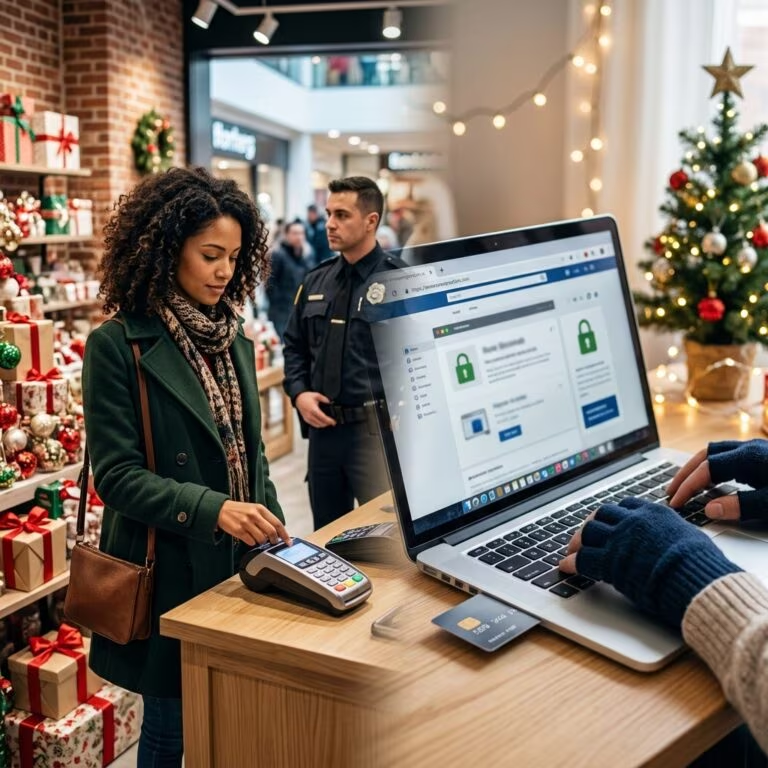
Each October, organizations and governments highlight National Cybersecurity Awareness Month as a chance to focus on safer online behavior, stronger digital defenses, and better habits across homes and workplaces.
Rather than a one-time campaign, the month is intended to spark ongoing awareness: evaluating how you use technology, where your information is stored, and how you can reduce the impact of cybercrime through simple, repeatable actions.
Why Cybersecurity Awareness Deserves a Dedicated Month
Cybersecurity incidents now affect individuals, small businesses, schools, and large enterprises alike. Phishing emails, ransomware, identity theft, business email compromise, and social engineering attacks have become everyday risks. Official campaigns like Cybersecurity Awareness Month exist because small changes in behavior can substantially lower those risks.
- Universality of risk – If you use the internet for banking, messaging, shopping, or work, you are a potential target.
- Human factor – Most successful attacks exploit people rather than technology alone, such as tricking users into revealing passwords or clicking malicious links.
- Preventability – Enabling multi-factor authentication, using strong passwords, updating software, and reporting suspicious messages can significantly reduce successful attacks.
Awareness Month provides a structured opportunity to communicate these points and share practical guidance that non-experts can understand.
Core Protective Habits Everyone Should Build
Government and nonprofit campaigns emphasize a small set of behaviors that offer the highest impact for everyday users.
| Key Behavior | What It Does | Why It Matters |
|---|---|---|
| Use strong, unique passwords | Makes it harder for attackers to guess or brute-force your login. | Prevents one stolen password from unlocking multiple accounts. |
| Enable multi-factor authentication (MFA) | Adds a second step (such as a code, app prompt, or hardware key) after your password. | Blocks many account takeovers even when passwords are stolen. |
| Recognize and report scams | Helps you avoid clicking malicious links or sharing sensitive information. | Reduces successful phishing and protects others by alerting security teams. |
| Keep software updated | Installs security patches for known vulnerabilities. | Closes common openings used by malware and other attacks. |
Building Better Password Practices
Many campaigns encourage users to move away from short, reused passwords and toward stronger, unique credentials for each account.
- Create passwords that are long (often 14+ characters), mixing letters, numbers, and symbols.
- Avoid using personal information, such as birthdays, pet names, or simple sequences.
- Use a password manager to generate and store complex passwords securely, so you only need to remember one master password.
- Change passwords promptly after data breaches or suspicious account activity.
Password managers reduce the risk of reuse and guessable patterns, making it far harder for attackers to gain access across many accounts using a single leaked credential.
Making Multi-Factor Authentication a Default
Multi-factor authentication (MFA) is one of the most effective ways to prevent unauthorized access. Campaigns emphasize using MFA not only for corporate accounts but also for social media, email, online banking, cloud storage, and university accounts.
- Enable MFA wherever it is available, starting with financial, email, and work-related services.
- Prefer options like authenticator apps, push notifications, or security keys rather than SMS when possible, because they can be more resistant to certain attacks.
- Decline unexpected MFA prompts; treat them as potential signs that someone is trying to log in without your permission.
Recognizing Phishing and Social Engineering
Phishing—fraudulent messages designed to trick you into revealing information or installing malware—remains a major driver of data breaches. Awareness Month campaigns encourage users to slow down and evaluate messages before responding.
Common warning signs of a phishing attempt include:
- Unexpected messages asking you to verify accounts, reset passwords, or send payments urgently.
- Spelling errors, formatting problems, or slightly altered domain names.
- Requests to click on links or open attachments from unknown senders.
- Messages claiming to be from familiar organizations but sent from personal or unofficial addresses.
When you encounter a suspicious message, you can:
- Contact the organization using a trusted phone number or website instead of using the contact details in the message.
- Report the attempted phishing to your employer’s IT or security team, or to relevant authorities if appropriate.
- Delete the message without clicking any links or downloading attachments.
Keeping Devices and Software Up to Date
Public campaigns emphasize regular updates because attackers often target known vulnerabilities that have already been fixed by vendors but not yet installed by users.
- Enable automatic updates on operating systems, browsers, and widely used software whenever possible.
- Promptly install updates for security software, productivity apps, and plugins.
- Restart devices regularly so that pending updates are fully applied.
Ideas for Organizations Participating in Awareness Month
National Cybersecurity Awareness Month is also a chance for organizations to strengthen security culture by combining training, communication, and visible leadership support.
Planning a Month-Long Awareness Campaign
Even small organizations can plan an effective program using existing toolkits and guidance.
- Choose weekly themes, such as passwords and MFA, phishing awareness, data protection, and safe remote work.
- Share short, actionable tips via email, internal messaging platforms, or digital signage.
- Offer brief learning sessions or lunch-and-learn events focusing on realistic scenarios employees face.
- Highlight official resources from national initiatives, including toolkits and reference materials.
Supporting Employees With Practical Resources
Awareness is more effective when employees can easily find guidance tailored to their roles.
- Provide clear instructions on how to report suspicious emails or incidents.
- Publish internal FAQs explaining password rules, MFA options, and acceptable use expectations.
- Share curated external materials such as government or nonprofit guides, rather than overwhelming staff with many links.
- Use posters, short videos, and interactive content from reputable awareness kits.
Small Business Considerations
Smaller organizations may lack full-time security staff but are still attractive targets. Official guidance for small businesses typically emphasizes a focused set of actions that deliver strong protection with limited resources.
- Teach employees how to spot and avoid phishing and social engineering attacks.
- Require strong passwords and consider enforcing password managers where feasible.
- Turn on MFA for cloud services, email, and accounting tools.
- Keep systems, websites, and point-of-sale devices updated and backed up regularly.
Strengthening Cybersecurity at Home
National campaigns emphasize that cybersecurity is not limited to the office. Home networks, personal devices, and family accounts also need protection.
Securing Your Home Network
Many home routers use default settings that attackers can exploit if they gain access to the network. Updating configuration can provide a stronger baseline.
- Change default router usernames and passwords to unique, strong credentials.
- Ensure Wi‑Fi security uses modern encryption standards such as WPA2 or WPA3.
- Disable remote management features unless you specifically need them.
- Apply firmware updates when available from trusted vendors.
Safer Use of Public Wi‑Fi
Public networks at cafes, airports, or hotels often lack strong security controls. Campaigns advise avoiding sensitive activities on such networks when possible.
- Limit public Wi‑Fi use to low-risk browsing or streaming.
- Avoid accessing financial accounts or entering passwords; if you must, consider using a trusted virtual private network (VPN) to encrypt traffic.
- Turn off automatic connection to open networks to prevent accidental joining.
Protecting Personal Data and Backups
Data loss can occur through device failure, theft, ransomware, or accidental deletion. Backups serve as a safety net so that important information can be restored.
- Regularly back up documents, photos, and other critical files to an external drive or reputable cloud service.
- Store backups separately from primary devices so they are not affected by the same incident.
- Test restoration occasionally to ensure backups are functioning.
Financial Safety and Everyday Choices
Cybersecurity also influences how you pay for goods and services. Awareness materials often highlight basic steps for safer online shopping.
- Consider using credit cards instead of debit cards online because they may offer stronger consumer protections.
- Shop on sites that use secure connections (look for “https” and other indicators).
- Monitor statements regularly for unfamiliar charges and report them quickly.
Frequently Asked Questions About Cybersecurity Awareness Month
Is National Cybersecurity Awareness Month only for technical experts?
No. The campaigns are specifically designed for non-technical audiences, focusing on simple, practical actions that anyone can take. Technical teams may use the month to share more advanced guidance, but the core themes are meant to be accessible.
Do I need special software to participate?
Participation usually involves behavioral changes—such as enabling MFA, improving passwords, and learning to spot scams—rather than installing complex tools. Some organizations might recommend specific security products, but at the individual level the most important steps involve how you use existing services.
How can schools and universities use the month?
Educational institutions can incorporate awareness messages into orientation, classroom materials, or campus communications. Some universities encourage secure use of MFA applications, teach privacy laws and policies, and offer workshops on safe online behavior for students and staff.
Is one month of awareness enough?
The month is intended as a starting point, not a complete solution. Organizations and individuals are encouraged to maintain awareness year-round by applying lessons learned, revisiting security policies, and staying informed about new threats.
Where can I find trustworthy cybersecurity guidance?
High-quality resources are available from government agencies, standards bodies, and recognized initiatives dedicated to public education. These materials provide free, research-backed guidance across many topics rather than promoting specific commercial products.
References
- National Cybersecurity Awareness Month Toolkit — National Initiative for Cybersecurity Careers and Studies (NICCS). 2023-10-01. https://niccs.cisa.gov/national-cybersecurity-awareness-month
- Cybersecurity Awareness Month — Cybersecurity and Infrastructure Security Agency (CISA). 2023-09-30. https://www.cisa.gov/cybersecurity-awareness-month
- Cybersecurity Awareness Month — National Institute of Standards and Technology (NIST). 2025-01-15. https://www.nist.gov/cybersecurity-awareness-month
- Cybersecurity Awareness Month — National Cybersecurity Alliance (StaySafeOnline). 2025-09-01. https://staysafeonline.org/cybersecurity-awareness-month
- Cybersecurity Awareness Month — New York State Office of Information Technology Services. 2023-10-01. https://its.ny.gov/cybersecurity-awareness-month
- Cybersecurity Awareness Month — Women in CyberSecurity (WiCyS). 2023-10-01. https://www.wicys.org/events/cybersecurity-awareness-month/
- October is National Cyber Security Awareness Month — DC Office of the Chief Technology Officer (OCTO). 2022-10-01. https://octo.dc.gov/page/october-national-cyber-security-awareness-month