
Gmail Privacy: What Google Can See And What You Can Do
A practical deep dive into how Gmail handles your data, what “no privacy” really means, and how to protect your communications online.
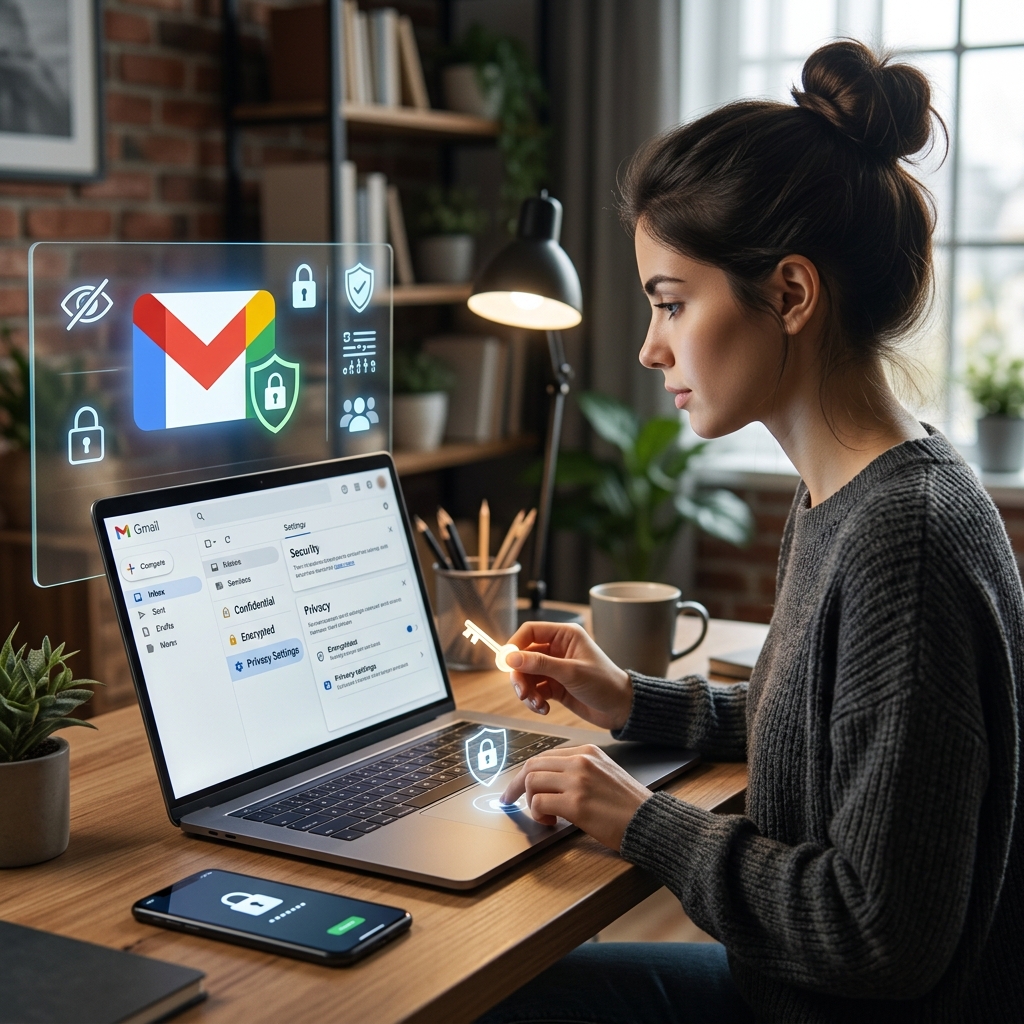
For millions of people, Gmail is the default way to communicate at work, at school, and in their personal lives. That convenience comes with a trade‑off: your messages live inside Google’s ecosystem, where they can be processed, analyzed, and, in some circumstances, disclosed to others. Understanding what that means in practice is crucial if you care about confidentiality, professional secrecy, or simply your own sense of digital autonomy.
This article explains how Gmail privacy works, what Google’s own policies say about access and sharing, the legal backdrop around email surveillance, and practical steps you can take to reduce risks without giving up modern tools entirely.
Gmail As A Service: Why Privacy Is Different In The Cloud
Email used to be stored on local servers or personal machines, often under the control of a company or individual. With Gmail, your inbox is hosted remotely on Google’s infrastructure. That shift—from local control to cloud services—changes who can access your data and under what conditions.
- Centralized storage: Your emails, attachments, and metadata are stored on Google’s servers, not on a device you own.
- Service provider access: Google needs technical access to your messages to deliver, store, filter, and protect them.
- Policy‑driven use: How that access is used is governed by privacy policies, terms of service, and applicable law, not just technology.
From a legal perspective, many jurisdictions treat communications held by a service provider differently than documents locked in a physical filing cabinet. Law enforcement and other authorities often rely on this distinction to request or compel access to online accounts.
What Google Says It Does With Your Data
Google’s privacy policy and related notices outline what data is collected through services like Gmail and how that data may be used or shared. While the language is broad and sometimes abstract, several key themes are clear.
Data Google Collects Through Gmail
When you use Gmail, Google may collect:
- The content of emails you send and receive
- Attachments and embedded media
- Metadata such as sender, recipient, time, IP address, and device information
- Usage patterns, such as how often you log in, which features you use, and how you interact with messages
According to Google, this information is used to provide and improve services, secure accounts, personalize experiences, and comply with legal obligations.
Internal Use And External Sharing
Google restricts access to personal information to employees, contractors, and agents who need that information to operate and improve services. However, the company explicitly allows sharing outside Google in several situations, including:
- With your consent: For example, when you connect Gmail to third‑party apps, or choose to integrate services across accounts.
- For external processing: Data may be shared with trusted vendors to process information on Google’s behalf under strict agreements.
- For legal reasons: Google will disclose data when it has a good‑faith belief that access or disclosure is reasonably necessary to comply with law, court orders, or enforceable governmental requests.
- To protect rights and safety: Data may be used or shared to detect, prevent, or address fraud, security threats, or harm to users or the public.
These provisions apply across Google’s consumer services and specialized offerings such as Google Workspace for Education, although education accounts may have additional admin controls and protections.
Legal Access: How Governments And Courts Reach Into Your Inbox
Gmail privacy is not only shaped by corporate policies, but also by laws that govern access to electronic communications. In the United States, for example, the Stored Communications Act (part of the Electronic Communications Privacy Act) creates rules around when providers like Google can disclose content and metadata to government entities. Other countries have their own frameworks, often including data retention and surveillance provisions.
Google states that it will share personal information if it has a good‑faith belief that disclosure is reasonably necessary to respond to applicable law, regulation, legal process, or enforceable governmental request. In practice, this can include subpoenas, search warrants, or court orders directed at Google rather than at you personally.
| Type Of Demand | Issued By | Potential Scope |
|---|---|---|
| Search warrant | Judge or magistrate | Full content of emails, attachments, and account data for a specified period. |
| Subpoena | Court, grand jury, or authorized agency | Subscriber information and certain metadata; sometimes narrower than a warrant. |
| Court order | Court with jurisdiction | Targeted records related to specific activity, accounts, or time frames. |
Google publishes high‑level statistics about government requests in a transparency report, which indicates how often the company is asked to disclose user data and how often it complies. While this does not preserve individual secrecy, it offers some visibility into the scale of state access.
Is There Any Real Privacy In Gmail?
When people say “there is no privacy in Gmail,” they usually mean that your messages are not protected in the same way they would be with end‑to‑end encrypted services or purely local storage. In Gmail:
- Google can access your messages for operational and security purposes.
- Automated systems analyze content for features like spam filtering and malware detection.
- Under certain conditions, human reviewers may examine specific messages (for example, during account recovery investigations or abuse reviews).
- Authorities can request—and sometimes obtain—access via legal processes.
However, this does not mean your emails are universally visible or casually exposed. Access is typically governed by internal controls, technical permissions, and legal standards. The core issue is trust: you must trust Google’s systems, employees, and legal posture not to misuse that access, and you must accept that some uses are outside your control.
Professional And Sensitive Use Cases: Special Risks
For certain professions, using Gmail without additional safeguards can create heightened risks. Lawyers, doctors, journalists, therapists, and others have ethical duties and sometimes legal obligations to protect client or patient information.
- Legal confidentiality: Attorney‑client communications may be subject to privilege, but storing them on third‑party servers raises questions about how privilege is preserved and whether certain disclosures could weaken protections.
- Health data: Medical communications may need to comply with health privacy laws, which impose strict requirements on data handling and security.
- Investigative work: Journalists and activists may face surveillance risks that make cloud‑based email less suitable for highly sensitive correspondence.
In these contexts, relying on default Gmail configurations without understanding the implications can undermine duties of confidentiality, even if no breach has yet occurred.
Practical Steps To Improve Your Gmail Privacy
While you cannot completely remove Google from the loop when you use Gmail, you can make meaningful improvements to privacy and security. This requires both technical changes and deliberate habits.
1. Harden Your Account Security
Security and privacy are closely linked: If someone can easily break into your account, they can read everything regardless of Google’s policies.
- Enable strong, unique passwords and avoid reusing them across services.
- Turn on multi‑factor authentication (such as an app‑based or hardware key).
- Review recovery options and make sure they do not create easy backdoors into your account.
- Regularly check account activity and security alerts for unexpected access.
2. Adjust Data And Activity Settings
Google provides tools to review and manage stored data in your account. In the context of Gmail:
- Periodically delete old messages that no longer need to be stored.
- Limit unnecessary integrations with other apps and services that request Gmail access.
- Review Google account privacy controls to adjust data collection and personalization where possible.
These steps cannot prevent Google from processing messages needed to operate Gmail, but they help reduce long‑term exposure and cross‑service data linking.
3. Use Encryption Where Appropriate
End‑to‑end encryption ensures that only the sender and recipient can read message content, even if the provider stores the data. Standard Gmail does not offer full end‑to‑end encryption by default, but you can:
- Use client‑side encryption tools or plugins for particularly sensitive conversations.
- Consider alternative providers that prioritize end‑to‑end encrypted email for critical communications.
- Apply encryption to attached files before sending them through Gmail.
These approaches require more effort and coordination with recipients, but they substantially reduce the amount of readable information available to Google and third parties.
4. Segment Your Communications
Not every message needs the same level of protection. A practical compromise is to separate everyday correspondence from highly sensitive exchanges:
- Use Gmail for routine logistics and non‑confidential topics.
- Reserve secure channels (encrypted email, secure messaging apps, or in‑person meetings) for matters where disclosure would be seriously harmful.
- Establish clear policies within organizations about when Gmail is appropriate and when alternative tools must be used.
This segmentation respects the convenience of Gmail while acknowledging its limitations.
Leaving Or Limiting Gmail: What Happens To Your Data?
If you decide that Gmail no longer fits your privacy expectations, you can deactivate your account or export data. Google allows users to delete services or entire accounts, and offers tools for data takeout. However, it is important to understand that:
- Some log information may be retained for security, legal, or operational reasons, even after account deletion.
- Messages sent to others remain in their inboxes unless they also delete them.
- Legal demands already served may have resulted in copies beyond Google’s systems.
Account deletion is helpful but does not retroactively erase every trace of activity. Planning ahead and minimizing sensitive content stored in Gmail is therefore more effective than attempting to clean up after the fact.
Comparing Gmail With More Privacy‑Focused Alternatives
To put Gmail privacy in context, it helps to compare it with common alternatives:
| Feature | Gmail | Typical Privacy‑Focused Service |
|---|---|---|
| Default encryption | Transport encryption (TLS) between servers; content readable by Google. | Often includes end‑to‑end encryption for content between users. |
| Data processing | Extensive processing for security, reliability, and personalization. | Limited processing, with fewer personalization features. |
| Legal posture | Large target for government requests; publishes transparency metrics. | Some advertise stronger resistance to broad data demands. |
| Integration and features | Tight integration with other Google services and apps. | More focused on email and privacy; fewer ecosystem perks. |
Gmail excels at usability and reliability, but the trade‑off is deeper integration into Google’s data ecosystem. Privacy‑focused services often sacrifice convenience and mainstream support in favor of stronger confidentiality guarantees.
Frequently Asked Questions About Gmail Privacy
Does Google employees personally read my emails?
Google’s systems routinely analyze message content for features such as spam blocking, malware detection, and service reliability. Direct human access is typically limited to specific, justified scenarios, such as investigating abuse, responding to security incidents, or handling complex support issues. Even with controls, the possibility of human access exists.
Can Google sell my Gmail content to advertisers?
Google’s policies state that it does not sell personal information to third parties in the simple sense of transferring raw data for money. However, aggregated or anonymized information and insights derived from analysis may be used to support advertising and other business functions. Understanding this distinction is important: your individual messages are not auctioned off directly, but they can inform how services are monetized.
Is deleting an email enough to protect my privacy?
Deleting an email from your inbox removes it from regular access, but copies may exist in backups or in the recipient’s account. Some technical and legal retention may continue for limited periods. For deeply sensitive material, it is better to avoid sending unencrypted content in the first place.
Does using incognito mode or private browsing protect Gmail messages?
Private browsing modes mainly prevent your browser from storing history and cookies locally. Once you log into Gmail, your activity is associated with your account on Google’s servers regardless of browser mode. Privacy controls within your Google account and careful use of encryption are more impactful than local browser settings.
Is Gmail appropriate for confidential professional communications?
For many routine professional exchanges, Gmail can be acceptable with proper security configurations. For highly confidential matters—legal strategy, sensitive health information, or investigative journalism—you should evaluate regulatory requirements and consider more secure alternatives or added encryption layers. Professional ethics and sector‑specific laws may require stronger safeguards than Gmail alone provides.
References
- Google Privacy Policy — Google LLC. 2024-03-14. https://policies.google.com/privacy
- Google Workspace for Education Privacy Notice — Google LLC. 2024-02-20. https://workspace.google.com/terms/education_privacy/
- Privacy Policy (Archived) — Google LLC. 2004-07-01. https://www.google.com/policies/privacy/archive/20010104-20040701/
- Data & Privacy: Delete services or your Google Account — Google LLC. 2024-01-10. https://myaccount.google.com/delete-services-or-account
- Privacy & Terms Overview — Google LLC. 2024-03-14. https://policies.google.com
Similar Articles








Read full bio of medha deb


