What Email Phishing and Spoofing Really Mean
Email fraud often works because the message looks ordinary at first glance. Phishing and spoofing are related tactics used by scammers to make an email seem trustworthy so the recipient is more likely to click, reply, or share information.
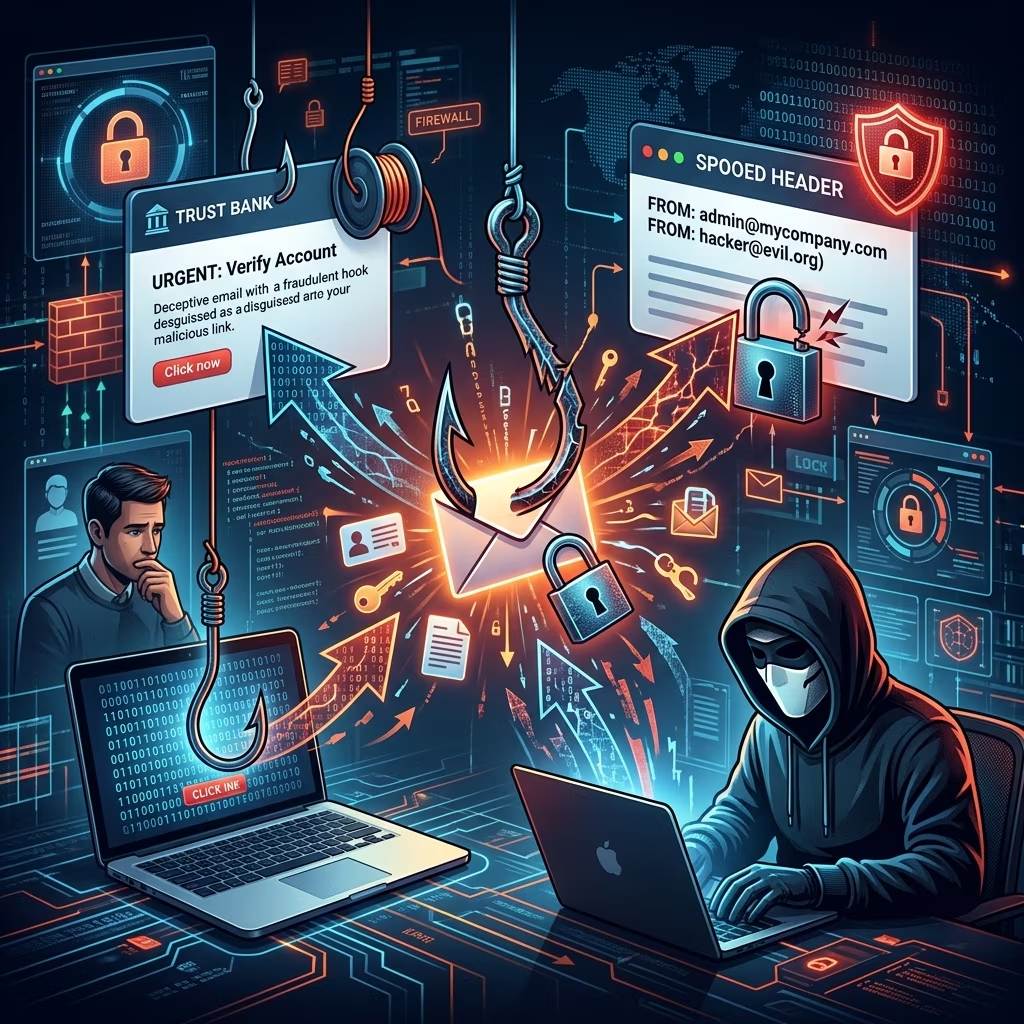
Phishing is the broader scam: a deceptive message is sent to trick someone into giving up credentials, financial details, or other sensitive data. Spoofing is one technique used to make that scam look legitimate, usually by forging the sender name, sender address, or even a website identity.
These schemes are common because they exploit human trust rather than technical flaws alone. A user may see a familiar company name, a coworker’s display name, or an urgent subject line and react before carefully checking the message.
How the Two Scams Work Together
It helps to think of spoofing as the disguise and phishing as the bait. An attacker may spoof an email so it appears to come from a bank, delivery service, payroll department, or executive, then use that fake identity to push the recipient toward a harmful action.
That action might include:
- clicking a malicious link,
- downloading an infected attachment,
- entering a password on a counterfeit login page, or
- sending money or sensitive records to a criminal account.
Because spoofing can make a scam appear authentic, it often increases the odds that the phishing attempt succeeds.
Common Red Flags in Suspicious Messages
Most malicious emails contain clues if you slow down and inspect them carefully. A single clue may not prove fraud, but several together should raise concern.
| Warning sign | Why it matters |
|---|---|
| Unexpected urgency | Scammers often pressure recipients to act immediately before they verify the request. |
| Odd sender details | A display name may look familiar while the actual email domain contains misspellings or extra characters. |
| Poor writing or awkward phrasing | Many scam messages contain grammar mistakes, strange wording, or inconsistent tone. |
| Suspicious links or attachments | Links may lead to fake websites, and attachments may contain malware or prompts to enable harmful content. |
| Requests for sensitive information | Legitimate organizations generally do not ask for passwords, PINs, or full account details by email. |
Another useful clue is whether the message creates emotion on purpose. Fraudsters often rely on fear, greed, curiosity, or relief to keep the recipient from pausing to verify the request.
Ways Attackers Impersonate Trusted Sources
Scammers do not need to completely recreate a company’s identity to fool people. Small changes are often enough. An attacker might alter one letter in a domain name, use a similar-looking address, or insert a reply-to field that sends responses somewhere else entirely.
These tricks are effective because many people read the display name first and the full header later, if at all. A message may appear to come from a known contact even when the underlying address is not legitimate.
Spoofing is not limited to email alone, but in the email context the most common abuse is forged sender information that makes a fraudulent message look like it originated from a trusted source.
What Makes Phishing So Dangerous
Phishing is dangerous because it targets both individuals and organizations at scale. A single successful message can expose login credentials, tax records, employee data, financial accounts, or access to business systems.
In many cases, the immediate harm is not the email itself but what happens after the user interacts with it. Clicking one bad link may lead to a fake login page that captures a password. Opening one file may install malware. Replying with private information may invite follow-up fraud.
Once criminals obtain credentials or device access, they may commit further crimes, including account takeover, identity theft, wire fraud, or ransomware deployment.
How to Verify Whether an Email Is Legitimate
If an email asks you to act quickly, pause and verify it through a separate channel. Do not reply directly to the suspicious message if you are unsure it is real.
- Check the sender’s full email address, not just the display name.
- Hover over links before clicking to see whether the destination matches the claimed sender.
- Inspect attachments carefully and avoid opening unexpected files.
- Contact the organization using a phone number or website you found independently, not one included in the message.
- Compare the request with the company’s usual practices; many firms do not ask for passwords or payment details by email.
If the message claims to be from a coworker or executive, confirm the request through a known phone number, messaging platform, or in-person conversation when possible.
Practical Habits That Lower Your Risk
Good email security is partly technical and partly behavioral. Even strong filters cannot stop every scam, so users benefit from a few steady habits.
- Use multifactor authentication on important accounts so a stolen password is less useful.
- Keep browsers, operating systems, and apps updated to reduce exposure to known vulnerabilities.
- Use antivirus and antispam tools where available.
- Delete or quarantine suspicious messages instead of engaging with them.
- Be cautious with personal information shared online, since scammers may use public details to make messages sound convincing.
For workplaces, security awareness training can help people recognize phishing patterns before they become victims. Simulated phishing exercises can also improve detection and reporting habits.
Why Authentication Standards Matter for Businesses
Organizations can reduce email spoofing by deploying authentication controls that help mail systems verify whether a message is authorized. Proofpoint and Valimail both note the role of SPF, DKIM, and DMARC in reducing spoofing and phishing risk.
SPF helps specify which servers are allowed to send mail for a domain. DKIM adds a digital signature so receivers can detect whether a message was altered in transit. DMARC builds on those checks by telling receiving systems how to handle messages that fail authentication and by helping domain owners monitor abuse.
These controls do not eliminate every threat, but they make it harder for criminals to impersonate a domain successfully. That is especially important for companies that regularly send invoices, payroll notices, customer updates, or internal approvals.
Phishing and Spoofing: A Quick Comparison
| Topic | Phishing | Spoofing |
|---|---|---|
| Main goal | Trick the victim into revealing data or taking harmful action. | Disguise the sender or source to appear trustworthy. |
| Typical role | Often the broader scam message. | Often the technique used to make the scam believable. |
| Common signs | Urgency, fake links, malicious attachments, credential requests. | Lookalike addresses, forged headers, mismatched display names. |
| Best defense | Verify requests, avoid risky clicks, use MFA. | Inspect headers, authenticate domains, confirm identity by another channel. |
Frequently Asked Questions
Is every fake-looking email phishing?
No. Some messages are simply spam, while others are business email compromise, spoofing, or other forms of fraud. Phishing usually involves an attempt to get the victim to reveal information or take action.
Can a message be spoofed without being phishing?
Yes. Spoofing is a method of impersonation, and it may be used in phishing or other scams. The spoofed identity is the disguise; the harmful request is the scam’s objective.
What should I do if I clicked a suspicious link?
If you entered credentials, change the password immediately and enable multifactor authentication if it is not already active. If you downloaded a file or entered financial information, contact your organization, bank, or IT support right away.
Should I answer a suspicious email to ask if it is real?
No. Replying can confirm that your address is active and may invite more scam attempts. Verify the request through an independent channel instead.
Why do scam emails look so convincing?
Attackers use spoofed names, lookalike domains, stolen branding, and psychological pressure to make the message feel routine or urgent. The more familiar it looks, the more likely a recipient is to act without checking carefully.
When to Escalate the Issue
Report suspicious messages to your employer, email provider, or cybersecurity team if they target work accounts. If the scam involves financial loss, identity theft, or stolen credentials, contact the appropriate bank, platform, or law-enforcement channel as quickly as possible.
It is also wise to monitor accounts for unusual logins, password-reset emails, unfamiliar charges, or changes to recovery information after a suspected phishing incident.
References
- What Is Email Spoofing? Definition & Examples — Proofpoint US. 2026-01-01. https://www.proofpoint.com/us/threat-reference/email-spoofing
- Phishing vs. Spoofing: What’s the Difference? — Valimail. 2026-01-01. https://www.valimail.com/resources/guides/guide-to-phishing/phishing-vs-spoofing/
- Spoofing vs Phishing: Understanding the Key Differences — SentinelOne. 2026-01-01. https://www.sentinelone.com/cybersecurity-101/cybersecurity/spoofing-vs-phishing/
- What is email spoofing? — Cloudflare. 2026-01-01. https://www.cloudflare.com/learning/email-security/what-is-email-spoofing/
- Spoofing and Phishing — Federal Bureau of Investigation. 2026-01-01. https://www.fbi.gov/how-we-can-help-you/scams-and-safety/common-frauds-and-scams/spoofing-and-phishing
- Email Spoofing FAQ — University of Oregon. 2026-01-01. https://service.uoregon.edu/TDClient/KB/ArticleDet?ID=41254