
Understanding Phishing Scams and How They Work
Learn how phishing scams operate, how to spot them, and how to reduce the risk of becoming a victim.
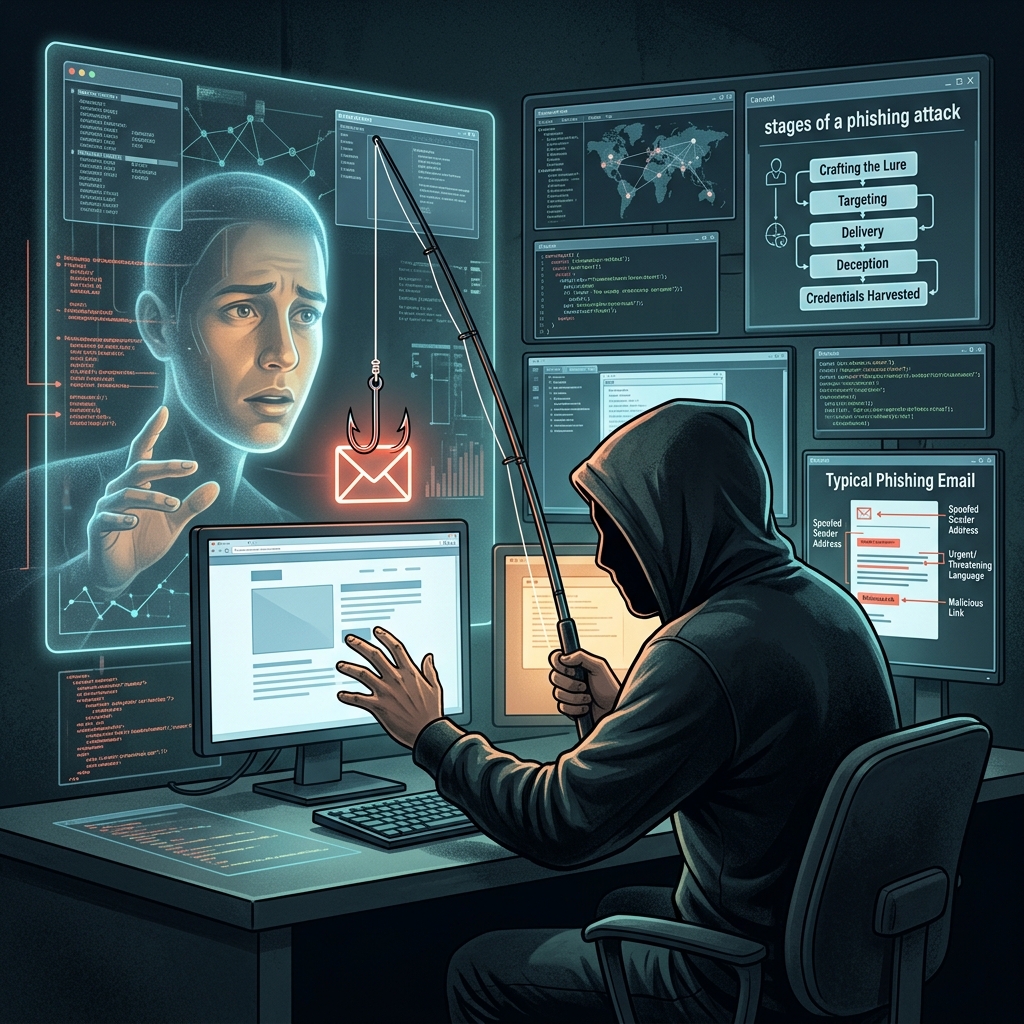
Phishing scams are among the most common ways criminals steal money, login credentials, and personal information online. They usually begin with a message that looks legitimate, but the real purpose is to trick the recipient into clicking a link, opening a file, or sharing sensitive data.
What a phishing scam is
At its core, phishing is a form of social engineering. Instead of breaking into systems by force, the scammer manipulates people into giving up information voluntarily. The message may appear to come from a bank, delivery company, coworker, government office, or online service that the recipient already trusts.
The goal is usually one of three things: steal credentials, capture financial details, or install malware on a device. Once attackers have that information, they may access accounts, make unauthorized purchases, or use the victim’s identity for other fraud.
Why phishing works so well
Phishing is effective because it relies on human behavior instead of technical weakness. Attackers often create urgency, fear, curiosity, or excitement to make people react quickly rather than carefully. A message warning that an account will be closed, a package is delayed, or a payment is overdue can push someone to click before verifying the source.
Criminals also imitate familiar brands and formats. The more closely the fake message resembles a real one, the more likely it is to succeed. Many scams are designed to look polished enough that the difference becomes visible only after closer inspection.
Common forms of phishing
Phishing does not appear in only one form. It shows up through multiple channels, each aimed at convincing the target to act quickly.
- Email phishing: Fraudulent emails that include fake login pages, attachments, or urgent instructions.
- Smishing: Text-message scams that use shortened links or alarming account notices.
- Vishing: Voice calls or voicemails that impersonate banks, tech support, or government agencies.
- Spear phishing: Highly targeted messages tailored to a specific person or organization.
- Fraudulent websites: Fake pages that copy real login screens and collect entered credentials.
Some attacks also use malicious attachments or counterfeit forms to capture information directly. In other cases, the victim is redirected to a fake site that mirrors a real service closely enough to fool an unsuspecting user.
Warning signs that a message may be fake
Although phishing messages can be convincing, they often contain clues. Looking for these signs can help you pause before clicking or replying.
| Warning sign | What it may mean |
|---|---|
| Urgent demands | The sender wants you to act before thinking carefully. |
| Unexpected links or attachments | The message may be trying to deliver malware or send you to a fake site. |
| Generic greetings | The message may not actually be personalized to you. |
| Spelling or grammar errors | Poorly written text can indicate a fraudulent message. |
| Odd sender details | The “from” address, signature, or reply path may not match the claimed organization. |
| Requests for sensitive data | Legitimate organizations typically avoid asking for passwords or account details by message. |
A single clue may not prove a scam, but several clues together should be treated as a serious warning.
How scammers try to earn trust
Phishing messages often borrow the appearance of a real brand or institution. Criminals may copy logos, use convincing formatting, or imitate the tone of customer service emails. They may also claim that a payment failed, a delivery was missed, or a password must be reset immediately.
Another common tactic is impersonation. The sender may pretend to be a manager, coworker, technical support agent, or known contact. In more targeted attacks, the criminal gathers personal information from public sources before sending the message, which makes the scam more believable.
What happens if someone falls for it
The damage from phishing can be immediate or delayed. If a victim shares login credentials, an attacker may access email, banking, cloud storage, or social media accounts. If a victim downloads a malicious file, the device itself may be compromised.
Stolen information can also fuel broader identity theft. Fraudsters may use a name, Social Security number, credit card number, or other personal data to open new accounts or take over existing ones. In organizational settings, one successful phishing message can expose an entire network, especially when the targeted account has administrative access.
How to reduce your risk
The safest response to an unexpected message is to slow down and verify it independently. Do not use the contact details, buttons, or links inside the suspicious message itself. Instead, open a new browser window and navigate to the company’s official website on your own, or call a known number from an account statement or official source.
- Do not click suspicious links or open unverified attachments.
- Check the sender’s address carefully, not just the display name.
- Verify requests through a separate channel if the message claims to be from a person you know.
- Use multi-factor authentication wherever possible to reduce the impact of stolen passwords.
- Keep software updated to reduce exposure to malware and exploit-based attacks.
These steps do not eliminate every risk, but they can sharply reduce the chance that a single deceptive message will become a major security incident.
What to do after receiving a suspicious message
If a message looks questionable, the safest sequence is simple: stop, verify, report, and remove it. Microsoft advises users to avoid opening links or attachments, confirm the request through an official channel, report the message, and then delete it.
If the message appears to come from a known person, contact that person through another method, such as a phone call or separate text message, before responding. If you work in an organization, follow internal reporting procedures so security staff can investigate and warn others.
Phishing and the law
Phishing is not just a cybersecurity issue; it can also lead to criminal liability. Depending on the conduct and the harm caused, phishing-related activity may support charges involving fraud, identity theft, computer crime, unauthorized access, or other offenses under state and federal law. The exact charges depend on how the scheme was carried out, what information was taken, and whether money or devices were compromised.
Even when the scam is small, the legal consequences can be serious. A criminal case may involve restitution, probation, fines, forfeiture, or imprisonment, depending on the jurisdiction and the facts. Because phishing often crosses state or national borders, investigations may involve multiple agencies and platforms.
How organizations can defend against phishing
Individuals are not the only targets. Businesses, nonprofits, schools, and government offices face phishing every day. Strong defenses include employee training, message filtering, identity controls, and clear reporting procedures.
Organizations can also reduce damage by limiting account privileges, requiring multi-factor authentication, and reviewing payment or password-reset requests through a second approval step. These controls make it harder for one deceptive message to lead to a large-scale breach.
Frequently asked questions
Is phishing only an email problem?
No. Phishing can happen through email, text messages, phone calls, direct messages, and fake websites.
Why do fake messages ask for urgent action?
Urgency reduces careful thinking. Criminals use it to pressure people into clicking or sharing information before verifying the request.
Can phishing lead to malware infections?
Yes. Some phishing messages are designed to install malicious software through attachments, links, or downloads.
What should I do if I already clicked?
Disconnect if needed, change passwords from a safe device, enable account alerts, report the incident, and follow the instructions of your bank, employer, or IT team. If financial information was exposed, contact the relevant institution right away.
How can I tell whether a login page is real?
Use a trusted bookmark or type the address yourself in a new browser tab. Check the domain carefully and avoid logging in from links inside unexpected messages.
References
- What Is Phishing? Examples and Phishing Quiz — Cisco. 2026-07-09. https://www.cisco.com/site/us/en/learn/topics/security/what-is-phishing.html
- Phishing Scams — Federal Trade Commission. 2026-07-09. https://www.ftc.gov/news-events/topics/identity-theft/phishing-scams
- What is Phishing? — IBM. 2026-07-09. https://www.ibm.com/think/topics/phishing
- Scams – Spam, Phishing, Spoofing and Pharming — Texas Tech University. 2026-07-09. https://www.ttu.edu/cybersecurity/lubbock/digital-life/digital-identity/scams-spam-phishing-spoofing-pharming.php
- Protect yourself from phishing — Microsoft Support. 2026-07-09. https://support.microsoft.com/en-us/security/protect-yourself-from-phishing
- What Is Phishing? — Proofpoint. 2026-07-09. https://www.proofpoint.com/us/threat-reference/phishing
Similar Articles








Read full bio of medha deb


