Bankruptcy Records: 3 Ways To Search PACER, Courthouse, VCIS
Learn where and how to find bankruptcy public records, what they contain, and how they affect credit and privacy.
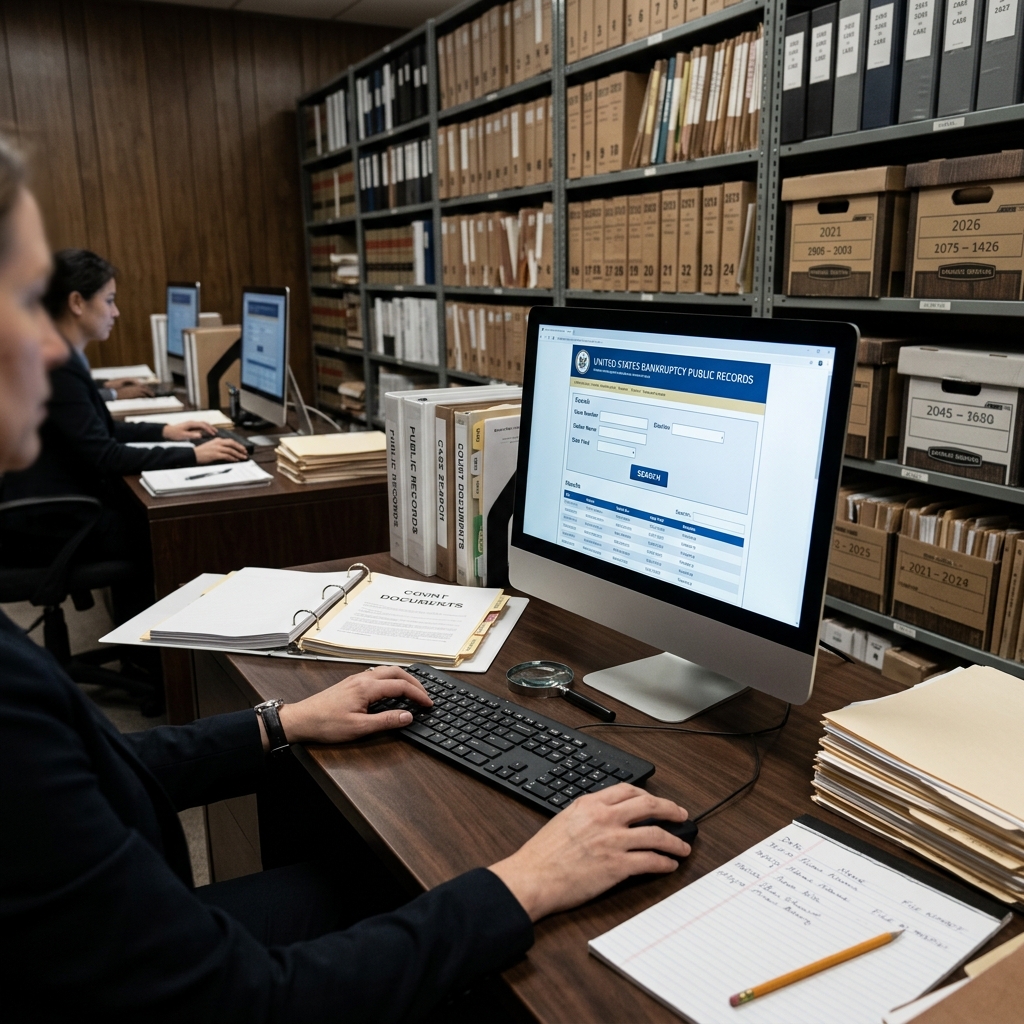
Bankruptcy filings in the United States are generally public records. This means that, with limited exceptions, members of the public can search for and view information about a bankruptcy case filed in federal court. Understanding how to locate these records, what they contain, and how they may affect your privacy and credit is essential for debtors, creditors, employers, landlords, and anyone conducting financial due diligence.
Bankruptcy Records as Public Information
Bankruptcy cases are handled by federal bankruptcy courts under the authority of the U.S. Judiciary, and case information is presumptively open to public inspection[10]. Federal law and court rules establish this default of openness, subject to specific protections for sensitive data.
In practice, this means:
- Most documents filed in a bankruptcy case are accessible to the public.
- Case docket information (the running list of filings and orders) can be viewed electronically or in person.
- Credit reporting agencies may receive and report bankruptcy information for a limited period.
However, certain personal identifiers are truncated or protected by federal privacy rules, and in rare situations a court may restrict access to specific documents to prevent harm or protect confidential information.
Where Bankruptcy Cases Are Filed
Bankruptcy matters are heard in specialized federal bankruptcy courts. Each federal judicial district has a bankruptcy court or a unit that handles bankruptcy cases[10]. The United States is divided into 94 federal judicial districts, and each district covers a defined geographic area such as a state or part of a state[10].
When an individual or business files for bankruptcy, their case is assigned to the appropriate bankruptcy court based on factors such as residence, principal place of business, or location of assets. To locate records, you may need to know:
- The state and district where the case was filed.
- The type of bankruptcy chapter (e.g., Chapter 7 liquidation, Chapter 13 repayment plan, Chapter 11 reorganization).
- The debtor’s full legal name or business name.
- The approximate filing date or year.
Core Tools for Bankruptcy Record Searches
There are three primary ways the public can access bankruptcy case records: in person at the courthouse, via the federal online system called PACER, and through automated phone systems in some districts.
Public Access at Bankruptcy Courthouses
Each bankruptcy court maintains case records and usually provides public terminals in the clerk’s office for on-site viewing. These terminals give access to electronic case files and dockets, and most courts allow viewing at no charge, though printing may incur a small fee.
Typical steps for an in-person search include:
- Finding the correct bankruptcy court using federal court locator tools.
- Visiting the clerk’s office during posted business hours.
- Using public terminals or requesting assistance from clerk staff to locate a case by name or case number.
- Viewing electronic case records, and optionally requesting paper or certified copies for a fee.
In some courts, older paper files may no longer be stored on-site and might have been transferred to the National Archives and Records Administration (NARA). In those situations, the clerk’s office can help you obtain archive location information needed to request records from NARA.
Online Access Through PACER
Public Access to Court Electronic Records (PACER) is the official online system of the federal judiciary for accessing case documents and dockets in U.S. appellate, district, and bankruptcy courts. PACER provides access to over one billion documents filed in federal courts.
To use PACER for bankruptcy record searches:
- Create a PACER account through the official PACER website.
- Log in and select the appropriate court or use the nationwide Case Locator.
- Search by party name, case number, or other identifiers allowed by the system.
- View or download dockets and documents for a per-page fee, with certain fee exemptions for qualifying users.
Registration is required, but creating an account is free; fees are typically assessed on a per-page basis when retrieving documents, with some caps and fee-waiver provisions for eligible users.
Voice Case Information Systems (VCIS)
Many bankruptcy courts also offer an automated telephone system called the Voice Case Information System (VCIS)
Key features of VCIS include:
- Access by toll-free phone number in participating districts.
- Search by case number, debtor name, Social Security Number, or employer tax ID (subject to privacy limitations).
- Audio read-out of case status, chapter type, filing date, and other summary data.
- A limited number of free searches per call in some systems.
VCIS does not provide full access to case documents, but it is useful for quick status checks and for obtaining the case number before performing a more detailed search online or at the courthouse.
What Information Bankruptcy Records Contain
Bankruptcy case files include a wide range of documents, and the specific contents depend on the chapter and complexity of the case. Common documents include:
- Voluntary petition — the initial filing that starts the case, listing basic information about the debtor, chapter type, and key financial data.
- Schedules of assets and liabilities — detailed lists of property, debts, income, and expenses.
- Statement of financial affairs — disclosures regarding recent financial transactions and transfers.
- Plan and confirmation order (for Chapter 11 and Chapter 13) — proposed repayment or reorganization plan and the court’s approval.
- Discharge order — the formal court order releasing the debtor from discharged debts when the case is successfully completed.
These documents can reveal substantial information about the debtor’s financial situation, including creditor names, debt amounts, types of assets held, and history of major transfers or lawsuits. Because this information is public, individuals considering bankruptcy often weigh privacy concerns alongside financial considerations.
Privacy Protections and Sensitive Information
Although bankruptcy records are public, courts follow federal privacy rules that limit the disclosure of certain personal data, such as full Social Security Numbers or dates of birth. For example, many documents only show the last four digits of a Social Security Number and omit full account numbers. Courts may seal or restrict access to particular filings when disclosure would cause undue harm or violate specific legal protections.
Practical privacy considerations include:
- Recognizing that names, addresses, and financial information may be viewable by the public.
- Understanding that employers, landlords, and others can lawfully review bankruptcy records via PACER or court access.
- Discussing with legal counsel whether any sensitive material requires special handling or a motion to restrict access in exceptional circumstances.
Impact on Credit Reports and Financial Screening
In addition to being public court records, bankruptcy filings may appear on consumer credit reports for a limited period. Federal agencies such as the Federal Trade Commission (FTC) and the Consumer Financial Protection Bureau (CFPB) provide guidance on disputing inaccurate credit report information related to bankruptcies.
Important points about credit reporting include:
- Credit reporting agencies gather public record data, including bankruptcy filings, and incorporate them into credit files.
- The length of time a bankruptcy can remain on a credit report depends on the type of bankruptcy and applicable law and industry practice.
- Consumers have the right to dispute errors or outdated information in their credit reports through processes described by the FTC and CFPB.
If a bankruptcy record is incorrect, misattributed, or still appears on a report beyond the lawful reporting period, contacting the credit bureau and referencing guidance from federal consumer protection agencies may help resolve the issue.
Obtaining Copies and Certified Documents
In many circumstances, parties need official copies of bankruptcy documents, such as for legal proceedings, loan applications, or other verification purposes. Records can be obtained:
- Electronically via PACER: Downloading PDF copies of filings for a per-page fee.
- In person or by mail from the clerk’s office: Requesting regular or certified copies, often by providing the case number, debtor name, and document details.
- From archives: For older cases, obtaining transfer and box numbers from the court and then submitting a request to NARA.
Certified copies bear a seal or certification statement authenticating the document for official use. Courts typically require specific information such as case number, document docket number, and a mailing address when fulfilling copy requests by mail.
Practical Uses of Bankruptcy Record Searches
Bankruptcy public record searches serve many practical purposes in both personal and business contexts. Common uses include:
- Creditors verifying the status of a debtor’s case, deadlines, and plan terms.
- Debtors confirming the discharge of debts or correcting mistaken information about their case.
- Employers or landlords conducting background checks that include bankruptcy filings, subject to applicable laws.
- Journalists and researchers examining corporate bankruptcies, economic trends, or major reorganizations.
- Attorneys and financial advisors reviewing case histories to guide clients in similar situations.
Because bankruptcy records can influence lending decisions, housing opportunities, and business relationships, accurate understanding and responsible use of these records are critical.
Common Challenges and Tips for Effective Searching
Searching bankruptcy public records can be straightforward when you have complete information but challenging when identifiers are missing or when you are unsure where a case was filed. The following tips can help improve search results:
- Start with the debtor’s full legal name and approximate filing year.
- Use the PACER Case Locator when you do not know the specific court, as it can search across multiple federal jurisdictions.
- Confirm the spelling of names, including middle initials and suffixes, to distinguish among individuals with similar names.
- If you only know partial identifiers, such as the last four digits of a Social Security Number, combine them with the last name to narrow results where permitted.
- Contact the clerk’s office or use VCIS to obtain a case number before performing detailed document searches.
Illustrative Comparison of Access Methods
| Access Method | Cost | Type of Information | Advantages | Limitations |
|---|---|---|---|---|
| Courthouse public terminals | Viewing often free; printing fees may apply | Full dockets and documents | Direct assistance from clerk; no PACER account needed | Requires in-person visit; limited to local court hours |
| PACER online access | Per-page electronic access fees with possible waivers | Dockets and documents from federal courts nationwide | Convenient remote access; searchable across courts | Requires registration and internet; fees for heavy use |
| VCIS phone system | Typically free or low-cost; some limits per call | Basic case status and summary information | 24/7 access by phone; no computer needed | No document images; limited details |
FAQs About Bankruptcy Public Record Searches
Are all bankruptcy records available to the public?
Most bankruptcy case records are public, but some information is redacted or protected under privacy rules, and in rare cases courts may seal specific documents to protect sensitive data.
Do I need a lawyer to search for bankruptcy records?
No. Members of the public can search records using PACER, VCIS, or courthouse terminals without legal representation. However, consulting an attorney may be helpful if you need to interpret complex filings or use the records in litigation or financial planning.
Can I remove a bankruptcy from public court records?
Bankruptcy court records are part of the official case file and generally cannot be removed or erased. While credit reports may eventually stop reporting a bankruptcy after a certain period, the court’s record itself remains available unless sealed under specific legal circumstances.
How much does PACER cost?
PACER charges fees based on the number of pages of data accessed, with some caps and exemptions for qualifying users such as certain pro se litigants, researchers, or low-income users. Details are available from the PACER Service Center.
What if I cannot find a case in the court I expected?
Use the PACER Case Locator to search across all federal courts or verify the correct district using official court finder tools[10]. If you still cannot locate a case, contact the clerk’s office, which may be able to assist with more specific search options.
References
- Bankruptcy Case Records & Credit Reporting — United States Courts. 2023-05-01. https://www.uscourts.gov/court-programs/bankruptcy/bankruptcy-case-records-credit-reporting
- Public Access to Court Electronic Records (PACER) — Administrative Office of the U.S. Courts. 2024-01-10. https://pacer.uscourts.gov/
- Bankruptcy Courts — USA.gov. 2022-11-15. https://www.usa.gov/agencies/bankruptcy-courts
- Records / Case Information — U.S. Bankruptcy Court, Southern District of California. 2023-08-30. https://www.casb.uscourts.gov/records-case-information
- How to Obtain Case Information — U.S. Bankruptcy Court, Central District of California. 2023-06-20. https://www.cacb.uscourts.gov/how-obtain-case-information
- Bankruptcy Court Records — Berkeley Advanced Media Institute. 2019-04-02. https://multimedia.journalism.berkeley.edu/tutorials/bankruptcy-court-records/
- Finding the Status of a Bankruptcy Case — Washington Courts eService Center. 2021-07-15. https://customerservices.courts.wa.gov/support/solutions/articles/72000577274-finding-the-status-of-a-bankruptcy-case
Similar Articles








Read full bio of medha deb