Smart E‑Filing: How to Protect Your Tax Data Online
A practical guide to filing your tax return online while keeping your identity, money, and sensitive financial data safe from cyber threats.
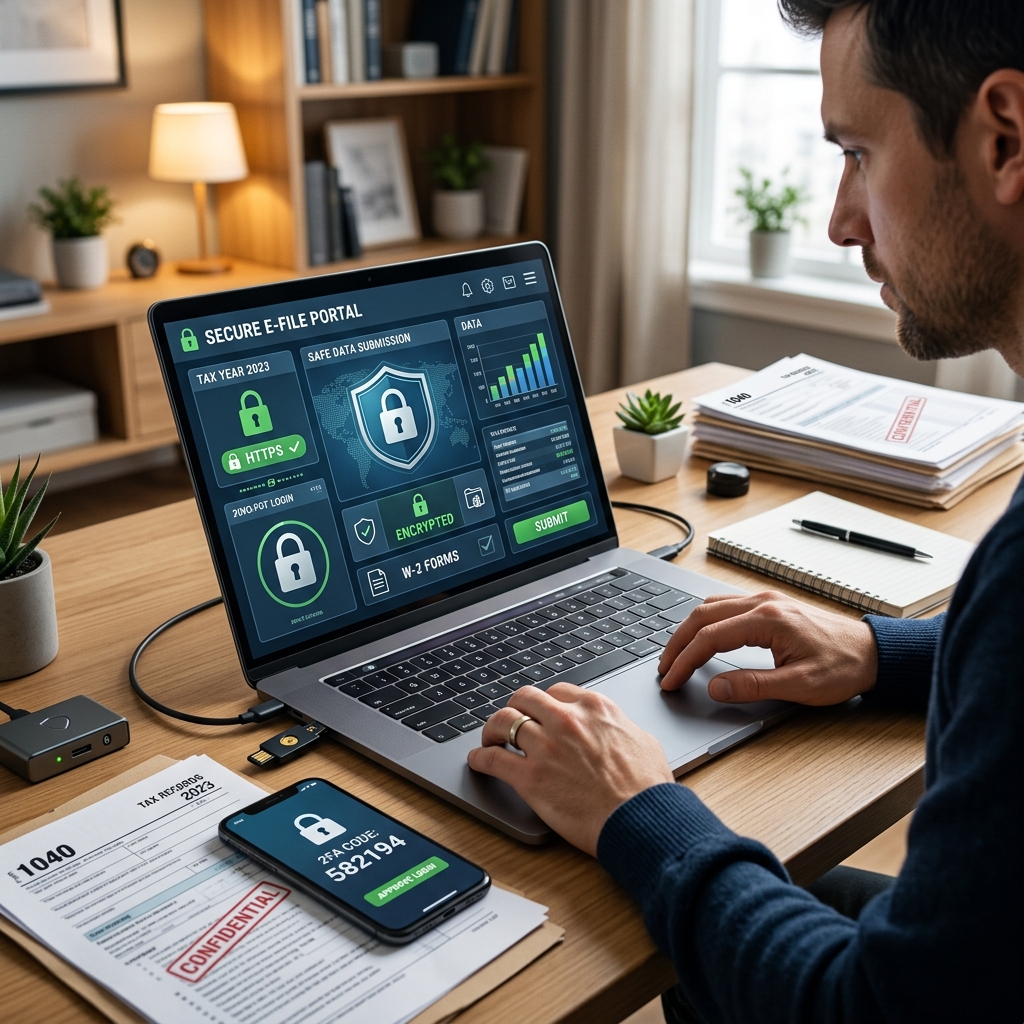
Filing your tax return electronically is fast, convenient, and often more accurate than mailing a paper form. But every time you submit your Social Security number, bank account, and income details online, you create an attractive target for cybercriminals. Protecting that data is just as important as getting your numbers right.
This guide explains how to safeguard your information when you e‑file: from choosing secure software and connections to spotting scams, using IRS tools, and storing your records safely once you are done.
Why Online Tax Filing Needs Extra Security
Your tax return contains nearly everything a criminal needs to steal your identity: full name, address, Social Security number (SSN), employer information, and bank account details for refunds or payments. If attackers obtain this data, they can file fraudulent returns, open accounts in your name, or attempt unauthorized transfers.
Electronic filing itself is not inherently unsafe. Reputable tax software, the IRS e‑file system, and financial institutions use strong encryption and layered security controls. The risk usually comes from how you access those services, the devices you use, and whether you respond to fraudulent messages pretending to be official communications.
- Benefits of e‑filing: faster refunds, immediate confirmation of receipt, fewer math errors, and secure transmission when using trusted platforms.
- Main risks: phishing scams, malware on your devices, weak or reused passwords, and insecure Wi‑Fi or websites.
Core Principles for Safe Online Tax Filing
Before looking at specific techniques, it helps to understand a few core cybersecurity ideas that apply directly to e‑filing your tax return.
- Confidentiality: Only you, the IRS, and any legitimate tax professional should see your tax data. Use encryption, secure websites, and trusted portals to keep it private.
- Integrity: Your information should not be altered without your knowledge. Up‑to‑date software and secure accounts help prevent tampering.
- Availability: You need access to accurate records when filing, amending, or responding to IRS notices. Good backups and organized storage support this.
Selecting Safe Tools for E‑Filing
Security starts with the tools you use. Whether you file on your own or with a tax professional, choose platforms that demonstrate strong protection measures and comply with IRS standards.
Look for Secure, Well‑Established Software
Major tax software and reputable preparers typically use encryption and secure transmission protocols when sending your return to the IRS. When evaluating a service, check:
- Use of HTTPS: The website address should begin with
https://and show a padlock icon, indicating an encrypted connection. - Clear privacy and security policies: Look for a detailed description of how the provider stores, transmits, and protects your data.
- Multi‑factor authentication (MFA): Prefer services that let you require an extra verification step, such as a text code or authentication app, when signing in.
Questions to Ask a Tax Professional
If you use a preparer, do not hesitate to ask how they protect client information. Responsible firms are accustomed to these questions and may be subject to IRS e‑file security and privacy requirements.
- How are my documents transmitted to and from your office (encrypted email, secure portal, etc.)?
- Who has access to my records, and how is that access controlled?
- Do you follow IRS guidance on safeguarding taxpayer data and incident reporting?
- How long do you retain my information, and how is it disposed of when no longer needed?
Securing Your Devices and Network Before You File
A secure tax website cannot protect you if your own computer or phone is compromised. Preparing your devices and network before you start e‑filing significantly reduces your exposure.
Keep Systems and Software Up to Date
Software updates often fix security vulnerabilities that attackers actively target. Install updates for your operating system, browser, tax software, and security tools as they become available.
- Enable automatic updates on your computer and smartphone when possible.
- Update your tax application before you begin entering information each season.
- Regularly run antivirus scans and ensure your firewall is active.
Protect Your Home Wi‑Fi and Avoid Risky Connections
Your internet connection is the pathway your tax data travels. Treat it as a critical security asset.
- Use a strong, unique Wi‑Fi password and modern encryption (such as WPA3 or WPA2).
- Avoid filing taxes on public or unsecured Wi‑Fi, such as coffee shop or airport networks.
- If you must connect on the go, consider a trusted virtual private network (VPN) to encrypt traffic.
| Connection Type | Risk Level | Recommended Use |
|---|---|---|
| Home Wi‑Fi with strong password and WPA3/WPA2 | Lower | Best choice for filing your tax return. |
| Trusted VPN over secure home or work network | Lower | Good option for extra encryption and privacy. |
| Public Wi‑Fi (no password or shared password) | High | Do not use for tax filing or accessing financial accounts. |
Building Strong Account Security for Tax Filing
Most tax software and IRS online tools require an account. If criminals gain access to that account, they may obtain your past returns or attempt to file on your behalf. Robust account security is essential.
Use Strong, Unique Passwords
Weak passwords or reused credentials across multiple sites are a major cause of account breaches. When you create or update passwords for tax software, your email, and your IRS online account:
- Make passwords long (at least 12–16 characters) and complex, mixing letters, numbers, and symbols.
- Do not reuse passwords you use for social media, shopping, or other sites.
- Consider using a reputable password manager to generate and store unique passwords securely.
Turn On Multi‑Factor Authentication (MFA)
MFA adds a second verification step, such as a text code or authentication app, in addition to your password. It is one of the most effective ways to reduce account takeover risk.
- Enable MFA on your IRS online account, tax software, and financial institutions whenever available.
- Prefer authentication apps or hardware keys over SMS when possible, as they can be more resistant to certain attacks.
- Store backup codes securely in case you lose access to your primary device.
Recognizing and Avoiding Tax Scams
Tax season attracts phishing emails, fake texts, and fraudulent phone calls that attempt to trick you into revealing information or sending money. Understanding typical scam patterns helps you avoid becoming a victim.
How the IRS Communicates (and How It Does Not)
Many scams work by pretending to be the IRS or a tax agency. Knowing genuine communication channels makes those impostors easier to spot.
- The IRS does not initiate contact with taxpayers by email, text message, or social media to demand immediate payment or request sensitive information.
- Official IRS communications are typically delivered by mail; some interactions may be supported by secure online accounts and portals.
- Messages threatening arrest, license revocation, or legal action unless you pay immediately are warning signs of scams.
Common Red Flags for Phishing and Fraud
Attackers use urgency and fear to push you into quick decisions. Slow down and examine any unexpected message carefully.
- Unsolicited emails or texts about your refund or tax bill.
- Requests to click unfamiliar links or open attachments to “verify” your information.
- Spelling mistakes, generic greetings, or unusual sender addresses.
- Demands for payment via gift cards, cryptocurrency, or wire transfer.
If you suspect phishing, do not click links or download files. Instead, delete the message and report it through your email provider or workplace security process.
Using Official IRS Tools to Increase Security
In addition to general cyber hygiene, certain IRS tools and rules are designed specifically to protect taxpayers from fraud and to manage electronic filing correctly.
Identity Protection PIN (IP PIN)
An Identity Protection PIN is a six‑digit number the IRS uses to confirm that a tax return is genuinely from you. Once you have an IP PIN, the IRS will not accept returns for your SSN without it, which makes it harder for criminals to file in your name.
- Eligible taxpayers can request an IP PIN through the IRS after verifying their identity.
- Keep your IP PIN confidential and store it with your tax records.
- Update or retrieve your IP PIN through the IRS if you misplace it before filing.
Responding to Rejected Electronic Returns
Occasionally, a legitimate e‑filed return is rejected because certain data does not match IRS records, such as a prior year adjusted gross income (AGI). A rejection notice does not automatically mean fraud, but you need to respond promptly.
- Carefully review the rejection message to identify the specific issue.
- Correct the problem—such as a typo or AGI mismatch—and resubmit electronically if possible.
- If you must file by paper after a rejection, follow IRS instructions, including attaching the rejection notice and explaining corrective steps.
Handling and Storing Tax Documents Securely
Security does not end when you click “submit.” Proper handling and storage of your tax records protect you against future identity theft, audits, or disputes.
Safe Ways to Exchange Tax Documents
Sending forms like W‑2s, 1099s, and bank statements through regular email attachments can expose sensitive data. Use safer methods whenever you share documents with a preparer or store copies.
- Prefer secure client portals or encrypted file‑sharing services recommended by your tax professional.
- If email is necessary, password‑protect or encrypt attachments and share passwords through a different channel.
- When mailing paper documents, use a trusted delivery service that provides tracking, and avoid leaving envelopes in unsecured locations.
Backing Up and Organizing Your Records
Maintain both digital and physical backups of your returns and supporting documents, stored in ways that balance accessibility and protection.
- Keep electronic copies in encrypted cloud storage or on an external drive not permanently connected to your computer.
- Store paper records in a locked drawer, safe, or other secure location.
- Retain copies of filed returns and key forms for multiple years, as recommended by tax guidance, so you can respond to IRS questions or verify information later.
Staying Alert for Signs of Identity Theft
Despite strong precautions, identity theft can still occur. Recognizing early warning signs allows you to respond quickly and limit harm.
- You attempt to e‑file, but the IRS reports that a return has already been filed using your SSN.
- You receive IRS notices about income from employers you do not recognize.
- You see unexplained tax transcripts or account activity on your IRS online account.
If you suspect tax‑related identity theft, contact the IRS using official channels and follow guidance on reporting and resolving the issue. You may be asked to provide documentation and to use additional verification tools in subsequent years.
Practical Checklist Before You Hit “Submit”
As you prepare to file electronically, use this quick checklist to review your security posture:
- All software and devices updated; antivirus and firewall enabled.
- Strong, unique passwords and MFA turned on for tax and financial accounts.
- Filing only over secure Wi‑Fi or VPN; avoiding public networks.
- Using trusted tax software or a reputable preparer with documented cybersecurity practices.
- Verifying site security (HTTPS and padlock) before entering data.
- Storing copies of filed returns and key documents securely after submission.
FAQs: Protecting Your Data When E‑Filing Taxes
Is e‑filing safer than mailing a paper tax return?
When you use trusted software or a reputable tax professional and follow good cybersecurity practices, e‑filing can be safer than mailing paper forms. Electronic transmission through secure, encrypted channels reduces the risk of physical mail interception, and you receive clear confirmation that the IRS has accepted your return.
Should I file taxes on my smartphone?
Filing on a smartphone can be safe if the device is updated, protected with a strong passcode or biometric lock, and connected to a secure network. Avoid public Wi‑Fi and ensure that any tax app you use comes from a reputable provider and is downloaded from an official app store.
How can I tell if a tax email is really from the IRS?
The IRS generally does not start contact through email, text, or social media to demand payment or request sensitive information. Messages that ask you to click links, open attachments, or provide private data are likely fraudulent. When in doubt, ignore the message and rely on official IRS mail or secure online accounts you access directly by typing the known address into your browser.
Do I need an Identity Protection PIN to file safely?
An Identity Protection PIN is not required for every taxpayer, but it adds an extra layer of safety by ensuring the IRS can distinguish your legitimate return from fraudulent ones. It is especially useful for people who have experienced identity theft or who want additional protection. You can obtain details and eligibility from official IRS guidance.
What should I do if my e‑filed return is rejected?
Do not panic. Review the rejection notice to identify the problem, correct the information, and resubmit electronically when possible. If necessary, you may file a paper return and include an explanation and a copy of the rejection notification as directed by IRS instructions.
References
- Electronic filing (e-file) — Internal Revenue Service. 2024-02-15. https://www.irs.gov/faqs/electronic-filing-e-file
- 10 Tips to Keep Your Information Secure When Filing Taxes Online — TaxAct. 2023-01-05. https://blog.taxact.com/tax-filing-security-tips/
- Cybersecurity Tips for Tax Season: How to Protect Your Identity and Refund — National Cybersecurity Alliance (StaySafeOnline). 2024-01-10. https://www.staysafeonline.org/articles/cybersecurity-tips-for-tax-season-how-to-protect-your-identity-and-refund
- Best Practices for Tax Return Preparers When E-Filing — Bloomberg Tax. 2022-03-18. https://pro.bloombergtax.com/insights/federal-tax/best-practices-for-tax-return-preparers-when-e-filing/
- Electronic filing (e-file) Security & Privacy Standards — IRS via RSAC advisory summary. 2021-06-01. https://www.rsisecurity.com/compliance-advisory-services/irs-efile-security-privacy-standards/
- How To Safeguard Your Data From Tax Scams — Ameris Bank. 2023-02-20. https://www.amerisbank.com/Personal/Learn/Financial-Articles-Advice/Managing-Your-Money/How-To-Safeguard-Your-Data-From-Tax-Scams
- Are IRS Security Tools Blocking Millions of People from Filing Electronically? — Tax Policy Center. 2021-04-26. https://www.taxpolicycenter.org/taxvox/are-irs-security-tools-blocking-millions-people-filing-electronically
Similar Articles








Read full bio of medha deb