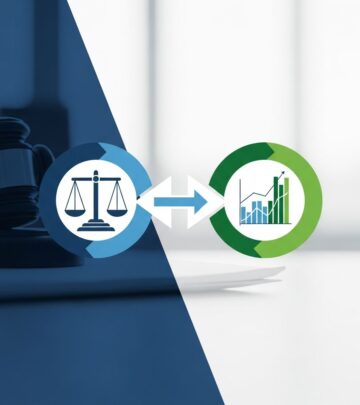
Why Tech-Savvy Lawyers Are Now Essential
Explore why technology fluency has become a core legal competency, reshaping ethics, client expectations, and everyday law practice.

Technology Competence: The New Baseline Skill for Legal Professionals
Technology has moved from the periphery of legal practice to its very center. Digital tools now shape how lawyers research the law, manage documents, communicate with clients, file in court, and even price their services. As a result, technology competence is no longer optional—it is a core professional skill that directly affects ethics, effectiveness, and long-term career viability.
This article explains why technical fluency has become essential in law, what “technology competence” actually includes, and how lawyers, paralegals, and legal staff can build and demonstrate this capability in a fast-changing environment.
From Nice-to-Have to Non-Negotiable: How Legal Tech Reached a Turning Point
For years, legal technology was often treated as an administrative add-on. That era is over. Multiple forces have converged to make tech skills integral to the practice of law:
- Client pressure for efficiency and transparency has increased dramatically, pushing firms to use tools that reduce time and cost.
- AI and automation now support research, drafting, contract review, and e-discovery at a speed and scale human teams cannot match.
- Remote and hybrid work have made digital collaboration, cloud platforms, and secure online communications indispensable.
- Data privacy and cybersecurity regulations require lawyers to understand how information is stored, shared, and protected.
Industry reports show that legal departments and law firms are rapidly increasing technology investments, particularly in automation and AI-enabled tools, in order to do more with fewer resources. Lawyers who lack the skills to use these tools risk falling behind colleagues and competitors who can.
Ethics and Professional Responsibility: Tech Competence as a Duty
Technology skills are not just a career advantage; they are increasingly tied to professional responsibility. Many jurisdictions have formally recognized that competent representation includes understanding and appropriately using relevant technology. Failing to do so can undermine a lawyer’s ability to protect client interests in several ways:
- Confidentiality risks when lawyers do not understand secure communication, encryption, or data-sharing tools.
- Discovery mistakes when counsel mishandles electronic evidence, metadata, or large datasets.
- Missed opportunities for efficiency that cause unnecessary cost and delay, contrary to client expectations of reasonable diligence.
Professional bodies and courts are also updating guidance and expectations around the responsible use of AI in legal work, including transparency with clients and courts about how these tools are used and how their results are verified.
What Technology Competence Really Means in Legal Practice
Technology competence is broader than simply knowing how to operate a few software programs. It is an evolving mix of foundational skills, tool-specific knowledge, and judgment about when and how to use technology. At a high level, it includes the abilities to:
- Understand core categories of legal tech (research platforms, document automation, practice management, e-discovery, AI assistants).
- Evaluate tools critically for reliability, security, and suitability for particular matters.
- Integrate software into workflows so that technology reduces friction rather than adding it.
- Stay adaptable and continuously learn as tools, interfaces, and capabilities change.
Key Technology Domains Every Lawyer Should Understand
| Domain | What It Covers | Why It Matters |
|---|---|---|
| Productivity & Office Tools | Word processing, email, PDF tools, spreadsheets, templates, digital signatures | Forms the backbone of day-to-day legal work; poor skills here create errors and delays. |
| Legal Research Platforms | Online case law databases, citators, AI-assisted search and summarization | Determines speed and accuracy of research, directly affecting work quality and cost. |
| Case & Matter Management | Calendaring, task tracking, billing, client communication logs, document storage | Essential for meeting deadlines, preventing conflicts, and keeping matters organized. |
| Data & Analytics | Spreadsheets, dashboards, data visualization, basic statistics and metrics | Supports evidence analysis, budgeting, and strategic decision-making for clients. |
| Cybersecurity & Privacy | Password management, access controls, secure file sharing, breach response basics | Protects client confidences and ensures compliance with privacy regulations. |
| AI & Automation | Generative AI tools, document automation, contract review and e-discovery platforms | Delivers large gains in speed and consistency; requires human oversight and ethical use. |
How Technology Rewrites the Day-to-Day Practice of Law
Tech competence touches nearly every phase of the legal workflow. Lawyers who understand how to design and refine their processes around the right tools can dramatically improve outcomes for both clients and teams.
Client Intake and Communication
Digital tools now enable more efficient, transparent interactions from the first contact onward:
- Online intake forms capture client data in a structured, searchable format.
- Secure client portals allow document exchange and status updates without email overload.
- Video conferencing platforms make meetings more accessible while reducing travel time.
Technology-literate lawyers can configure these tools to match their practice’s needs, set up automations for reminders and follow-ups, and ensure that communications remain compliant with confidentiality obligations.
Legal Research and Knowledge Management
Research platforms now combine traditional search functions with AI features that suggest relevant cases, summarize opinions, or flag potential issues. Effective use of these tools requires:
- Crafting targeted queries and using filters effectively.
- Understanding how algorithms surface results, including limitations and biases.
- Validating AI-generated summaries against primary sources.
Firms increasingly rely on internal knowledge systems—playbooks, clause libraries, checklists—to avoid reinventing the wheel. Tech-competent lawyers help grow and refine these libraries so that valuable insights are captured and reused.
Document Drafting, Review, and Automation
Document-heavy work is one of the areas where technology has the greatest impact:
- Template libraries and clause banks promote consistency and reduce drafting time.
- Document automation tools generate complex agreements or pleadings from questionnaires, significantly reducing manual editing.
- AI-assisted review can highlight non-standard language, missing clauses, or risky terms in contracts.
Lawyers who are comfortable configuring and supervising these systems can focus more on strategy and negotiation rather than repetitive drafting tasks.
Litigation, E-Discovery, and Evidence Management
Modern litigation often involves vast quantities of digital information—emails, chat logs, documents, metadata, and more. E-discovery platforms now use analytics and AI to:
- Group similar documents.
- Identify key custodians and communication patterns.
- Prioritize likely relevant materials for human review.
Court systems are also increasingly adopting electronic filing, virtual hearings, and digital evidence presentation. Lawyers must understand how to format, submit, and present electronic materials correctly to avoid procedural problems and ensure that their arguments are fully heard.
Why Tech Competence Directly Affects Client Value
Clients rarely hire lawyers for their software skills, but they experience the consequences of tech competence in several concrete ways:
- Speed: Well-designed, technology-enabled workflows shorten turnaround times for opinions, filings, and contract markups.
- Cost control: Automation and AI-assisted review can reduce the number of billable hours required, making fixed-fee or alternative fee arrangements more viable.
- Accuracy and consistency: Templates, checklists, and automated checks reduce avoidable errors and omissions.
- Transparency: Dashboards and matter management tools provide clearer reporting on progress, budgets, and risk.
Corporate legal departments are increasingly evaluating outside counsel on their ability to leverage technology effectively. Lawyers who cannot demonstrate these capabilities may find themselves excluded from preferred counsel lists.
Risks of Ignoring Technology: Professional, Financial, and Strategic
Choosing not to build technology competence is itself a strategic decision—with significant downsides:
- Competitive disadvantage: Tech-forward firms can deliver similar or better outcomes faster and at lower cost, making traditional practices less attractive.
- Higher error risk: Manual processes for document management, calculations, or deadlines are more prone to mistakes.
- Security vulnerabilities: Outdated systems and poor digital hygiene increase the chance of data breaches, which can carry regulatory, financial, and reputational consequences.
- Talent retention challenges: Younger lawyers expect up-to-date tools and efficient workflows; outdated environments make recruitment and retention harder.
At a broader level, courts and regulators are moving toward more digital processes. Lawyers who resist these changes may struggle to participate fully in the legal system as it evolves.
Building Technology Competence: A Practical Roadmap
The good news is that technology competence is learnable and can be developed incrementally. It does not require a computer science degree—only curiosity, discipline, and consistent practice.
1. Strengthen Core Digital Skills
First, ensure a strong foundation in widely used tools:
- Master styles, cross-references, tables of contents, and redlining in word processors.
- Use email rules, categories, and shared mailboxes to manage communications efficiently.
- Learn to create and edit PDFs, including Bates numbering, redactions, and form fields.
- Develop intermediate spreadsheet skills, including formulas, filters, and charts for basic data analysis.
2. Learn the Tools Your Practice Already Uses
Most firms and legal departments already license powerful platforms that are underutilized. Steps to unlock their value include:
- Attending vendor or bar association training sessions.
- Exploring built-in automation features (templates, workflows, task rules).
- Creating simple internal guides or checklists so colleagues can use tools consistently.
3. Develop Data Awareness and Analytical Thinking
Lawyers do not need to become data scientists, but they should understand how to read and work with data relevant to their matters. This includes:
- Reviewing basic metrics (cycle times, matter volume, spend) in dashboards.
- Interpreting trends and outliers that might signal legal or business risk.
- Collaborating effectively with internal data or IT teams.
4. Stay Current on AI and Emerging Tools
Generative AI and related technologies are advancing rapidly. To use them responsibly:
- Understand what tasks they are suitable for (e.g., drafting, summarizing, issue-spotting) and where human oversight is essential.
- Learn how your jurisdiction and courts are approaching AI use in filings and advocacy.
- Implement internal guidelines for reviewing, verifying, and citing AI-assisted work product.
5. Embrace Lifelong Learning and Adaptability
Technology competence is not a one-time goal; it is a continuous process of adaptation. The most successful lawyers cultivate:
- Learning agility: comfort with trying new interfaces, experimenting with features, and iterating on workflows.
- Feedback loops: seeking client and colleague input on what is working and what is not.
- Collaboration with specialists: partnering with IT, legal operations, cybersecurity, and data experts when matters require deeper technical skills.
Roles Beyond Lawyers: Why the Whole Legal Team Needs Tech Skills
Technology competence is not limited to attorneys. Paralegals, legal assistants, and operations professionals are often the ones who configure systems and ensure that tools are used effectively day to day.
Key team-wide capabilities include:
- Comfort with e-filing systems, docketing tools, and calendaring.
- Proficiency with document management and version control.
- Basic understanding of security practices, such as multifactor authentication and secure file transfer.
- Ability to troubleshoot common software issues and know when to escalate to IT.
Legal organizations that invest in technology training for all staff—not just attorneys—see better returns on their software investments and more consistent service delivery.
Frequently Asked Questions (FAQs)
Q1: What is the minimum level of technology competence a lawyer needs?
At a minimum, lawyers should be able to use common productivity tools efficiently, conduct online legal research effectively, manage digital documents securely, and understand the basics of cybersecurity and data privacy relevant to their practice. Beyond this baseline, each lawyer should develop deeper skills in the technologies most frequently used in their practice areas.
Q2: Does using AI in legal work raise ethical concerns?
Yes. AI tools can improve efficiency, but they also introduce risks around accuracy, confidentiality, and transparency. Ethical use typically requires human supervision of AI outputs, protection of client data, and clear communication to courts and clients about how these tools are used and how results are verified.
Q3: How can small firms or solo practitioners stay competitive with limited tech budgets?
Smaller practices can focus on a carefully chosen set of cloud-based tools that deliver the greatest impact—such as practice management software, e-signature tools, and robust research platforms—while taking advantage of bar association discounts and free training resources. Often, the real differentiator is not the number of tools but how effectively they are configured and used.
Q4: Are law schools teaching enough technology skills?
Many law schools now offer courses, workshops, or certificates on legal technology, e-discovery, and AI, but the depth of coverage varies widely. Students who want a competitive edge should supplement formal coursework with hands-on experience using research platforms, drafting tools, and collaboration software commonly used in practice.
Q5: How often should lawyers update their technology training?
Given the pace of change, an annual review of major tools and trends is a sensible minimum. Many lawyers incorporate tech-focused continuing legal education (CLE) into their regular professional development, and some organizations schedule quarterly internal sessions to cover new features, security updates, and workflow improvements.
References
- Legal Technology Trends to Watch in 2025 — Clio. 2024-10-02. https://www.clio.com/blog/legal-technology-trends/
- Making Legal Technology Work: Skills, Specialists and Strategy — Robert Half. 2023-11-15. https://www.roberthalf.com/us/en/insights/management-tips/legal-technology-solutions
- The Must-Have Skill for First-Year Legal Associates in 2025: Adaptability — Attorney at Law Magazine. 2024-08-05. https://attorneyatlawmagazine.com/legal/legal-trends/the-must-have-skill-for-first-year-legal-associates-in-2025-adaptability
- Top Legal Skills for Success in 2025 — SpotDraft. 2024-06-18. https://www.spotdraft.com/blog/top-legal-skills
- Technology Skills for Law Students: Legal Practice Tech Tools — University of Southern California Law Library. 2023-09-01. https://lawlibguides.usc.edu/c.php?g=972915&p=9541509
- Top Predictions and Trends for Legal Tech in 2025 — Everlaw. 2024-12-12. https://www.everlaw.com/blog/year-in-review/top-predictions-and-trends-for-legal-tech-in-2025/
- Technology and the Future Practice of Law: 2025 Report — Virginia State Bar. 2017-07-01. https://vsb.org/common/Uploaded%20files/docs/pub-future-law-report-2025.pdf
Similar Articles








Read full bio of Sneha Tete