
Why Modern Law Firms Depend on PDF Editing Software
Discover how robust PDF editing tools streamline legal work, protect client data, and keep your law firm competitive in a digital-first world.
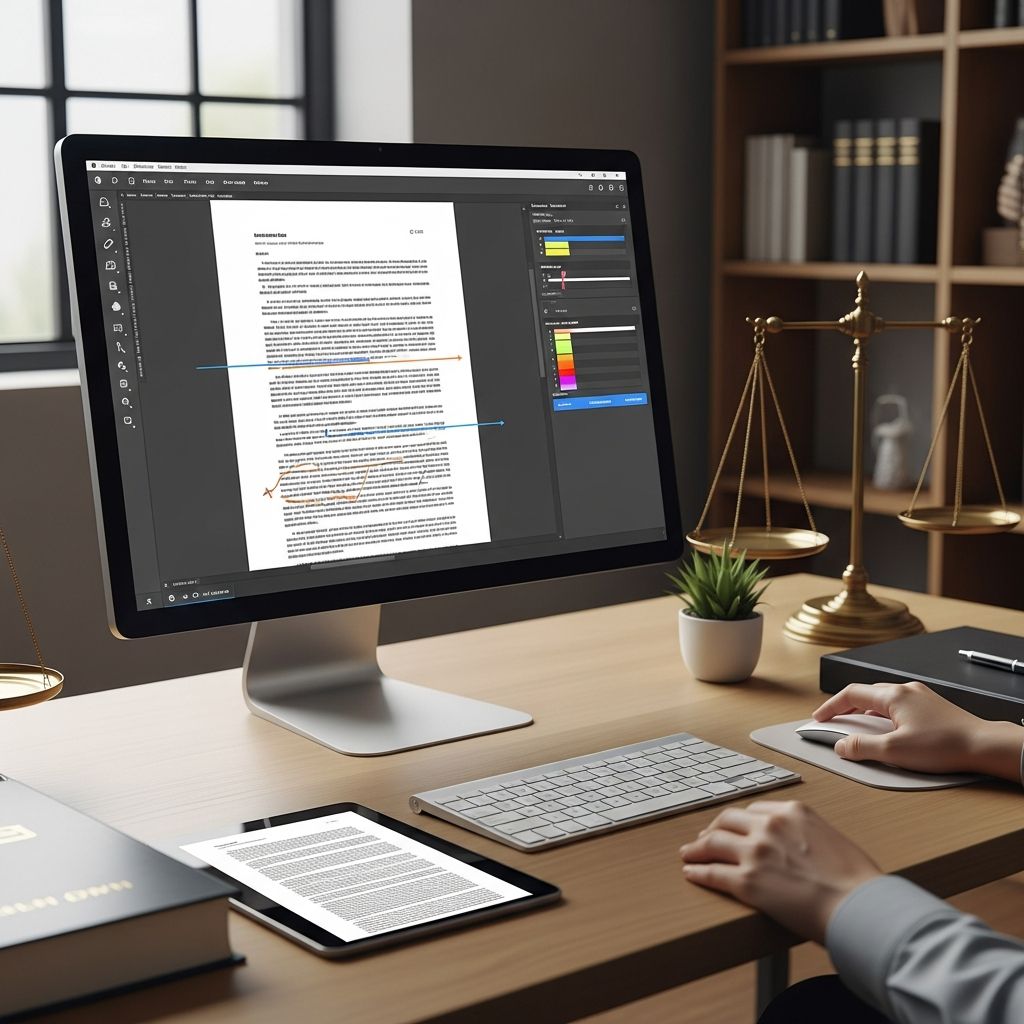
PDFs have become the default container for legal documents, from court filings and discovery productions to engagement letters and settlement agreements. As courts and clients shift to digital-first interactions, PDF editing software is no longer a nice-to-have add-on; it is a core piece of a law firm’s technology stack.
This article explains why PDF tools matter, what capabilities truly help a law practice, and how to evaluate whether your firm’s current solution is keeping up.
Why PDFs Are So Central to Legal Practice
The dominance of the PDF format in the legal world is not accidental. PDF (Portable Document Format) was designed to preserve layout and appearance across systems, which is critical when documents must look identical in every courtroom and on every device. Modern courts and agencies increasingly expect electronic documents to be submitted in PDF form, often with strict technical requirements for size, text-searchability, and security.
Key reasons law firms rely on PDFs
- Universal readability: PDFs open consistently across operating systems and devices, making them ideal for sharing with courts, clients, and opposing counsel.
- Formatting stability: Fonts, spacing, and pagination remain intact, which is crucial for pleadings, contracts, and exhibits where layout can affect interpretation.
- Searchable text: With optical character recognition (OCR), scanned documents become full-text searchable, dramatically easing legal research and evidence review.
- Security options: PDFs support encryption, access controls, and digital signatures, helping firms protect client confidentiality and comply with professional obligations.
- Long-term preservation: PDF/A standards are designed for archival use, which supports retention obligations for case files.
What PDF Editing Software Adds Beyond a Simple Viewer
Basic PDF readers allow you to open and print documents, but they do almost nothing to streamline legal workflows. A full-featured PDF editor transforms PDFs from static final files into flexible working documents that can be edited, marked up, secured, and integrated into case management tools.
Core capabilities valuable to law firms
- Editing and cleanup: Correct typos, fix formatting, adjust pagination, and update dates or party names directly in the PDF.
- Markups and collaboration: Add comments, highlights, and annotations to draft agreements, deposition transcripts, and research memos for team review.
- Combine and organize: Merge multiple PDFs, insert or remove pages, and reorder exhibits to build coherent filing packets or closing binders.
- Text recognition (OCR): Turn scanned documents into searchable, selectable text—essential for e-discovery, motion practice, and trial prep.
- Secure redaction: Permanently remove sensitive information so that privileged, confidential, or personal data is not exposed.
- Digital signatures: Apply legally binding electronic signatures to engagement letters, settlement agreements, and declarations.
How PDF Editing Software Streamlines Everyday Legal Work
In a typical legal matter, dozens or hundreds of documents move through the firm. Without robust PDF tools, staff rely on manual steps—printing, scanning, retyping, and reassembling files—that introduce delays and risk.
1. Drafting, reviewing, and revising documents
Attorneys and staff often receive documents from clients and co-counsel in PDF form. With a capable editor, you can:
- Modify language directly in the PDF when native word-processing files are unavailable.
- Use comments, callouts, and highlights for internal review rather than passing around different versions of the same file.
- Track changes visually so that partners, clients, and opposing counsel can see exactly what has been modified.
2. Managing exhibits and court filings
Court systems that support e-filing typically require PDFs that meet specific technical standards such as page size, resolution, and maximum file size. PDF editing software helps you:
- Combine multiple pleadings, exhibits, and declarations into properly ordered filings.
- Compress large PDFs (for example, those with many images) to meet size limits without sacrificing legibility.
- Add bookmarks, page labels, and tables of contents for judge-friendly navigation.
- Apply Bates numbers or exhibit labels consistently across all documents.
3. E-signatures and remote client interactions
Remote and hybrid work have accelerated the adoption of electronic signatures across the legal industry. Integrated PDF editors and e-signature tools allow your firm to:
- Send engagement letters, fee agreements, and settlements for secure electronic signature.
- Track who has signed and when, with an audit trail for evidentiary purposes.
- Eliminate delays associated with printing, mailing, and scanning signed documents.
4. Discovery, investigations, and research
Modern cases routinely involve thousands of pages of documents. PDF editing software with robust search and annotation features helps teams:
- Convert scanned discovery to searchable text using OCR.
- Highlight key testimony, add sticky notes, and cross-reference exhibits.
- Export or share annotated PDFs with co-counsel or experts for coordinated strategy.
Security and Compliance: Protecting Client Confidentiality
Lawyers are required to safeguard client information and use technology competently to protect that data. PDF editors provide several tools that support confidentiality and regulatory compliance.
| Security Feature | How It Helps a Law Firm |
|---|---|
| Password protection & encryption | Restricts access to authorized users and protects documents sent via email or shared drives. |
| Permission controls | Limits printing, copying, or editing, which is useful when sharing drafts or discovery productions. |
| Digital signatures & certificates | Verify the origin and integrity of important filings or agreements. |
| Secure redaction | Permanently removes and masks confidential information, reducing the risk of inadvertent disclosure. |
Used properly, these features help firms align with professional conduct rules on confidentiality and to manage the risks associated with electronic communications.
Integration With Document and Case Management Systems
Many law firms now rely on practice management and document management systems (DMS) to organize matters, emails, and documents in a central repository. The most effective PDF editing tools integrate with these systems.
Benefits of integrated PDF editing
- One-click access: Open, edit, and save PDFs directly from your DMS or case management platform, without juggling separate applications.
- Version control: Maintain a clear history of document changes so the team always knows which version is final.
- Consistent filing: Ensure every PDF is stored in the correct matter folder with standardized naming conventions.
- Reduced data leakage risk: Minimize downloads to personal devices or unapproved tools by keeping editing within the managed environment.
Choosing the Right PDF Editing Solution for Your Firm
Once you recognize the centrality of PDF tools to your practice, the next question is which type of solution makes sense. Options range from basic free viewers to advanced enterprise-grade platforms.
Key evaluation criteria
- Feature depth: Confirm that the software includes the features your practice needs most—such as robust redaction, OCR, e-signatures, and batch processing.
- Ease of use: A powerful tool that your staff cannot or will not use won’t deliver value. Look for intuitive interfaces and strong training resources.
- Compatibility: Ensure compatibility with your operating systems, DMS, case management tools, and any court e-filing portals you use.
- Security posture: Ask about encryption standards, access controls, and compliance with relevant privacy and security frameworks.
- Licensing and cost: Consider whether subscription or perpetual licensing aligns with your budget and growth plans.
Cloud-based vs. desktop solutions
Modern PDF editors are available as both desktop applications and cloud-based services.
- Desktop tools can be installed locally, which may appeal to firms with strict on-premises data policies.
- Cloud-based tools support remote work and collaboration and may integrate more easily with other online services.
The right balance depends on your firm’s security requirements, IT resources, and workflow preferences.
Signs Your Firm Has Outgrown Its Current PDF Tools
Even if your firm already has some form of PDF software, you may be missing key capabilities that could significantly improve efficiency and reduce risk.
Common warning signs
- Attorneys routinely print PDFs to make edits, then scan them back into the system.
- Staff manually retype text from scanned documents because they cannot search or copy from them.
- Redactions are done by drawing black boxes over text in a word processor or basic viewer, without actually removing the data underneath.
- Teams complain about slow performance or repeated crashes when handling large files.
- Multiple different PDF tools are in use across the firm, leading to inconsistent workflows and support challenges.
Practical Steps to Implement or Upgrade PDF Editing Software
Adopting or modernizing your PDF solution does not need to be disruptive. A structured approach helps ensure a smooth transition and broad adoption.
Implementation checklist
- Assess your current workflows: Map out how documents move from intake to closing to identify pain points that better PDF tools could solve.
- Engage stakeholders: Include attorneys, paralegals, IT, and operations in the selection process so that the chosen solution meets real needs.
- Pilot with a small group: Roll out the new software to a limited number of users, gather feedback, and refine training materials.
- Provide hands-on training: Offer short, focused sessions on tasks like redaction, e-signature workflows, and building court-ready filings.
- Set standards: Create firm-wide guidelines for OCR, file naming, bookmarks, and security settings to ensure consistency.
Frequently Asked Questions (FAQs)
Q1: Do solo and small firms really need dedicated PDF editing software?
Even the smallest practices handle confidential documents, filings, and agreements that benefit from secure redaction, OCR, and e-signatures. A capable PDF editor can save substantial time and reduce the risk of errors or confidentiality breaches, often at a relatively modest cost compared to billable time saved.
Q2: Isn’t a free PDF reader enough for basic legal work?
Free readers typically support viewing and printing only. Legal workflows require editing, combining, redacting, and securing documents, plus generating court-compliant, searchable PDFs. Without those features, staff resort to inefficient manual workarounds that increase risk and consume billable hours.
Q3: How does PDF editing software support e-filing requirements?
Most e-filing systems require PDFs that meet rules for page size, file size, and text-searchability. Modern PDF editors can convert scanned pages with OCR, compress files, add bookmarks and page labels, and ensure that documents meet technical standards before submission.
Q4: What is the difference between redacting and simply covering text with a black box?
True digital redaction permanently removes the underlying text or image data from the file so it cannot be recovered or searched. Drawing a rectangle or changing font color does not remove the data; it may still be accessible, creating a serious confidentiality risk.
Q5: How can our firm encourage attorneys to fully use PDF tools?
Focus on concrete, high-value use cases—such as faster brief assembly, safer redaction, and instant e-signatures—and offer short, task-based training sessions. Providing quick reference guides and making the tools readily accessible through your DMS or case management system also promotes adoption.
References
- Use Cases for PDF Editors and eSignatures in Law Firms — Foxit Software. 2023-06-01. https://www.foxit.com/blog/use-cases-for-pdf-editors-and-esignatures-in-law-firms/
- Benefits of Using a Legal Document Management System — LexWorkplace. 2022-10-10. https://lexworkplace.com/document-management-system-benefits/
- Top 10 Reasons Legal Firms Select Foxit for PDF Solutions — Foxit Software. 2021-09-15. http://cdn01.foxitsoftware.com/pub/foxit/whitepaper/govt/en_us/Top%2010%20Reasons%20Legal%20Firms%20Select%20Foxit%20for%20Electronic%20Filing.pdf
- The New Era of Integrated PDF Editing for Law Firms — CloudLex. 2023-04-05. https://www.cloudlex.com/legal-tech/integrated-pdf-editing-for-law-firms/
- Take Advantage of Everything Your PDF Editing Software Offers — The Missouri Bar. 2020-03-02. https://news.mobar.org/take-advantage-of-everything-your-pdf-editing-software-offers/
- PDFing for Lawyers — ABA TECHSHOW, American Bar Association. 2019-01-01. https://www.techshow.com/2019/01/pdfing-for-lawyers/
- Model Rules of Professional Conduct — American Bar Association. 2020-08-01. https://www.americanbar.org/groups/professional_responsibility/publications/model_rules_of_professional_conduct/
Similar Articles








Read full bio of Sneha Tete


