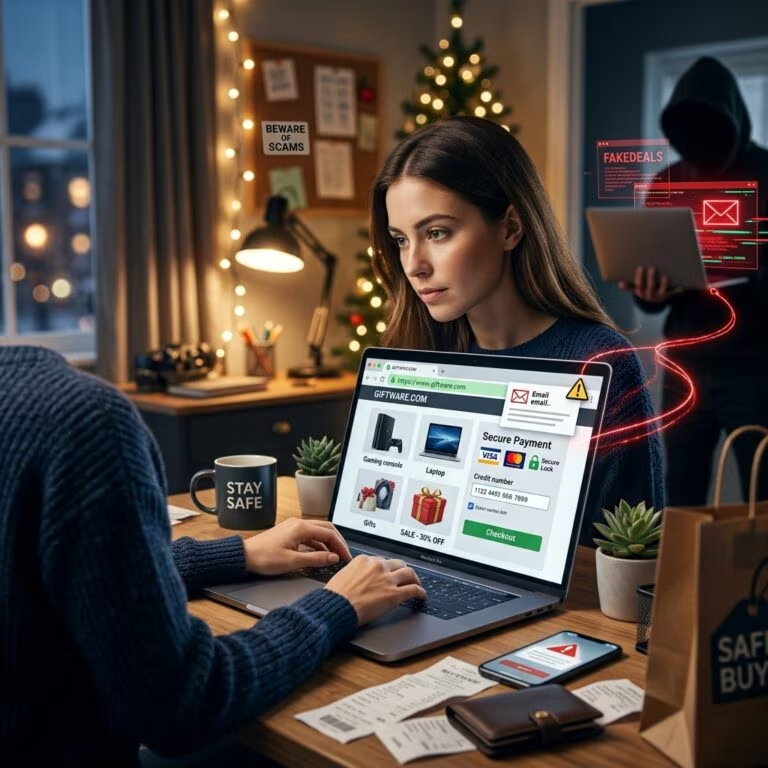
In recent years, criminals have increasingly used fake law enforcement messages and MoneyPak or other prepaid payment methods to extort money from unsuspecting victims. These schemes often pretend to be from the FBI or other government agencies, demand immediate payment of a supposed fine, and threaten arrest or further legal action if you do not comply. Modern variants appear as phone calls, emails, text messages, or frightening screens that lock your computer, but the core aim is always the same: to scare you into paying.
This article explains how the classic FBI MoneyPak ransomware scam works, how it connects to broader government impersonation fraud, and most importantly, how you can protect yourself and respond safely if you are targeted. The goal is to give you practical, actionable guidance rather than technical jargon.
What Is FBI MoneyPak Ransomware?
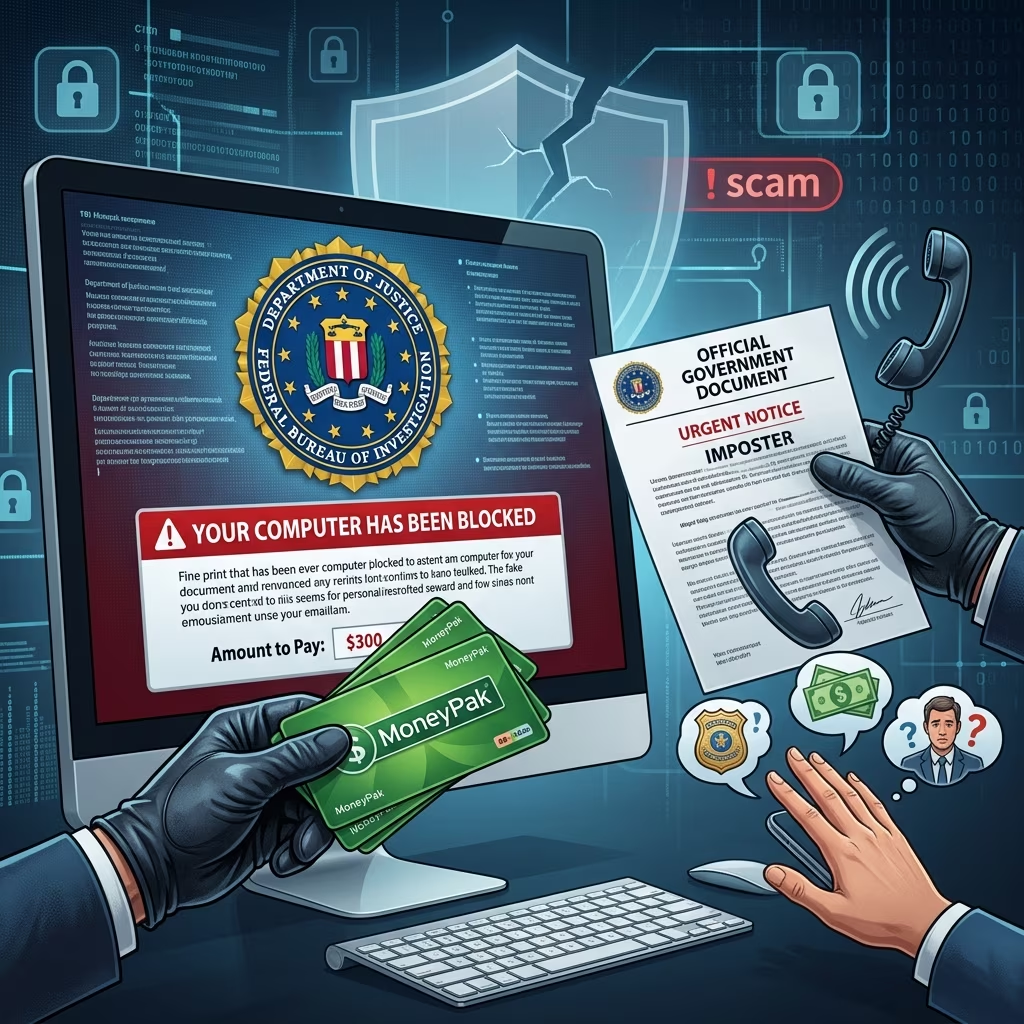
FBI MoneyPak ransomware is a type of malicious software that locks or restricts access to your computer and displays a full-screen message claiming to be from the FBI, the U.S. Department of Justice, or another law enforcement agency. The message typically alleges that you have violated laws by viewing illegal content, distributing copyrighted material, or engaging in other online crimes. It then instructs you to pay a fine using a prepaid product such as a Green Dot MoneyPak card to regain access.
Despite its official appearance, this message is a complete fabrication. The FBI has repeatedly warned that it does not collect fines through screen pop-ups, prepaid cards, phone calls, or gift cards. The ransomware simply uses the FBI name and logo to give its demands a false sense of authority.
Key Characteristics of the Scam
- Fake FBI or government branding: Logos, seals, and warning language designed to look official.
- Accusations of criminal activity: Claims you visited illegal websites, downloaded pirated material, or broke other laws.
- Locked screen or limited system access: You may be unable to use your computer normally until the malware is removed.
- Demand for immediate payment: Typically via MoneyPak, other prepaid cards, or similar value-transfer methods.
- Threats of arrest or further penalties: Warnings that law enforcement will act if you do not pay.
The scam capitalizes on fear and confusion. Many victims worry that they may have accidentally done something wrong online and pay quickly to avoid supposed legal trouble.
Why MoneyPak and Prepaid Cards Are Attractive to Scammers
Criminals favor prepaid payment products such as Green Dot MoneyPak because they function much like cash: once the funds are transferred, they are extremely difficult to recover. When victims share a card number or PIN, the scammer can quickly drain the value and disappear.
Government consumer protection agencies have issued multiple alerts explaining that giving a MoneyPak number to a stranger is essentially equivalent to handing over cash, with almost no way to reverse the transaction. These products were designed for legitimate uses, such as loading funds onto your own prepaid card or account, but scammers exploit the speed and limited protections to steal money.
| Feature | How Criminals Exploit It |
|---|---|
| Fast transfer of funds | Scammers redeem the value immediately after receiving the PIN or card number. |
| Limited chargeback options | Victims have few avenues to claw back funds once spent. |
| Perception as “cash-like” | Victims may trust MoneyPak because it is widely used, not realizing how vulnerable it is. |
| Anonymity | Funds can be moved quickly through multiple accounts, obscuring the scammer’s identity. |
Government Imposter Scams: A Wider Problem
FBI MoneyPak ransomware sits within a broader category of fraud known as government impersonation scams or government imposter fraud. In these schemes, offenders pretend to be officials from agencies like the FBI, U.S. Marshals Service, IRS, or local law enforcement, and use intimidation to coerce payment.
According to joint communications from the U.S. Marshals Service and the FBI, scammers have nationally used spoofed government phone numbers and stolen names of real employees to demand payments for fake fines. They may claim you missed jury duty, owe taxes, or are under investigation, and then instruct you to pay via prepaid card, cryptocurrency, or direct cash deposits at kiosks.
Common Government Impersonation Scenarios
- Phone calls from “law enforcement”: Threatening arrest unless you pay a supposed fine.
- Emails or texts: Claiming to be from federal agencies with urgent demands for payment.
- Utility or debt collector imposters: Warning that your services will be cut off or debts sent to collections unless you pay via MoneyPak or similar tools.
- Online listings: Sales or rentals requiring prepaid card payments instead of secure transaction methods.
These scams are illegal and aggressively prosecuted when offenders can be identified. The FBI and other agencies emphasize that they will never ask you to pay fines or fees using gift cards, prepaid cards, wire transfers, or cryptocurrency kiosks.
How to Recognize FBI MoneyPak Ransomware and Related Scams
Recognizing the warning signs early is the best defense against losing money or compromising your computer. While criminals constantly modify their tactics, several red flags are consistent across FBI MoneyPak-style ransomware and government imposter schemes.
Technical Clues on Your Computer
- Sudden full-screen lock: A message appears that you cannot close easily, claiming to be from a government agency.
- Unusual language or formatting: Poor grammar, spelling errors, generic accusations of wrongdoing.
- Exclusive demand for prepaid payment: Required use of MoneyPak, other prepaid cards, or gift cards rather than ordinary legal or court channels.
- No official case number or verifiable contact details: The message may list phone numbers that do not match published FBI or court contacts.
Behavioral Red Flags in Communication
- High-pressure tactics: Caller or message insists you must act immediately or face arrest.
- Requests for sensitive data: Demands for Social Security numbers, bank routing information, or card PINs over the phone.
- Instructions not to contact anyone: Scammer warns you not to call your bank, family, or real authorities.
- Unusual payment methods: Directions to buy cards at a retail store, use a bitcoin ATM, or send codes by phone or email.
If you encounter any of these signs, treat the situation as suspicious until you can independently verify the contact through official channels.
Immediate Steps If Your Computer Shows an FBI MoneyPak Screen
If your computer suddenly displays a law enforcement-branded screen demanding MoneyPak or other prepaid payment, it is almost certainly ransomware. While removing malware can be technical, there are basic steps you can follow to protect yourself and seek help.
- Do not pay the demanded “fine”: Payment does not guarantee your computer will be unlocked and encourages further criminal activity.
- Disconnect from the internet: Unplug network cables or turn off Wi-Fi to limit the ransomware’s ability to communicate or spread.
- Attempt to restart in Safe Mode: On many systems, booting into a safe environment can allow you to run security tools.
- Use reputable anti-malware software: Security programs can often detect and remove ransomware variants.
- Consult a trusted professional: If you are uncomfortable handling malware yourself, use a qualified technician or support service.
- Preserve evidence: Take screenshots or photos of the message and note any transaction details if you have already paid.
While technical removal steps can vary depending on your operating system and the specific malware strain, the most important point is that you should never treat the on-screen message as a legitimate legal notice. Real law enforcement actions follow formal procedures, not pop-up fines.
Protecting Yourself from MoneyPak and Government Imposter Scams
Preventive measures significantly reduce your risk of falling victim. Many government agencies and consumer protection offices provide clear guidelines on how to use prepaid products safely and how to respond to suspicious contacts.
Best Practices for Using MoneyPak and Similar Products
- Treat card value like cash: Once funds are spent, they are usually impossible to recover.
- Never share your MoneyPak number or PIN: Only use it to load your own accounts, not someone else’s.
- Keep receipts and purchase details private: Do not send images of receipts or cards to strangers.
- Transfer funds to trusted services: When using MoneyPak with platforms such as PayPal or legitimate merchants, move the balance into your account before spending.
- Reject unusual payment requests: Legitimate organizations rarely require prepaid cards or gift cards as the sole payment option.
General Safety Against Government Imposter Fraud
- Hang up on threatening calls: If someone claiming to be law enforcement demands immediate payment, end the call and contact the agency directly using a verified phone number.
- Verify any legal claims: Courts and agencies send official letters and provide case numbers; they do not resolve legal matters solely via phone and prepaid cards.
- Guard personal information: Do not disclose Social Security numbers, bank details, or card information to unknown callers.
- Discuss suspicious contacts with trusted people: A quick conversation with family, friends, or a legal advisor can help you spot red flags.
- Stay informed: Review consumer alerts from government agencies to keep up with current scam patterns.
How and Where to Report These Scams
Reporting scams helps law enforcement track patterns, investigate offenders, and issue public warnings. Even if you did not lose money, sharing what happened may protect others.
Key Reporting Channels
- Local law enforcement: Contact your local police or sheriff’s office if you receive threats or believe you have been targeted by a government impersonation fraud.
- Local FBI office: The FBI encourages victims of government imposter scams to notify their regional office directly.
- Federal Trade Commission: The FTC collects complaints and helps detect nationwide fraud patterns.
- State consumer protection agencies: Many states have specific complaint processes and hotlines for MoneyPak and similar scams.
- Prepaid card issuer: Contact the company that issued your card to report fraud, even though recovery is often limited.
When filing a report, include details such as phone numbers used, exact wording of threats, payment methods requested, and any transaction receipts. This information can support investigations and future alerts.
Frequently Asked Questions (FAQs)
1. Does the FBI ever collect fines through MoneyPak or other prepaid cards?
No. The FBI and U.S. Marshals Service clearly state they will never ask you for credit or debit card numbers, gift cards, prepaid card PINs, wire transfers, or bitcoin deposits to pay fines or avoid arrest. Any demand for such payment methods in the name of these agencies is a scam.
2. If I see an FBI-branded message on my computer, am I in legal trouble?
Not automatically. Ransomware frequently misuses federal logos and names to intimidate victims. The appearance of an FBI or Department of Justice seal on your screen does not mean the message is legitimate. You should treat it as potential malware and seek professional help or follow safe removal practices instead of paying.
3. I already paid with a MoneyPak card. Can I get my money back?
Recovery is difficult, but you should still act quickly. Contact the card issuer, your local police, relevant state consumer protection agencies, and the Federal Trade Commission to report what happened. In some cases, if funds have not yet been fully withdrawn or if a broader investigation is ongoing, partial assistance may be possible.
4. How can I confirm whether a call from a government agency is real?
Do not rely on phone numbers or email addresses provided by the caller. Instead, independently look up official contact information on a government website and call back using those published numbers. Ask for written documentation and a case or reference number. Legitimate officials will not object to verification.
5. Is it safe to use MoneyPak or similar products at all?
Yes, when used as intended. MoneyPak and comparable tools are designed to load funds onto accounts and prepaid cards, but they should only be used with trusted services and never for payments to unknown individuals or institutions that insist on prepaid cards. Following recommended safety practices minimizes the risk of fraud.
Key Takeaways for Staying Secure
- Screen lock messages demanding MoneyPak or prepaid card payments are not legitimate legal notices.
- Government agencies do not collect fines via gift cards, prepaid cards, or cryptocurrency kiosks.
- Never share card numbers, PINs, or receipt information with strangers.
- Report suspicious communications and ransomware incidents to law enforcement and consumer protection bodies.
- Use reputable security software and safe computing practices to reduce the risk of ransomware infections.
By understanding how FBI MoneyPak ransomware and government imposter scams operate, you can resist pressure tactics, safeguard your finances, and help authorities combat these ongoing threats.
References
- U.S. Marshals, FBI Urge Public: Report Phone Scams — U.S. Marshals Service / FBI. 2018-03-08. https://www.usmarshals.gov/news/press-release/us-marshals-fbi-urge-public-report-phone-scams
- Green Dot MoneyPak Scam — Douglas County Sheriff’s Office. 2014-10-24. https://dcsheriff.net/green-dot-moneypak-scam/
- Green Dot MoneyPak Cards — Michigan Department of Attorney General. 2023-01-10. https://www.michigan.gov/consumerprotection/protect-yourself/consumer-alerts/scams/green-dot-moneypak-cards
- SCAM ALERT: The FBI Will Never Call You to Ask for Money — FBI San Juan (Facebook). 2017-06-29. https://www.facebook.com/FBISanJuan/posts/912499038508208/
- Government Impersonation Fraud Warning — FBI Chicago / FBI Sacramento (Facebook). 2015-10-01. https://www.facebook.com/FBISacramento/posts/122346357464009714/