
Understanding Email Privacy and Modern Online Scams
Learn how email privacy laws, common scams, and practical security steps work together to protect your personal information online.
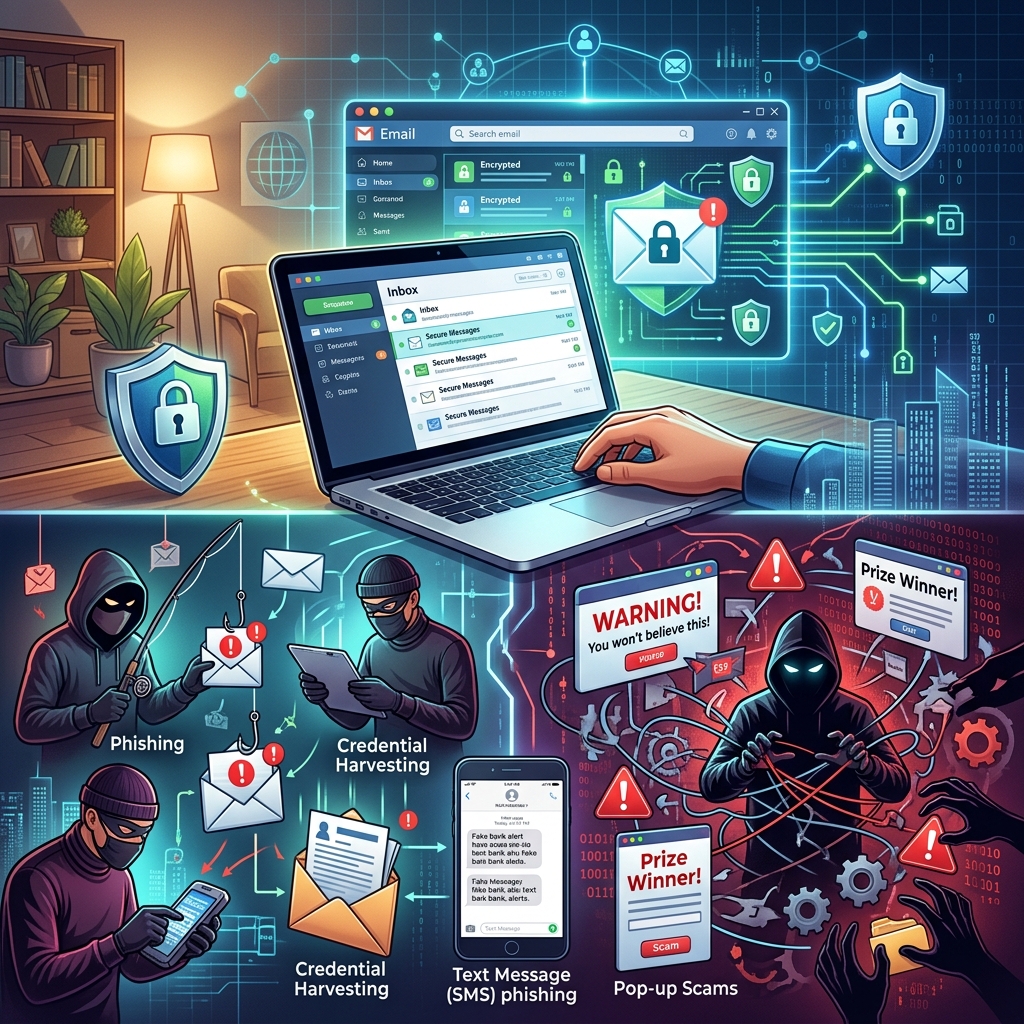
Email has become the primary way many people communicate, shop, bank, and manage their lives online. At the same time, cybercriminals increasingly target email accounts to steal money, hijack identities, and gain access to sensitive information. Protecting your email privacy is no longer a technical issue reserved for IT experts; it is a core part of everyday personal security.
This guide explains why email privacy matters, how common scams work, what legal protections exist, and the practical steps you can take to keep your inbox — and your personal data — as secure as possible.
Why Email Privacy Matters More Than Ever
Every email account stores a detailed record of your life: conversations with family, invoices, tax documents, password reset links, and messages from banks, employers, and healthcare providers. When an attacker gains access to that account, they often gain a gateway into many other services you use.
- Identity theft risk: Phishing and other email scams are a significant cause of identity theft, as thieves use captured data to open accounts or impersonate victims.
- Financial loss: Fraudulent transfers, fake invoices, and unauthorized purchases can quickly drain bank accounts or credit lines.
- Reputational damage: Compromised accounts may send malicious or embarrassing messages to your contacts, harming personal or professional relationships.
- Long‑term consequences: Once data is stolen, it can be sold or reused for future attacks, sometimes for years.
Because of these risks, many jurisdictions treat serious email‑based fraud and hacking as criminal offenses, and regulators emphasize data protection and security obligations for organizations that manage email and personal information.
Common Email Threats That Put Your Privacy at Risk
Email privacy is undermined in different ways. Some threats focus on tricking you; others quietly infect devices or intercept data. Understanding the major categories helps you respond quickly when something looks suspicious.
Phishing: The Most Widespread Email Scam
Phishing is an attempt to trick you into revealing passwords, account numbers, or other sensitive information by pretending to be a trusted organization or person. These messages often imitate banks, government agencies, delivery companies, or well‑known brands.
Typical features of phishing emails include:
- Unexpected requests to “verify” or “update” your account details
- Alarming language about account closure, legal action, or missed payments
- Embedded links that lead to login pages designed to mimic legitimate websites
- Attachments claiming to be invoices, receipts, or account statements
- Sender addresses that look similar to official domains but contain extra words, numbers, or misspellings
Once you click a malicious link or share requested data, attackers can redirect you to fake login pages, install malware, or capture your credentials for later use.
Malware and Spyware Delivered by Email
Malware is software intentionally designed to damage, disrupt, or gain unauthorized access to systems. Spyware is a form of malware that secretly records your activity, including keystrokes and passwords. Attackers frequently deliver both through email attachments or links.
- Infected attachments: Files labeled as invoices, shipping documents, or job applications may install malicious programs when opened.
- Malicious links: URLs may lead to compromised websites that silently download malware onto your device.
- Public computer risks: Shared devices, such as those in libraries or cafés, may already have spyware installed, recording every keystroke — including email passwords.
Malware and spyware are particularly harmful to privacy because they can capture everything you type and monitor all email activity without obvious signs.
Email Spoofing and Brand Impersonation
Email spoofing occurs when a sender forges part of the email header to make the message appear as if it is from a legitimate address or organization. Spoofed emails are often used in phishing campaigns and business email compromise scams.
Organizations can use technical controls like SPF, DKIM, and DMARC to verify that incoming messages truly come from the claimed domain and to prevent criminals from abusing trusted brands.
Account Takeover and Password Attacks
If attackers obtain your password — through phishing, data breaches, or weak security practices — they can log in directly and take control of your email account. From there, they may:
- Reset passwords for other services linked to your email
- Search mail archives for financial or personal data
- Send new phishing emails to your contacts, spreading the attack
- Change recovery options and lock you out of your own account
Weak, reused, or publicly exposed passwords significantly increase the likelihood of account takeover.
Legal and Regulatory Aspects of Email Privacy
Many countries treat unauthorized access to email accounts, distribution of malware, and email‑based fraud as criminal acts. In the United States, for example, certain online scams, including phishing and spoofing, may be prosecuted under federal law when they involve interstate communications or financial fraud.
In addition to criminal law, privacy and consumer protection regulations increasingly require organizations to safeguard email communications and personal data, notify users of breaches, and implement security controls.
| Area | Purpose | Impact on Users |
|---|---|---|
| Criminal law | Penalizes hacking, fraud, and malicious online activity | Allows law enforcement to pursue scammers who steal data or money |
| Privacy regulation | Sets rules for collecting, storing, and using personal information | Gives individuals rights over their data and requires safeguards for email records |
| Consumer protection | Addresses deceptive or unfair business practices, including misleading emails | Provides recourse when companies misuse personal information or fail to protect it |
While specific laws differ by jurisdiction, the overall trend is clear: organizations are expected to treat email content and related personal data as sensitive information and protect it accordingly.
Practical Steps to Safeguard Your Email Privacy
Legal protections are important, but the most immediate impact on your privacy comes from how you use and secure email day‑to‑day. The following measures blend technical safeguards with safer habits.
Use Strong, Unique Passwords
A strong password remains one of the simplest and most effective defenses against account takeover. Security guidance from law enforcement recommends using at least 10 characters, mixing uppercase and lowercase letters, numbers, and symbols, while avoiding personal information.
- Do not reuse passwords across email, banking, and social media accounts.
- Avoid obvious patterns such as names, birthdays, or simple sequences.
- Consider using a reputable password manager to store and generate unique passwords.
- Change passwords regularly for accounts holding sensitive information.
Enable Multi‑Factor Authentication (MFA)
Multi‑factor authentication requires more than one form of verification — such as a password plus a code sent to your phone or generated by an app — before granting access. When available, MFA dramatically reduces the chance of successful account takeover, even if a password is stolen.
Recognize Warning Signs of Phishing
Learning to spot phishing messages is vital. Official guidance from major providers and regulators highlights several red flags.
- Sender address and display name do not match or are slightly misspelled.
- The email urges immediate action or threatens negative consequences.
- Links lead to domains that differ from the genuine organization’s website.
- Requests for passwords, Social Security numbers, or bank details via email.
- Grammar and formatting are inconsistent with genuine corporate communication.
If an email looks suspicious, do not click links or open attachments. Instead, navigate to the organization’s official site using a bookmark or a search, or contact them using known phone numbers or email addresses.
Keep Devices and Security Software Up to Date
Outdated software can contain vulnerabilities that attackers exploit. Consumer protection agencies recommend using security software and setting it — and your mobile OS — to update automatically.
- Install reputable antivirus or security suites on computers and phones.
- Enable automatic updates for operating systems and security tools.
- Regularly run full system scans if you suspect phishing or malware activity.
Be Careful on Public or Shared Computers
Public computers may have spyware or other monitoring tools installed without your knowledge. Law enforcement guidance warns against typing sensitive information on these devices, especially email logins or financial details.
- Avoid logging into email or banking services on public machines when possible.
- Never save passwords or check “remember me” options on shared devices.
- Always log out fully when finished and clear browser data if you must use such a computer.
What To Do If You Suspect Your Email Has Been Compromised
Rapid response can limit damage when you click a suspicious link, open a malicious attachment, or notice strange activity in your inbox. Security experts and official guidance recommend a structured approach.
Immediate Technical Actions
- Disconnect from the internet if you clicked a malicious link or opened a suspicious file, to reduce the chance of malware spreading or communicating with attackers.
- Change potentially compromised passwords, starting with your email account and then any accounts that use similar credentials, prioritizing banking and work accounts.
- Run a full security scan on your devices using updated antivirus software and follow any recommended actions to remove threats.
Contact Relevant Organizations
- If your work or school account is affected, notify your IT or security team immediately so they can investigate and apply protective measures.
- If financial information may be compromised, contact your bank or credit card company to flag possible fraud and request account monitoring.
- If you suspect identity theft, you can use federal resources that provide tailored recovery plans and connections to support services.
Document and Report the Incident
Recording details of an attack helps investigations and can be useful if you later need to demonstrate what happened. It is also good practice to report phishing messages to appropriate bodies.
- Write down when the suspicious email arrived, what it asked for, and any information or actions you took in response.
- Keep a copy of the original email, including headers, for IT teams or providers that may request it.
- Forward phishing emails to recognized reporting addresses or use built‑in tools in your email service to flag them.
- If you lose money or are a victim of identity theft, consider reporting the incident to law enforcement or national fraud reporting channels.
Frequently Asked Questions About Email Privacy
1. Is it safe to share personal information over email?
In general, it is safer to avoid sending highly sensitive information, such as full Social Security numbers or complete payment card details, by ordinary email. If you must share such data, use secure channels offered by the organization, such as encrypted portals, and verify you are interacting with the genuine service.
2. How can I tell if a message from my bank is legitimate?
Do not rely solely on the appearance of the email, as scammers can copy logos and layouts. Instead, check the sender’s address carefully, look for spelling or formatting errors, and avoid clicking embedded links. Navigate to your bank’s website using your own bookmark or a search, or contact them using phone numbers on official statements.
3. What should I do if I clicked a suspicious link but nothing seemed to happen?
Even if there is no visible change, assume your device or account may be at risk. Immediately update and run your security software, change key passwords, and monitor financial and email accounts for unusual activity.
4. Are work email accounts more protected than personal ones?
Many organizations deploy advanced filtering, authentication, and monitoring tools, which can provide stronger protection than consumer accounts. However, no system is perfect, and attackers frequently target employees through work email. You are still responsible for following security policies, recognizing scams, and reporting suspicious messages.
5. Does deleting a phishing email fully protect me?
Deleting a phishing message without interacting with it generally prevents harm. The main risk arises when you click links, open attachments, or reply with sensitive information. Still, reporting the email helps service providers refine filters and protect others.
References
- Email Privacy Law Concerns — FindLaw. 2023-06-01. https://www.findlaw.com/consumer/online-scams/email-privacy-concerns.html
- How To Recognize and Avoid Phishing Scams — Federal Trade Commission. 2023-10-01. https://consumer.ftc.gov/articles/how-recognize-avoid-phishing-scams
- What Is an Email Scam? Examples, Definition & Reporting — Proofpoint. 2024-05-10. https://www.proofpoint.com/us/threat-reference/email-scams
- Avoid & report phishing emails — Google Gmail Help. 2024-04-15. https://support.google.com/mail/answer/8253
- Protect yourself from phishing — Microsoft Support. 2024-02-20. https://support.microsoft.com/en-us/security/protect-yourself-from-phishing
- Protecting Yourself While Using The Internet — U.S. Department of Justice. 2023-08-01. https://www.justice.gov/usao-ndga/protecting-yourself-while-using-internet
- Email Privacy — University of Alberta Information Services and Technology. 2022-11-01. https://www.ualberta.ca/en/information-services-and-technology/security/email-phishing/email-privacy1.html
Similar Articles








Read full bio of medha deb


