
Tech Support Scams: How to Recognize, Avoid, and Recover
Learn how tech support scammers operate, the warning signs to watch for, and the steps you can take to stay safe and recover if you’re targeted.
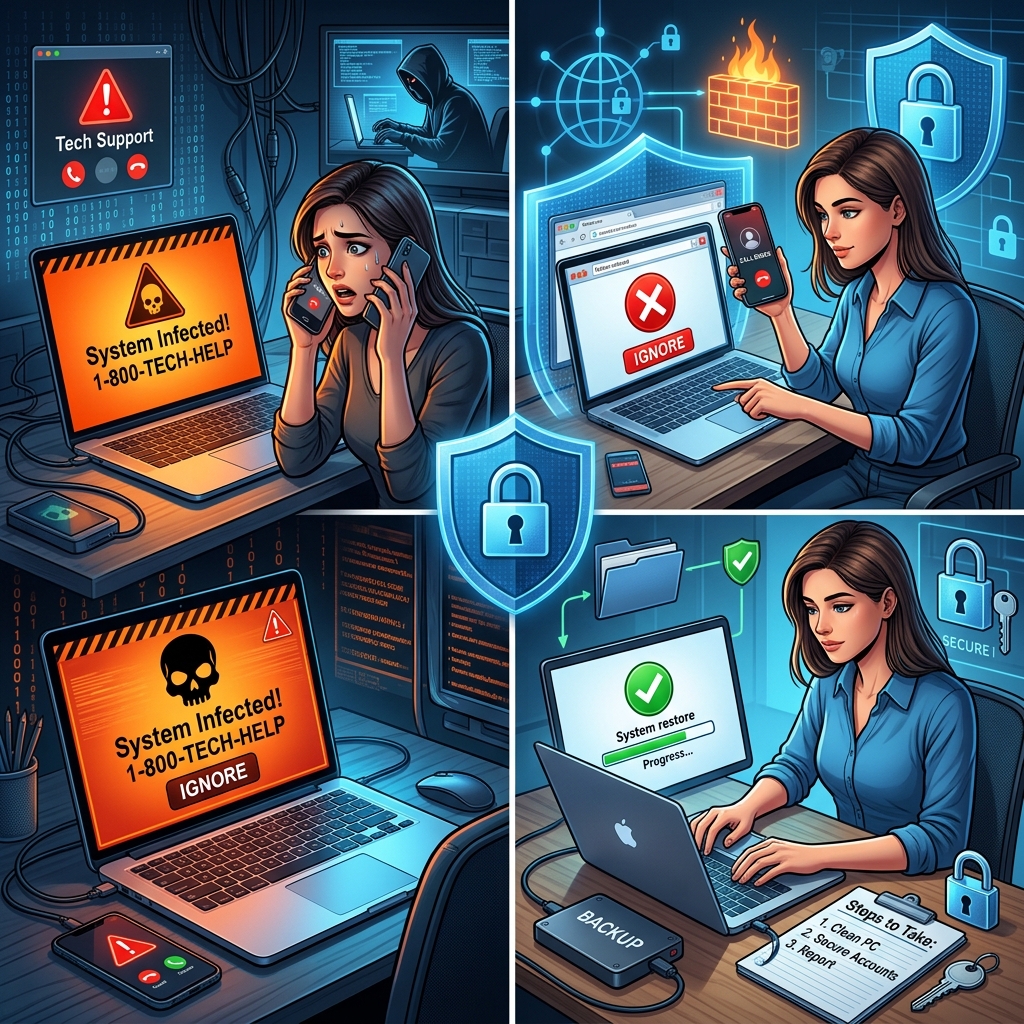
Tech support scams are a fast-growing form of online fraud where criminals pretend to be helpful technicians to trick you into handing over money, granting remote access to your devices, or revealing sensitive information. Understanding how these scams work is one of the most effective ways to protect yourself and the people you care about.
This guide explains how tech support scams operate, the most common warning signs, what to do if you’re targeted, and how to report the scam to help authorities fight back.
What Are Tech Support Scams?
A tech support scam is a scheme in which a scammer pretends to offer legitimate technical assistance for your computer, phone, or other device but is really trying to steal your money or data. They often claim your device is infected with malware, has critical errors, or that your subscription is expiring to pressure you into acting quickly.
These scams typically rely on social engineering — psychological tricks designed to make you feel anxious, rushed, or confused so you ignore your usual caution.
How Scammers Reach You
Fraudsters use several channels to make their fake tech support offers look real.
- Unsolicited phone calls: Someone calls claiming to be from a well-known company (for example, the maker of your computer or operating system) and says they detected a problem with your device.
- Pop-ups on your screen: A warning suddenly appears claiming your device is infected and urges you to call a phone number or click a link immediately.
- Emails or text messages: Messages mention security alerts, subscription renewals, or refunds, and include phone numbers or links that lead straight to the scammers.
- Search engine ads or fake websites: Fraudulent sites may appear in search results when you look for customer support, appearing to be official but directing you to scammers.
Legitimate tech companies do not contact you out of the blue to tell you there is a problem with your device, and real security alerts will not ask you to call a random phone number.
Common Tricks Used in Tech Support Scams
Although individual scams vary, many follow similar patterns:
| Scammer Tactic | What It Looks Like | Why They Use It |
|---|---|---|
| Creating urgency | “Your computer will be permanently damaged unless you act now.” | To push you into quick decisions before you can think clearly. |
| Using technical jargon | References to obscure system files, viruses, or errors. | To sound knowledgeable and make you feel unable to question them. |
| Requesting remote access | They ask you to install remote control software or share codes. | To take control of your device and access files, passwords, and accounts. |
| Showing harmless messages as “proof” | They point to routine log entries or system tools and call them evidence of infection. | To convince you that serious problems exist when they do not. |
| Demanding unusual payments | They insist you pay with gift cards, wire transfers, or cryptocurrency. | These methods are difficult to reverse and harder for law enforcement to trace. |
Red Flags: How to Spot a Tech Support Scam
Recognizing warning signs early can stop a scam before it does real damage.
- Unsolicited contact about device problems: Any call, text, email, or pop-up claiming to detect issues on your device, when you did not ask for help.
- Pressure to act immediately: Threats of data loss, lawsuits, or account closures if you hesitate.
- Requests for remote access: Instructions to install remote desktop tools or share one-time codes with someone you don’t know.
- Unusual payment methods: Requests to pay via gift cards, prepaid cards, wire transfers, or cryptocurrency.
- Pop-ups that include phone numbers: Real security warnings do not ask you to call a random number for support.
- Messages about “subscription renewals” you don’t recognize: Emails or texts referencing tech support plans you never bought.
If you notice one or more of these signals, treat the interaction as potentially fraudulent and stop engaging immediately.
Safe Ways to Respond in the Moment
If you’re confronted with a suspicious tech support message, phone call, or pop-up, the steps you take right away can prevent serious losses.
- Hang up or close the window: End calls from unknown tech support agents and close pop-ups without clicking links.
- Do not share personal or financial information: Never give passwords, Social Security numbers, or payment details to someone who contacted you unexpectedly.
- Do not install software at a stranger’s request: Only add remote access tools or security programs from sources you trust and have chosen yourself.
- Check directly with the company: If you think a message about subscriptions or security alerts might be real, contact the company using a phone number or website you know is genuine, not the number or link provided in the message.
- Talk to someone you trust: Discuss the situation with a friend, relative, or neighbor. Another perspective can make scams easier to recognize.
Protecting Yourself Before Scammers Strike
Preventive steps reduce the chances that tech support scammers can reach you or succeed if they do.
- Use reputable security software: Keep antivirus and other protective tools updated so they can block malicious pop-ups and downloads.
- Enable automatic updates: Allow your operating system and applications to update automatically to address known vulnerabilities.
- Create strong, unique passwords: Use different complex passwords for major accounts, and consider a password manager to make this easier.
- Turn on multi-factor authentication: Add extra verification steps (such as codes sent by text or app) to important accounts like email and banking.
- Learn how real support works: Familiarize yourself with how your device manufacturer or software provider offers official help, so it’s easier to spot impostors.
What To Do If You Already Engaged With a Scammer
If you suspect you’ve already given money, access, or information to a tech support scammer, act quickly. Rapid response can limit losses and protect your identity.
1. If You Gave Remote Access
- Disconnect from the internet: Immediately unplug your network cable or turn off Wi-Fi to cut off remote access.
- Uninstall remote access tools: Remove any software the scammer asked you to install, such as remote desktop applications.
- Run a full security scan: Use up-to-date antivirus or security software to scan for and remove malware.
- Consider professional help: If you’re not sure your device is clean, ask a trusted local technician or support service to examine it.
2. If You Shared Passwords or Sensitive Information
- Change affected passwords immediately: Update login details for any accounts the scammer might access, especially email and financial accounts.
- Change reused passwords elsewhere: If you used the same password on other sites, change those too.
- Enable extra account protections: Turn on multi-factor authentication, review account recovery options, and update security questions.
3. If You Sent Money
- Contact your bank or card issuer: Report the transaction as soon as possible and ask whether they can reverse or block additional charges.
- If you paid by gift card: Contact the card issuer right away and describe the fraud. They may not be able to recover funds, but quick action gives you the best chance.
- If you wired money or used cryptocurrency: Contact the bank or platform used to send funds and ask about any available fraud procedures.
- Monitor statements: Review your bank and card activity regularly for unauthorized charges and report anything suspicious immediately.
Reporting Tech Support Scams
Reporting scams helps enforcement agencies identify patterns, warn others, and sometimes shut down fraudulent operations. Even if you did not lose money, your report is valuable.
- Federal Trade Commission (FTC): In the United States, you can report tech support scams through the FTC’s online fraud reporting system.
- Internet Crime Complaint Center (IC3): The FBI’s IC3 accepts complaints about internet-related crime, including tech support scams.
- Local consumer protection agencies: Many state and local offices and financial regulators also accept fraud reports and may provide tailored advice.
When reporting, include as much detail as possible: dates, amounts paid, the numbers or email addresses the scammers used, and any documentation or screenshots.
Helping Family and Friends Stay Safe
Scammers often target people who may be less familiar with technology, including older adults. Sharing what you know can make a meaningful difference.
- Discuss common scam scenarios: Talk through examples of pop-ups, suspicious calls, or refund offers so loved ones recognize them when they appear.
- Encourage “pause and verify” habits: Suggest that they never act on urgent warnings until they’ve checked with someone they trust or contacted the company through official channels.
- Set up protective tools: Help install security software, configure automatic updates, and enable multi-factor authentication.
- Offer ongoing support: Let them know they can call you if something looks suspicious so you can help assess it.
FAQs About Tech Support Scams
How can I tell if a pop-up warning on my computer is real?
Real security warnings from legitimate software do not ask you to call a phone number or pay for immediate repairs. They typically come from programs you installed, and may direct you to open built-in tools or visit the company’s official site. If a pop-up includes a phone number, urgent language, and demands remote access or payment, treat it as a scam and close it.
Is it ever safe to let someone I don’t know remotely access my computer?
No. You should not grant remote access to anyone who contacts you unexpectedly. Only allow remote control to a support person you contacted through verified channels, such as a known local technician or the official support page of your device or software provider.
What if I’m not sure whether a tech support email about subscription renewal is legitimate?
Do not use the phone number or link in the message. Instead, sign in to your account using a bookmark or the company’s official website address that you already know. You can also check your bank or card account for recent transactions related to that subscription. If neither shows a charge or record, the message may be a scam.
Can scammers damage my computer permanently?
Tech support scammers often overstate threats to scare you, but they can install malware, alter settings, or remove files if you give them access. In many cases, professionals can repair or clean your system. The greater risk is theft of personal and financial information, which can lead to identity theft or financial losses.
Should I report a scam even if I didn’t lose money?
Yes. Reporting unsuccessful scam attempts helps authorities identify active schemes and warn the public. Your complaint adds to a broader picture that can support investigations and public education.
References
- Technical support scam — Various authors. 2024-01-01. https://en.wikipedia.org/wiki/Technical_support_scam
- How To Spot, Avoid, and Report Tech Support Scams — Federal Trade Commission. 2023-11-15. https://consumer.ftc.gov/articles/how-spot-avoid-and-report-tech-support-scams
- Tech Support Scams — Federal Bureau of Investigation (IC3). 2022-09-01. https://www.fbi.gov/how-we-can-help-you/scams-and-safety/common-frauds-and-scams/tech-support-scams
- Tech Support Scams (PDF) — District of Columbia Department of Insurance, Securities and Banking. 2020-03-03. https://disb.dc.gov/sites/default/files/dc/sites/disb/page_content/attachments/Tech%20Support%20Scams.pdf
- Beware of Tech Support Scams — Midwest Bank. 2024-10-01. https://midwest.bank/news/2024/10/beware-of-tech-support-scams/
- Tech Support Scams — Protect The Good Life (Nebraska Attorney General). 2023-05-10. https://protectthegoodlife.nebraska.gov/tech-support-scams
Similar Articles








Read full bio of medha deb


