
Stop Smishing: How to Handle Suspicious Text Messages
Learn how to spot, block, and report scam text messages before they steal your data or your money.
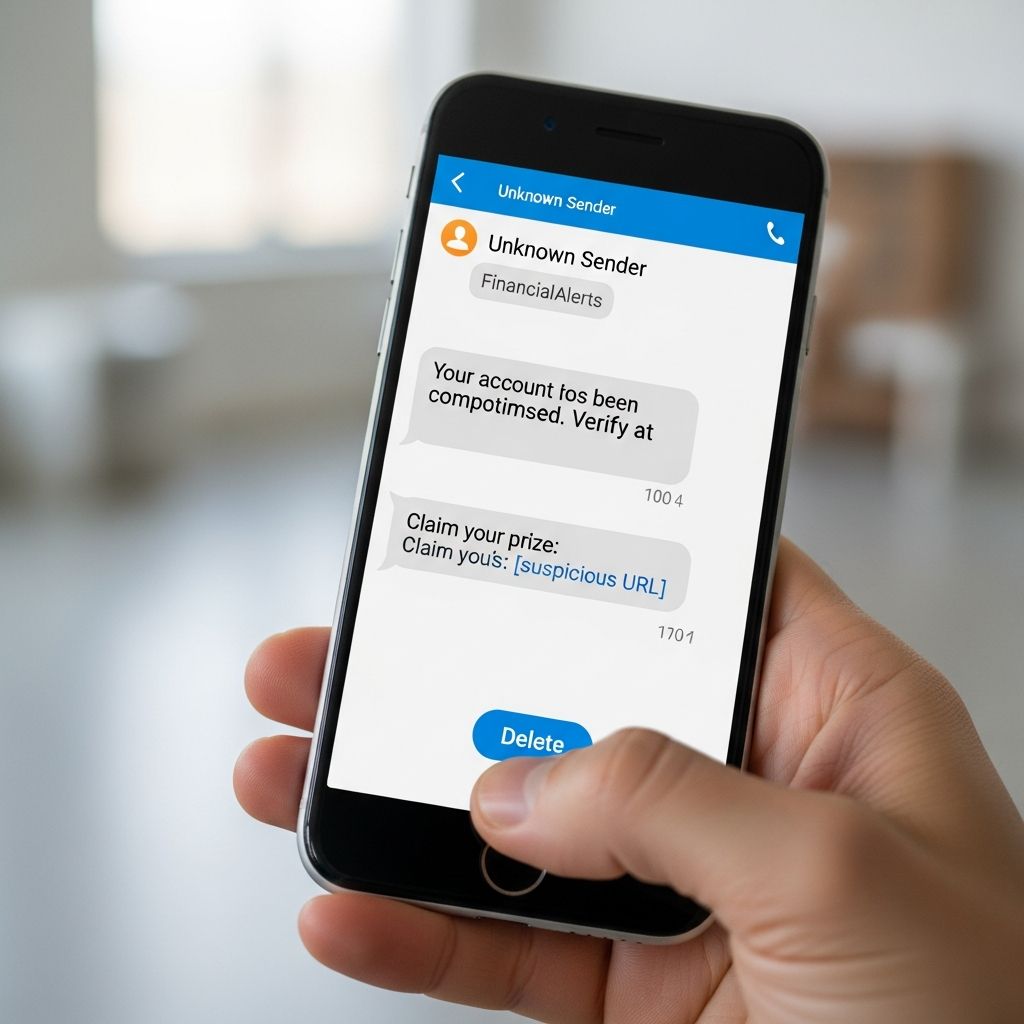
Scam text messages are now one of the fastest-growing ways criminals try to steal money, passwords, and personal data. These messages can look like simple mistakes, friendly greetings, or urgent warnings about your bank or delivery, but many of them are carefully designed traps. Knowing how to react the moment you receive an unexpected text can prevent identity theft, financial loss, and malware infections.
What Is Smishing and Why It Matters
Smishing is a form of phishing that uses SMS or messaging apps instead of email to trick people into revealing sensitive information or downloading malicious software. The sender might pretend to be:
- Your bank, credit card issuer, or loan servicer
- A government agency like the IRS or Social Security Administration
- A shipping or delivery company about a package
- A well-known retailer or streaming service
- A wrong number or a friendly stranger starting a casual conversation
Criminals prefer text messages because people tend to read and respond to texts quickly, often without carefully checking the sender or link first.
Common Types of Scam Text Messages
Scam texts use different stories, but their goals are similar: get you to click, reply, or share information. Below are patterns to watch for.
1. Fake Account and Banking Alerts
These messages claim there is an urgent problem with an account you care about, such as:
- “Unusual activity detected on your bank account. Verify now.”
- “Your card has been locked. Click here to restore access.”
- “Payment failed. Update your billing details immediately.”
The links often lead to spoofed websites that look almost identical to the real bank or company. If you enter your login, the scammers can immediately take over the account.
2. Prize, Reward, and Gift Card Scams
Some texts promise money or gifts for little or no effort, such as:
- “You’ve won a $500 gift card. Confirm your info to claim.”
- “Thanks for paying your bill. Here’s a loyalty reward.”
- “You are selected to receive government relief funds. Apply now.”
To claim the “prize,” you are usually asked to enter personal or financial information or pay a small fee—classic red flags of fraud.
3. Package and Delivery Traps
With online shopping so common, texting about deliveries is an easy way to get attention. Typical messages include:
- “Your package is on hold. Pay customs fee to release.”
- “We couldn’t deliver your parcel. Update address here.”
- “Track your shipment: [short link].”
The links may send you to fake carrier pages that steal your details or install malware.
4. “Hi, How Are You?” and Mistaken-Identity Messages
A growing scam starts with a simple greeting, a wrong name, or a vague personal comment, for example:
- “Hi Jim, are we still on for dinner?”
- “It was nice meeting you last week!”
- “Hi, how are you?”
The goal is to make you reply with something like “Wrong number” or “Who is this?” Once you respond, scammers know your number is active and will try to build trust, eventually pivoting to investment schemes, romance scams, or requests for money.
5. Verification Codes and One-Time Password Requests
Fraudsters may message you asking to share a code you receive by text or email. For example:
- “We sent you a six-digit code by mistake. Can you text it back?”
- “Confirm your account ownership by replying with the code we just sent.”
Those codes often unlock accounts, payment apps, or email logins. Legitimate companies will never ask you—over text—to share one-time passwords with someone else.
Warning Signs That a Text Is a Scam
Spotting smishing is easier when you look for recurring patterns. Be cautious if a text shows one or more of these warning signs.
| Red Flag | Why It’s Dangerous |
|---|---|
| Unexpected message from an unknown number | Scammers often use random or spoofed numbers with no clear identity. |
| Pressure to act immediately | Urgency reduces the chance you will verify the message through trusted channels. |
| Requests for personal or financial data | Legitimate organizations rarely ask for sensitive details over text. |
| Links that look shortened or unfamiliar | Short URLs can hide malicious websites that steal passwords or install malware. |
| Spelling or grammar errors | Many scam messages use clumsy language or awkward phrasing. |
| Too-good-to-be-true offers | Promises of easy money, prizes, or high returns are classic fraud signals. |
What To Do the Moment You Get a Suspicious Text
How you react in the first few seconds often determines whether a scam succeeds. Use this checklist whenever a text feels off.
Step 1: Do Not Click, Call, or Reply
Even a short reply like “STOP,” “REMOVE,” or “Wrong number” can signal that your phone number is live and monitored, which may invite more scams. Instead:
- Do not tap any links or open attachments.
- Do not call phone numbers listed in the message.
- Do not share codes or personal details, even if the text mentions a company you use.
Step 2: Independently Verify the Message
If the text mentions a bank, retailer, or government agency you use, contact them using information you already trust, such as:
- The phone number printed on the back of your card
- The company’s official website accessed by typing the URL yourself
- A phone number listed on a recent, genuine statement or letter
Do not rely on any phone numbers, email addresses, or links included in the suspicious text.
Step 3: Delete and Block the Sender
Once you have confirmed (or strongly suspect) that the message is a scam:
- Delete the text from your message thread.
- Use your device’s built-in feature to block the number or filter unknown senders.
- Consider enabling spam filters from your mobile provider or installing reputable call- and text-blocking apps.
How to Filter and Block Unwanted Texts
Most phones and carriers offer tools to reduce spam and scam messages before you see them.
On Your Phone
Modern smartphones typically provide options to:
- Filter messages from numbers not in your contacts
- Send suspected junk into a separate folder automatically
- Block specific numbers permanently
Check your device’s settings or built-in messaging app help pages to enable these protections.
Through Your Wireless Provider
Many mobile carriers offer additional spam filtering features, such as:
- Network-level detection of known scam campaigns
- Automatic blocking of messages flagged as high risk
- Optional premium tools with advanced controls
Visit your provider’s official support pages or customer service to learn which options are available on your plan.
With Call- and Text-Blocking Apps
Some third-party apps can help identify and block calls and texts from suspected scammers by comparing them against reported spam databases. Before installing one:
- Review independent expert reviews and security ratings
- Check what data the app collects and how it uses it
- Download only from official app stores
How and Where to Report Scam Text Messages
Reporting scam texts helps carriers and regulators detect patterns and cut off large fraud operations. In many cases, you can report in under a minute.
Report to Your Wireless Provider (7726 / “SPAM”)
Most major U.S. carriers support a simple reporting code:
- Forward the suspicious text to 7726 (which spells “SPAM” on most keypads).
- Follow any reply instructions you receive from your carrier.
This helps your provider identify and block similar scams on their network.
Report Via Your Messaging App
Many messaging apps now include a built-in “Report junk” or “Report spam” function. Use it whenever a message is clearly unsolicited or suspicious.
Report to the Federal Trade Commission (FTC)
In the United States, you can file a fraud report online with the FTC, which uses these complaints to detect trends and bring enforcement actions against scammers.
- Go to the FTC’s fraud reporting portal and submit details about the text and any financial loss.
- Include screenshots and the sender’s phone number if possible.
If You Clicked a Link or Shared Information
If you have already interacted with a suspicious text, take action quickly to reduce potential harm.
1. If You Entered Logins or Financial Details
- Immediately log in to the affected account by typing the address directly into your browser, then change your password.
- Turn on multi-factor authentication (MFA) if available.
- Contact your bank or card issuer, explain that your information may have been compromised, and ask them to monitor or replace your card.
2. If You Downloaded a File or App
- Run a reputable mobile security or antivirus scan on your device.
- Delete any unfamiliar apps you installed just before or after clicking the link.
- Update your device’s operating system and apps to the latest version to patch known security vulnerabilities.
3. If You Shared a One-Time Code
- Immediately log in to the affected service (email, bank, payment app) and change your password.
- Review recent activity on the account for unknown transactions or security alerts.
- Contact the provider’s fraud or security team for additional help securing the account.
Best Practices to Reduce Future Risk
While you cannot stop all scam texts, you can make yourself a harder target and limit what criminals can do if they reach you.
- Be careful where you share your mobile number. Avoid entering it on untrusted websites, forms, or online contests.
- Use strong, unique passwords for important accounts and a password manager to keep track of them.
- Enable MFA wherever possible, especially for email, financial accounts, and social media.
- Stay informed about common scams by following alerts from trusted organizations like the FTC, your bank, or major device manufacturers.
- Teach family members—especially teens and older adults—how to recognize and handle suspicious texts.
Frequently Asked Questions (FAQs)
Q1: I replied “Who is this?” to a random text. What should I do now?
If you only sent a brief reply and did not share personal data, the main risk is that scammers now know your number is active. Stop responding, block the number, and be alert for new suspicious messages.
Q2: Is it safe to text back “STOP” to unsubscribe?
For legitimate businesses you recognize, replying “STOP” is often safe and required by law for marketing texts. For messages from unknown or clearly suspicious senders, it is safer not to reply at all—delete, block, and report instead.
Q3: Can my phone get a virus just from opening a text?
Most modern phones are not infected simply by receiving or viewing a text, but tapping malicious links, downloading attached files, or installing apps from those links can expose you to malware that steals data.
Q4: What information should I include when reporting a scam text?
Include the phone number that sent the message, the date and time, screenshots of the text, and whether you clicked any links or lost money. These details help carriers and regulators investigate and shut down fraud operations.
Q5: Are all unexpected texts dangerous?
No. Friends, doctors, delivery drivers, or companies you use may occasionally text you unexpectedly. The key is to verify the sender and never provide sensitive information or click links until you are sure the message is legitimate.
References
- Why Responding to “Hi, How Are You?” Texts Can Be Risky — United States Senate Federal Credit Union. 2023-10-02. https://www.ussfcu.org/media-center/security-corner/blog-detail-security-corner.html?title=why-responding-to-hi-how-are-you-texts-can-be-risky
- How to Recognize and Report Spam Text Messages — Federal Trade Commission. 2023-10-05. https://consumer.ftc.gov/articles/how-recognize-report-spam-text-messages
- Text Scams and How to Protect Yourself — Central Bank. 2022-08-15. https://www.centralbank.net/learning-center/text-scams-and-how-to-protect-yourself/
- Help with Scams & Spam — T-Mobile Support. 2024-02-01. https://www.t-mobile.com/support/plans-features/help-with-scams-spam-and-fraud
- Protecting Yourself from Spam Text Messages — CTIA. 2023-06-20. https://www.ctia.org/protecting-yourself-from-spam-text-messages
- Recognize and avoid social engineering schemes — Apple Inc. 2024-03-12. https://support.apple.com/en-us/102568
Similar Articles








Read full bio of Sneha Tete


