Phishing Scams: 5 Key Defenses To Spot And Stop Them
Learn how phishing scams work, how to recognize the warning signs, and the steps to protect your identity and money online.
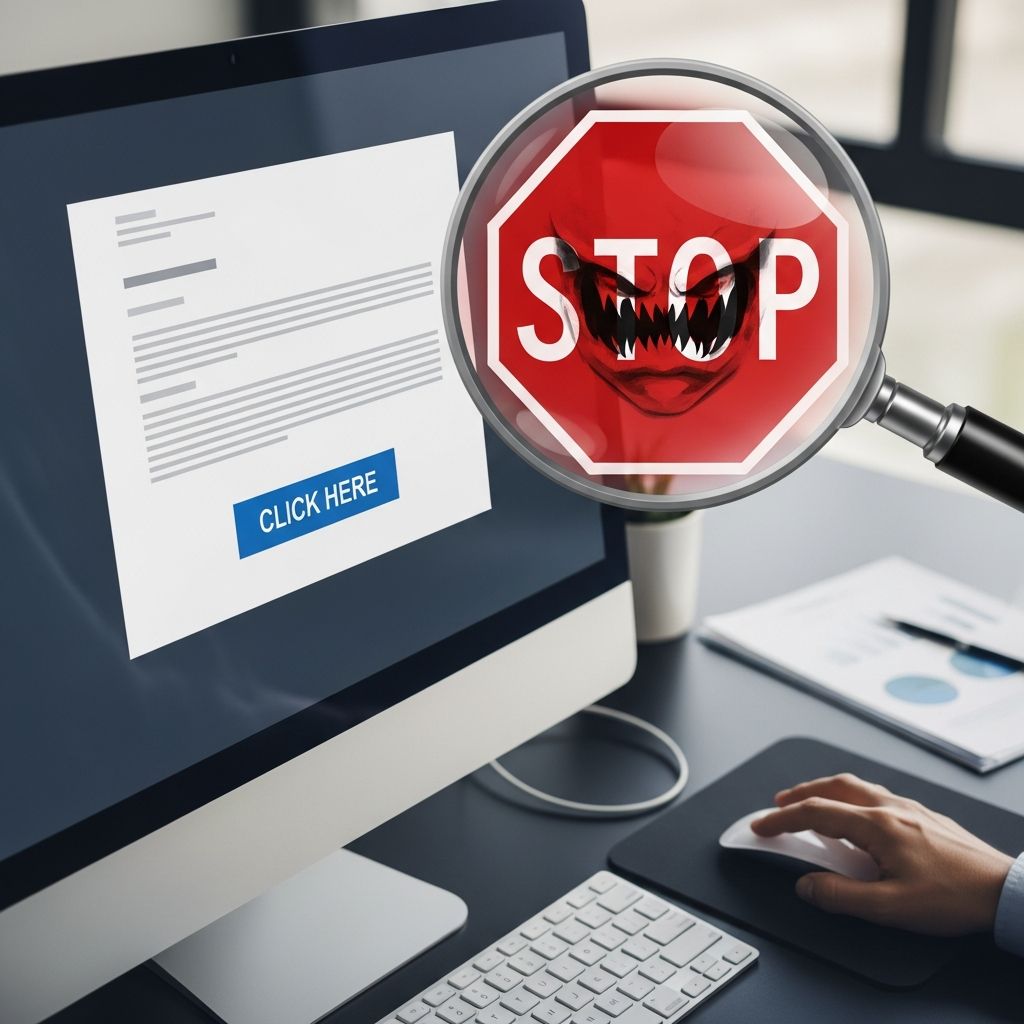
Phishing scams are one of the most common ways criminals steal passwords, financial details, and other sensitive information. Attackers send messages that look like they come from trusted companies, banks, or even friends, hoping you will click a link, open an attachment, or share personal data. Knowing how phishing works and how to respond can prevent identity theft and financial loss.
What Is Phishing and Why It Matters
Phishing is a form of online fraud where scammers pretend to be legitimate organizations or people to trick you into revealing information or installing malware. These scams can arrive by email, text message, social media, messaging apps, or fake websites.
Criminals use the information they collect to:
- Access your bank, credit card, or payment accounts
- Break into your email or cloud storage
- Open new accounts or loans in your name
- Sell your data to other criminals on underground markets
Because phishing is cheap to run and easy to automate, attackers can send millions of messages a day. It only takes a small number of victims for them to profit.
Common Types of Phishing You May Encounter
Phishing comes in many forms, but most scams fit into a few broad categories:
- Mass phishing emails – bulk messages that claim to be from popular brands, banks, or delivery services and urge you to click a link.
- Smishing (SMS phishing) – text messages that pressure you to tap a link, call a number, or reply with a code or personal information.
- Spear phishing – highly targeted messages that include real details about you or your job, often used against employees or executives.
- Voice phishing (vishing) – phone calls or voicemails pretending to be from a bank, government agency, or tech support.
- Clone phishing – a copied version of a legitimate email you once received, but with malicious links or attachments swapped in.
Regardless of type, the goal is the same: push you into acting quickly before you think.
Warning Signs: How to Recognize a Phishing Message
Most phishing messages share a similar playbook. Learning the red flags makes them much easier to spot.
Psychological Tricks Scammers Rely On
- Urgency: Messages that say you must act “immediately,” “today,” or within minutes to avoid losing access, getting charged, or being reported.
- Fear and threats: Claims that your account will be closed, your benefits cut off, or legal action started if you do not respond.
- Too-good-to-be-true offers: Surprise refunds, prizes, or investment opportunities that require you to click a link or share details.
- Authority: Impersonation of banks, government agencies, or company leaders to pressure you into obeying.
Technical and Visual Clues
Before you click or respond, look for these signs:
- Suspicious sender address – extra numbers, misspellings, or free email services instead of official domains.
- Generic greetings – “Dear Customer” instead of your real name or account details.
- Strange links – URLs that are misspelled, use unusual domains, or do not match the company website when you hover your mouse over them.
- Unexpected attachments – especially compressed files, macros-enabled documents, or anything you did not request.
- Poor formatting or language – inconsistent logos, awkward grammar, or odd phrase choices.
| Clue | What to Ask Yourself |
|---|---|
| Urgent or threatening language | Would this organization normally contact me this way about something so serious? |
| Links that look slightly off | Does the domain name exactly match the official site I know? |
| Requests for login or financial data | Have I ever been asked to send this type of information by email or text before? |
| Unexpected attachment | Was I expecting this file from this person or company? |
Stronger Defenses: Protecting Your Devices and Accounts
Technology cannot catch every scam, but a few basic protections make phishing far less likely to succeed.
Keep Software Updated
Outdated systems are a common way for malware to spread after a bad click. Using supported software and installing updates promptly helps close known security holes.
- Turn on automatic updates for your operating system and browser.
- Update security software, apps, and plugins regularly.
- Avoid using software that is no longer supported by the manufacturer.
Use Security Tools
- Security software: Install reputable antivirus or anti-malware tools and keep them updated so they can detect and remove malicious files.
- Email filtering: Built-in spam filters in email services can block many phishing messages before you see them.
- Browser protections: Modern browsers warn you about known dangerous sites or downloads; do not ignore these warnings.
Harden Your Accounts
Even if an attacker gets your password, additional layers can stop them from breaking in.
- Multi-factor authentication (MFA): Turn on MFA wherever available. This adds a second step, like a code sent to your phone or a hardware key, when you log in.
- Strong, unique passwords: Use different passwords for important accounts and consider a password manager to keep track of them.
- Account alerts: Enable notifications for sign-ins from new devices or locations so you can react quickly to suspicious access.
Back Up Important Data
Some phishing attacks deliver ransomware or other destructive malware. Regular backups help you recover without paying criminals.
- Back up important files to an external drive that is disconnected when not in use.
- Use reputable cloud backup services for critical documents and photos.
- Test your backup occasionally to be sure you can restore from it.
Safe Habits for Handling Suspicious Messages
Technology helps, but your day-to-day decisions matter just as much. Adopting a few simple habits can significantly reduce your risk.
Pause Before You Click
- If a message creates a surge of fear or excitement, stop and take a breath.
- Scan for red flags: sender address, spelling, tone, and the nature of the request.
- Hover over links (without clicking) to see the real destination.
Verify Through a Trusted Channel
- Do not use phone numbers, links, or email addresses provided in a suspicious message.
- Instead, visit the organization’s official website by typing the address yourself.
- Call the customer service number listed on your bank card, account statement, or the official site.
Limit What You Share
- Be cautious about posting personal details like your full birthdate, address, or employer publicly.
- Never send passwords, full credit card numbers, or one-time codes via email or text.
- If someone pressures you to share sensitive information, treat it as a warning sign.
What To Do If You Suspect a Phishing Attempt
If something feels off, treat the message as dangerous until proven safe.
- Do not click links or open attachments until you have verified the sender.
- Mark the message as junk or spam in your email service so future messages from that sender may be filtered out.
- Delete the message after taking any steps needed to report it.
Reporting helps protect others, and agencies use these reports to track and disrupt scams. Many organizations encourage you to forward suspicious emails or texts to their fraud teams or national reporting services.
Steps To Take If You Already Responded
If you clicked a link, opened an attachment, or gave information to a potential phishing scam, act quickly. Fast action can limit damage.
If You Entered Passwords or Account Details
- Change the password on the affected account immediately.
- If you reused that password elsewhere, change it on those accounts too.
- Turn on multi-factor authentication if it is not already enabled.
- Review recent account activity for unfamiliar logins or transactions.
If You Shared Financial Information
- Contact your bank, credit union, or card issuer as soon as possible and explain the situation.
- Ask about placing a fraud alert or temporarily freezing accounts if needed.
- Monitor statements and online banking for unauthorized charges or transfers.
If Malware Might Be Involved
- Disconnect the device from the internet if you suspect active malware.
- Update your security software and run a full scan to remove any detected threats.
- Update other devices on the same network and scan them too, especially if you share files or logins.
If Your Identity May Be at Risk
- Check your credit reports regularly for unfamiliar accounts.
- Watch for notices about new account openings, collections, or loans you did not request.
- Consider stronger monitoring or alerts offered by financial institutions or credit bureaus if recommended by official guidance.
Teaching Others to Stay Safe
Cybercriminals succeed when people do not know what to look for. Sharing knowledge is a powerful defense.
- Discuss phishing examples with family members, especially older adults and teenagers.
- At work, participate in or encourage regular security awareness training and phishing simulations.
- Promote a culture where people feel comfortable asking, “Is this real?” before taking action on unexpected requests.
Frequently Asked Questions (FAQs)
Q: Can an email from a real contact still be phishing?
Yes. Attackers sometimes break into real accounts and send phishing messages from them. If a message from a known contact seems out of character, confirm through a different channel before clicking links or sending information.
Q: Are messages with correct logos and branding always safe?
No. Logos, colors, and layouts are easy to copy. Focus on the sender address, the web address of any links, and the nature of the request rather than the design alone.
Q: Is it safe to click “unsubscribe” in a suspicious email?
Not always. In a genuine marketing email, unsubscribe links are safe and required. In phishing emails, such links may confirm that your address is active or lead to malicious sites. If the email looks fraudulent, mark it as spam instead of clicking unsubscribe.
Q: Do security tools make me immune to phishing?
No tool can block every scam. Filters and antivirus reduce risk but cannot replace careful behavior. Combining technical protections with cautious habits provides stronger security.
Q: What is the single most important step I can take today?
Enable multi-factor authentication on your most important accounts, such as email and banking, and review how you handle unexpected messages. This combination significantly lowers the chances that a phishing attack will succeed.
References
- How To Recognize and Avoid Phishing Scams — Federal Trade Commission. 2023-11-27. https://consumer.ftc.gov/articles/how-recognize-avoid-phishing-scams
- What is phishing? Phishing attack prevention — Cloudflare, Inc. 2023-08-30. https://www.cloudflare.com/learning/access-management/phishing-attack/
- Phishing Attack Prevention: How to Identify & Avoid Phishing Scams — Office of the Comptroller of the Currency (OCC). 2023-04-18. https://www.occ.gov/topics/consumers-and-communities/consumer-protection/fraud-resources/phishing-attack-prevention.html
- Phishing attacks: defending your organisation — National Cyber Security Centre (NCSC). 2022-09-26. https://www.ncsc.gov.uk/guidance/phishing
- Protect yourself from phishing — Microsoft Support. 2023-01-10. https://support.microsoft.com/en-us/windows/protect-yourself-from-phishing-0c7ea947-ba98-3bd9-7184-430e1f860a44
- What is Phishing? Techniques and Prevention — CrowdStrike, Inc. 2023-06-15. https://www.crowdstrike.com/en-us/cybersecurity-101/social-engineering/phishing-attack/
- 8 Phishing Types and How to Prevent Them — BlueVoyant. 2023-02-07. https://www.bluevoyant.com/knowledge-center/8-phishing-types-and-how-to-prevent-them
Similar Articles






Read full bio of Sneha Tete