Spotting Fake Geek Squad Renewal Messages
Learn how fake Geek Squad renewal emails and texts work, how scammers steal your money, and simple steps to stay safer online.
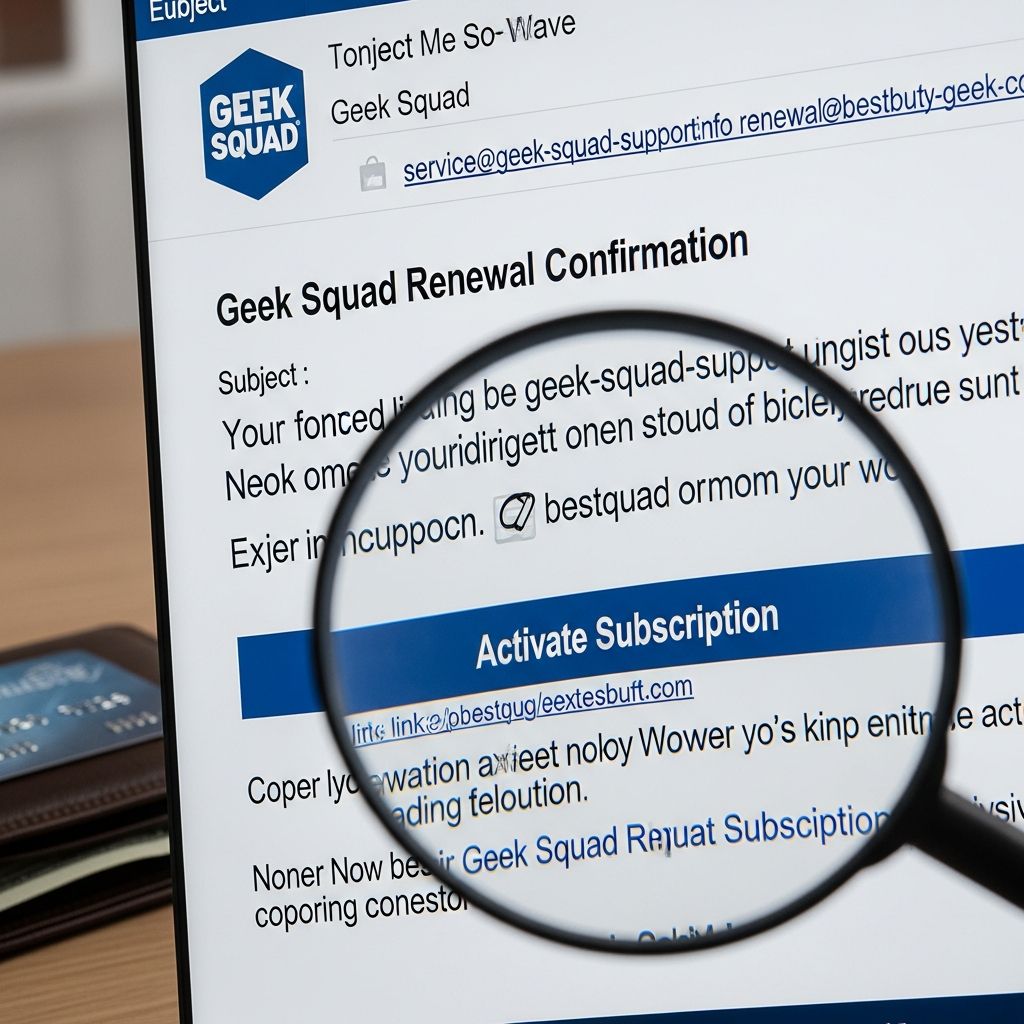
Scammers are increasingly impersonating Geek Squad, Best Buy’s tech support service, to trick people into sending money or handing over access to their devices. These fake renewal messages often look urgent and convincing, but there are clear warning signs you can learn to recognize.
This guide explains how the scam works, the red flags to watch for, and exactly what to do if you receive one of these messages or have already responded.
What Is a Fake Geek Squad Renewal Scam?
A fake Geek Squad renewal scam is a type of phishing and tech-support scam in which criminals pretend to be Geek Squad or Best Buy, usually through email or text, claiming you owe money for a service renewal you never requested.
Their main goals are to:
- Push you into calling a fake support number or clicking a link.
- Get you to grant remote access to your computer.
- Convince you to share financial information (bank account, card, or Social Security number).
- Trick you into sending money, often via gift cards or bank transfers.
How the Scam Usually Starts
Most fake Geek Squad renewal scams start with an unexpected message about a large charge.
Common Ways Scammers Contact You
- Email: A message saying your Geek Squad or Best Buy service has been renewed for hundreds of dollars, complete with an invoice and a phone number to call if you want to cancel.
- Text message (SMS): A short message about a recent or upcoming charge with a phone number or link to “fix” the problem.
- Phone calls: In some cases, scammers call directly and say they are from Geek Squad or Best Buy, referencing a renewal or suspicious account activity.
Typical Contents of the Fake Notice
These fake renewal notices often include:
- An amount, often between $300 and $500, claimed as a recent or pending charge.
- A made-up customer ID, invoice number, or authorization code to look more official.
- Instructions to call within 24 hours or lose your chance to cancel.
- A phone number or link that leads you straight to the scammers, not to Best Buy or Geek Squad.
What Happens If You Call or Click?
The real damage usually begins after you respond to the scam message.
Pressure Tactics on the Phone
If you call the number in the email or text, the scammer may:
- Introduce themselves as a Geek Squad or Best Buy employee and reference the fake invoice.
- Claim they can cancel the charge or issue a refund while you stay on the line.
- Insist that the issue is urgent and must be fixed immediately to avoid further charges or security problems.
Remote Access and Spyware Risks
One of the most dangerous steps scammers push is remote access to your computer.
- They may ask you to install remote-access software so they can “remove the charge” or “fix your account”.
- Once connected, they can:
– View saved passwords and browsing history.
– Log into your online banking or email accounts.
– Install spyware or other malicious programs to keep watching what you do.
The Fake Refund Trick
Another common move is a refund overpayment scam:
- The scammer pretends to send a refund to your bank account.
- They manipulate your online banking screen or a fake webpage to show that they sent you too much money (for example, $3,000 instead of $300).
- They beg you to help them fix the mistake so they do not get fired.
- They then direct you to send back the difference using gift cards, wire transfer, or another irreversible method.
In reality, there was no real refund at all. The money you send is simply stolen.
Key Warning Signs of a Fake Geek Squad Renewal
While these messages can look convincing, several red flags usually give the scam away.
| Red Flag | What It Looks Like | Why It’s Suspicious |
|---|---|---|
| Unexpected renewal notice | You receive an email or text about a Geek Squad renewal you don’t recognize. | Legitimate companies do not charge you for services you never signed up for. |
| High, urgent charge | Claims of a charge in the hundreds of dollars with a 24-hour deadline. | Scammers use panic and urgency to force quick decisions. |
| Suspicious sender | Email addresses that do not end in @bestbuy.com or texts from random numbers. | Official messages from Geek Squad should come from verified Best Buy domains. |
| Phone number in the message | Instructions to call a specific number instead of using known support channels. | The number goes to scammers, not to the real company. |
| Remote access request | The caller asks to connect to your computer to fix the issue. | Legitimate companies do not need to access your banking or install unknown software for simple billing issues. |
| Payment via gift cards or wire | You are told to buy gift cards and read the numbers or to send a wire transfer. | Government agencies and reputable companies never ask for payment this way. |
How to Safely Handle a Suspicious Geek Squad Message
If something feels off about a renewal message, follow these steps before doing anything else.
1. Do Not Use the Contact Information in the Message
- Do not call the phone number listed in the email or text.
- Do not click on any links or open attachments.
- Do not reply to the message to ask questions. That confirms your contact details are active.
2. Verify Directly With the Real Company
- Go to Best Buy or Geek Squad’s official website by typing the address directly into your browser.
- Log in to your genuine account to check for any actual invoices or orders.
- Use the customer service number listed on the official site or on your past receipts, not in the message.
3. Check Your Bank or Card Statements
- Look for any unauthorized transactions related to Best Buy, Geek Squad, or unknown merchants.
- If you see a charge you did not approve, contact your bank or credit card issuer immediately and ask to dispute it.
4. Report the Scam
Reporting helps enforcement agencies track patterns and warn others.
- In the United States, you can report scams to the Federal Trade Commission at their official reporting website.
- Best Buy asks customers to forward suspicious messages about offers or Geek Squad to their abuse reporting email.
- You may also report phishing emails to your email provider by using the “Report spam” or “Report phishing” option if available.
If You Already Gave Remote Access or Paid
Many people only realize something is wrong after they have followed the scammer’s instructions. If that happens, quick action can limit the damage.
Steps to Take Immediately
- Disconnect your device from the internet to block further remote access.
- Remove any remote-access tools you installed at the scammer’s request (for example, remote desktop software you did not use before).
- Change passwords for your email, bank, and any accounts you accessed from that device, starting with email and financial accounts.
- Contact your bank or card issuer to report unauthorized charges or transfers, and ask about placing alerts or holds on your accounts.
Protecting Against Identity Theft
If you shared sensitive information such as your Social Security number, you may be at risk of identity theft.
- Request a copy of your credit reports and review them for unfamiliar accounts or inquiries.
- Consider placing a fraud alert or credit freeze with major credit bureaus if you suspect your identity is being misused.
- Keep monitoring your statements and credit reports regularly for at least several months.
Simple Habits to Avoid Tech-Support and Renewal Scams
The same habits that protect you from fake Geek Squad renewals can help you avoid many other scams.
- Question unexpected messages: Treat surprise renewal notices or support alerts as suspicious until you independently confirm them.
- Don’t act while panicked: Scammers rely on fear and urgency. Pause, breathe, and verify before you respond.
- Use known contact channels: For billing or subscription questions, contact companies using phone numbers or websites you find yourself.
- Limit remote access: Only allow remote access from support teams you contacted through official channels and understand why it is needed.
- Enable security tools: Keep your device’s operating system, browser, and security software up to date to help block malicious sites and downloads.
FAQ: Geek Squad Renewal Scams
Q1: I really have a Geek Squad plan. How can I tell if a renewal notice is real?
Log in to your Best Buy or Geek Squad account directly through the official website and check your order history and subscriptions. Do not rely on links or phone numbers in a message. If you still have questions, call customer service using the number listed on the official site or your receipt, not the one in the email or text.
Q2: The email has my real name and looks professional. Could it still be a scam?
Yes. Scammers often use data from previous breaches to personalize messages, and they can copy logos and formatting to make emails look legitimate. Always check the sender’s address, avoid clicking links, and verify directly with the company.
Q3: The caller says I must move my money to a “safe” account. Is that ever legitimate?
No. Legitimate banks, tech companies, and government agencies will never ask you to move your money to protect it or to send funds to another account or gift cards to keep it secure. That is a classic scam tactic.
Q4: Should I forward the email anywhere after I delete it?
If you want to help authorities track the scam, you can report it to the FTC’s fraud reporting website and forward suspicious Best Buy or Geek Squad offers to the company’s abuse email address listed in their official guidance. Reporting is optional but helpful.
Q5: Can security software alone protect me from this scam?
Security software can block some malicious links and downloads, but it cannot stop you from calling a scam phone number or sharing personal details. The most effective protection is a combination of updated software and careful behavior.
References
- How to recognize a fake Geek Squad renewal scam — Federal Trade Commission. 2022-10-18. https://consumer.ftc.gov/consumer-alerts/2022/10/how-recognize-fake-geek-squad-renewal-scam
- Geek Squad Scam Alert: How to Spot Fake Renewal Emails — Trend Micro News. 2025-04-22. https://news.trendmicro.com/2025/04/22/how-to-spot-fake-geek-squad-scam-renewal-emails/
- Geek Squad scam: what you need to know — Surfshark. 2023-06-06. https://surfshark.com/blog/geek-squad-scam
- Geek Squad Scam: What It Is, How It Works, And How To Avoid It — OneRep. 2023-08-24. https://onerep.com/blog/geek-squad-scam-what-it-is-how-it-works-and-how-to-avoid-it
- What is the Geek Squad scam and how can you avoid it? — Norton LifeLock. 2023-05-03. https://lifelock.norton.com/learn/fraud/geek-squad-scam
- Geek Squad scams. All you need to know about them to stay safe — Bitdefender. 2023-02-16. https://www.bitdefender.com/en-us/blog/hotforsecurity/geek-squad-scams
- Protect Yourself from Scams — Best Buy. 2023-11-10. https://www.bestbuy.com/site/privacy-policy/protect-yourself/pcmcat266100050002.c
Similar Articles







Read full bio of medha deb