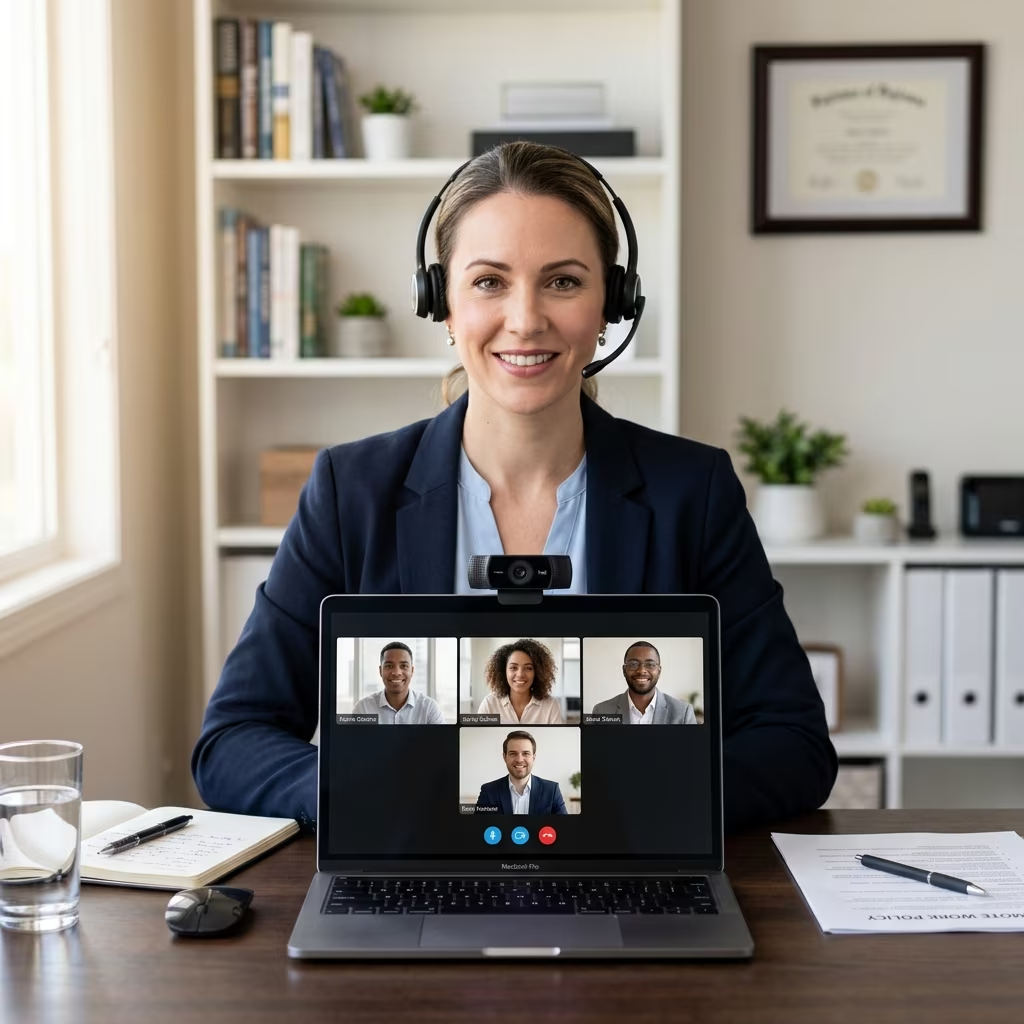
Video meetings are now a core part of how organizations communicate, collaborate, and manage remote and hybrid teams. Employers who define clear etiquette expectations and formal virtual meeting policies are better positioned to avoid misunderstandings, safeguard privacy, and support professionalism across their workforce.
This guide explains what video meeting etiquette is, why employers should address it in policy, and how to design practical rules that balance organizational needs with employee rights.
Understanding Video Meeting Etiquette in the Workplace
Video meeting etiquette refers to socially and professionally acceptable behavior when participating in virtual conferences or calls. While many norms mirror in‑person meetings, remote settings introduce unique considerations such as camera use, background selection, and technology readiness.
Common Elements of Professional Etiquette
Most organizations will want employees to follow a baseline set of etiquette guidelines whenever they join work-related video calls.
- Punctuality: Join meetings on time or a few minutes early, and notify the host if you expect to be late.
- Muting when not speaking: Keep microphones muted to reduce background noise and unmute when it is your turn to talk.
- Appropriate appearance: Dress in line with the organization’s dress code or the level of formality required for the meeting.
- Professional environment: Choose a quiet, distraction‑free location with a work‑appropriate background and stable lighting.
- Attention and participation: Avoid multitasking, maintain eye contact by looking toward the camera, and stay engaged with discussion.
- Respectful communication: Allow others to finish speaking, use clear turn‑taking, and keep chat messages professional.
Because “socially acceptable” behavior varies between teams and cultures, employers benefit from explaining expectations clearly and consistently.
Why Employers Need Formal Video Meeting Policies
Informal etiquette guidance may work in small teams, but larger or distributed organizations usually require documented rules. A video conferencing policy defines how employees should use video platforms, what is expected during meetings, and how the organization manages security and privacy.
Key Reasons to Adopt Written Rules
- Consistency: A policy ensures all employees receive the same instructions, reducing confusion about camera use, dress codes, or acceptable locations.
- Professionalism: Clear expectations help maintain a standard of conduct comparable to in‑person meetings, especially with clients or external stakeholders.
- Privacy and compliance: Policies can address recording practices, data protection obligations, and how meeting content is stored, aligning with applicable privacy laws.
- Productivity: Rules against multitasking and off‑topic conversation help keep virtual meetings efficient and targeted.
- Risk management: Guidance on platform selection and security settings reduces the risk of unauthorized access or accidental disclosure of confidential information.
Having expectations in writing also makes it easier to train staff, apply discipline fairly when needed, and demonstrate that the organization took reasonable steps to manage remote-work risks.
Core Topics to Address in a Video Meeting Policy
An effective policy focuses on a few key domains: technology use, professional standards, privacy, and meeting management. The following table summarizes typical policy topics and the kinds of rules employers often include.
| Policy Area | Typical Coverage |
|---|---|
| Technology and platforms | Approved video tools, account management, device security, software updates. |
| Meeting etiquette | Punctuality, muting, camera use, backgrounds, dress expectations, participation. |
| Privacy and recording | When and how meetings may be recorded, consent requirements, data retention. |
| Accessibility and inclusion | Support for participants with disabilities, language needs, and inclusive facilitation. |
| Scheduling and agendas | Notice periods, agenda circulation, time limits, and expectations about breaks. |
| Misconduct and enforcement | Unacceptable behavior, complaint channels, and disciplinary steps when rules are breached. |
Technology and Platform Expectations
Policies should specify which video tools employees may use (for example Zoom, Microsoft Teams, or similar platforms) and how those tools should be configured.
- Use only employer‑approved platforms for business meetings.
- Keep software updated and test audio, video, and connectivity before important calls.
- Follow security settings recommended by IT, such as password‑protected meetings or waiting rooms for external participants.
- Use strong passwords and avoid sharing login credentials.
Professional Appearance and Backgrounds
Video meetings often take place in private homes, which can blur boundaries between personal and professional life. Employers should clarify what counts as an acceptable background and attire while respecting the realities of remote work.
- Dress in line with the normal office or business‑casual standard unless a specific meeting requires more formal clothing.
- Select a neutral, tidy background that does not display confidential information, offensive items, or distracting movement.
- Use virtual backgrounds only if permitted and ensure they are appropriate and not overly distracting.
- Avoid high‑traffic household areas where people may walk through the frame or create noise.
Participation, Conduct, and Meeting Flow
Policies can help teams understand how to behave as both hosts and participants so that meetings remain orderly and productive.
- Come prepared by reading agendas and materials in advance.
- Use agreed‑upon signals for turn‑taking, such as hand‑raise icons, chat messages, or verbal cues.
- Keep comments relevant to the agenda and limit side conversations.
- Stay attentive, avoid multitasking, and keep distractions (including phones and unrelated browser tabs) out of sight.
- Be courteous, avoid interrupting others, and allow space for questions and clarification.
Balancing Employer Expectations with Employee Rights
While employers have legitimate interests in productivity and professionalism, video meetings can reveal sensitive information about an employee’s home, family, or personal circumstances. Policies should strike a balance between business needs and reasonable privacy expectations.
Camera Use and Privacy Concerns
Requiring cameras to be on at all times may feel intrusive for some employees. A flexible approach is often more sustainable, particularly for large or diverse workforces.
- Define when video is strongly encouraged (for example, client presentations or performance reviews) and when audio‑only participation is acceptable.
- Allow employees to explain why they cannot be on camera and encourage alternative ways to show engagement, such as chat participation.
- Offer guidance on minimizing visibility of personal spaces, such as positioning cameras away from bedrooms or using neutral backgrounds.
Recording Meetings and Data Protection
Recording virtual meetings can be useful for training, documentation, or compliance, but it raises privacy and data protection questions. Policies should clearly outline who may record, when, and how recordings are handled.
- State that recordings must be authorized in advance and limited to legitimate business purposes.
- Inform participants that a meeting is being recorded, ideally both verbally and through platform notifications.
- Specify where recordings are stored, who can access them, and how long they are retained.
- Prohibit unauthorized sharing of recordings or screenshots outside the organization.
Designing Effective Video Meeting Rules
Rules are more likely to be followed when they are practical, clearly communicated, and connected to recognizable goals such as respect, efficiency, and collaboration.
Principles for Crafting Rules
- Be specific: Replace vague terms like “be professional” with concrete instructions, such as “mute your microphone when not speaking” or “use a clean, non‑personal background.”
- Link to existing policies: Align virtual meeting rules with other company standards such as codes of conduct, IT policies, and dress codes.
- Tailor to roles: Recognize that customer‑facing staff, managers, and internal teams may have different requirements.
- Review regularly: Update rules to reflect new tools, changing legal obligations, or lessons learned from remote work experience.
Host Responsibilities vs. Participant Responsibilities
Separating host and participant expectations helps clarify who is responsible for agendas, security settings, and follow‑up. Many organizations adopt the following distinctions.
| Role | Key Responsibilities |
|---|---|
| Meeting host | – Schedule meetings and invite only necessary participants. – Circulate agenda and materials in advance. – Configure security options (passwords, waiting rooms). – Set norms for turn‑taking, chat use, and breaks. – Summarize decisions and next steps at the end of the meeting. |
| Participants | – Join on time and test technology beforehand. – Follow etiquette guidelines for muting, backgrounds, and dress. – Stay focused on the agenda and contribute constructively. – Raise questions respectfully and follow host instructions. |
Implementing and Communicating Video Meeting Policies
Once the policy is drafted, employers need a plan to train staff and reinforce the rules. Implementation should be ongoing rather than a one‑time announcement.
Steps for Rollout
- Publish the policy: Make the document easily accessible, such as in an employee handbook or intranet.
- Train managers: Ensure supervisors understand the rules and can model appropriate behavior in their own meetings.
- Include in onboarding: Introduce video meeting expectations to new hires early, especially if remote work is common.
- Reinforce with reminders: Use brief pre‑meeting checklists or invitations that highlight key etiquette points (for example, “Please join from a quiet space and mute when not speaking”).
- Encourage feedback: Invite employees to suggest improvements or raise concerns about privacy, accessibility, or practicality.
Addressing Non‑Compliance
Employers should treat violations of video meeting rules similarly to other workplace policy breaches. Responses should be proportionate and focused on education where possible.
- Start with informal coaching or reminders when etiquette issues arise.
- Use written warnings only when behavior is persistent or significantly disruptive.
- Document serious incidents, particularly those involving harassment, discrimination, or confidentiality breaches.
- Ensure enforcement is consistent and aligned with broader disciplinary procedures.
Frequently Asked Questions (FAQs)
1. Can employers require employees to turn cameras on?
Employers may set reasonable expectations for camera use, particularly for collaborative or client‑facing meetings. However, policies should consider privacy, accessibility, and individual circumstances, offering alternatives when continuous video is not practical.
2. Should meetings always be recorded?
No. Recording should be limited to situations with clear business needs, such as training sessions or formal presentations. Policies should explain when recording is appropriate, how participants are notified, and how recordings are stored and protected.
3. How formal should dress codes be for video calls?
Most employers mirror existing dress standards used for in‑person work, often business‑casual, while permitting flexibility for internal meetings. Policies can allow more formal attire for specific events (for example, client pitches or board meetings) and provide examples so expectations are clear.
4. What if an employee’s home environment is not ideal for video?
Policies should acknowledge that not all employees have quiet, private spaces. Employers can suggest strategies like using virtual backgrounds, positioning cameras to avoid sensitive areas, wearing headphones, or joining with audio only when video is not feasible.
5. How can organizations reduce video meeting fatigue?
Scheduling shorter meetings, building in breaks for longer sessions, limiting the number of daily video calls, and ensuring agendas are focused can help reduce fatigue. Employers may also encourage a mix of communication channels, such as email or chat, for discussions that do not require a meeting.
References
- Video Meeting Etiquette and Employer Policies — Rocket Lawyer. 2024-03-15. https://www.rocketlawyer.com/business-and-contracts/employers-and-hr/company-policies/legal-guide/video-meeting-etiquette-and-employer-policies
- Video Conferencing Policy Guidelines for 2026 — SixFifty. 2026-01-05. https://www.sixfifty.com/blog/video-conferencing-policy/
- Guidelines to Set for Video Meetings — Society for Human Resource Management (SHRM). 2020-08-14. https://www.shrm.org/topics-tools/news/employee-relations/guidelines-to-set-video-meetings
- Virtual Meeting Etiquette: 12 Essential Professional Rules — Slack. 2023-06-20. https://slack.com/blog/collaboration/applying-virtual-meeting-etiquette-rules-12-dos-and-donts
- Video Conferencing Etiquette and Best Practices — Net2Phone. 2023-02-10. https://www.net2phone.com/blog/video-conferencing-etiquette-and-best-practices
- Virtual Meeting Etiquette: 22 Must-Follow Guidelines — Livestorm. 2024-05-01. https://livestorm.co/blog/virtual-meeting-etiquette
- Virtual meeting etiquette: 16 tips for 2026 — Zoom. 2026-03-08. https://www.zoom.com/en/blog/video-meeting-etiquette-tips/