
Print Postage Stamps At Home: 9-Step Guide In 2026
Master the art of printing USPS-approved postage stamps from home with step-by-step instructions and top platform comparisons.
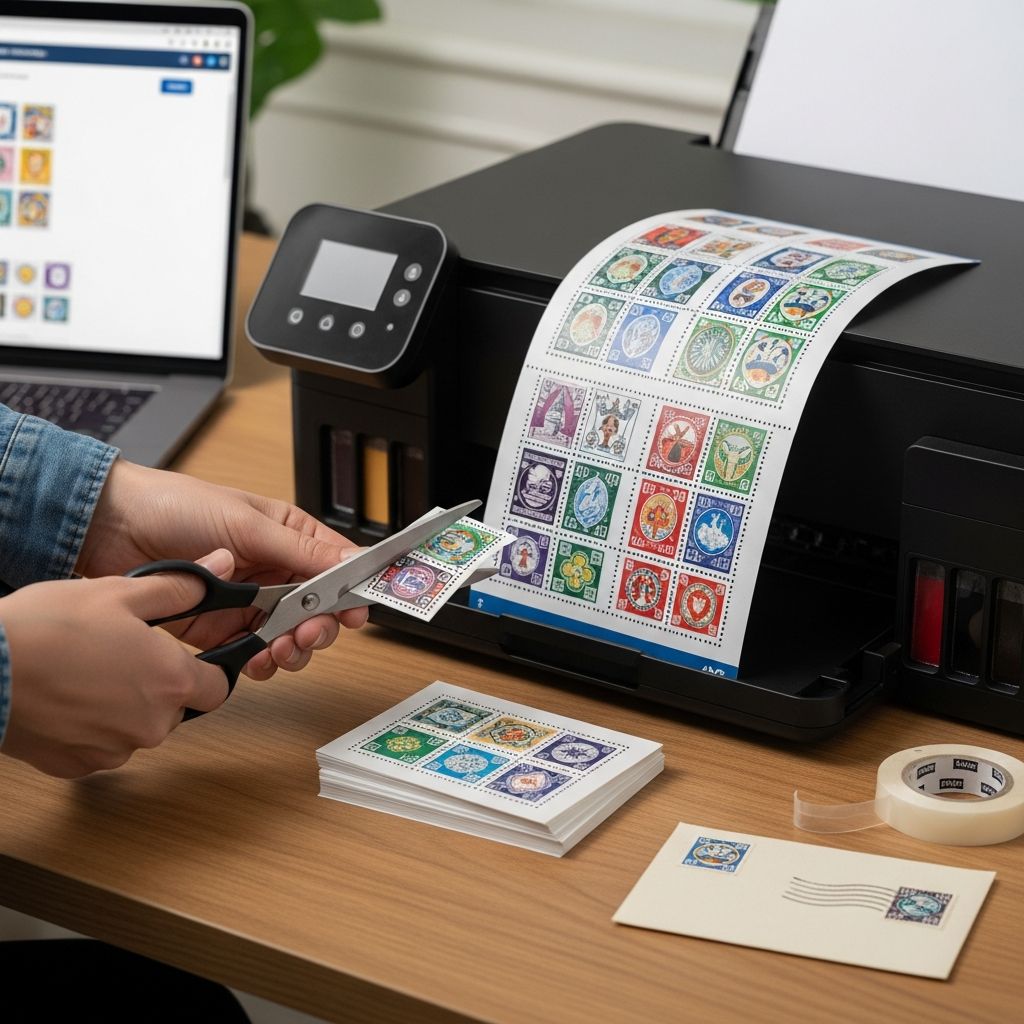
Printing postage stamps directly from your computer or mobile device has revolutionized mailing for individuals and businesses alike. Gone are the days of standing in long lines at the post office or running out of stamps during peak seasons. With USPS-approved NetStamps technology, you can generate custom, secure stamps on demand using everyday printers and special sheets or rolls. This guide explores everything from setup to advanced features, drawing on official platforms to help you streamline your shipping process.
Why Switch to Online Postage Printing?
Digital postage printing offers unmatched convenience, cost savings, and flexibility. Platforms like Stamps.com and Pitney Bowes provide access to discounted USPS and UPS rates—up to 87% off retail prices—while allowing 24/7 operation without special equipment beyond a standard printer. Businesses benefit from tracking, automated notifications, and bulk printing capabilities, reducing errors and postage fraud risks through built-in security features like barcodes and serial numbers.
- Cost Efficiency: Print first-class stamps for as low as 50¢ versus 55¢ at counters.
- Time Savings: No trips to the post office; schedule free USPS/UPS pickups.
- Versatility: Print on envelopes, labels, or NetStamps sheets/rolls for letters, postcards, and packages.
- Security: USPS-approved materials prevent counterfeiting with inks and patterns.
For high-volume mailers, features like Certified Mail with electronic return receipts add professionalism without green cards.
Essential Equipment for Home Postage Printing
You don’t need industrial machines—most setups use inkjet or laser printers compatible with NetStamps. Official USPS guidelines emphasize using approved sheets or rolls, which contain security elements for automated sorting.
| Item | Description | Where to Buy | Cost Range |
|---|---|---|---|
| NetStamps Sheets | Pre-perforated labels (up to 25 stamps/sheet) | Stamps.com, Endicia, Pitney Bowes | $5–$10/sheet |
| NetStamps Rolls | Continuous feed for high volume | Endicia, USPS partners | $20–$50/roll |
| Printer | Inkjet/laser (avoid plain paper) | Standard office supply | Already owned |
| Software/Account | Free trial accounts available | Platform websites | Subscription $20+/mo |
Load sheets with the serial number facing up, and test print settings for alignment.
Top Platforms for Printing Postage Online
Several services dominate the market, each with unique strengths. Stamps.com excels in multi-carrier support, while Endicia focuses on NetStamps precision.
Stamps.com: Versatile All-in-One Solution
Stamps.com integrates USPS, UPS, DHL, and more, printing stamps, labels, and Certified Mail seamlessly. Log in, select ‘NetStamps Sheets’ from the print menu, enter the sheet’s serial number (top-right corner), choose mail class (e.g., First-Class), and specify quantity—up to an entire sheet or multi-page jobs. The reprint button ensures no waste if alignment fails, and mobile apps enable printing via WiFi or QR codes.
Endicia: NetStamps Specialist
Endicia streamlines stamp printing for postcards and letters. Navigate to MAIL > Stamps, input the serial number, select service type, and choose stamp count. Partial sheets auto-advance to unused labels, supporting domestic/international mail. Combine with traditional stamps if needed, placing the largest denomination upper-right.
Pitney Bowes PitneyShip: Budget-Friendly Pro
PitneyShip allows instant stamp printing on sheets (up to 25/sheet) or envelopes with commercial discounts up to 40%. Preview designs, customize, and print from any device—no dedicated hardware required.
USPS Click-N-Ship: Free Official Option
For simple needs, USPS’s free tool lets you print labels and stamps directly. Create a free account, pay online, and download/print batches.
Step-by-Step: Printing Your First NetStamps Sheet
Follow this universal process, adapted from leading platforms:
- Sign Up/Log In: Create an account on your chosen service (many offer trials).
- Acquire Supplies: Order NetStamps sheets/rolls via the platform.
- Access Print Interface: Go to Mail/Ship > Print Stamps/NetStamps.
- Enter Serial Number: Locate on sheet/roll (one per job, even multi-sheet).
- Configure Settings: Select postage value, mail class, quantity (e.g., 25 for full sheet).
- Add Tracking (Optional): Reference numbers or cost codes for expenses.
- Load Printer: Place blank/partial sheet correctly; use first for previews.
- Print & Verify: Click Print Postage; certify for 26+ stamps.
- Reprint if Needed: Use built-in tools at no extra cost.
For multi-sheet (up to 25 stamps/sheet across jobs), the system calculates required pages automatically.
Advanced Tips for Efficient Bulk Printing
High-volume users can print dozens of sheets sequentially. Stamps.com’s multi-page feature handles 25 stamps/sheet across batches, displaying sheet counts in previews. Track expenses with cost codes and integrate with accounting software. For international mail, verify rates and combine denominations correctly.
- Partial sheets? Place on top for continuation.
- Certified Mail: Auto-generates tracking/return receipts.
- Mobile Printing: Use apps for on-the-go labels.
Cost Savings and Discount Breakdown
Online platforms unlock commercial pricing unavailable at counters.
| Service | First-Class Stamp Rate | Max Discount | Other Perks |
|---|---|---|---|
| Stamps.com | ~50¢ | 87% off USPS/UPS | Free pickups, tracking |
| Endicia | Standard commercial | Variable | NetStamps focus |
| PitneyShip | 50¢ (vs 55¢ retail) | 40% off | Custom designs |
| USPS Click-N-Ship | Commercial rates | Discounted | Free, no sub |
Subscriptions start low, with pay-as-you-go options like Orange Mailer.
Common Pitfalls and Troubleshooting
Avoid misalignment by calibrating printers and using sample prints. Never print on plain paper—USPS rejects it. If stamps fail scanning, reprint securely. For Mac users, browser or desktop apps ensure compatibility.
Frequently Asked Questions (FAQs)
Can I print international stamps at home?
Yes, platforms like Endicia support international postcards/letters with proper rates.
Do I need a special printer?
No, standard inkjet/laser works with NetStamps supplies.
What if my sheet prints incorrectly?
Reprint buttons on Stamps.com/Endicia allow free fixes.
Can I mix NetStamps with regular stamps?
Yes, ensure total postage meets requirements; largest upper-right.
Is tracking included?
Labels include barcodes; Certified options add return receipts.
Getting Started Today
Sign up for a free trial on Stamps.com or USPS Click-N-Ship to test the waters. With rising e-commerce, home postage printing isn’t just convenient—it’s essential for efficiency in 2026.
References
- How to Print Postage with NetStamps Sheets | Stamps.com — Stamps.com. 2025-05-06. https://www.youtube.com/watch?v=ZVmPoehI2m4
- Printing NetStamps – Endicia — Endicia. n.d. https://help.endicia.com/hc/en-us/articles/20822765720859-Printing-NetStamps
- Stamps.com – Buy Postage Online — Stamps.com. n.d. https://www.stamps.com
- How to Buy & Print Stamps Online – Pitney Bowes — Pitney Bowes. n.d. https://www.pitneybowes.com/us/blog/how-to-buy-postage-online.html
- Print Postage Stamps Online — Stamps.com. n.d. https://www.stamps.com/postage-online/
- Postage Options – USPS — USPS. n.d. https://www.usps.com/business/postage-options.htm
- Online Shipping with Click-N-Ship – USPS — USPS. n.d. https://www.usps.com/ship/online-shipping.htm
Similar Articles








Read full bio of medha deb


