
Practical Ways to Shield Your Data From Your ISP
Understand what your internet provider can see, how the law treats that data, and the concrete steps you can take to keep your online activity private.
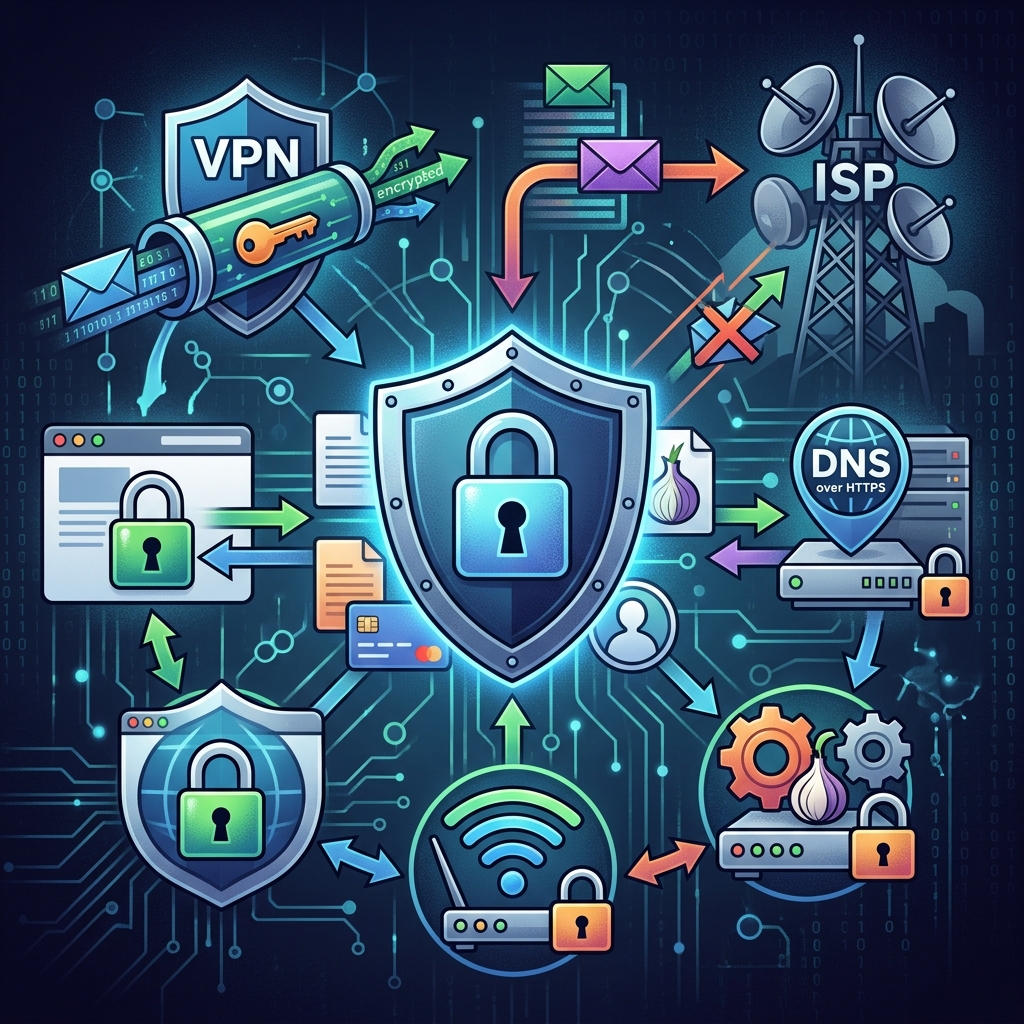
Your internet service provider (ISP) sits between you and the rest of the online world. That position gives it a powerful vantage point over your activity—and, in many cases, legal permission to collect and use information about what you do online. If you care about privacy, it is not enough to tweak your browser settings. You need to understand what your ISP can see, what the law allows, and which technical tools genuinely reduce the amount of data being gathered.
Why ISP Data Collection Matters
ISPs can log far more than just the websites you visit. According to a report by the U.S. Federal Trade Commission, major ISPs routinely combine browsing history, app usage, location data, and even information from connected smart devices into detailed user profiles that may be used for advertising, shared with affiliates, or sold to data brokers. For many households, the ISP effectively functions as a single surveillance point for phones, laptops, TVs, and IoT devices that all rely on the same connection.
This matters because:
- Profiles can be highly sensitive: Location patterns, health-related searches, and financial activity are often visible in raw network traffic.
- Consent is limited or confusing: Privacy options, if available, are often buried in account settings and difficult to interpret.
- Data can be repurposed: Information collected for “network management” can later be used for targeted advertising or shared with third parties.
What Your ISP Can See by Default
The exact scope of visibility depends on the technology you use, but without additional protections, ISPs typically have access to several categories of data.
| Type of Information | What Your ISP Typically Sees | How It Is Used |
|---|---|---|
| Connection metadata | IP address, connection times, bandwidth use, device identifiers | Billing, network management, security monitoring |
| DNS requests | Domain names you look up (e.g., example.com) | Building browsing profiles, targeted advertising, content filtering |
| Unencrypted web traffic | Full URLs, page content, form data when sites do not use HTTPS | Inspection, filtering, insertion of tracking identifiers or “supercookies” |
| Encrypted web traffic (HTTPS) | Domains and volume of data, but not page contents | Inferring interests and behavior from destinations and usage patterns |
| App and device traffic | Which services and servers your devices connect to | Analytics, advertising segments, cross-device profiling |
Even if you turn on “private” or “incognito” mode in your browser, this only affects local history on your device. It does not hide domains, DNS requests, or connection metadata from your ISP.
Legal Landscape: What ISPs May Do With Your Data
Consumer privacy rules for ISPs vary significantly by jurisdiction. In some countries and U.S. states, laws restrict the ways providers can use or share personally identifiable information without explicit consent. For example, model legislation such as the Internet Privacy Protection Act would forbid ISPs from selling or transferring a consumer’s browsing history, app usage data, and location information without affirmative permission.
However, many regions do not have strong, enforceable limits. The FTC’s examination of six major U.S. ISPs found that users often have few practical options to limit how their information is used. ISP privacy policies can be broad, allowing data to be shared within corporate families and with partners.
Key Legal Concepts You Should Know
- Personally Identifiable Information (PII): Data that can reasonably be linked to an individual, such as name, address, or precise location.
- Opt-in vs. Opt-out: Opt-in requires explicit consent before data is sold or shared; opt-out assumes consent until you take steps to disable it.
- Data minimization: A principle that providers should collect only what is necessary for delivering the service, not everything they technically can.
Legal protections are important, but they do not eliminate the need for technical measures. In practice, combining rights-based strategies with encryption and privacy tools offers more robust protection.
Technical Strategies to Limit ISP Tracking
The most effective way to reduce your ISP’s insight into your online life is to limit what it can technically see. That means focusing on encryption and rerouting traffic so the ISP no longer has direct visibility into your destinations and content.
1. Use a Reputable VPN Service
A virtual private network (VPN) creates an encrypted “tunnel” between your device and a VPN server. When properly configured, your ISP can see only that you are communicating with a VPN, not the websites, apps, or services you access through it. All traffic is wrapped in encryption before it leaves your device and travels across the ISP’s network.
Benefits of a VPN
- Masks your destinations: Websites and services see the VPN server’s IP address instead of yours.
- Encrypts all traffic: Prevents ISPs from inspecting content or injecting tracking identifiers.
- Can be applied at the router: Protects every device on your home network when configured on a compatible router.
What to Look For in a VPN Provider
Not all VPNs are equally protective. The Electronic Frontier Foundation recommends evaluating VPNs based on several criteria:
- No-logs policy: The provider should explicitly state that it does not log your traffic or connection details, and ideally be subject to independent audits.
- Strong, open protocols: Support for well-vetted standards such as OpenVPN or IPsec indicates mature encryption practices.
- DNS leak protection: Your DNS queries should be handled inside the encrypted tunnel, not by your ISP.
- IPv6 support: As more services use IPv6, the VPN should either support it securely or safely disable it to prevent leaks.
2. Favor HTTPS for Web Browsing
HTTPS adds a layer of encryption between your browser and the websites you visit. It does not conceal the domain name from your ISP, but it does hide the specific pages you open and the contents you send or receive. Privacy advocates have pushed for universal adoption of HTTPS to make passive surveillance much less informative.
To strengthen your use of HTTPS:
- Check for the padlock in your browser’s address bar and URLs beginning with
https://. - Use privacy-focused browsers that automatically enforce HTTPS connections whenever possible.
- Consider browser extensions that redirect you to secure versions of sites when available.
3. Enable Encrypted DNS (DoH or DoT)
Domain Name System (DNS) is the mechanism your device uses to translate human-readable addresses into IP numbers. Traditional DNS queries are often sent in clear text, meaning your ISP can see every domain name you look up, even when the subsequent connection is encrypted.
Protocols such as DNS over HTTPS (DoH) and DNS over TLS (DoT) encrypt these requests so that observers cannot easily read your browsing destinations. When combined with VPNs or secure browsers, encrypted DNS closes a significant gap in your privacy defenses.
Practical Steps for Encrypted DNS
- Turn on secure DNS options in modern browsers that support DoH.
- Configure your operating system or router to use a trusted encrypted DNS provider that publishes clear privacy commitments.
- Verify that DNS requests do not leak outside your VPN by using online tools that test for DNS leaks (many reputable VPNs provide such tools).
4. Consider Tor for High-Sensitivity Activities
The Tor Browser routes traffic through a volunteer-run network of servers, with multiple layers of encryption designed to prevent any single party from knowing both who you are and where you go. When you use Tor, your ISP can see that you are connecting to the Tor network, but not the specific sites you visit.
Tor offers more anonymity than typical VPNs, but it is also slower and may be blocked by some services. It is best reserved for tasks where privacy and anonymity are more important than convenience.
Device, Browser, and Account Settings That Complement Encryption
Even with a VPN or Tor, some patterns can still be inferred from the volume and timing of your traffic. You can reduce this metadata and minimize additional data collection by configuring your devices and accounts thoughtfully.
Optimize Your Router Settings
- Update firmware regularly to patch security vulnerabilities that could expose traffic beyond your ISP.
- Disable unnecessary remote management features that may create extra data flows or attack surfaces.
- Use your own router where permitted, rather than ISP-supplied hardware that may come with preconfigured tracking or analytics tools.
Review Privacy Options in Your ISP Account
Some ISPs allow customers to opt out of tailored advertising or certain forms of data sharing. These controls are often located in the account portal under privacy, marketing, or advertising preferences.
- Log in to your ISP account and look for privacy settings related to advertising and data sharing.
- Opt out of any supercookie-based tracking or cross-device advertising programs if the option is available.
- Periodically re-check settings, as providers may change defaults or introduce new programs.
Harden Your Browsers and Apps
While browser-level changes do not stop your ISP from seeing domains and metadata, they prevent additional parties—like ad networks and analytics services—from gathering detailed information. This indirectly reduces the overall data ecosystem your ISP participates in.
- Use browsers that offer built-in tracker blocking and private search defaults.
- Add extensions that block ads, fingerprinting, and third-party scripts.
- Limit automatic sync and telemetry features that send usage data back to software vendors.
Choosing an ISP With Better Privacy Practices
Technical tools can only go so far if your provider is committed to extensive data collection. Where you have a choice of ISPs, it is worth evaluating their privacy commitments before signing up.
Factors to Compare Between ISPs
- Privacy policy clarity: Look for specific statements about whether browsing history, app usage data, and location are used for advertising or shared with third parties.
- Default settings: Some providers enable data sharing by default and require you to find opt-out pages; others adopt more privacy-preserving defaults.
- History of enforcement actions: Public regulatory reports, such as those from the FTC, can reveal past practices and help you gauge risk.
Voting with your wallet—selecting ISPs that commit to minimal data collection and clear limits on sharing—is a long-term way to encourage better industry norms.
Frequently Asked Questions About ISP Privacy
Does “incognito mode” stop my ISP from seeing what I do?
No. Private or incognito modes prevent your browser from saving history, cookies, and cache on your local device. They do not change what data travels over the network, so your ISP still sees the domains you visit, when you are online, and how much data you transfer.
Is a VPN always better than not using one?
For hiding activity from your ISP, a properly configured VPN generally offers substantial benefits because it encrypts traffic and masks destinations. However, using a VPN means the provider itself can potentially see your activity. You are shifting trust away from your ISP and toward the VPN, so it is important to choose a service with strong encryption and strict no-logs policies.
Can my ISP still track me if I use HTTPS everywhere?
HTTPS stops the ISP from reading the contents of the pages you visit, but it does not hide the domain names or the amount of data exchanged. That means your ISP can still infer broad categories of interest, such as news, banking, or streaming, based on where you connect. Combining HTTPS with VPNs and encrypted DNS is more effective than relying on HTTPS alone.
Is Tor safer than a VPN?
Tor can provide stronger anonymity because traffic is routed through multiple relays and no single party can see both your identity and your destination. From the ISP’s perspective, Tor hides specific websites in a similar way to VPNs. However, Tor is slower, some sites block Tor exits, and misuse can still compromise privacy. For most daily browsing, a trustworthy VPN plus good browser hygiene is sufficient; Tor is best suited for scenarios where anonymity is critical.
Do privacy laws mean I no longer need technical tools?
Legal protections are important but are often incomplete or unevenly enforced. Even when laws limit how ISPs may sell or transfer data, they may still collect large volumes of information for internal use. Technical tools like VPNs, encrypted DNS, and secure browsers reduce the amount of data available in the first place, which complements legal rights and enforcement instead of replacing them.
References
- A Look at What ISPs Know About You — Federal Trade Commission. 2021-10-21. https://www.ftc.gov/reports/look-what-isps-know-about-you-examining-privacy-practices-six-major-internet-service-providers
- Here’s How to Protect Your Privacy From Your Internet Service Provider — Electronic Frontier Foundation. 2017-04-05. https://www.eff.org/deeplinks/2017/04/heres-how-protect-your-privacy-your-internet-service-provider
- ISP Tracking: What Your Internet Provider Can See — BroadbandNow. 2024-03-15 (last updated). https://broadbandnow.com/guides/what-your-isp-knows-about-your-data-use
- Internet Privacy Protection Act (Model Bill) — Public Leadership Institute. 2017-01-01. https://publicleadershipinstitute.org/model-bills/consumer-protection/internet-privacy-protection-act/
- How to Protect Your Online Privacy from Your Internet Service Provider (ISP) in 2025 — Tobin Solutions. 2025-01-10. https://tobinsolutions.com/how-to-protect-your-online-privacy-from-your-internet-service-provider-isp-in-2025/
- How Do I Protect Myself from My ISP? — Ask Leo! 2020-07-08. https://askleo.com/how-do-i-protect-myself-from-my-isp/
Similar Articles








Read full bio of Sneha Tete


