
Phishing Scams: Recognize, Avoid, and Recover
Learn how phishing works, how to spot fake messages, and the exact steps to protect your money, identity, and devices.
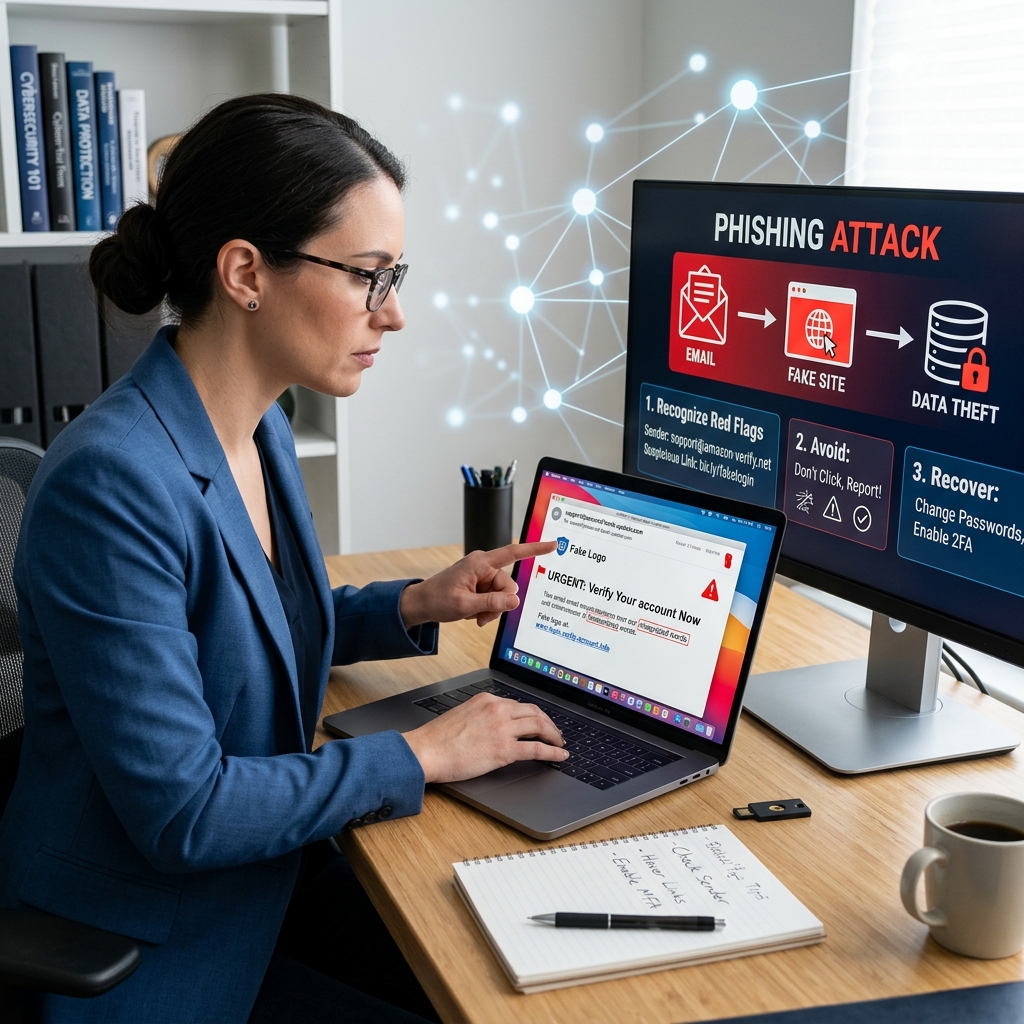
Phishing is one of the simplest and most effective tools cybercriminals use to steal money, passwords, and personal data. It relies less on advanced hacking and more on tricking people into handing over information or clicking dangerous links. According to government and security agencies, phishing remains a leading cause of account takeovers, financial fraud, and malware infections.
This guide explains what phishing is, how to recognize common tactics, the best ways to protect yourself and your organization, and what to do if you suspect you have already taken the bait.
What Is Phishing and Why It Matters
Phishing is a form of social engineering where attackers pose as trusted organizations or individuals to trick you into revealing sensitive information or performing risky actions. These messages can arrive by email, text, social media, messaging apps, or even phone calls.
Typical goals of phishing include:
- Stealing login credentials for email, banking, cloud services, and social media.
- Obtaining financial information such as credit card numbers or bank account details.
- Installing malware (including ransomware or spyware) through malicious attachments or links.
- Impersonating victims to conduct further fraud or spread the attack inside organizations.
Because phishing relies on deception rather than technical exploits, every internet user is a potential target. Awareness and cautious behavior are critical defenses.
Common Types of Phishing Attacks
While the details vary, most phishing scams fall into a few recognizable patterns. Understanding these categories makes it easier to spot new variations.
1. Traditional Email Phishing
Email phishing is the classic scenario: a message appears to come from a bank, delivery service, government agency, or popular online platform and urges you to click a link or open an attachment.
Key characteristics:
- Generic greetings like “Dear Customer.”
- Unexpected warnings about account problems or suspicious activity.
- Embedded links leading to fake login pages.
- Attachments claiming to be invoices, shipping labels, or statements.
2. Spear Phishing
Spear phishing targets specific individuals or organizations using more personalized details, such as job titles, colleagues’ names, or ongoing projects. Attackers often gather information from public sources like company websites or social media to craft convincing messages.
Because spear-phishing messages look highly credible, they are often used to initiate wire transfers, change payroll details, or obtain corporate login credentials.
3. Smishing and Vishing
Phishing is not limited to email:
- Smishing: fraudulent text messages prompting you to click a link or call a number.
- Vishing: voice phishing through phone calls, where scammers pose as bank staff, tech support, or government officials.
These attacks often exploit urgency, claiming your account will be closed, your computer is infected, or you owe immediate payment.
4. Business Email Compromise (BEC)
Business Email Compromise involves attackers impersonating an executive, supplier, or trusted partner to request payments or sensitive documents. Instead of obvious links, BEC scams use carefully worded, realistic messages to bypass suspicion.
Examples include false requests to update bank account details for vendors, or emails that appear to come from a CEO asking for a confidential transfer.
Red Flags: How to Recognize Phishing Messages
Phishing relies on subtle pressure and imitation. Even sophisticated attacks usually contain warning signs if you look closely. Security agencies and major technology providers highlight several common indicators.
| Warning Sign | What It Looks Like | Why It’s Risky |
|---|---|---|
| Urgent or threatening language | “Your account will be closed in 24 hours” or “Immediate action required” | Pressure can override normal caution and lead to rushed decisions. |
| Requests for sensitive data | Asking for passwords, full card numbers, or Social Security numbers via message | Legitimate organizations rarely request such details through email or text. |
| Suspicious links or domains | Links that look similar to real sites but include extra characters or misspellings | Fake websites capture credentials or deliver malware. |
| Unexpected attachments | Invoices, shipping labels, or documents you were not expecting | Common vehicles for malware and ransomware. |
| Sender address inconsistencies | Email from “support@yourbank-security.com” instead of the official domain | Spoofed or lookalike addresses are a hallmark of phishing. |
When in doubt, treat any unexpected request for information, payment, or login credentials as suspect until you independently verify it.
Best Practices to Avoid Phishing Attacks
Effective phishing prevention is a combination of technical protections and everyday habits. Government agencies and cybersecurity organizations recommend several key practices.
1. Slow Down and Verify Independently
The most important habit is to pause before responding to any unexpected or urgent message:
- Do not click links or call numbers provided in suspicious messages.
- Use a search engine, a card, or an official statement to find contact details yourself.
- If the message appears to come from someone you know, confirm using a separate, trusted channel such as a phone call or known email address.
Independent verification breaks the attacker’s control over the communication and exposes fake messages quickly.
2. Protect Personal and Financial Information
Limit what you share and how you share it:
- Never provide passwords, full card numbers, or national ID numbers in response to unsolicited messages.
- Avoid entering sensitive data on websites reached by clicking in emails; instead navigate directly using a bookmark or typed address.
- Be cautious about posting personal details publicly that could be used to customize spear-phishing attempts.
3. Use Strong Authentication and Password Hygiene
Even if credentials are stolen, you can reduce the impact:
- Enable multi-factor authentication (MFA) wherever possible so attackers need more than just a password.
- Use unique, strong passwords for each account and consider reputable password managers.
- Change passwords immediately if you suspect they may have been exposed.
4. Keep Software and Devices Updated
Outdated software can make phishing more dangerous by allowing malware to exploit known vulnerabilities:
- Regularly install security updates for operating systems, browsers, and applications.
- Ensure antivirus and anti-malware tools are active and updated.
- Use modern browsers that block known phishing sites and malicious downloads where possible.
5. Use Built-in Security Tools
Many email and collaboration platforms provide protection features:
- Enable spam and phishing filters in email clients and services.
- Use email security protocols and, in organizations, consider proxy or DNS filtering to block known malicious domains.
- Report suspicious messages using built-in options (for example, “Report phishing” in major email services).
Organizational Strategies Against Phishing
For businesses and institutions, phishing is both a human and a technical problem. National cybersecurity agencies emphasize layered defenses and supportive culture.
Training and Culture
- Conduct regular awareness training focused on real-world examples and simple rules-of-thumb.
- Encourage staff to ask questions and report suspicious messages without fear of blame, even if they clicked something.
- Clarify normal procedures for payments, data requests, and account changes so unusual requests stand out.
Process and Technical Controls
- Require secondary verification (such as a phone call or secure portal confirmation) for significant financial or data-related requests.
- Limit administrator accounts and avoid using them for everyday email and browsing to reduce the impact of malware.
- Use email security gateways, web proxies, and DNS filtering services to block known phishing and malware domains.
What To Do If You Clicked a Phishing Link or Shared Information
Even cautious users sometimes make mistakes. If you realize you responded to a phishing message or visited a suspicious site, acting quickly can significantly reduce harm. Security guidance from financial regulators and technology providers outlines key steps.
Step 1: Document What Happened
While the incident is fresh, note:
- Which accounts, usernames, or passwords you may have provided.
- Any files you downloaded or attachments you opened.
- Whether you entered information on a website and which device you used.
Step 2: Secure Your Accounts
- Change passwords immediately on affected accounts and any other accounts that reused the same password.
- Enable multi-factor authentication where available, especially for email, banking, and cloud services.
- Review recent account activity for unauthorized logins, changes, or transactions.
Step 3: Protect Your Financial Identity
If you disclosed financial information, take additional steps:
- Contact your bank or card issuer using official numbers to report the incident and ask about fraud monitoring.
- Consider placing fraud alerts with major credit bureaus to reduce the risk of new accounts being opened in your name.
- Monitor statements and credit reports closely for unusual activity.
Step 4: Check Your Devices for Malware
- Run a full scan with reputable antivirus or anti-malware software on the device used.
- If you suspect serious compromise, temporarily disconnect the device from the internet during investigation.
- Update software and security tools after removing any threats.
Step 5: Report the Incident
Reporting helps authorities track trends and may assist in recovery:
- Inform your organization’s IT or security team if it involves work or school accounts.
- Report fraud and identity theft concerns to relevant consumer protection and law enforcement agencies in your country.
- Use recognized anti-phishing reporting channels or platforms where available.
Practical FAQs About Phishing
1. Is every unexpected email phishing?
No. Many legitimate organizations send unexpected notifications. However, unexpected messages that ask you to share sensitive details, click a link to log in, or open attachments should always be treated with caution. Verify using official contact methods before acting.
2. Can phishing happen on trusted platforms?
Yes. Attackers can send phishing messages through widely used services such as email from large providers, workplace collaboration tools, or social networks. Use built-in reporting tools and always verify requests that appear unusual.
3. If I don’t click anything, am I safe?
In most cases, simply receiving a phishing email or text does not compromise your device or account. The risk increases when you click links, open attachments, or provide information. The safest course is to report and delete suspicious messages without interacting.
4. How often should I change passwords after a phishing scare?
If you suspect a password was exposed, change it immediately and avoid reusing passwords across accounts. After an incident, it is wise to review all important accounts and consider updating passwords, especially if any are weak or duplicated.
5. What makes organizational phishing defense different?
Organizations must protect many users and systems, so they combine user training, clear business processes, technical controls like filters and proxies, and incident response plans. This layered approach reduces the chances that a single phishing message leads to major disruption or loss.
Key Takeaways for Everyday Protection
- Be skeptical of unexpected, urgent, or threatening messages.
- Never share passwords or full financial details in response to unsolicited contacts.
- Verify requests using independently obtained contact information.
- Use strong authentication, unique passwords, and updated software.
- Act quickly and methodically if you think you have responded to a phishing scam.
Phishing relies on human trust. By taking a moment to question and verify, you make it significantly harder for attackers to succeed.
References
- Phishing Attack Prevention: How to Identify & Avoid Phishing Scams — Office of the Comptroller of the Currency (OCC). 2023-03-01. https://www.occ.gov/topics/consumers-and-communities/consumer-protection/fraud-resources/phishing-attack-prevention.html
- Phishing attacks: defending your organisation — National Cyber Security Centre (NCSC, UK). 2023-07-21. https://www.ncsc.gov.uk/guidance/phishing
- Teach Employees to Avoid Phishing — Cybersecurity and Infrastructure Security Agency (CISA). 2024-02-15. https://www.cisa.gov/audiences/small-and-medium-businesses/secure-your-business/teach-employees-avoid-phishing
- What is Phishing? Techniques and Prevention — CrowdStrike. 2023-11-10. https://www.crowdstrike.com/en-us/cybersecurity-101/social-engineering/phishing-attack/
- How to prevent phishing — Cloudflare Learning Center. 2024-04-05. https://www.cloudflare.com/learning/email-security/how-to-prevent-phishing/
- Protect yourself from phishing — Microsoft Support. 2024-01-12. https://support.microsoft.com/en-us/security/protect-yourself-from-phishing
Similar Articles








Read full bio of Sneha Tete


