As online shopping has become a daily routine, scammers have found a powerful new tool: fake order confirmation emails that look convincing enough to trick even cautious consumers. These messages claim you bought something, owe money, or must act urgently to fix a problem, and their real goal is to steal your data or your money.
This guide explains how these scams work, the warning signs to watch for, and the steps you can take to stay safe. It is based on current guidance from security experts and official organizations, synthesized into practical advice for everyday online shoppers.
What Is a Fake Order Confirmation Email Scam?
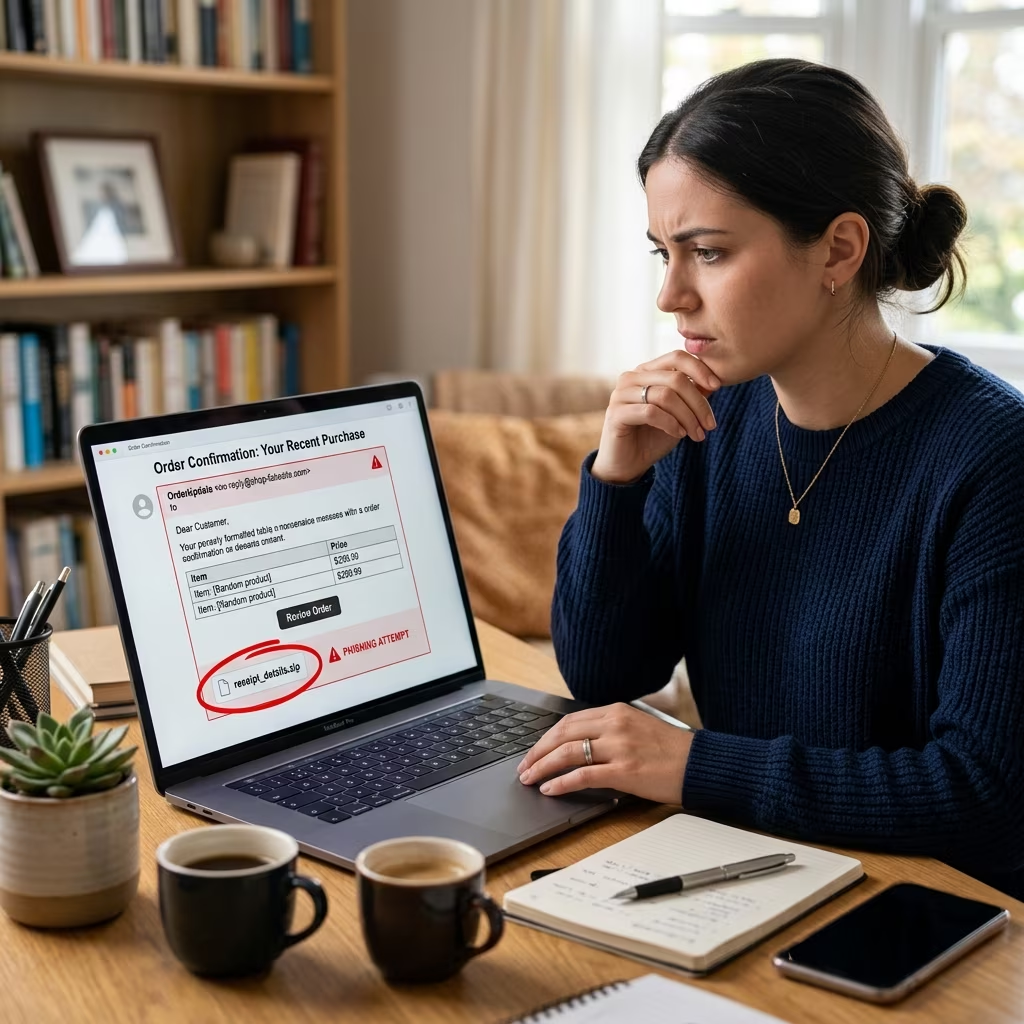
A fake order confirmation scam is a form of phishing or social engineering where criminals send you an email, text, or message pretending to confirm a purchase or delivery you never made. The message often appears to come from a familiar brand—such as a major retailer, marketplace, payment service, or delivery company—and includes realistic logos, formatting, and order details to seem legitimate.
Scammers use these fake confirmations to push you into clicking malicious links, downloading harmful attachments, or calling a phone number operated by the fraudsters themselves. Their aims typically include:
- Collecting your login credentials to online accounts
- Obtaining payment card numbers or banking information
- Installing malware or ransomware on your device
- Convincing you to authorize charges, wire transfers, or gift card payments
Because real online stores send legitimate confirmations all the time, these fraudulent messages blend seamlessly into your inbox and can be difficult to spot without careful attention.
Why These Scams Are So Effective
Fake order confirmations exploit both the popularity of online shopping and common human reactions to surprise and urgency.
Leveraging your shopping habits
Most people receive regular emails about shipping updates, order statuses, and payment receipts. When a new message claims you bought something, it feels plausible simply because you buy online often. That familiarity lowers your guard.
Scammers copy the style of large retailers, payment platforms, and delivery services—using logos, similar layouts, and familiar terms—to create a sense of trust. Some messages even refer to widely used brands by name or display a fake tracking number to mimic legitimate communications.
Creating panic and urgency
Many fake confirmation emails include urgent language designed to make you react quickly rather than think clearly. Common tactics include:
- Claims that your card has already been charged for a high amount
- Threats that your account will be suspended unless you respond
- Warnings that a suspicious purchase needs immediate verification
- Messages saying a package is stuck and requires payment or personal information to be delivered
That sense of emergency is intentional. Security experts warn that scammers depend on emotional reactions to overcome your normal caution. When you are worried about unauthorized charges or missing packages, you are more likely to click before checking.
Common Red Flags in Fake Order Confirmation Emails
Although many scam emails look polished, most contain clues that they are not genuine. Learning to recognize these red flags will help you separate real order confirmations from dangerous fakes.
Suspicious sender information
The sender’s address is often the first giveaway:
- Misspelled domains: For example, amaz0n.com instead of amazon.com or fed-ex.com instead of the official domain.
- Unrelated addresses: A message allegedly from a delivery company might come from an unknown personal or generic email provider.
- Extra words or symbols: Long strings of characters or added terms that legitimate brands would not use.
Details that do not match your activity
Another important signal is whether the message aligns with your recent activity:
- The email confirms an order from a company you have not used recently.
- The purchase amount or item description does not match anything you recognize.
- The message refers to an account or username that is not yours.
If you genuinely cannot recall placing the order, treat the communication with skepticism until you independently verify it.
Unusual formatting and language
Professional businesses typically maintain consistent formatting and spelling in their communications. Scams often include:
- Typos, grammatical mistakes, or strange sentence structure
- Inconsistent date formats that differ from the company’s usual style
- Odd spacing in phone numbers, addresses, or other key information
- Overuse of capital letters or exclamation marks to emphasize urgency
Dangerous links and attachments
Fake confirmations nearly always encourage you to click a link or open an attachment. Common warning signs include:
- Links that point to domains unrelated to the claimed brand
- Attachments with unusual file extensions, such as .pdf.html
- Files that ask for your password or other sensitive information before opening
- Instructions to call a phone number in the email instead of the company’s official contact channels
Requests for sensitive information
Legitimate confirmations from reputable companies do not demand personal data or payment details through unsolicited emails or texts. Treat messages as fraudulent if they ask for:
- Full credit card numbers or CVV codes
- Passwords or one-time authentication codes
- Social Security numbers or national ID numbers
- Bank account details, wire transfers, or gift card payments
How Fake Order Confirmation Scams Typically Operate
Understanding the typical sequence of a fake order confirmation scam helps you recognize it earlier and respond more safely.
| Scam Stage | What You See | Scammer’s Goal |
|---|---|---|
| Initial contact | Unexpected email or text claiming there is a new order, charge, or delivery problem | Grab your attention and trigger concern or curiosity |
| Urgency and pressure | Language suggesting immediate action is required to prevent charges or fix an issue | Rush you into reacting without verifying the message |
| Call to action | Buttons or links like “Confirm now,” “Cancel order,” or “Track package,” or a phone number to call | Get you to interact with a fake website, phone line, or malware attachment |
| Data or payment capture | Fake login page or support script that asks for credentials, payment details, or verification codes | Steal information that can later be used for fraud or identity theft |
Safe Steps to Take When You Receive a Suspicious Confirmation
If you receive an order or delivery confirmation that does not look right, slow down and follow a cautious, step-by-step process.
1. Do not click, call, or reply
First, avoid interacting directly with the message:
- Do not click on any links or buttons.
- Do not open attachments.
- Do not call the phone numbers listed in the email or text.
- Do not reply with personal information or confirmation.
Simply reading the message is usually not harmful. The risk begins when you engage with the content.
2. Verify using trusted channels
To check whether an order is real, use independent, official sources instead of anything in the suspicious message:
- Manually open your browser and go directly to the retailer’s official website.
- Sign in using your usual saved bookmark or a fresh search, not a link in the email.
- Check your recent orders and payment history inside your account.
- Visit the delivery company’s official site and enter the tracking number, if one is provided.
- Call customer service using a phone number listed on the official website—not the one from the email.
3. Check your bank or card statements
If the message claims your card has been charged, inspect your statements:
- Log in directly to your bank or card provider’s official site or app.
- Look for any recent charges matching the message.
- If you see unfamiliar transactions, contact your financial institution immediately to report possible fraud and request guidance.
4. Report and delete confirmed scams
Once you are confident the message is fake:
- Mark it as spam or phishing in your email client.
- Delete the email or text after reporting.
- If the message impersonates a well-known company, consider notifying that company through its official abuse or security contact.
- In many regions, you can report phishing attempts to consumer protection or cybersecurity organizations for broader tracking and enforcement.
What to Do If You Already Clicked or Shared Information
Even careful users sometimes click a suspicious link or share details before realizing a message is fraudulent. Prompt action can significantly reduce the damage.
1. Contact your bank or card issuer
If you provided payment information or suspect unauthorized charges:
- Call your bank or credit card provider immediately using the number on the back of your card or on the official website.
- Explain the situation and ask them to monitor or temporarily block suspicious activity.
- Follow their instructions on canceling cards, reversing transactions, or placing alerts on your account.
2. Change passwords and enable extra security
If you entered your login details on a fake site or fear a compromise:
- Change your passwords immediately for affected accounts.
- Use unique, strong passwords that combine letters, numbers, and symbols.
- Enable multi-factor authentication (MFA) where available to add a second layer of protection.
- Consider using a reputable password manager to help you maintain complex credentials safely.
3. Scan your devices for malware
If you downloaded or opened an attachment from a suspicious message:
- Run a full scan with up-to-date antivirus or security software.
- Follow the tool’s recommendations to quarantine or remove any detected threats.
- Reboot your device and run a second scan if any issues are found.
4. Monitor accounts over time
Some attacks unfold gradually. Continue to:
- Check bank and card statements regularly for unexplained charges.
- Review login activity on major accounts where such information is available.
- Watch for password reset notices or new device sign-ins you did not initiate.
Practical Prevention Tips for Everyday Online Shoppers
While you cannot stop criminals from sending fake emails, you can make it much harder for them to succeed.
Strengthen your technical defenses
- Turn on spam and phishing filters in your email service to automatically flag suspicious messages.
- Use reputable security software on computers and mobile devices.
- Keep your operating system, browser, and apps updated to benefit from the latest security patches.
- Enable multi-factor authentication on important accounts, especially email, banking, and major shopping platforms.
Develop safer online shopping habits
- Use bookmarks or typed URLs to visit your favorite stores, rather than following links in emails.
- Review order history directly in your account instead of trusting email summaries alone.
- Limit the number of cards stored in various shopping accounts to reduce potential exposure.
- Consider using virtual card numbers or dedicated cards for online purchases if your bank offers them.
Stay informed and share knowledge
- Learn about common scam patterns from official sources such as government communications or major technology providers.
- Talk with family members—especially children or older relatives—about how fake order confirmations work.
- Encourage everyone in your household to verify suspicious messages through official websites rather than links.
FAQs About Fake Order Confirmation Email Scams
Are all unexpected order emails scams?
No. Sometimes legitimate companies send confirmations or delivery notices for subscriptions, preorders, or purchases made by another member of your household. However, any unexpected message should be treated as suspicious until you verify it directly through the retailer’s official website or your payment provider.
Is it safe to open a suspicious email if I don’t click anything?
In most modern email systems, simply opening a message is generally less risky than clicking links or downloading attachments. The main danger comes from interacting with content, so avoid clicking, replying, or opening files from emails you do not trust.
Can fake confirmations appear as text messages or app notifications?
Yes. Scammers increasingly use text messages and pop-up notifications to deliver fake confirmations, especially for package deliveries. The same rules apply: do not click unexpected links and verify directly through official apps or websites.
How do I know if a tracking link is real?
Instead of using the tracking link in the message, go to the official website of the delivery company and enter the tracking number there. If the number does not exist or details do not match, assume the original message was fake.
Should I report all scam emails, or just delete them?
Reporting phishing emails helps email providers and security teams improve filters and track trends. At minimum, mark the message as spam in your email client before deleting. For serious attempts, you may also report them to consumer protection or cybersecurity organizations as recommended in your region.
References
- How to spot a “fake order” scam — Microsoft Support. 2022-01-05. https://support.microsoft.com/en-us/security/how-to-spot-a-fake-order-scam
- How to Identify and Avoid Package Delivery Scams — Federal Communications Commission (FCC). 2023-06-14. https://www.fcc.gov/how-identify-and-avoid-package-delivery-scams
- Beware of Order Confirmation Phishing Scams: Tips to Help You Stay Safe — SESLOC Credit Union. 2023-08-01. https://www.sesloc.org/beware-of-order-confirmation-phishing-scams-tips-to-help-you-stay-safe/
- Payment Confirmation Spam Emails — Valimail. 2022-09-20. https://www.valimail.com/resources/guides/guide-to-phishing/payment-confirmation-spam-emails/