
When Neighbors Hijack Your Wi‑Fi: Legal and Practical Responses
Learn what to do when a neighbor is secretly using your Wi‑Fi, from legal risks and remedies to smart technical and practical defenses.
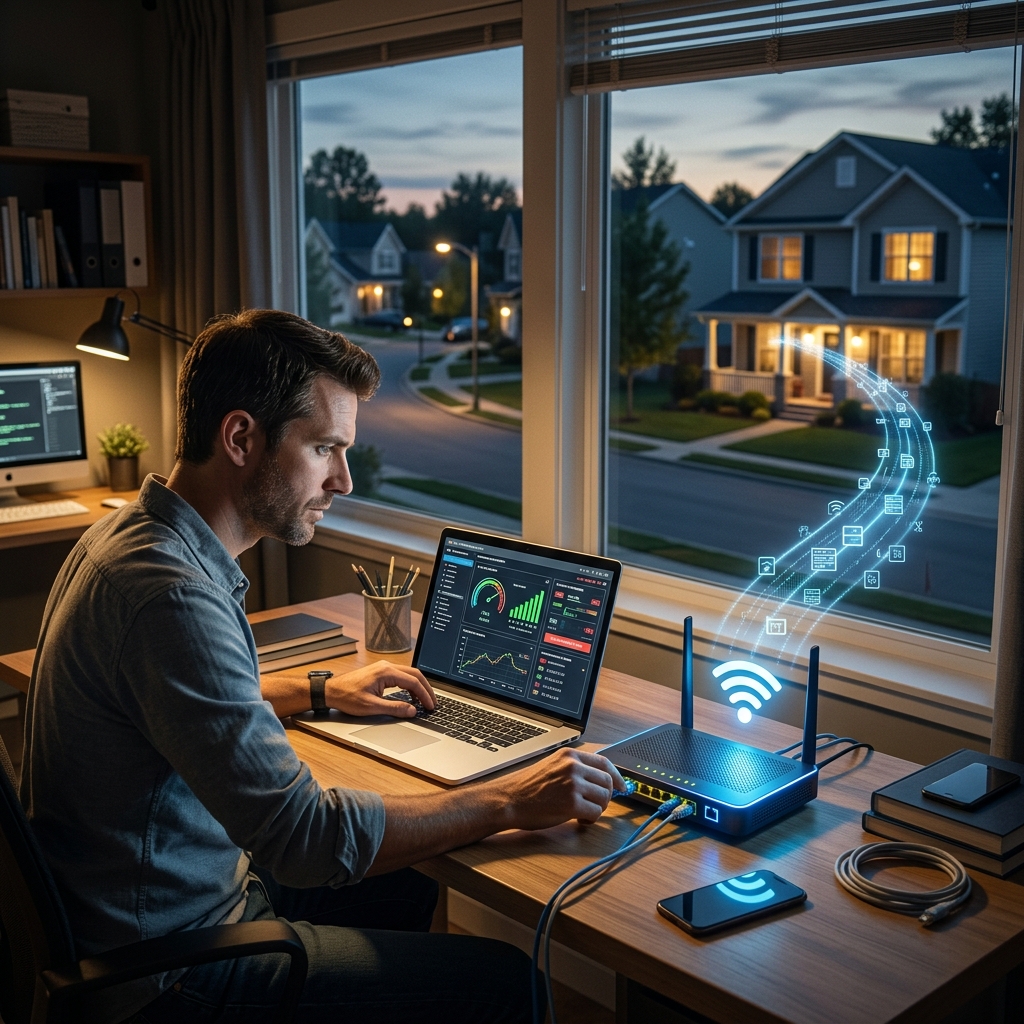
Discovering that a neighbor is secretly using your Wi‑Fi can feel like a simple annoyance, but it also raises serious questions about legal responsibility, privacy, and cybersecurity. Unauthorized access to a home network can expose your devices, slow your connection, and potentially link you to criminal activity carried out over your internet connection.
This guide explains how unauthorized Wi‑Fi use is treated under U.S. law, what risks you face as the account holder, and which practical and legal options you can use to respond. It draws on credible legal and policy sources but presents the information in plain language so you can make informed decisions.
Understanding What “Stealing Wi‑Fi” Really Means
Before considering legal options, it helps to clarify what is happening when someone “steals your Wi‑Fi.” Technically, they are accessing an internet service that you pay for and using your router and connection without your consent. In many cases, this access also circumvents the security protections you have put in place for your home network.
Common Situations Where Neighbors Use Your Wi‑Fi
- Guessing or sharing your password: A neighbor guesses your password (for example, your street address or simple phrases) or obtains it from someone in your household.
- Connecting to an open network: Your router broadcasts an unsecured or poorly secured network (no password or outdated encryption), and a neighbor connects without asking.
- Piggybacking through previous permission: You once allowed a neighbor to use your Wi‑Fi, they saved the password on their devices, and continue using it long after you consider the permission withdrawn.
- Extending your signal without consent: A neighbor installs a repeater or antenna to capture and strengthen your signal for their own use.
These scenarios differ in how clear the lack of consent is, but they all involve using resources and equipment tied to your subscription without relying on their own service.
Legal Framework: How U.S. Law Views Unauthorized Wi‑Fi Use
In the United States, there is no single law that directly says “using your neighbor’s Wi‑Fi is illegal” or “legal.” Instead, existing statutes and doctrines are applied to specific behaviors. Legal risk depends on how your neighbor accesses the network and what they do while connected.
The Computer Fraud and Abuse Act (CFAA)
The federal Computer Fraud and Abuse Act (CFAA) is a key law governing unauthorized access to computers and networks. It broadly prohibits intentionally accessing a computer “without authorization” or exceeding authorized access and thereby obtaining information or causing damage. Courts and commentators have noted that Wi‑Fi networks can fall under the CFAA’s concept of a protected computer when connected to interstate or foreign communication channels.
| Scenario | Authorization Status | Legal Risk Under CFAA (Illustrative) |
|---|---|---|
| Neighbor guesses password to join secured Wi‑Fi | Clearly without authorization | May be treated as unauthorized access to a protected computer if done intentionally |
| Neighbor uses open, unsecured Wi‑Fi with no password | Legally ambiguous; authorization sometimes implied | Risk lower but not zero, especially if misuse or damage occurs |
| Neighbor continues using Wi‑Fi after you revoke permission | Exceeds scope of prior authorization | Potentially viewed as “exceeding authorized access” depending on circumstances |
Interpretations of the CFAA vary among courts, and many cases focus on more serious intrusions than everyday neighbor disputes. Nonetheless, intentional unauthorized use of a secured private network risks crossing into prohibited activity.
State Computer Crime and Trespass Laws
Many states supplement federal law with their own computer crime statutes, which may explicitly cover access to computer networks and data. These laws often prohibit unauthorized access and may provide civil or criminal remedies when a person interferes with, damages, or misuses a network.
On the civil side, legal scholars have discussed applying traditional torts, like trespass to chattels, to situations where someone uses another person’s network resources without consent, causing interference or degradation in performance. In this context, the “chattel” is the computer equipment, router, and bandwidth capacity you pay for. If unauthorized use substantially interferes with your ability to use those resources, a claim may be conceivable.
Terms of Service and Contractual Issues
Your relationship with your internet provider is governed by a contract—typically a terms of service (TOS) document. Some providers restrict sharing connections outside the subscriber’s household or prohibit reselling or redistributing the service. While these agreements mainly bind you and the provider, they can create indirect legal risks if:
- You knowingly allow neighbors to share service in a way that violates your TOS, potentially leading to suspension or termination of service.
- A neighbor’s use causes significant traffic or misconduct, prompting the provider to investigate and enforce its contractual rights.
Even if your neighbor is the one misbehaving, you are the person on record with the provider. You may need to demonstrate that you did not authorize or participate in wrongful activity.
Your Potential Liability When Neighbors Misuse Your Network
Home account holders frequently worry that they will be blamed for anything illegal done through their connection—whether copyright infringement, harassment, or more serious crimes. It is important to separate technical traceability from legal responsibility.
Why You Are the First Person Contacted
When alleged misconduct is traced to an IP address, investigators or rights-holders typically identify the subscriber tied to that IP. You become the first point of contact because your name is on the account, not because the law presumes your guilt. However, explaining that someone else used your network may not be straightforward without logs, records, or other evidence.
Exposure to Civil Claims
In civil contexts, such as copyright enforcement efforts, rights-holders sometimes send notices or demand letters alleging infringement tied to an IP address. If your neighbor used your Wi‑Fi to download infringing content, you might receive complaints or warnings. Whether you are legally liable depends on jurisdiction, facts, and whether you took reasonable measures to secure your network.
Legal commentators note that liability theories can be complex and are not settled uniformly. Some arguments focus on negligence in securing a network or contributory liability if you knowingly allow misuse. Others emphasize the difficulty of proving the account holder personally engaged in the activity without additional evidence.
Criminal Investigations and Practical Risk
In more serious cases—such as threats, fraud, or distribution of prohibited content—law enforcement may investigate activity linked to your IP. You may be questioned, and your devices could be examined. Demonstrating that someone else piggybacked on your network may require technical expertise or logs. While simple neighbor disputes rarely escalate this far, the possibility underscores the need to protect your network and address unauthorized use promptly.
Technical Steps to Stop and Prevent Neighbor Wi‑Fi Hijacking
In many situations, the most effective first response is technical. Strengthening network security can both stop current unauthorized access and reduce the likelihood of future incidents. These measures can also demonstrate that you are taking reasonable steps to protect your systems.
Core Security Practices for Home Routers
- Change default router credentials: Log into your router’s admin interface and immediately change any default username and password to strong alternatives, using unique combinations of letters, numbers, and symbols.
- Use modern encryption: Enable WPA2 or WPA3 encryption on your Wi‑Fi network, which significantly improves security compared to older protocols like WEP or WPA.
- Create a strong Wi‑Fi password: Avoid easy-to-guess passwords like addresses, names, or simple number sequences. Use a long passphrase or a password manager to generate random credentials.
- Update firmware regularly: Check for router firmware updates, which can patch vulnerabilities and improve security features. Many vendors provide instructions on their official websites.
Network Segmentation and Guest Access
If you decide to allow limited access—for example, for visitors or specific devices—consider proper segregation. Security professionals and community guidance often recommend using dedicated guest networks that isolate traffic from your main devices.
- Enable a guest SSID: Many consumer routers offer a guest Wi‑Fi feature. Enable it with its own password so that guests cannot directly see or access your personal computers, smart devices, or storage.
- Restrict bandwidth or time: Some routers allow bandwidth limits or schedules for guest networks, preventing heavy use that could degrade your own connection.
- Regularly change guest passwords: Update guest credentials periodically to prevent lingering access by neighbors or others who previously connected.
Why Jamming or Blocking Neighbor Wi‑Fi Is Not an Option
Some frustrated users wonder whether they can jam or interfere with a neighbor’s Wi‑Fi signal to retaliate or prevent interference. In the United States, intentionally jamming or blocking authorized radio communications is illegal under Federal Communications Commission (FCC) rules. FCC guidance makes clear there are no general exemptions for using jamming equipment, whether in homes, businesses, or classrooms.
Instead of trying to disrupt your neighbor’s Wi‑Fi, focus on properly securing your own network and resolving issues through communication or legal channels.
Practical Non‑Legal Responses: Communication and Documentation
For many people, neighbor Wi‑Fi disputes are primarily a relationship issue. Even when there is legal risk, starting with practical steps can resolve the problem without escalating into formal complaints or litigation.
Talk to Your Neighbor
- Clarify expectations: If you suspect or know a neighbor is using your Wi‑Fi, calmly explain that you do not consent to ongoing use and that you are strengthening your security.
- Offer alternatives: Suggest that they obtain their own service or explore available low‑cost plans. In some areas, community or subsidized programs may lower costs.
- Avoid confrontation: Focus on the impact (slower speeds, security concerns, liability risks) rather than accusing them of criminal behavior unless clear evidence exists.
Document What Happens
If you think the situation may require legal or formal action, start keeping simple records:
- Dates and times when you observed unauthorized devices connected to your network.
- Screenshots of router logs or connection lists, if available.
- Notes about any conversations with neighbors regarding network use.
These records can help if you later speak with your internet provider, a lawyer, or law enforcement.
When to Involve Your Internet Provider or Authorities
Not every instance of Wi‑Fi piggybacking justifies contacting authorities. However, there are circumstances where involving third parties makes sense, particularly if unauthorized use persists or is linked to harmful activity.
Contacting Your Internet Service Provider (ISP)
Your ISP can assist with both technical and account-level issues. You may wish to contact them when:
- You receive complaints or notices about activity tied to your IP address that you did not initiate.
- You suspect sustained unauthorized access and need help securing your network or exploring new hardware.
- You want clarity on whether sharing your connection violates your TOS.
ISPs may be able to confirm unusual traffic patterns, guide you through security settings, or document that you have reported suspected misuse of your service.
Considering Law Enforcement or Legal Counsel
Contacting law enforcement is generally reserved for more serious situations, such as:
- Evidence that someone is using your network for clearly illegal acts (e.g., threats, fraud, accessing or distributing prohibited material).
- Ongoing unauthorized access despite your efforts to secure the network and communicate with the neighbor.
- Incidents where you are wrongly accused of misconduct linked to your IP and need to document that you are a victim of piggybacking.
In complex cases, consulting a qualified attorney can help you understand applicable state and federal laws, evaluate your exposure, and choose appropriate responses. Legal analysis of Wi‑Fi liability has highlighted that outcomes are highly context-specific.
Ethical and Community Considerations
Although unauthorized Wi‑Fi use can be framed as “theft,” some communities and commentators take a nuanced view. For instance, ethical discussions sometimes distinguish between using openly broadcast signals with implied permission and intentionally bypassing clear security measures. Regardless of these debates, you are entitled to control access to your own network and protect your privacy and security.
If you wish to share connectivity—whether as a gesture of goodwill or to support someone in financial hardship—consider doing so deliberately and safely. Use guest networks, clear agreements, and security controls so that your generosity does not expose you to undue risk.
Frequently Asked Questions (FAQs)
1. Is it always illegal for my neighbor to use my Wi‑Fi without asking?
There is no single statute that universally declares all such use illegal, but intentional unauthorized access to a secured private network can fall under computer crime laws, including the CFAA and state equivalents, especially if it involves obtaining information, causing damage, or bypassing security. Legal outcomes depend on the facts and jurisdiction.
2. Could I be prosecuted for something my neighbor did on my Wi‑Fi?
You are typically the first person contacted because your name is attached to the IP address. Whether you face prosecution depends on evidence of your involvement and the specific statutes at issue. Taking reasonable steps to secure your network and promptly addressing unauthorized use can help demonstrate that you are not complicit.
3. Can I legally block or jam my neighbor’s Wi‑Fi to stop interference?
No. Under FCC rules, intentionally using jamming devices to interfere with authorized radio communications, including Wi‑Fi, is prohibited. The appropriate response is to secure your own network, adjust channels and settings if needed, and address disputes through lawful means.
4. Is it safe to give my neighbor my Wi‑Fi password if I trust them?
From a security standpoint, sharing your main Wi‑Fi password can expose your devices and make you the default point of contact for any misuse. Community and security guidance recommends using separate guest networks, limits, and clear expectations rather than giving direct access to your primary network.
5. What simple steps should I take today if I suspect Wi‑Fi theft?
- Log into your router and immediately change both the admin and Wi‑Fi passwords.
- Ensure WPA2 or WPA3 encryption is enabled.
- Review connected devices and disconnect unfamiliar ones.
- Consider contacting your ISP for additional guidance if you continue to see suspicious activity.
References
- Can my neighbor use my Wi-Fi? — Asbury Park Press / USA TODAY Network. 2026-03-10. https://www.app.com/story/news/2026/03/10/can-my-neighbor-use-my-wifi-internet-providers-in-my-area/89082944007/
- FCC Consumer Guide: Cell Phone and Signal Jammers — Federal Communications Commission. 2011-12-28 (and subsequent updates). https://www.fcc.gov/general/jamming-cell-phones-and-gps-receivers
- Wi-Fi Liabilities — Bruce Schneier. 2005-04-01. https://www.schneier.com/blog/archives/2005/04/wifi_liabilitie.html
- Can I Use My Neighbor’s Wi-Fi Without Permission? — Chabad.org. 2014-06-30. https://www.chabad.org/library/article_cdo/aid/2592560/jewish/Can-I-Use-My-Neighbors-Wi-Fi-Without-Permission.htm
- Is it safe to allow a neighbor to use my WiFi? — Reddit Community Discussion (for practical security perspectives). 2021-01-22. https://www.reddit.com/r/AskTechnology/comments/l49g5n/is_it_safe_to_allow_my_neighbor_to_use_my_wifi/
Similar Articles








Read full bio of Sneha Tete


