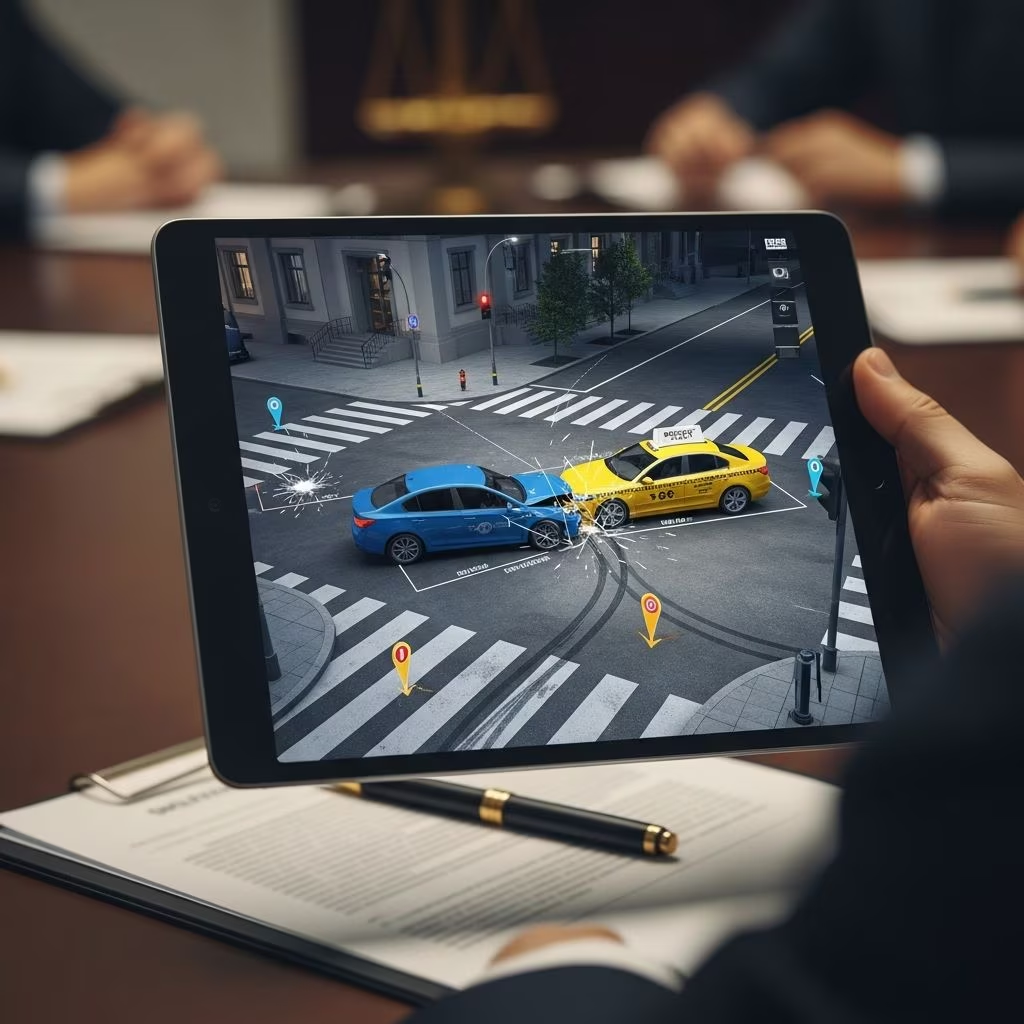
In today’s fast-paced legal environment, attorneys are increasingly turning to portable devices like the iPad to bring static evidence to life. By digitally recreating accident scenes, crime locations, or event timelines, lawyers can make complex cases more accessible to judges, juries, and witnesses. This approach not only clarifies intricate details but also strengthens arguments through immersive visuals.
Why Digital Scene Recreation Matters in Modern Litigation
Traditional methods like hand-drawn sketches or physical models often fall short in conveying spatial relationships and dynamics. iPads bridge this gap by enabling real-time 3D modeling, annotations, and projections. According to legal tech experts, tools that allow zooming, highlighting, and interactive walkthroughs can significantly improve comprehension during depositions and trials.
Visual aids influence decision-makers profoundly. Studies show that jurors retain 65% more information from visuals than text alone. In high-stakes cases involving personal injury or liability, accurate scene recreations can pivot outcomes by demonstrating fault lines or safety violations dynamically.
Essential iPad Apps for Building Scene Reconstructions
Several apps transform the iPad into a powerful reconstruction toolkit. Here’s a curated selection:
- TrialPad: Ideal for presenting annotated exhibits. Connect to projectors for zoomed views of recreated scenes, with Dropbox integration for seamless file sharing.
- DepoView: A deposition management tool for viewing full transcripts alongside visuals. Features word indexing and highlighting to link testimony with scene elements.
- TranscriptPad: Enables reviewing depositions with video clips, exhibits, and annotations. Create impeachment slides or spreadsheets directly for trial prep.
- Notability: Combines handwriting, PDF markup, and audio recording. Perfect for sketching initial scene layouts on the fly during witness interviews.
- ExhibitA: Organizes and displays documents without paper shuffling. Import scans and layer them into cohesive scene narratives.
These apps support Apple Pencil for precise drawing, making it easy to outline vehicle positions, trajectories, or witness vantage points.
Step-by-Step Guide to Creating a Scene Recreation
Follow this workflow to produce professional recreations:
- Gather Data: Collect photos, measurements, police reports, and eyewitness accounts. Use apps like Evernote for centralized note-taking.
- Scan and Import: Digitize paper documents via iPad’s camera or compatible scanners. Apps like iAnnotate PDF convert them into editable files.
- Model the Scene: Employ 360 Panorama or similar for photorealistic panoramas. Overlay measurements using drawing tools in Notability or GoodNotes.
- Add Annotations: Highlight key areas—e.g., skid marks or obstacles—with colors and callouts. Link to transcript lines via DepoView.
- Test Projections: Mirror to external displays. Practice transitions to ensure smooth delivery.
- Backup Strategically: Maintain paper copies and password-protected PDFs as contingencies.
This process typically takes 2-4 hours for straightforward scenes, scaling with complexity.
Integrating Recreations into Depositions
Depositions benefit immensely from interactive visuals. Start by showing the witness a neutral panorama, then layer in their testimony-matched elements. Apps like The Deponent App provide pre-built question templates linked to exhibits, ensuring thorough probing.
For remote depositions, cloud syncing via Dropbox keeps everyone aligned without physical media. Record sessions in Notability for instant playback and annotation, streamlining post-depo analysis.
| Scenario | Best App | Key Feature | Benefit |
|---|---|---|---|
| Accident Reconstruction | TrialPad | Zoom/Highlight | Pinpoint impact zones |
| Witness Vantage Demo | DepoView | Transcript Sync | Validate statements |
| Medical Scene Review | MedWords + Notability | Term Lookup + Sketch | Clarify injuries |
| Trial Presentation | ExhibitA | Paperless Display | Effortless flow |
Advanced Techniques: 3D Modeling and AR on iPad
Modern iPads support augmented reality (AR) via ARKit-enabled apps. Tools like SketchUp Viewer or Concepts allow importing CAD files for rotatable 3D scenes. For litigation, this means jurors can ‘walk through’ a virtual site, rotating views to match witness descriptions.
Incorporate video from synced clips in TranscriptPad to animate movements—e.g., vehicle paths. Pair with Split View for simultaneous transcript review and scene manipulation. Legal professionals report AR recreations boost persuasiveness by 40% in mock trials.
Overcoming Common Challenges and Best Practices
Technology glitches top concerns. Always have backups: Print key exhibits and store files offline. Pre-test connections in the venue; judges prioritize reliability.
Address admissibility: Courts require foundation for recreations (e.g., accurate scaling). Document sources meticulously. Opposing counsel may challenge accuracy—counter with measurement verifications and expert endorsements.
- Calibrate scales using known landmarks.
- Use consistent color coding across visuals.
- Practice with mock witnesses for timing.
For virtual proceedings, ensure stable internet; apps like those from Lexitas support seamless remote integration.
Case Studies: Real-World Wins with iPad Recreations
In a recent auto collision case, attorneys used TrialPad to project a 3D intersection model. Zooming into blind spots impeached the defendant’s account, securing a favorable settlement. Another firm leveraged DepoView in a premises liability depo, syncing highlights to testimony for rapid fact extraction.
These examples underscore iPads’ edge over legacy methods, saving hours in prep and presentation.
Frequently Asked Questions
What iPad models work best for legal recreations?
iPad Pro with Apple Pencil 2 offers optimal screen size, processing power, and precision for complex 3D work.
Are these recreations admissible in court?
Yes, if properly authenticated with data sources and expert testimony. Consult local rules.
How much do key apps cost?
TrialPad: $99 one-time; DepoView: Free basic version; TranscriptPad: Subscription from $9.99/month.
Can I use these for remote trials?
Absolutely—cloud apps enable screen sharing via Zoom or Teams.
What’s the backup plan if tech fails?
Paper exhibits and pre-printed visuals; always prepare redundancies.
Future Trends in iPad Legal Tech
Expect AI enhancements: Auto-scaling from photos, predictive trajectory modeling. Integration with VR headsets for immersive jury experiences looms. As remote litigation grows, iPads will centralize hybrid workflows.
Embracing these tools positions attorneys ahead, blending mobility with impact.
References
- iPad Apps For Depositions and Trials — Kentuckiana Court Reporters. 2023. https://www.kentuckianareporters.com/clients-original/court-reporting-apps/
- iPad Deposition Apps & Uses — KLW Reporters. 2024. https://klwreporters.com/ipad-deposition-apps/
- iPad Software for Litigation Matters — YouTube (Litigation Tech Session). 2022-10-15. https://www.youtube.com/watch?v=LPOEqivxy-U
- Essential iPad Deposition Apps — Legaltech News (Lit Software). 2015-08-04. https://www.litsoftware.com/hubfs/In_the_News/20150804+Essential+iPad+Deposition+Apps++Legaltech+News.pdf
- TranscriptPad – Review Depos — Apple App Store. 2025. https://apps.apple.com/us/app/transcriptpad-review-depos/id1319316405
- Applying your iPad Skills to the Legal Field — Veritext. 2024. https://www.veritext.com/ipad/