
Information Security and Privacy for Small Businesses
A practical, plain‑language guide to protecting customer data, business systems, and reputation in a digital‑first world.
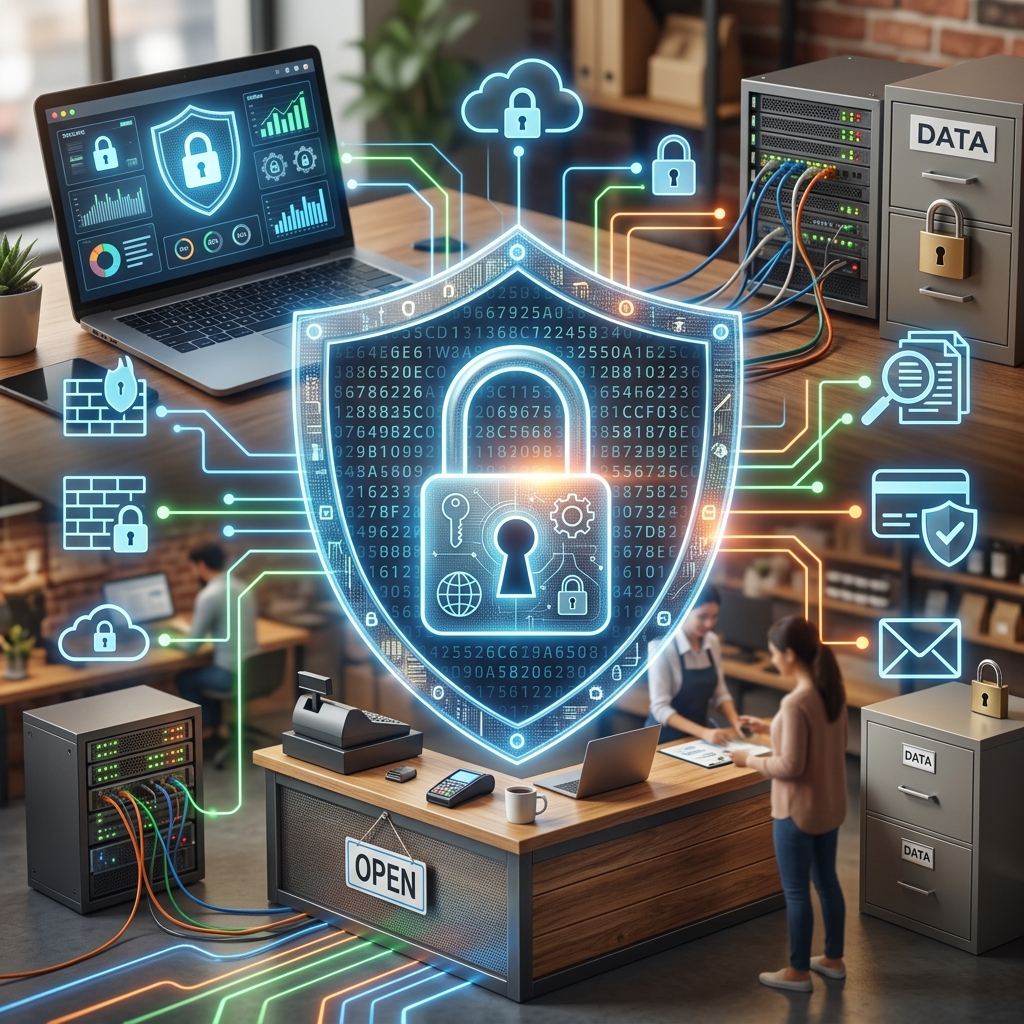
Small businesses collect and store more digital information than ever — from customer payment details and contact lists to HR records and intellectual property. Regulators and customers increasingly expect this information to be handled securely and respectfully, and cyber criminals know that smaller organizations are often easier targets than large enterprises. This guide explains how small businesses can build a realistic, affordable approach to information security and data privacy using widely accepted best practices.
Why Security and Privacy Matter for Every Small Business
Information security and privacy are not just technical concerns; they affect legal compliance, customer trust, and business continuity. Government agencies emphasize that even very small firms should adopt basic cybersecurity controls, train staff, and protect personal data to reduce the risk of breaches and regulatory violations.
- Legal exposure: Many jurisdictions require reasonable safeguards for personal data and may mandate breach notifications after certain incidents.
- Financial impact: Ransomware, fraud, and downtime can disrupt operations and lead to revenue loss, recovery costs, and higher insurance premiums.
- Reputation risk: Customers and partners are less likely to work with businesses that have a history of mishandling sensitive information.
- Operational resilience: Backups, incident plans, and secure systems help organizations recover quickly when something goes wrong.
By treating security and privacy as part of ordinary business operations rather than one‑off projects, owners can limit risk and demonstrate responsible stewardship of data.
Understanding the Information You Hold
You cannot protect what you do not know you have. Many small businesses store sensitive information across point‑of‑sale systems, cloud services, laptops, and mobile devices. The U.S. Federal Trade Commission recommends starting with a basic inventory and mapping how data flows through your organization.
Common Types of Sensitive Data
- Customer information: Names, addresses, phone numbers, email addresses, account credentials, payment card details, and transaction histories.
- Employee records: Tax information, payroll data, health benefits information, and performance files.
- Business data: Trade secrets, pricing lists, supplier contracts, financial projections, and internal communications.
- Authentication data: Passwords, multi‑factor authentication (MFA) tokens, API keys, and access badges.
Simple Data Mapping Steps
For a small business, data mapping does not need to be complex. A short exercise with key staff can reveal where information lives and who can see it.
- List the main categories of data you collect and why you need them.
- Identify where each category is stored (e.g., accounting software, email, CRM, file shares, mobile devices, paper files).
- Note who has access internally and which third‑party vendors handle the data.
- Record how long you keep each type of information and how it is disposed of.
| Data Type | Typical Location | Primary Risk | Example Protection |
|---|---|---|---|
| Customer payment data | POS system, payment processor portal | Card fraud, regulatory penalties | Use vetted payment provider, isolate payment systems, enable MFA |
| Employee HR records | HR software, shared drive | Identity theft, privacy complaints | Role‑based access, encryption, limited retention |
| Customer contact lists | CRM, marketing platform | Phishing, spam abuse, trust erosion | Strong authentication, vendor due diligence, opt‑out processes |
| Operational documents | Cloud storage, local PCs | Ransomware, business interruption | Backups, anti‑malware, patching, limited sharing |
Core Security Principles for Small Businesses
Government and industry guidance for smaller organizations converges around a basic set of practices: reduce unnecessary data, limit access, update systems, and prepare for incidents.
1. Minimize and Simplify Data
Keeping less sensitive data lowers your exposure. The FTC recommends keeping only what you need, for as long as you need it, and disposing of the rest securely.
- Avoid collecting information that is not truly necessary for your services.
- Use built‑in retention settings in email, cloud storage, and business apps to automatically delete old records where permitted.
- Shred paper with personal information and securely wipe or destroy storage devices when retiring hardware.
2. Limit Access with the Principle of Least Privilege
Every user should have only the access they need to perform their role — no more. The FCC and security organizations advise restricting administrative rights to trusted IT staff and a small set of key personnel.
- Create unique user accounts for all staff; avoid shared logins.
- Grant access to systems and data based on job duties, and review those permissions regularly.
- Remove administrative privileges from everyday accounts, especially on laptops and desktops used for email and web browsing.
3. Keep Systems Patched and Protected
Outdated systems are a frequent entry point for attackers. Guidance from federal agencies stresses regular updates and security tools as foundational controls.
- Enable automatic updates for operating systems, browsers, and key software wherever possible.
- Use reputable anti‑malware tools and configure them to scan regularly.
- Turn on built‑in firewalls on computers and consider a network firewall to separate your internal network from the internet.
4. Strengthen Authentication
Many breaches start with stolen or guessed passwords. National security guidance highlights the importance of strong authentication, particularly multi‑factor authentication (MFA).
- Use long passphrases rather than simple words (e.g., a combination of random words and characters).
- Encourage unique passwords for each major system and discourage password reuse.
- Enable MFA on email, remote access, financial accounts, and cloud services wherever available.
5. Protect Data with Encryption and Backups
Encryption and backups serve different but complementary roles: encryption reduces the value of stolen data, while backups help you recover when data is lost or held for ransom.
- Encrypt laptops and portable devices so that data remains protected if they are lost or stolen.
- Encrypt sensitive data in transit when using remote access or cloud services, which is commonly done with modern protocols such as TLS.
- Perform regular backups of critical systems, store at least one copy offline or in a separate cloud account, and periodically test data restoration.
Building a Culture of Security and Privacy
Technology controls are only as effective as the people using them. National cybersecurity guidance for small businesses consistently emphasizes staff training and leadership support as essential components of a secure environment.
Leadership’s Role
- Set clear expectations that security and privacy are part of everyone’s job.
- Allocate modest but consistent resources for training, tools, and periodic review.
- Model good practices, such as using MFA and avoiding risky behaviors like using personal email for business data.
Practical Employee Training Topics
Training does not need to be highly technical. Focus on common situations that staff encounter daily.
- Recognizing phishing and social engineering: Suspicious emails, unusual payment requests, and unexpected links or attachments.
- Safe internet and email use: Company rules for downloading software, visiting unfamiliar websites, and using business devices on public networks.
- Handling personal and confidential information: When and how to share customer data, how to verify identity, and how to report mistakes promptly.
- Mobile device security: Using device passwords, enabling remote wipe, and avoiding unsecured Wi‑Fi for sensitive work.
Short, recurring reminders — such as monthly tips or quick discussions in team meetings — often work better than one long training session per year.
Protecting Networks, Devices, and Remote Work
Many small businesses rely on wireless networks, cloud services, and remote work. These conveniences also expand the attack surface if not secured properly.
Securing Office Networks
- Change default usernames and passwords on routers and network equipment.
- Use modern encryption (such as WPA2 or WPA3) on Wi‑Fi and avoid open networks.
- Hide the broadcast of your Wi‑Fi network name (SSID) where feasible and password‑protect access to the router.
- Segment payment systems and other critical systems from general office networks and guest Wi‑Fi.
Managing Mobile Devices and Remote Access
- Require screen locks and device encryption on smartphones and laptops used for business.
- Use secure remote access solutions and avoid exposing remote desktop services directly to the internet without protection.
- Encourage staff to avoid public Wi‑Fi for sensitive tasks or use a trusted virtual private network (VPN) when necessary.
Working with Vendors and Cloud Services
Cloud applications and service providers can improve security by centralizing updates and monitoring, but they also mean that important data sits outside your direct control. Small businesses should assess vendors’ security posture and contractual responsibilities.
- Ask vendors how they protect data (encryption, access controls, logging, and incident response processes).
- Confirm whether they support MFA and encourage staff to enable it.
- Review contracts for data breach notification obligations and data handling commitments.
- Limit the data you share with vendors to what is necessary for their service.
Designing a Simple Incident Response Plan
Even with good controls, incidents can happen. Agencies that work with small organizations recommend formal incident response planning so that teams know what to do under pressure.
Key Elements of a Basic Incident Plan
- Clear roles: Identify who makes decisions, who communicates with customers, and who works with IT or external experts.
- Escalation paths: Document how employees report suspicious activity and how the business escalates potential incidents.
- Containment procedures: Steps to disconnect affected devices, change credentials, and preserve logs and evidence.
- Notification checklist: Contact lists for internal staff, legal counsel, insurance providers, banks, payment processors, and law enforcement where appropriate.
- Recovery steps: Instructions for restoring systems from backups, validating their integrity, and resuming operations.
After any incident or near miss, review what happened, adjust controls, and update the plan. Regular testing — even a short table‑top exercise — can reveal gaps before a real event occurs.
Integrating Privacy into Everyday Decisions
Information security controls help protect privacy, but privacy also involves how and why you collect data, who you share it with, and how transparent you are with customers. Small businesses can take several practical steps to respect privacy without needing large legal teams.
- Explain in clear language what personal information you collect, how you use it, and whether you share it with third parties.
- Give customers appropriate choices about marketing communications and data sharing when reasonable.
- Align retention periods with business and legal needs; do not keep personal data indefinitely without justification.
- Consider privacy implications when adopting new tools or analytics features, especially those that track user behavior.
Low‑Cost Steps to Get Started
Security and privacy improvements can be phased in over time. Many of the most effective controls are inexpensive or free, particularly for small environments.
- Turn on automatic operating system and software updates on all devices.
- Enable MFA on email, banking, and critical cloud services.
- Inventory where your key data lives and remove what is no longer needed.
- Require unique user accounts and remove local administrator rights from standard users.
- Prepare a short, written incident response checklist.
- Run a brief awareness session with employees on phishing and data handling.
Public resources from official bodies provide small‑business‑oriented checklists, templates, and guides that can help turn these steps into a lightweight, repeatable program.
Frequently Asked Questions
Do very small businesses really need a formal security program?
Even a micro‑business can suffer from ransomware, payment fraud, or misuse of customer information. Authorities encourage all organizations, regardless of size, to implement basic safeguards such as strong authentication, device protection, and staff awareness, because these measures prevent many common attacks and reduce the impact of incidents.
How much should a small business budget for information security?
There is no single correct number; it depends on your risk, industry, and reliance on digital systems. However, many effective steps — such as enabling automatic updates, enforcing MFA, and training employees using freely available materials from public agencies — require more time and attention than money.
Is it safer to move everything to the cloud?
Cloud services can improve security by centralizing management, updates, and monitoring, but they do not eliminate risk. You still need to configure access controls, enable MFA, review sharing settings, and evaluate each provider’s security practices and contractual responsibilities.
What should I do if I suspect a data breach?
Act quickly to contain the issue: disconnect affected devices from the network, change relevant passwords, and preserve logs or other evidence. Then consult your incident response plan, contact key partners such as banks or payment processors, and seek legal or expert assistance as needed to determine notification obligations and recovery steps.
How often should I review my security and privacy practices?
At a minimum, review them annually or after major changes such as new systems, locations, or service providers. It is also wise to revisit controls after any incident or near miss to learn from the experience and improve your defenses.
References
- Cybersecurity for Small Businesses — Federal Communications Commission (FCC). 2019-11-01. https://www.fcc.gov/communications-business-opportunities/cybersecurity-small-businesses
- Protecting Personal Information: A Guide for Business — Federal Trade Commission (FTC). 2016-10-01. https://www.ftc.gov/business-guidance/resources/protecting-personal-information-guide-business
- Cyber Guidance for Small Businesses — Cybersecurity and Infrastructure Security Agency (CISA). 2023-06-15. https://www.cisa.gov/cyber-guidance-small-businesses
- Small Business Cybersecurity Corner — National Institute of Standards and Technology (NIST). 2022-09-30. https://www.nist.gov/itl/smallbusinesscyber
- Cybersecurity Tips for Small Businesses — Harmony Bank. 2022-02-10. https://www.harmony.bank/services/education/cybersecurity-tips-for-small-businesses.html
Similar Articles








Read full bio of Sneha Tete


