
Identity Theft Prevention: Practical Steps That Work
Simple, proven habits can reduce your exposure and help you spot fraud before it spreads.
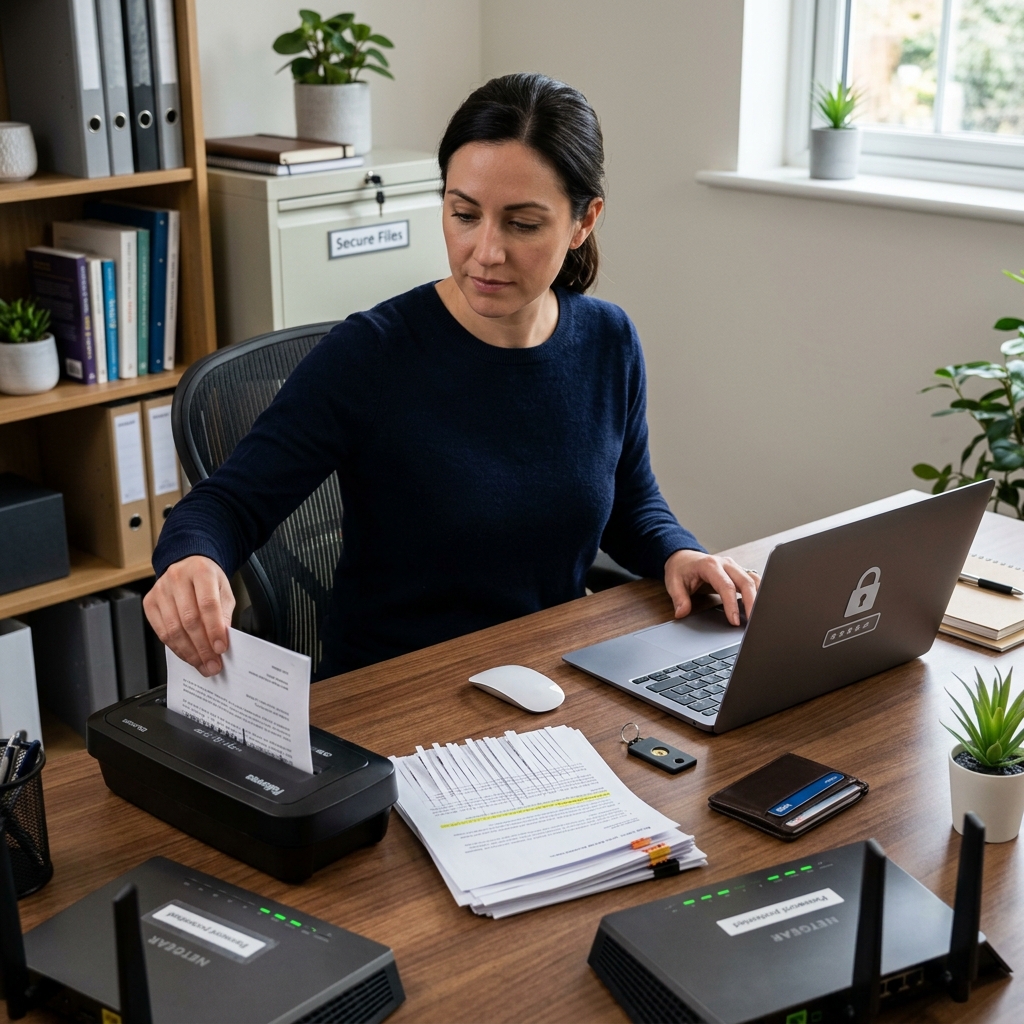
Identity theft is often described as a single event, but in practice it is usually the result of many small exposures. A weak password, an unshredded statement, a misleading email, or a stolen wallet can each give a criminal a piece of what they need. The best defense is not a single tool, but a layered set of habits that make your personal information harder to capture and easier to protect.
Most prevention advice falls into a few broad categories: secure your digital accounts, protect physical documents, monitor your financial activity, and limit the amount of personal information you share. Those basics are consistent across consumer guidance from government agencies, universities, and security experts. The details matter, because identity thieves often rely on convenience, distraction, and repetition. The less predictable your defenses are, the less useful your information becomes to them.
Start with the information thieves want most
The first rule of prevention is simple: treat sensitive identifiers as valuable, not routine. Your Social Security number, bank account details, date of birth, login credentials, and even a full mailing address can be enough to help someone open accounts, reset passwords, or impersonate you. Security guidance from CrowdStrike, Penn State, and Equifax all emphasizes asking why personal information is needed before you provide it, especially when a request is unexpected or not clearly required.
That caution should extend to everyday situations. A form may ask for more than it truly needs. A retailer may request extra details that are useful for marketing, not essential for the transaction. A caller may claim to represent a company you already do business with, but still be testing whether you will hand over information too quickly. Slowing down is one of the most effective ways to reduce risk.
- Share sensitive information only when the request is necessary and verified.
- Limit the number of cards and documents you carry on a daily basis.
- Keep copies of important records in a secure place rather than in easy reach.
- Question requests that ask for more detail than the situation reasonably requires.
Strengthen your online accounts before something goes wrong
For many people, identity theft now begins with account compromise. A stolen email password can lead to password resets across multiple services, and a compromised banking login can expose both money and identity data. That is why strong, unique passwords remain a core recommendation from major security and consumer-protection sources.
Use a different password for every important account, especially email, financial services, cloud storage, and shopping sites that store payment information. A password manager can reduce the burden of remembering unique credentials and makes it easier to replace weak or reused passwords. Add multi-factor authentication wherever it is available, and prefer phishing-resistant options such as passkeys or hardware security keys when a service supports them.
Updates also matter. Outdated software can leave known security flaws open long after they were publicly disclosed. Enabling automatic updates on phones, laptops, browsers, and apps reduces the chance that a thief can exploit old vulnerabilities. This is one of the least glamorous parts of prevention, but it is among the most useful.
| Account type | Best protection | Why it matters |
|---|---|---|
| Unique password + multi-factor authentication | Email often controls password resets for other services | |
| Banking | Strong password + alert notifications | Fraud can move quickly if login access is stolen |
| Cloud storage | Unique password + recovery review | Documents stored there may contain identity documents |
| Shopping accounts | Separate password + card monitoring | Stored payment methods can be abused for fraud |
Be careful with links, messages, and urgent requests
Phishing remains one of the easiest ways for criminals to get credentials or personal information. Suspicious messages often create pressure: a package problem, a locked account, a missed payment, a tax issue, or an urgent security warning. The message may look official, but the goal is often to get you to click, reply, or open an attachment before you think carefully.
A practical rule is to treat any unexpected message as untrusted until you verify it independently. Do not use the contact details in the message itself if you are unsure. Instead, go directly to the organization’s official website or app, or use a known phone number from a previous bill or account statement. If a message pushes urgency, that pressure is itself a warning sign.
- Do not click links in unfamiliar or unexpected emails and texts.
- Verify sender addresses carefully, not just display names.
- Avoid opening attachments unless you were expecting them.
- Confirm suspicious requests by contacting the organization through a trusted channel.
Protect your devices and network connections
Identity thieves do not always need to trick you into revealing information directly. Sometimes they target the device or connection you use to access it. Public Wi-Fi is a common weak point because some networks are easier to intercept or imitate than home or office connections. CrowdStrike and Equifax both recommend avoiding sensitive logins on public Wi-Fi and using a VPN when public access is unavoidable.
Device security should also include a screen lock, updated antivirus or security software where appropriate, and careful review of app permissions. A lost phone can expose email, banking, and authentication apps if it is not protected. A stolen laptop can reveal saved passwords or tax documents if it is not encrypted or password-protected.
- Use a VPN on public or unfamiliar networks when accessing sensitive accounts.
- Keep phones and laptops locked with strong passcodes or biometrics.
- Review which apps can access your photos, contacts, and location.
- Remove old apps and browser extensions you no longer use.
Handle paper records with the same care as digital ones
Identity protection is not only a cybersecurity issue. Mail theft, discarded statements, old tax forms, medical bills, and pre-approved credit offers can all expose enough personal information to help a fraudster. Several consumer agencies recommend shredding documents that contain identifying data and limiting what you keep in your wallet, purse, or glove compartment.
It also helps to think about where papers sit before you throw them away. Receipts, insurance documents, account notices, and school forms often show more information than you realize. If a document is no longer needed, destroy it. If it must be kept, store it in a locked, secure place. When traveling, hold mail, empty your mailbox regularly, and avoid leaving sensitive items where they can be collected without effort.
- Shred statements, offers, and forms before disposal.
- Store critical papers in a locked drawer, cabinet, or safe.
- Collect mail promptly and avoid leaving it exposed.
- Limit the documents you carry unless you truly need them.
Watch your money closely enough to notice small changes
Fraud is easier to stop early than late. Reviewing bank statements, card statements, and credit reports gives you a chance to catch unusual activity before it multiplies. The Texas Attorney General, Equifax, and Penn State all recommend monitoring financial statements and credit reports for charges, accounts, or inquiries you do not recognize.
In practice, that means checking statements regularly rather than waiting for annual reviews. Many banks and card issuers let you turn on alerts for transactions, logins, spending thresholds, or address changes. Those alerts can help you spot fraud when it starts, not weeks later. You should also review your credit report for new accounts or inquiries that you did not authorize. Federal consumer resources note that free annual credit reports are available through the major credit reporting agencies.
| What to review | What might be a red flag |
|---|---|
| Bank statements | Small test charges, withdrawals you did not make, unknown transfers |
| Credit card statements | Unfamiliar merchants, duplicate charges, new recurring payments |
| Credit reports | New accounts, new inquiries, addresses you never used |
| Mail and billing cycles | Statements that stop arriving or arrive at unusual times |
Use credit freezes and fraud alerts strategically
Monitoring is helpful, but it does not prevent every kind of misuse. A credit freeze can make it much harder for someone to open new credit in your name because lenders generally cannot access a frozen file without your authorization. Consumer guidance from Equifax, the FTC, and IdentityTheft.gov points to freezes as one of the stronger prevention tools available to individuals.
A fraud alert is a lighter step that tells lenders to take extra precautions before opening accounts. It can be useful when you think your information may be exposed but you are not ready for a full freeze. The right choice depends on how much protection you want and how often you expect to apply for credit. If you are not actively seeking new credit, a freeze is often the more protective option.
- Use a credit freeze for stronger preventive protection.
- Use a fraud alert when you want added caution without full restriction.
- Review how to unfreeze credit before you need access to it.
- Keep track of which agencies you have contacted and when.
Know how to respond if something looks wrong
Even strong prevention habits cannot eliminate all risk. The best outcomes usually come from quick action. IRS guidance on identity theft emphasizes stopping contact with scammers, preserving records, reporting the issue, and following recovery steps promptly. IdentityTheft.gov also provides a structured recovery process for people who need to limit damage and repair their records.
If you see suspicious activity, contact the affected bank or card issuer right away. Change passwords for compromised accounts, starting with email. Review recent logins and account recovery options. If credit accounts appear to have been opened fraudulently, place a freeze and consider a fraud alert. If your tax or government records may be involved, follow the relevant agency’s fraud procedures. Keep copies of notices, emails, call logs, and account changes, because documentation is often important in resolving disputes.
- Act quickly when you see unfamiliar charges or accounts.
- Secure your email first if account takeover is possible.
- Save records of all communications related to the incident.
- Use official recovery tools from agencies and financial institutions.
Frequently asked questions
What is the most effective first step to prevent identity theft?
The most effective first step is usually to secure your email and other critical online accounts with unique passwords and multi-factor authentication. Those accounts often serve as the gateway to banking, shopping, and password recovery systems.
Should I freeze my credit even if I have not had fraud before?
Yes, if you do not need to open new credit soon. A credit freeze is a strong preventive measure because it helps block unauthorized new accounts from being opened in your name.
Is public Wi-Fi always unsafe?
Not always, but it is riskier for sensitive activity. Security guidance recommends avoiding financial logins and other important accounts on public Wi-Fi unless you use a VPN or another protective layer.
How often should I check my credit report?
At minimum, review it regularly and whenever you suspect a problem. Consumer resources note that free credit reports are available from the major bureaus, and checking them routinely can help you detect unauthorized accounts earlier.
What should I do if I think my personal data was exposed in a breach?
Change passwords on affected accounts, monitor statements, watch for phishing attempts, and consider a fraud alert or credit freeze if the exposed data could be used to open accounts. Keep records and follow the breach notices or recovery guidance from the company involved.
References
- Strategies for Preventing Identity Theft — CrowdStrike. 2026. https://www.crowdstrike.com/en-us/cybersecurity-101/identity-protection/identity-theft-prevention-strategies/
- Identity Theft Prevention Guide — Penn State University. 2026. https://universityethics.psu.edu/privacy/protect-your-privacy/identity-theft-prevention-guide
- How Can I Better Protect Against Identity Theft? — Equifax. 2026. https://www.equifax.com/personal/education/identity-theft/articles/-/learn/how-to-protect-against-identity-theft/
- Identity theft guide for individuals — Internal Revenue Service. 2026. https://www.irs.gov/identity-theft-central/identity-theft-guide-for-individuals
- Identity Theft and Online Security — Federal Trade Commission. 2026. https://consumer.ftc.gov/identity-theft-online-security
- Help Prevent Identity Theft — Office of the Attorney General of Texas. 2026. https://www.texasattorneygeneral.gov/consumer-protection/identity-theft/help-prevent-identity-theft
- IdentityTheft.gov — Federal Trade Commission. 2026. https://www.identitytheft.gov/
Similar Articles








Read full bio of medha deb




