Why fake Social Security emails are so effective
Impostor emails that claim to come from Social Security are designed to trigger fast reactions. They often use official-sounding language, mention benefits or account access, and create a sense of urgency so the recipient acts before checking the message more carefully. The Social Security Administration and its Office of the Inspector General warn that these messages are fraudulent and are crafted to look legitimate enough to fool even cautious readers.
These scams work because they target a topic that many people already consider important and private. A message about a statement, a benefits notice, or an account problem can feel believable at first glance, especially if it arrives unexpectedly. The best defense is to slow down, verify the sender, and avoid using links or attachments provided in the message itself.
What these scam messages usually look like
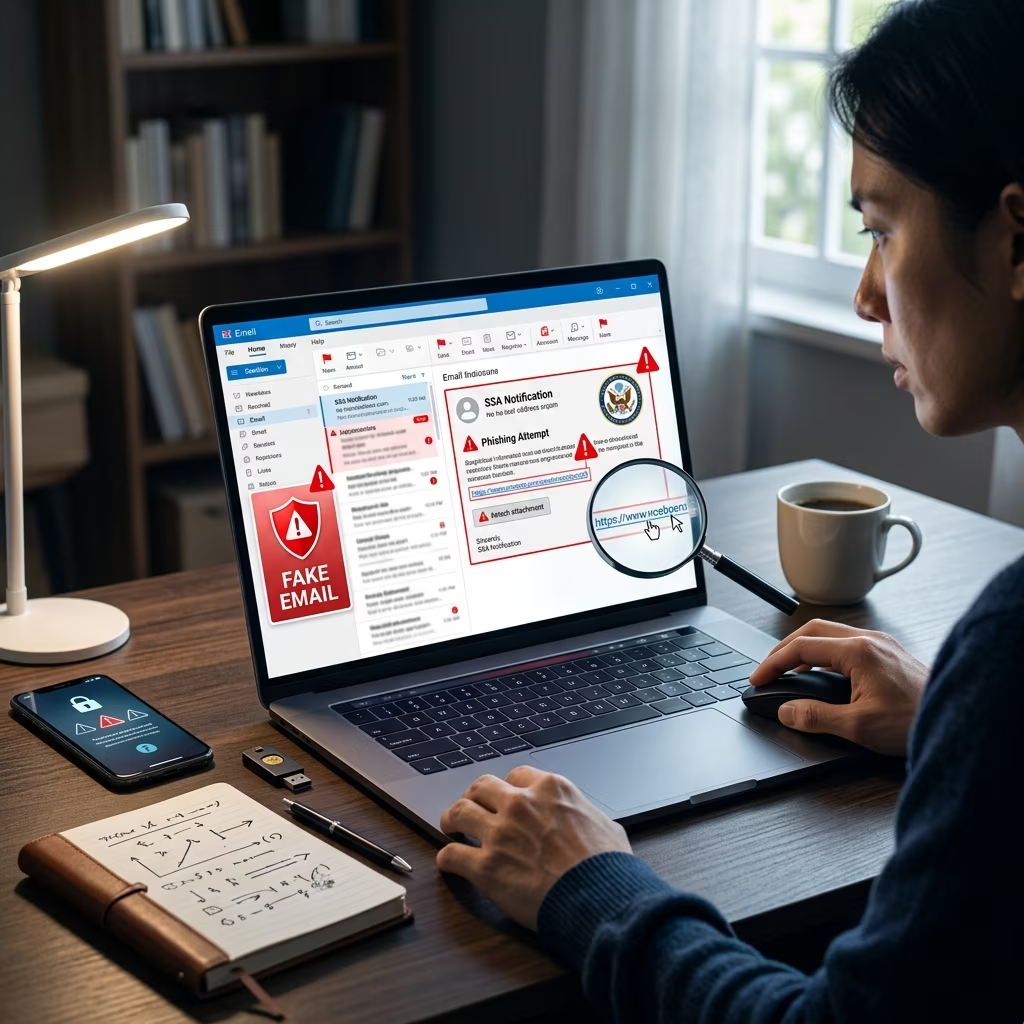
Fraudulent Social Security emails often share the same patterns. The subject line may suggest that a statement is ready, that benefits must be reviewed, or that immediate action is required. The body of the email may instruct the recipient to download a file, open a document, or click a link to view personal information.
- The message claims a Social Security statement is available.
- The sender urges you to download an attachment or open a link.
- The email uses urgent or threatening language.
- The sender address does not end in .gov.
- The message may include awkward wording, punctuation mistakes, or formatting that feels slightly off.
One useful rule is that official Social Security communications originate from government email addresses ending in .gov. If the message comes from a different domain, treat it as suspicious even if the display name looks familiar.
What Social Security will not do in email
The Social Security Administration states that it will not send unsolicited attachments or direct download links to access a statement. It also will not ask people to click a link in an unexpected email to confirm account details or receive benefits information.
More broadly, Social Security and its Inspector General warn that they will not use email or other channels to pressure someone into immediate payment, threaten arrest, or demand payment through unusual methods such as gift cards, cryptocurrency, wire transfers, cash, or precious metals.
| Claim in a scam email | What official guidance says |
|---|---|
| Your Social Security statement is ready | Do not trust the message unless it is verified through an official account or website. |
| Click the link to download your document | Do not open unsolicited links or attachments. |
| Act immediately or lose benefits | Urgency is a common fraud tactic; verify before responding. |
| Pay using gift cards or cryptocurrency | Social Security does not request those payment methods. |
Safer ways to check your Social Security information
If you want to review your account or benefits information, go directly to the official Social Security website instead of using any link in a message. The agency recommends typing the address into your browser rather than tapping a link from an email or text.
You can also sign in to or create a personal my Social Security account through the official site. This direct approach reduces the risk of landing on a fake page designed to steal credentials or personal information.
- Open a browser and type the official address yourself.
- Do not rely on a contact link from the email.
- Check whether the sender address ends in .gov.
- Review account information only through official sign-in pages.
What to do if you receive a suspicious email
If a message looks like it might be a scam, the safest move is to avoid interacting with it. Do not click links, open attachments, reply to the sender, or provide identifying details. If you have any doubt, delete the message after verifying your account through the official site.
Officials also advise reporting suspicious emails so they can be tracked and investigated. Reporting helps agencies identify patterns and warn other consumers about active scams.
- Do not click links or open attachments.
- Do not reply or share personal information.
- Go directly to the official Social Security website.
- Report the message to the Social Security Office of the Inspector General.
What to do if you already clicked or shared information
If you clicked a link, downloaded a file, or entered personal information, immediate action matters. The SSA Office of the Inspector General advises victims to stop communicating with the suspected scammer, contact financial institutions if account data may be exposed, and file reports with the proper authorities.
People who may have been targeted can also notify the Federal Trade Commission and the FBI’s Internet Crime Complaint Center. If money was lost, local law enforcement should be contacted as well.
- Stop all contact with the suspected scammer.
- Notify banks or card issuers if financial information was exposed.
- Report the incident to the SSA Office of the Inspector General.
- File a complaint with the FBI’s Internet Crime Complaint Center.
- Report identity theft concerns through the Federal Trade Commission.
How to protect yourself before a scam arrives
Prevention is easier when your Social Security account and email habits are set up with caution in mind. Consumer guidance from the SSA and older-adult fraud resources recommends treating unexpected government messages as suspicious until verified, especially if they ask for sensitive information or use urgency to pressure action.
One of the most effective steps is to use the official my Social Security account and to keep login details secure. That makes it easier to review your information without depending on email notices that could be fake.
- Use official websites rather than email links.
- Be skeptical of urgent or emotional messages.
- Watch for spelling, punctuation, or formatting problems.
- Never share Social Security numbers or banking details in response to an unsolicited message.
- Encourage family members to verify suspicious messages before acting.
Why older adults are frequent targets
Older adults are often targeted because Social Security is a familiar and important part of retirement planning. Scammers know that messages mentioning benefits, statements, or account access can feel urgent and relevant, which increases the chance that someone will click before confirming the source.
Fraud awareness groups also note that government impersonation scams often combine a believable topic with a request for personal information or a payment method that is difficult to trace. That combination helps explain why these schemes continue to spread across email, text, and phone channels.
Practical checklist for evaluating a message
When a Social Security email lands in your inbox, a quick checklist can help you decide whether it is legitimate. A real message should still be treated carefully if it contains links or asks you to take an action you were not expecting.
- Does the sender address end in .gov?
- Did you expect a statement or account notice?
- Is the message pushing you to act immediately?
- Does it ask you to open an attachment or click a link?
- Does it request personal, banking, or login information?
- Would it be easier and safer to verify through the official website?
If the answer to any of those questions raises doubt, stop and verify independently. That small delay can prevent identity theft, fraud losses, and account compromise.
Frequently asked questions
Does Social Security send statements by email?
Social Security warns that scam emails may falsely claim a statement is ready to download, and the agency says it does not send unsolicited attachments or direct download links in this way.
How can I tell if an email is really from Social Security?
Official communications should come from an email address ending in .gov. Even so, the safest method is to ignore links in the message and verify account information through the official Social Security website.
What should I do with a suspicious email?
Do not click, reply, or open attachments. Verify your account directly through the official site, then report the suspicious message to the Social Security Office of the Inspector General.
What if I already gave out personal information?
If you disclosed sensitive data, contact financial institutions quickly, report the incident to the proper agencies, and consider filing an identity theft report so you can begin protecting your accounts and credit.
Can Social Security threaten arrest or demand payment in an email?
No. Official guidance says Social Security and its Inspector General will not demand immediate payment, threaten legal action or arrest for nonpayment, or request payments through gift cards, cryptocurrency, or similar methods.
Bottom line for consumers
Fake Social Security emails are dangerous because they borrow the authority of a trusted public agency while pushing recipients to act quickly. The safest response is simple: ignore the pressure, verify through official channels, and report anything suspicious.
That approach protects not only your Social Security information but also your identity, finances, and peace of mind.
References
- SSA Office of the Inspector General Warns Public of Surge in Fraudulent Social Security Statement Emails — Social Security Administration, Office of the Inspector General. 2026-02-20. https://oig.ssa.gov/scam-alerts/2026-02-20-ssa-office-of-the-inspector-general-warns-public-of-surge-in-fraudulent-social-security-statement-emails/
- Protect Yourself from Social Security Scams — Social Security Administration. 2026-02-20. https://www.ssa.gov/scam/
- What Are Common Social Security Scams? A Guide for Older Adults — National Council on Aging. 2025-11-05. https://www.ncoa.org/article/what-are-common-social-security-scams-a-guide-for-older-adults/
- What To Do if You Were Scammed — Federal Trade Commission. 2025-10-14. https://consumer.ftc.gov/articles/what-do-if-you-were-scammed
- Report a Scam or Fraud — Federal Trade Commission. 2025-10-14. https://reportfraud.ftc.gov/
- Internet Crime Complaint Center — Federal Bureau of Investigation. 2025-10-14. https://www.ic3.gov/