
Safe Online Shopping: 12 Essential Tips To Avoid Scams Today
Practical steps to reduce fraud, protect payment data, and shop with confidence online.
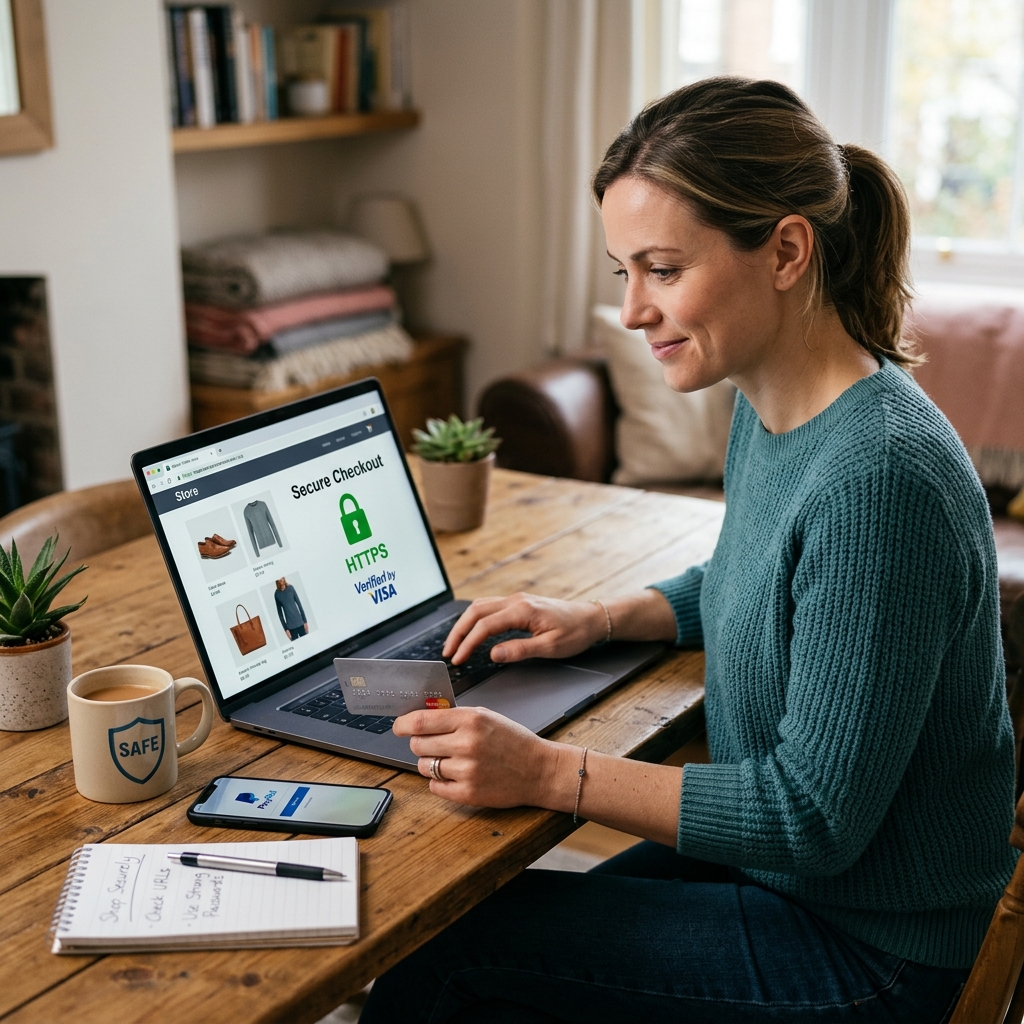
Why safe online shopping matters
Buying online is convenient, fast, and often cheaper than shopping in person, but it also creates opportunities for fraud, identity theft, and payment abuse. A safe approach to online shopping is not about avoiding the internet; it is about using a few consistent habits that reduce risk every time you buy.
The most effective habits are simple: verify the seller, use secure payment methods, protect your device, and pay attention to anything that looks unusual. These steps can help you avoid fake stores, stolen card details, account takeover, and shipment problems.
- Check whether the website is legitimate before you enter payment information.
- Use strong passwords and avoid reusing them across accounts.
- Prefer secure payment methods that offer dispute protection.
- Watch for phishing emails, fake checkout pages, and suspicious links.
Start with the store, not the deal
Many bad purchases begin with an offer that looks irresistible. A deeply discounted item may be real, but it can also be a lure designed to make you act before you inspect the seller. Before you click “buy,” pause and ask whether the store has enough information to trust it.
A legitimate seller usually provides clear business details, contact information, return terms, shipping information, and a visible privacy policy. If the website hides these basics, gives only vague descriptions, or makes it difficult to identify who runs the business, treat that as a warning sign.
- Look for a real business name and a physical or verifiable mailing address.
- Check for customer service contact options beyond a simple form.
- Review the refund, return, and shipping policies before checkout.
- Be cautious if the site uses pushy countdown timers or repeated urgency messages.
Confirm that the website connection is secure
When you enter personal or financial details, the connection between your browser and the website should be encrypted. The most common sign is that the page address begins with HTTPS rather than HTTP, and the browser often displays a lock icon near the address bar. That does not prove the site is trustworthy, but it does show that the connection is protected.
Security indicators can be useful, but they should never be the only thing you check. Fraudsters can copy the appearance of a secure site, so the lock icon should be one part of a broader review that includes the seller’s reputation, the page content, and the payment options offered.
| What to check | Why it matters |
|---|---|
| HTTPS in the address bar | Shows the connection is encrypted |
| Lock icon | Indicates browser-level security signals |
| Correct domain name | Helps you avoid lookalike phishing sites |
| Business details and policies | Supports legitimacy and accountability |
Use payment methods that limit your exposure
How you pay can matter as much as where you shop. Payment methods with fraud protections are generally safer than those that transfer money directly and permanently. Credit cards often offer stronger dispute rights than debit cards, while reputable digital wallets can help mask your actual card number from the seller.
Avoid sending money by methods that do not provide buyer protection, especially when dealing with unfamiliar sellers. If a seller asks for payment in a way that feels unusual, rushed, or irreversible, consider that a serious warning sign.
- Prefer credit cards or trusted payment platforms when possible.
- Do not send cash, wire transfers, or payment through random email instructions.
- Use virtual cards or wallet services if your financial provider offers them.
- Review card statements after purchases so you can catch unauthorized activity quickly.
Protect your passwords and account access
Online shopping often begins with an account, and the security of that account depends heavily on password strength. Reusing the same password across multiple sites increases the damage if one retailer is breached. A stolen password from one service can be used to access your shopping profile, payment cards, or saved addresses elsewhere.
Use unique passwords for each account and store them in a reputable password manager if needed. Whenever a retailer offers multi-factor authentication, enable it. That extra step can stop unauthorized access even if someone learns your password.
- Create long, unique passwords for shopping sites and payment accounts.
- Use multi-factor authentication whenever it is available.
- Do not save passwords on shared devices.
- Change passwords if you suspect a breach or account compromise.
Avoid phishing emails, texts, and fake login pages
Phishing remains one of the most common ways criminals steal credentials and payment information. Messages often pretend to be order confirmations, delivery notices, account alerts, or refund requests. The goal is to make you click a link and enter details into a fake page that looks convincing at first glance.
The safest habit is to avoid using links inside unsolicited messages. If you receive a notice about an order or delivery problem, open the retailer’s app or type the website address yourself instead of following the message link. That simple step can prevent many credential theft attempts.
- Be skeptical of messages that demand immediate action.
- Do not click links in unexpected emails or text messages.
- Check sender addresses carefully for misspellings or extra characters.
- When in doubt, go directly to the retailer’s official site or app.
Be careful on public Wi-Fi and shared devices
Public Wi-Fi networks are convenient, but they can expose browsing activity and make it easier for others to intercept data on poorly protected connections. Shopping on an open network is especially risky when you log in to accounts that save payment details or shipping information.
If you must shop outside your home network, use a trusted mobile connection or a reputable virtual private network. Shared computers also require caution because they may store session data, saved logins, or browsing history that others can access later.
- Avoid entering payment information on public or unsecured Wi-Fi.
- Do not use unknown shared computers for financial purchases.
- Log out completely after each session.
- Clear saved credentials and browsing data on devices you do not control.
Shop carefully on mobile devices
Phones and tablets make online buying easy, but smaller screens can hide important details. A fake URL, a misleading button, or a suspicious permission request is easier to miss on mobile than on a desktop browser. Mobile apps can also request access to contacts, storage, or notifications without a clear reason related to shopping.
Use official app stores, check app reviews, and read permission requests before installing anything. If an app wants far more access than it needs to complete a purchase, reconsider using it. The same caution applies to in-app promotions and checkout pages that appear inside social media or messaging platforms.
- Download shopping apps only from trusted app stores.
- Review permissions before installing or updating an app.
- Look closely at web addresses displayed inside mobile browsers.
- Do not shop through unknown links in social media posts or messages.
Know what information a seller really needs
One of the easiest ways to reduce risk is to give only the information required to complete a purchase. A store usually needs basic contact details, shipping information, and payment details. It does not need your passwords, full account history, or unrelated personal identifiers to sell you a product.
Be especially cautious if a seller asks for information by phone, by email, or through an unexpected form. If the request seems broader than the transaction requires, stop and verify the reason before continuing.
- Provide only the information needed to complete the order.
- Never share passwords or full account credentials.
- Verify any unexpected request for personal data.
- Refuse to give sensitive information to unsolicited callers or messages.
Watch for warning signs before you complete the order
Fraudulent sites often leave clues. Prices may be unrealistically low, product descriptions may be poorly written, and images may be copied from other websites. The checkout process may also feel broken, with missing policy pages or strange requests for direct payment outside the website.
Trust your process, not your impulse. If something seems odd, use a few extra minutes to verify the seller through independent searches, check reviews from reliable sources, and compare the site with the official brand website if it claims to represent one.
| Possible warning sign | What it may indicate |
|---|---|
| Unrealistically low prices | Possible scam or counterfeit goods |
| Poor grammar or broken pages | Low-quality or fraudulent operation |
| Requests to pay off-site | Reduced buyer protection |
| Missing returns and privacy policy | Possible lack of accountability |
Check your accounts after you buy
Safe online shopping does not end at checkout. After you place an order, review the confirmation email, save the receipt, and monitor your payment account for unexpected charges. Small unauthorized transactions can be easy to miss at first, but they may signal that a card or account has been exposed.
If you spot something suspicious, contact the card issuer or payment provider immediately. Early reporting can limit losses and improve the chance of reversing fraudulent charges.
- Save order confirmations and tracking information.
- Compare charges with your receipts and invoices.
- Report suspicious activity as soon as possible.
- Change passwords if you think an account may be compromised.
Keep your device protected with updates and security tools
Device security is part of shopping safety because malware can capture passwords, redirect traffic, or expose stored payment information. Updating your operating system, browser, and security software helps close known vulnerabilities that criminals often target.
Automatic updates are especially useful because they reduce the chance that you will delay important patches. A current browser and a reputable anti-malware tool are not a guarantee of safety, but they add a valuable layer of protection.
- Install updates for your operating system and browser promptly.
- Use reputable anti-malware or antivirus software.
- Turn on automatic updates when available.
- Restart devices after major security updates so patches fully apply.
Frequently asked questions
How can I tell if an online store is real?
Look for a complete business identity, secure checkout, clear policies, and contact details. Then verify the store independently by checking the domain name, reading outside reviews, and comparing it with the brand’s official information.
Is a lock icon enough to prove a site is safe?
No. The lock icon shows that the connection is encrypted, but it does not guarantee that the seller is legitimate. You still need to review the domain, policies, payment methods, and seller reputation.
What is the safest way to pay online?
In many cases, a credit card or trusted digital wallet is safer than direct transfer methods because they usually provide stronger fraud protections and dispute options. The best choice depends on your provider and the protections attached to the payment method.
What should I do if I think I entered my card information on a fake site?
Contact your card issuer or payment provider immediately, monitor your account for unauthorized activity, and change any related passwords. Acting quickly can reduce the chance of further fraud.
Should I shop on public Wi-Fi if the site has HTTPS?
HTTPS helps protect the connection, but public Wi-Fi can still create extra risk. A private, trusted network is safer, especially when you are entering payment details or logging in to accounts that store sensitive information.
References
- How Safe Is Online Shopping? — Kaspersky. 2025. https://latam.kaspersky.com/resource-center/threats/how-safe-is-online-shopping
- Compa segura en internet — Policía Nacional de España. 2024. https://www.policia.es/miscelanea/participacion_ciudadana/fichas_compra_segura_internet_es.pdf
- Compras seguras online — INCIBE. 2025. https://www.incibe.es/ciudadania/tematicas/compras-seguras-online
- Internet Safety: Safe Online Shopping — Marylanders Online, University of Maryland. 2025. https://marylandersonline.umd.edu/es/resources/seguridad-en-internet-compras-seguras-en-linea
- Online Shopping Safety Visual Tipsheet — KnowledgeFlow Cybersafety Foundation. 2024. https://knowledgeflow.org/es/recurso/online-shopping-safety-visual-tipsheet/
Similar Articles








Read full bio of Sneha Tete


