How to Safely Close a Credit Card Account
Learn the right steps, risks, and tips for closing a credit card account without unnecessary fees or damage to your credit.
Closing a credit card account might seem as simple as cutting up the card, but doing it the wrong way can lead to surprise bills, fees, or even credit score damage. This guide walks you through how to close a credit card safely, what to do before and after you cancel, and when you may want to consider alternatives instead of closing the account.
Why People Decide to Close a Credit Card
Before you cancel, it helps to be clear about why you want to close the account. Your reason can shape the best approach and whether closing is the right move at all.
- High annual fee: The cost of keeping the card outweighs the benefits you get from rewards or features.
- Temptation to overspend: You are trying to control debt or avoid relying on credit for everyday expenses.
- Unused card: You rarely or never use the card, so you no longer see value in keeping it open.
- Relationship reasons: You want to close a joint or authorized user account after a breakup, divorce, or other change in circumstances.
- Better card options: You have another card with lower costs or better rewards and no longer need this one.
In many of these situations, there may be alternatives—like downgrading the card or lowering the limit—that let you reduce costs or risk without fully closing the account.
How Closing a Credit Card Can Affect Your Credit
Credit scoring models look at several factors. Two of the most important when you close a card are your credit utilization ratio and the age of your credit history.
| Credit factor | What it is | How closing a card can affect it |
|---|---|---|
| Credit utilization | The share of your total available credit you are using (balances ÷ limits). | Closing a card usually lowers your total available credit, which can increase your utilization percentage and potentially lower your score. |
| Length of credit history | How long your accounts have been open and your average account age. | If the card is one of your oldest accounts, closing it can shorten your credit history over time and slightly reduce your score. |
| Credit mix & activity | The variety of accounts you have and whether you use them responsibly. | Closing a card can reduce the number of active revolving accounts on your file, which may modestly affect scoring depending on the rest of your profile. |
Credit bureaus generally continue to report closed accounts for up to 10 years, often marked as “closed” with a balance and status. Responsible past use can still help your credit history even after the account is closed.
Step-by-Step Checklist for Closing a Credit Card
Use this structured checklist to close your card cleanly and avoid surprises.
1. Review your account and payoff plan
- Check the current balance: Log in or review your latest statement to confirm how much you owe, including any pending transactions.
- Pay the balance in full if possible: Paying the card down to $0 before closure helps you avoid interest and fees after the account is no longer active.
- If you cannot pay in full: Ask whether the issuer allows you to close the account to new charges but continue paying the remaining balance over time.
2. Stop all recurring and automatic payments
Recurring charges can still appear even after you intend to close the card, creating new debt or late fees.
- Review 3–6 months of statements for subscriptions (streaming, apps, memberships, utilities, insurance, etc.).
- Update each merchant with a new payment method before you close the card.
- Confirm that important payments (like insurance or utilities) are successfully charged to the new card or bank account.
3. Use or transfer any rewards
- Redeem points, miles, or cash back before closing—many issuers cancel unused rewards when the account is closed.
- If allowed, transfer rewards to a partner program (such as an airline or hotel loyalty program) before canceling.
- Check deadlines and minimum redemption amounts in your card’s rewards terms.
4. Download or save past statements
Once your account is closed, you may lose easy online access to old statements.
- Save PDF copies of statements you might need for taxes, reimbursement, or recordkeeping.
- Keep at least one year of statements, or longer if you have tax-related or business expenses tied to the card.
5. Contact your card issuer and request closure
When you are ready, contact the issuer using a method they support.
- Call the customer service number on the back of your card or on your statement.
- Some issuers also allow you to initiate closure via secure message, online chat, or your online account dashboard.
- Clearly state that you want to close the account and confirm whether the balance is $0.
- Politely decline retention offers (like fee waivers or bonuses) if you are sure you want to cancel.
6. Get written confirmation
Written proof protects you if there is a later dispute.
- Ask the representative to note the account as “closed at consumer’s request.”
- Request a confirmation letter or secure message stating the account is closed and that the balance is paid.
- Consider sending your own brief written request (by mail or secure message) and keep a copy for your files.
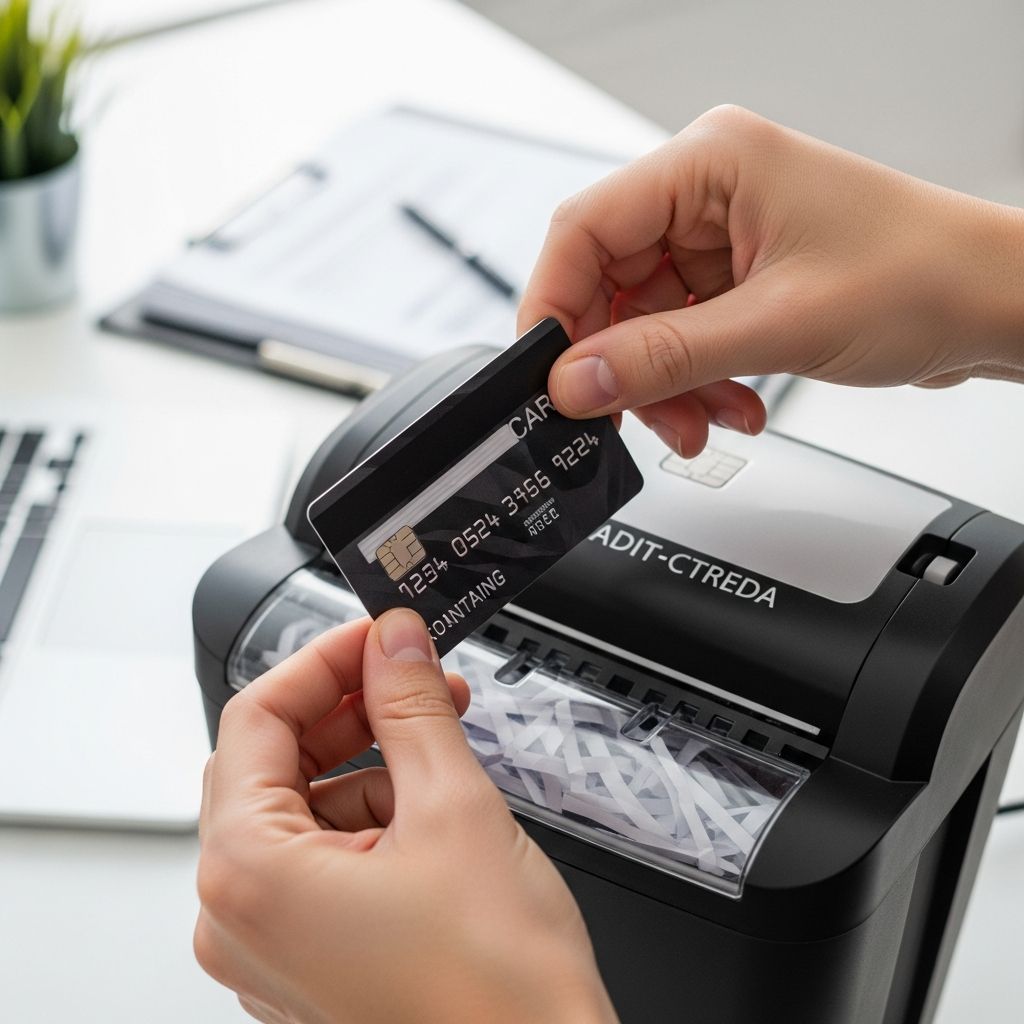
7. Destroy the physical card
- Plastic cards: Cut through the chip, magnetic stripe, and card number into multiple small pieces, and dispose of them separately.
- Metal cards: Ask your issuer for instructions or a prepaid envelope to return the card for destruction.
- Remove the card from digital wallets and online merchant accounts to prevent accidental future charges.
8. Follow up on your credit reports
After a month or two, check your credit to verify that the account status is updated correctly.
- Request your credit reports from the major credit bureaus and confirm the account is reported as closed.
- Check that the balance is accurate and that there are no new or unexpected charges.
- If you see errors, dispute them with the bureau and the card issuer, providing your closure confirmation as support.
Should You Close the Card or Keep It Open?
Closing is not always the best financial move. Before you decide, weigh the benefits and downsides in the context of your overall credit and goals.
| Choice | Potential advantages | Potential drawbacks |
|---|---|---|
| Close the card |
|
|
| Keep the card open |
|
|
Smart Alternatives to Closing a Credit Card
If your main concern is cost or self-control, you may be able to solve the problem without closing the account.
- Ask for a no-fee downgrade: Many issuers allow you to switch to a card without an annual fee while keeping your account history intact.
- Lower your credit limit: Reducing the limit can help prevent large new balances while keeping the account open.
- Store the card away: Remove the card from your wallet and digital wallets, and keep it in a secure place to reduce day-to-day temptation.
- Reserve for a small recurring bill: Use the card for a minor subscription and pay it off monthly, keeping the account active with minimal risk.
Special Situations to Consider
Joint accounts and authorized users
- On many joint accounts, removing one party requires closing the account entirely and possibly reopening a new one in a single name.
- If you are an authorized user, you can ask the issuer (or the primary cardholder) to remove you without closing the main account.
Closing a card while carrying other balances
- If the card you are closing has a high limit and you carry balances on other cards, closing it can sharply increase your overall utilization ratio.
- In that case, consider paying down other cards before closing, or use a downgrade or limit reduction instead of full closure.
Protecting yourself from fraud after closure
- Monitor your bank and credit card accounts periodically for unauthorized charges, even after closing a card.
- Use alerts for new accounts or hard inquiries on your credit reports, which can signal identity theft.
Frequently Asked Questions (FAQs)
Q: Does closing a credit card always hurt my credit score?
A: Closing a card can affect your score, mainly by changing your credit utilization and, over time, the average age of your accounts. The impact may be small if you have low balances and several other long-standing accounts.
Q: Can I close a credit card with a balance?
A: Some issuers allow you to close the account to new charges while you continue to pay the remaining balance, but you will still owe interest and must keep making payments until the balance is fully repaid. You generally cannot walk away from what you already owe.
Q: What happens to my rewards when I close my card?
A: Many reward programs forfeit unused points, miles, or cash back when the account is closed, so you should redeem or transfer rewards before canceling whenever possible.
Q: How long will the closed account stay on my credit report?
A: Closed accounts, especially those in good standing, can remain on your credit reports for up to about 10 years and may continue to contribute positively to your credit history during that time.
Q: Is cutting up my card enough to cancel it?
A: No. Physically destroying the card only prevents someone from using the plastic. To truly close the account, you must contact the issuer and confirm that the account itself has been closed.
References
- How to Cancel a Credit Card in 8 Steps — Intuit Credit Karma. 2023-09-15. https://www.creditkarma.com/credit-cards/i/how-to-cancel-credit-card
- How to Cancel a Credit Card in 5 Steps — JPMorgan Chase Bank, N.A. 2023-05-10. https://www.chase.com/personal/credit-cards/education/basics/how-to-cancel-a-credit-card
- How to Deactivate or Cancel a Credit Card — CareCredit / Synchrony Bank. 2023-06-01. https://www.carecredit.com/well-u/health-wellness/how-to-cancel-credit-card/
- Canceling a Credit Card? Here’s How to Do It Without Hurting Your Credit — United States Senate Federal Credit Union. 2022-09-20. https://www.ussfcu.org/media-center/senate-cents-a-financial-wellness-blog/blog-detail.html?title=canceling-a-credit-card-here-s-how-to-do-it-without-hurting-your-credit
- How to Close a Credit Card Account — Capital One Help Center. 2024-01-05. https://www.capitalone.com/help-center/credit-cards/close-your-account/
- How to Cancel a Credit Card — Citi. 2023-07-12. https://www.citi.com/credit-cards/understanding-credit-cards/how-to-cancel-a-credit-card
Similar Articles






Read full bio of Sneha Tete