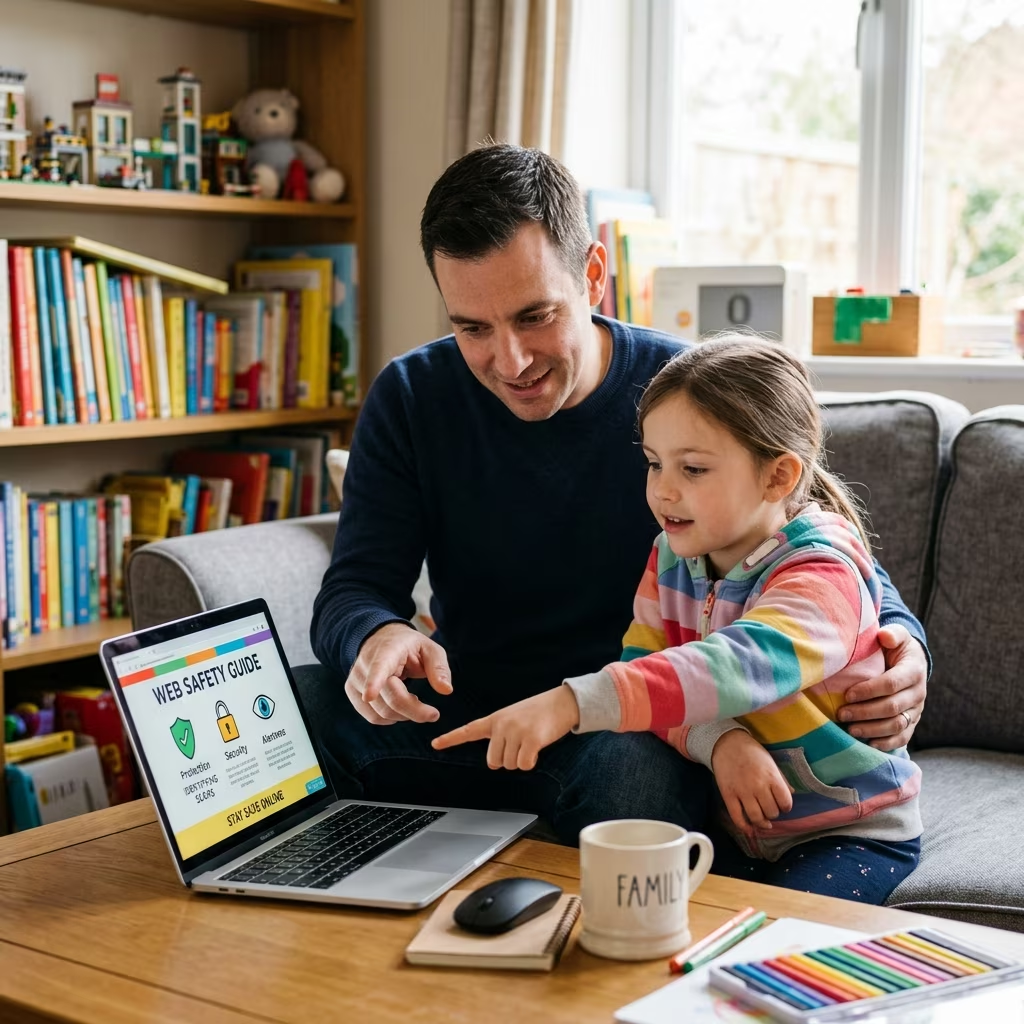
Teaching Children to Stay Safe From Online Scams
Children spend much of their time online for school, games, entertainment, and social connection, which means they can also be exposed to scams designed to steal information, money, or access to accounts. The most effective protection is not fear, but preparation: children need to understand how deception works, what personal information is valuable, and when to stop and ask an adult for help.
Online scams aimed at young people often look harmless at first. They may appear as free game rewards, fake giveaways, suspicious links, chat requests from strangers, or messages that push for quick action. Guidance from consumer and child-safety organizations emphasizes the same core defenses: build digital literacy, keep personal details private, use safety settings, and maintain regular conversations about what children see online.
Why Children Are Especially Vulnerable
Scammers know that children and teens may be more likely than adults to trust exciting offers, respond quickly to messages, or share details without recognizing the consequences. A fake prize, a limited-time in-game reward, or a message that pretends to come from a friend can feel believable if a child has not learned how scams are structured.
Young users are also still learning how to judge credibility. They may not notice a misspelled website address, a request for passwords, or a suspicious promise that sounds “too good to be true.” That is why many safety guides recommend teaching children to pause before clicking, compare information, and confirm anything unusual with a trusted adult.
Core Habits That Reduce Risk
A strong family approach starts with everyday digital habits rather than one-time warnings. Children are safer when privacy, skepticism, and communication become routine parts of their online life.
- Use usernames that do not reveal real names, locations, or contact details.
- Keep profiles private whenever the platform allows it so strangers have less access to personal information.
- Never share passwords, codes, bank details, or full identity information in chat, email, or social media messages.
- Stop and check before clicking links, downloading files, or opening attachments from unknown senders.
- Tell a parent or trusted adult immediately when a message, offer, or request feels unusual.
What Scam Awareness Should Look Like at Home
Children learn best when scam safety is concrete. Instead of only saying “be careful,” parents can explain what risky messages look like and practice spotting them together. Common warning signs include urgent language, requests for personal data, offers that promise easy rewards, and messages that pressure a child to keep something secret.
It also helps to discuss the phrase “too good to be true.” Scams often promise a win with little effort, such as free currency for a game, exclusive access to content, or a prize that requires the child to “verify” personal details first. When children understand that legitimate services rarely ask for sensitive information in exchange for a bonus, they are less likely to fall for bait.
How to Teach Safe Decision-Making
One of the most effective approaches is to rehearse realistic scenarios. Parents can ask children what they would do if a stranger sent a message offering a reward, if a game asked for a phone number to claim a prize, or if a friend’s account suddenly requested money or gift cards. Scenario-based practice helps children build a response plan before they are under pressure.
Children should learn three simple steps: recognize the warning sign, react by stopping the interaction, and resolve the problem by telling an adult. This approach is useful because it gives children a process instead of a vague warning. It also reinforces that reporting a possible scam is not “getting in trouble”; it is the correct response.
Privacy Settings and Account Protection
Privacy tools are not a substitute for judgment, but they do reduce exposure. Limiting who can view a profile, message a child, or see posts makes it harder for scammers to gather details for convincing impersonation attempts.
Strong passwords matter as well. Children should be taught to use unique passwords for each account and to avoid reusing one password across multiple sites. If one account is compromised, repeated passwords can give an attacker access to other services too. Adding more characters and mixing different types of characters makes passwords harder to guess.
| Risky behavior | Safer habit |
|---|---|
| Using a real name in a username | Choosing an anonymous screen name |
| Accepting default public settings | Reviewing privacy controls together |
| Reusing the same password | Using unique passwords for each account |
| Clicking unknown links | Checking with an adult first |
Talking About Personal Information
Children often do not realize how much a scammer can infer from seemingly harmless facts. A school name, a sports schedule, a home address, or even a post that shows when a child is home alone can help a malicious actor craft a convincing message or target a child more effectively.
Parents should explain that personal information is not only financial data. It also includes photos, school details, location, usernames, recovery codes, and private conversations. The goal is to help children understand that privacy is a protective habit, not a punishment or a sign of mistrust.
Parental Controls and Device Settings
Family safety tools can support, but not replace, conversation and supervision. Parental controls may help filter age-inappropriate sites, manage app downloads, restrict purchases, and reduce exposure to harmful content.
Consumer guidance also highlights the importance of supervision, especially for younger children. Parents can review app permissions, check privacy settings, set screen-time limits, and keep devices in shared spaces when appropriate. These measures make it easier to notice risky behavior early and to correct problems before they spread.
What to Do If a Child Interacts With a Scam
If a child responds to a suspicious message, the priority is calm, fast action. Scams can create embarrassment, but children need to feel safe telling the truth. A supportive response improves the chance that parents can limit harm quickly.
- Stop contact with the scammer immediately.
- Do not send more money, codes, or personal information.
- Change passwords if account details were shared.
- Review account activity for unexpected changes or purchases.
- Block the sender and report the message through the platform.
- Talk through what happened so the child can learn without shame.
If financial information was exposed, parents may need to contact the relevant institution promptly. If an account is taken over, recovery steps should begin right away. The sooner the problem is addressed, the less chance the scammer has to exploit the information further.
Keeping the Conversation Ongoing
Internet safety works best when it is part of everyday family life. Regular conversations help children report suspicious activity earlier and make it easier for parents to notice new risks as apps and scams evolve.
Instead of waiting for a problem, parents can ask short questions during ordinary moments: What messages or posts looked unusual today? Did any app ask for information that seemed unnecessary? Did you see an offer that wanted you to act fast? These questions create a habit of reflection and keep online safety visible without sounding alarmist.
Practical Rules Families Can Use
Simple household rules can be easier for children to remember than long explanations. The best rules are specific, repeatable, and age-appropriate.
- Never share a password with anyone except a parent or caregiver.
- Never meet an online contact in person without parental permission and supervision.
- Never click on links that arrive unexpectedly, even if they seem to come from a friend.
- Never send money, gift cards, or codes without checking with an adult.
- Always ask before downloading a new app or game that requests personal data.
FAQs
How can I explain scams to a younger child?
Use simple examples and describe scams as tricks that try to get information, money, or attention by pretending to be safe or exciting. Focus on what to do next: stop, check, and tell an adult.
What is the biggest warning sign of an online scam?
Urgency is a major warning sign. Messages that demand immediate action, secret behavior, or personal details are often designed to prevent careful thinking.
Are parental controls enough on their own?
No. Safety tools help reduce exposure, but children still need instruction, practice, and open communication so they can make better decisions when a risky message appears.
Should children ever use their real name online?
That depends on age, platform, and family rules, but many safety guides recommend avoiding real names in usernames and being cautious about public profiles. The less identifying information available, the harder it is for scammers to target the child.
What should I do if my child already shared private information?
Act quickly to protect the account, change passwords, review privacy settings, and contact the appropriate service or institution if money or identity data may be affected. Then discuss the incident calmly so your child knows to report future concerns sooner.
References
- Cómo prevenir las estafas en línea — Internet Matters. 2025-01-01. https://www.internetmatters.org/es/issues/online-scams/prevent-online-scams/
- Consejos de seguridad en Internet para niños, adolescentes y padres — Malwarebytes. 2025-01-01. https://www.malwarebytes.com/es/cybersecurity/basics/internet-safety-tips-for-kids
- 8 normas de seguridad en Internet para los niños — Washington Trust. 2025-01-01. https://www.washtrust.com/es/blog/8-internet-safety-rules-for-kids
- Mantener a los niños seguros en Internet — Wisconsin Department of Agriculture, Trade and Consumer Protection. 2025-01-01. https://datcp.wi.gov/Pages/Publications/IDTheftKeepingChildrenSafeOnlineSPANISH598.aspx
- Proteja a los niños en internet — Federal Trade Commission. 2025-01-01. https://consumidor.ftc.gov/robo-de-identidad-y-seguridad-en-linea/proteja-los-ninos-en-internet
- Fraudes online dirigidos a niños, niñas y adolescentes — Instituto Nacional de Ciberseguridad (INCIBE). 2025-01-01. https://www.incibe.es/menores/tematicas/fraudes-online