
Guarding Your Data: Practical Ways to Outsmart Hackers and Scammers
Learn clear, practical steps to lock down your devices, accounts, and everyday habits so hackers and scammers have a much harder time stealing your personal information.
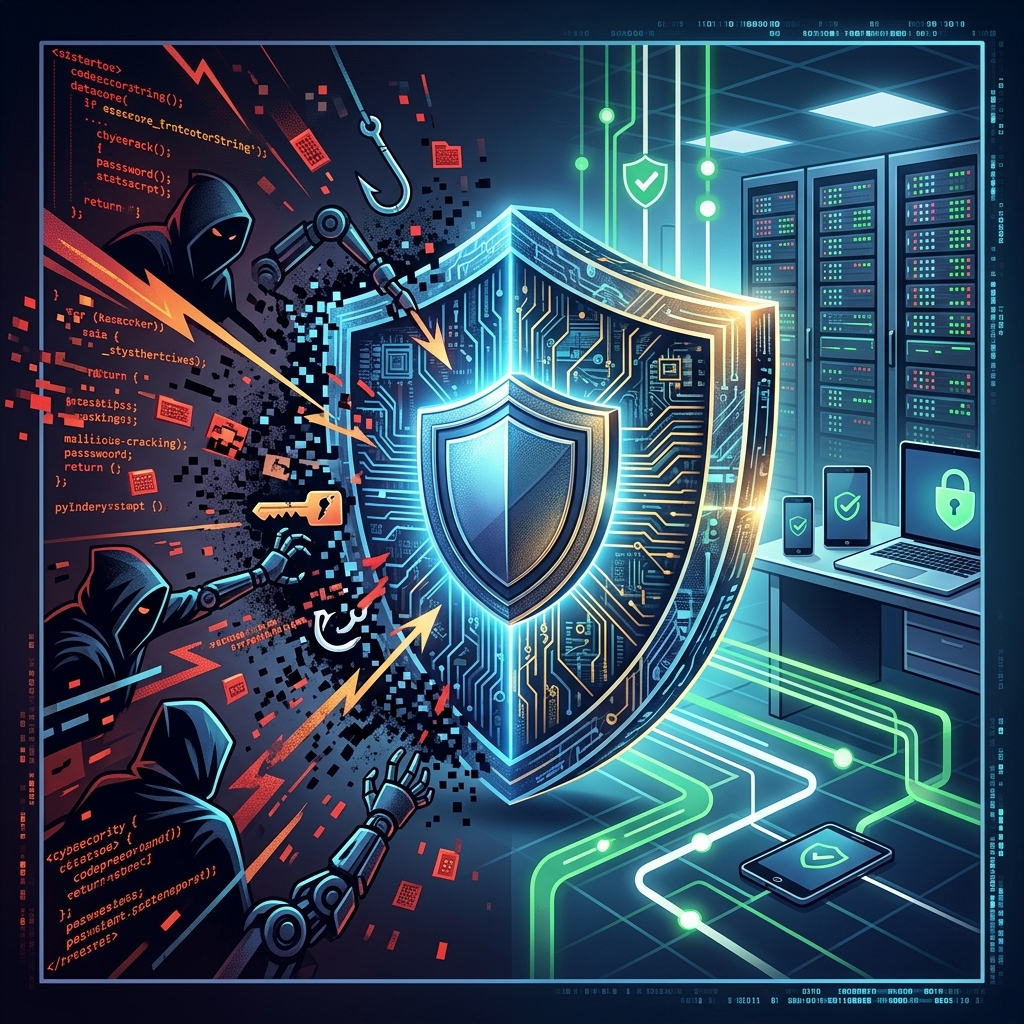
Your personal information fuels much of your digital life. When hackers or scammers get access to it, they can open accounts in your name, drain bank balances, or lock you out of services you rely on every day. Protecting that data is not about one perfect tool; it is about a set of consistent habits and smart choices that make you a difficult target.
This guide breaks down practical steps you can take to reduce your risk, spot common scams, and respond quickly if something goes wrong. Each section focuses on actions you can implement today, with simple explanations and examples to help you decide what works best for you.
Understanding Why Your Personal Information Matters
Personal information includes obvious data like your Social Security number and bank account details, but it also covers less obvious pieces such as your email address, login credentials, birthdate, home address, and even your location history. Taken together, these details can be used to impersonate you, answer security questions, or guess passwords.
According to consumer protection agencies, cybercriminals frequently use stolen personal information to:
- Open credit cards or loans under someone else’s name.
- Take control of online accounts by resetting passwords.
- Send convincing phishing messages to contacts to spread attacks further.
- Sell large data sets on criminal marketplaces for others to exploit.
Because so many organizations store pieces of your data, you cannot control everything. What you can control is how much information you expose, how well you secure your own devices and accounts, and how quickly you respond if something looks suspicious.
Build a Strong Technical Foundation: Devices, Software, and Networks
The first layer of protection starts with the tools you use every day. Making a few adjustments to your devices, software, and internet connections significantly reduces opportunities for attackers.
Keep Your Devices and Software Up to Date
Software updates often contain security fixes for newly discovered vulnerabilities. If you delay updates, you give attackers more time to exploit known flaws.
- Turn on automatic updates for operating systems, browsers, and major apps.
- Update security software promptly, including antivirus and anti-malware tools.
- Restart devices regularly so queued updates can install fully.
Government and industry security guidance consistently highlights patching and updates as one of the most important defenses against malware and unauthorized access.
Use Trusted Security Tools
Layered protection helps catch different kinds of threats. On laptops, desktops, tablets, and smartphones, consider:
- Antivirus and anti-malware software to detect and block malicious files and programs.
- Built-in or third-party firewalls to monitor network traffic and block suspicious connections.
- Secure browsers that warn about dangerous sites or downloads.
These tools are most effective when they are current and configured to perform regular scans. You do not need to buy the most complex product available; using reputable, up-to-date essentials already provides meaningful protection.
Choose Safer Networks and Connections
The network you use to connect to the internet affects how easily others can intercept your data. Public and open Wi-Fi networks are particularly risky because many people share the same connection.
| Network Type | Risk Level | Best Practices |
|---|---|---|
| Home Wi-Fi (encrypted) | Lower risk | Use strong router password, enable WPA2 or WPA3 encryption, change default admin credentials. |
| Public Wi-Fi (open) | Higher risk | Avoid accessing banking or sensitive accounts; use a VPN if you must connect. |
| Mobile data (cellular) | Moderate risk | Safer than many open Wi-Fi networks; still avoid risky downloads. |
- Prefer encrypted Wi-Fi that requires a password and uses modern security protocols.
- Use a VPN (Virtual Private Network) to protect traffic when you must use public networks.
- Avoid entering payment information or passwords on open networks whenever possible.
Lock Down Your Accounts: Passwords, Passphrases, and MFA
Your online accounts are gateways to sensitive data and services such as email, banking, health portals, and social media. Making them harder to break into is one of the most effective defenses against both hackers and scammers.
Create Strong, Unique Passwords or Passphrases
Simple or reused passwords make it easy for attackers to guess or use stolen credentials from one service to access another. Strong passwords or passphrases reduce this risk significantly.
- Use at least 12 characters combining letters, numbers, and symbols.
- Avoid personal details like your name, birthdate, or simple words like “password”.
- Create different passwords for important accounts so one breach does not expose everything.
- Consider passphrases – longer sequences of unrelated words with added numbers or symbols – because they are both strong and easier to remember.
Password managers can securely store and encrypt your credentials, helping you maintain unique passwords without memorizing all of them.
Enable Multi-Factor Authentication (MFA)
Multi-factor authentication adds an extra step when you sign in, such as a code sent to your phone or generated by an app. Even if someone learns your password, they still need this second factor to access your account.
- Turn on MFA for email, financial accounts, social media, and any service that stores sensitive data.
- Prefer authenticator apps or security keys over SMS when possible, as they can be more secure.
- Keep recovery information (backup codes, secondary email) updated and stored safely.
MFA is widely recommended by security experts and consumer protection offices because it significantly raises the barrier for account compromise, especially when combined with strong passwords.
Recognize and Avoid Common Scams and Phishing Attempts
Technical protections are crucial, but many attacks succeed because someone is tricked into clicking a malicious link or revealing information to a scammer. Learning to recognize these tactics helps you stop threats before they reach your device or accounts.
Spotting Phishing Messages
Phishing is a strategy where attackers pretend to be trusted organizations—banks, government agencies, delivery services—or even friends to convince you to click a link or share sensitive information.
Warning signs of phishing emails, texts, or messages include:
- Unexpected messages that demand immediate action or payment.
- Requests for passwords, Social Security numbers, or full card details via email or text.
- Spelling mistakes, unusual formatting, or sender addresses that look different from official ones.
- Links that do not match legitimate websites when you hover over them.
If you receive a suspicious message, do not click links or open attachments. Instead, go directly to the organization’s official website or use a phone number you already trust to verify whether the communication is genuine.
Phone Scams and Social Engineering
Scammers also use phone calls or voice messages to pose as customer support agents, government officials, or technical staff. Their goal is to get you to share personal details, install remote-access software, or send money.
- Do not share personal or financial data with anyone who contacts you unexpectedly.
- Hang up and call back using official numbers listed on statements or trusted websites.
- Be skeptical of threats (such as lawsuits or account closure) or unrealistic promises (like large prizes) delivered by phone.
Security guidance from state attorneys general and federal agencies emphasizes that legitimate organizations rarely demand immediate payment or sensitive data through unsolicited calls or messages.
Reduce Your Digital Footprint and Limit What You Share
Every piece of information you post, store, or allow to be collected contributes to your digital footprint. While you cannot erase yourself from the internet, you can reduce unnecessary exposure and tighten control over what is visible.
Be Selective on Social Media
Details such as your hometown, pet names, birthdays, and school history are often used in security questions and password guesses. Oversharing makes it easier for attackers to answer those questions or impersonate you.
- Limit posts that reveal exact locations, travel plans, or sensitive personal details.
- Review privacy settings so only trusted contacts can see your information where possible.
- Avoid posting full photos of IDs, tickets, or financial documents.
Clean Up Old Accounts and Data
Unused accounts and outdated apps sometimes hold valuable information but no longer receive updates or monitoring. Reducing these weak points makes it harder for attackers to find an easy entry.
- Delete or deactivate accounts you no longer use.
- Remove stored payment methods from services you rarely access.
- Back up important files securely and then delete duplicates from older devices or services you plan to stop using.
In some regions, privacy laws even give you rights to request data deletion or to limit how businesses share your information, which can further shrink your digital footprint.
Responding Quickly When Something Goes Wrong
Even with good habits, you might still face a data breach or account compromise. The speed and clarity of your response can reduce financial loss, help you recover access, and prevent additional damage.
Signs Your Information May Be Compromised
Watch for indicators that something may be wrong:
- Unexpected login alerts or notifications from your accounts.
- Emails about password resets you did not request.
- Transactions on your bank or card statements that you do not recognize.
- Messages from contacts saying they received strange emails or posts from you.
Many services offer login alerts and security notifications; enabling these features can help you catch suspicious activity early.
Immediate Steps to Take After a Suspected Breach
- Change passwords for affected accounts and any others that reuse the same credentials.
- Enable or strengthen MFA on important accounts if it is not already in place.
- Contact financial institutions to report unauthorized transactions or suspected fraud.
- Notify friends and family if your email or social media has been used to send scams, so they can ignore suspicious messages.
- Monitor your credit and statements closely for a period after the incident.
If a company informs you that your data was involved in a breach, read their notice carefully. Follow recommended steps such as changing passwords, watching for identity theft, or signing up for any free monitoring tools they may offer.
Frequently Asked Questions
1. Is antivirus software still necessary if I am careful online?
Yes. Even cautious users can encounter malicious files or compromised websites unintentionally. Reputable antivirus and anti-malware tools add a safety net that scans downloads, blocks known threats, and helps detect suspicious behavior on your device.
2. What is the single most important step to protect my accounts?
There is no single solution, but using strong, unique passwords and turning on multi-factor authentication for key accounts together offers one of the biggest security improvements you can make with relatively little effort.
3. Are public Wi-Fi networks always unsafe?
Public Wi-Fi is not always dangerous, but it is less secure than encrypted, private connections. You should avoid entering sensitive information on open networks and use a VPN when you must connect to them, especially for work or banking.
4. How can I tell if a website is secure before entering my payment details?
Look for a padlock symbol near the browser’s address bar and ensure the URL starts with “https” rather than “http”. Also check for clear contact information, a privacy policy, and signs that the site belongs to a recognized organization.
5. What should I do if I clicked on a suspicious link?
Disconnect from the internet, run a full scan with your security software, and change passwords for important accounts—starting with email and financial services. Watch for unusual activity on your accounts and consider seeking help from official support channels if you believe your device has been compromised.
References
- Steps to Better Protect Your Personal Information from Hackers, Breaches, and Other Harms — California Privacy Protection Agency. 2025-11-06. https://privacy.ca.gov/2025/11/steps-to-better-protect-your-personal-information-from-hackers-breaches-and-other-harms/
- How to Protect Yourself from Cyber-Attacks and Scams — U.S. Department of Veterans Affairs, Office of Information and Technology. 2023-06-07. https://digital.va.gov/cyber-spot/how-to-protect-yourself-from-cyber-attacks-and-scams/
- Internet Safety: How to Protect Yourself Against Hackers — Minnesota Attorney General’s Office. 2022-09-01. https://www.ag.state.mn.us/consumer/publications/HowtoProtectYourselfAgainstHackers.asp
- 6 Ways to Protect Your Personal Information Online — Chubb. 2022-03-15. https://www.chubb.com/us-en/individuals-families/resources/6-ways-to-protect-your-personal-information-online.html
- Keep your computer secure at home — Microsoft Support. 2023-08-10. https://support.microsoft.com/en-us/security/keep-your-computer-secure-at-home
Similar Articles








Read full bio of Sneha Tete


