Don’t Fall for Fake Amazon Fraud Calls and Texts
Learn how fake Amazon security calls and texts work, the red flags to spot, and safe steps to protect your money and personal data.
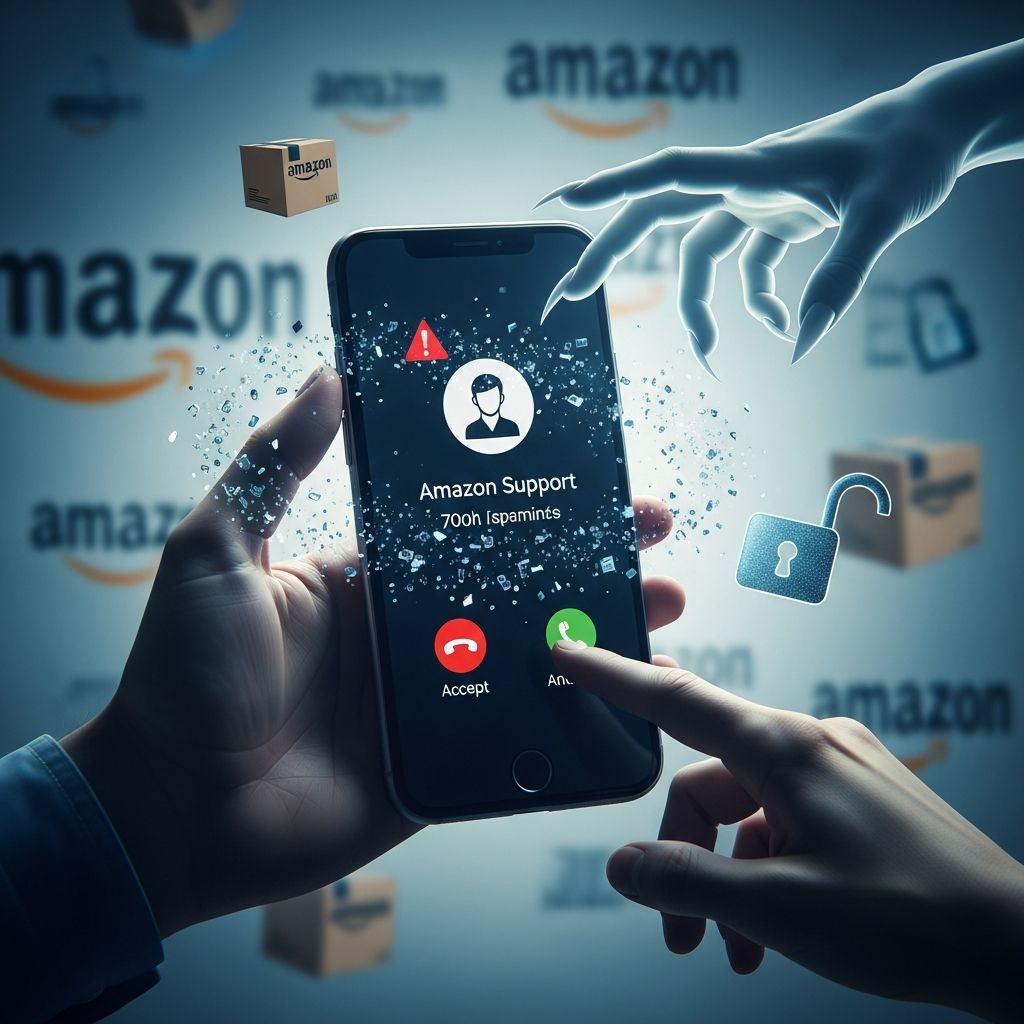
Scammers are increasingly posing as Amazon to scare people into reacting fast: they claim there is a suspicious purchase, a hacked account, or a large charge that must be verified immediately. These calls and texts are not from Amazon—they are part of a coordinated impersonation scam designed to steal your money, passwords, or personal information.
This guide explains how these scams work, the warning signs to watch for, and the exact steps to take if you receive one of these alarming messages.
Why Scammers Pretend to Be Amazon
Billions of orders flow through Amazon every year, and many households in the U.S. and worldwide use it regularly. That makes Amazon an ideal brand for scammers to impersonate: even if they contact random phone numbers, there is a good chance the recipient has an Amazon account or knows someone who does.
According to Amazon, account-issue scams and order-related scams are now the most common types of Amazon impersonation fraud. At the same time, the U.S. Federal Trade Commission (FTC) reports that impersonator scams—including scams where criminals pretend to be companies like Amazon—are among the top fraud categories by money lost. The goal is always the same:
- Convince you there is an urgent problem with your account or a large unwanted charge
- Make you panic so you act before thinking
- Get you to share personal details, download remote-access software, or send money
Typical Script of the Fake Amazon Fraud Scam
Scammers reuse a handful of common storylines. The exact wording changes, but the structure is similar. Here is a typical sequence:
1. The alarming message
You receive one of the following:
- Robocall saying there is a suspicious purchase (often an iPhone, MacBook, or other expensive electronics) on your Amazon account and asking you to press a key to speak to “Amazon support”.
- Live call from someone claiming to work in Amazon’s fraud or security department.
- Text message about a large suspicious order or account issue, with a phone number to call or a link to click.
The fake representative often claims:
- “We detected a purchase of over $1,000 for a phone or laptop you didn’t order.”
- “Multiple Amazon accounts have been opened in your name.”
- “Your account is locked due to suspicious activity; we need to verify you.”
2. Building credibility and pressure
Once you respond, the scammer tries to sound professional and trustworthy. They might:
- Give a fake case number, “employee badge”, or “reference ID”
- Rattle off part of your address or other basic information (which they can buy from data breaches)
- Warn you not to discuss the call with anyone or claim the matter is “confidential”
They use urgency and fear—suggesting your identity is at risk, large charges are pending, or law enforcement is involved—to keep you on the line and discourage you from hanging up and checking independently.
3. The hook: what they try to get from you
Eventually, the caller moves to what they really want. Common tactics include:
- Phishing for personal data such as your Social Security number, full date of birth, or bank details “to verify your identity”.
- Account takeover by asking for your Amazon password, two-factor authentication codes, or one-time passcodes sent to your phone.
- Remote control of your device by pressuring you to install remote-access software so they can “cancel the order” or “remove the hacker”.
- Direct payment using gift cards, cryptocurrency, wire transfers, or payment apps, supposedly as a way to “secure” or “refund” your account.
4. Extended storyline: fake bank, police, or government
More sophisticated scams add extra layers for credibility.
- The “Amazon” agent might transfer you to a supposed bank fraud department, federal agent, or law enforcement officer.
- They may spoof caller ID so it appears to be your bank, a government agency, or a known organization.
- Together, they pressure you to move your money to “safe” accounts controlled by the scammers or to reveal even more sensitive information.
How Real Amazon Contact Differs from Scams
To protect yourself, it helps to understand what Amazon does and does not do. According to Amazon, all legitimate order and account communications are visible in your Orders page and Message Center when you sign in to your account directly through the app or website.
| Situation | Legitimate Amazon Behavior | Scam Red Flags |
|---|---|---|
| Suspicious order | Visible in your Orders list when you log in; you can cancel or report problems through your account. | Caller insists they see a charge you cannot find in your account and urges you not to log in yourself. |
| Account verification | Amazon uses secure screens in the app/site; they never ask for your password or full payment details by phone or text. | Someone asks for your password, two-factor codes, or full card number over the phone or by text. |
| Refunds | Refunds are processed to your original payment method and shown in your account; no special tools or gift cards required. | Caller says they “sent too much” refund and demands you repay using gift cards, wire transfers, or crypto. |
| Links and downloads | Amazon directs you back to amazon.com or the official app; they do not require remote-access tools. | You are told to install remote software or click on a link that is not clearly part of Amazon’s official domain. |
Key Warning Signs of a Fake Amazon Call or Text
Although scammers constantly tweak their messages, the red flags are remarkably consistent. Treat any contact as suspicious if you notice any of the following:
- Unsolicited contact about a problem you did not report, especially involving fraud or large purchases.
- Pressure to act immediately, with threats that your account, money, or identity are in immediate danger if you hang up.
- Instructions not to verify independently, such as “do not contact Amazon directly” or “do not tell your bank”.
- Requests for sensitive information beyond what Amazon would need to verify your account, especially Social Security numbers, full bank account numbers, or one-time codes.
- Payment via unusual methods, including gift cards, payment apps, cryptocurrency, or wire transfers.
- Phone number or link looks odd, with strange domains or a caller ID that does not match the number listed on Amazon’s official site.
What to Do if You Get One of These Calls or Texts
The most effective response is simple: disconnect from the scammer and verify on your own.
Step-by-step response
- Hang up or ignore the message. Do not press buttons, do not call back the number, and do not click any links in a text.
- Check your Amazon account directly. Open the official Amazon app or type amazon.com into your browser. Go to:
- “Your Orders” to see if the claimed purchase exists
- Message Center to see any messages from Amazon about your account
- Review your bank and card accounts. Look for charges you do not recognize. If you see any, contact your bank or card issuer using the number on the back of your card.
- Contact Amazon support only through official channels. Find contact options in the app or on the website after logging in. Do not use phone numbers or links provided in suspicious messages.
- Report the scam.
- Forward phishing texts or emails to Amazon according to their guidance on suspicious messages.
- Report impersonation scams to the U.S. FTC through its official complaint site.
How to Protect Your Amazon Account and Devices
Even if you have not yet been targeted, strengthening your security now can limit the damage if a scammer ever obtains your information.
Secure your Amazon login
- Use a unique, strong password for Amazon that you do not reuse on any other site.
- Turn on multi-factor authentication (MFA) so signing in requires both your password and a one-time code.
- Review your login history and devices linked to your account; log out any devices you do not recognize.
Harden your phone and messaging habits
- Do not trust caller ID. Scammers can make calls appear as if they come from Amazon, your bank, or even government agencies.
- Avoid clicking links in unsolicited texts. If you think a message might be real, go directly to the app or website instead of using the link.
- Install updates for your phone and apps promptly, which helps protect against known security flaws.
Watch where you share your information
- Be cautious when entering your phone number or email into online forms; scammers obtain contact lists from data brokers and breaches.
- Limit what you post publicly on social media, since scammers may use those details to sound more convincing.
What If You Already Responded to a Fake Amazon Contact?
If you realize after the fact that you may have spoken to a scammer or clicked a malicious link, act quickly to reduce the damage.
If you shared your Amazon login or codes
- Sign in to Amazon through the app or official website.
- Change your password immediately.
- Turn on multi-factor authentication if it was not already enabled.
- Check your Orders, payment methods, and address book for unauthorized changes.
If you gave out card or bank details
- Contact your bank or card issuer immediately using the number on your card or statement.
- Explain that you were targeted by an impersonation scam (someone pretending to be Amazon).
- Ask them to:
- Monitor or block suspicious transactions
- Issue a new card or account number if needed
If you sent money
- Gift cards: Contact the gift card issuer right away with the card number and details. Recovery is difficult but may be possible in some cases if funds are not yet spent.
- Wire transfer or payment app: Contact your bank or app support immediately and ask if the transaction can be reversed.
- Cryptocurrency: These payments are usually irreversible; still, report the transaction to the exchange used.
If you installed remote-access software
- Disconnect your device from the internet.
- Uninstall the remote-access program you installed at the scammer’s direction.
- Run a reputable security scan or consult a trusted technician.
- Change passwords for important accounts, starting with email and banking.
Checklist: Is This Amazon Message a Scam?
Use this quick checklist whenever you receive a call, text, or email about an Amazon purchase or account issue:
- Does the message ask you to click a link or call a number you do not recognize?
- Does the caller insist you stay on the line and not verify the situation independently?
- Are they asking for passwords, one-time codes, or full card numbers?
- Is there no matching order in your Amazon account when you log in yourself?
- Are they demanding payment via gift cards, crypto, or wire transfer?
If you answer “yes” to any of these questions, treat the contact as a scam and end it immediately.
Frequently Asked Questions (FAQs)
How can I confirm if an Amazon charge is real?
Sign in to your Amazon account directly using the app or by manually entering the website address in your browser. Check your Orders and your payment history. If you do not see the charge or order there, the message you received is likely a scam.
Will Amazon ever call me about suspicious activity?
Amazon may send you security alerts, but you can always verify them by logging into your account and checking your messages and orders. Amazon states it will not ask for sensitive information such as your password or full payment details by phone, text, or email.
Is a text with an Amazon OTP (one-time password) always safe?
A legitimate one-time password is usually triggered by a sign-in or an action you started. If you receive a code you did not request, someone may be trying to access your account. Do not share the code with anyone, and consider changing your password and turning on multi-factor authentication if you have not already done so.
What should I do with a suspicious Amazon text message?
Do not click any links or call the number in the message. Instead, log in to your Amazon account directly to check for issues. You can also forward the text to Amazon according to their guidance on reporting suspicious communications and then delete it.
Where can I report an Amazon impersonation scam?
You can report Amazon impersonation scams both to Amazon and to the U.S. Federal Trade Commission. Amazon provides an online form for reporting suspicious messages, and the FTC accepts reports of impersonation scams through its official complaint site, which helps track patterns and warn the public.
References
- Did you get a call or text about a suspicious purchase on Amazon? It’s a scam. — Federal Trade Commission. 2024-03-27. https://consumer.ftc.gov/consumer-alerts/2024/03/did-you-get-call-or-text-about-suspicious-purchase-amazon-its-scam
- Millions Are Getting This Amazon Text… Don’t Be the Next Victim! — YouTube / FTC-style consumer education content. 2023-09-20. https://www.youtube.com/watch?v=rO4jmA5lITI
- Tracking the latest scam trends — Amazon Trustworthy Shopping. 2025-04-04 (and earlier updates). https://trustworthyshopping.aboutamazon.com/amazon-scam-trends
- Protecting Older Consumers, 2023–2024: A Report of the Federal Trade Commission — Federal Trade Commission. 2024-10-18. https://www.ftc.gov/reports/protecting-older-consumers-2023-2024-report-federal-trade-commission
Similar Articles








Read full bio of medha deb